పరిచయం
This manual provides essential instructions for the installation, use, and maintenance of your Generic 3D Designer Back Case Cover for VIVO U10. This case is designed to protect your device while offering a unique aesthetic.

Image 1: The Generic 3D Designer Back Case Cover for VIVO U10, showcasing the vibrant parrot eye pattern and precise camera cutouts.
సెటప్ మరియు ఇన్స్టాలేషన్
- మీ పరికరాన్ని సిద్ధం చేయండి: Ensure your VIVO U10 is clean and free of dust or debris before installing the case.
- కేసును సమలేఖనం చేయండి: Hold the case with the design facing outwards. Carefully align the camera cutout and button positions with your phone.
- Snap On: Gently press your VIVO U10 into the case, starting from one corner and working your way around. Ensure all edges of the phone are securely seated within the case.
- ఫిట్ను ధృవీకరించండి: Check that the case fits snugly and that all ports, buttons, and the camera are unobstructed and accessible.

Image 2: Illustration demonstrating the "Single Snap" installation method for the phone case.
ఆపరేటింగ్ మరియు ఫీచర్లు
This case is designed to enhance the usability and protection of your VIVO U10.
- రక్షణ: Constructed from durable hard polycarbonate plastic, the case provides protection against minor bumps, scratches, and daily wear.
- Optimal Lift: The case features a raised lip design (approximately 0.98 mm) around the screen and camera area to protect against direct surface contact, reducing the risk of scratches when placed face down.
- పూర్తి యాక్సెస్: Precision cutouts ensure unhindered access to all ports, buttons, speakers, and the camera without needing to remove the case.
- డిజైన్: Features a 3D printed parrot eye pattern with a matte finish, providing a unique visual appeal and comfortable grip. The print extends edge-to-edge for a seamless look.

Image 3: Illustration highlighting full access to all device ports and buttons while the case is installed.
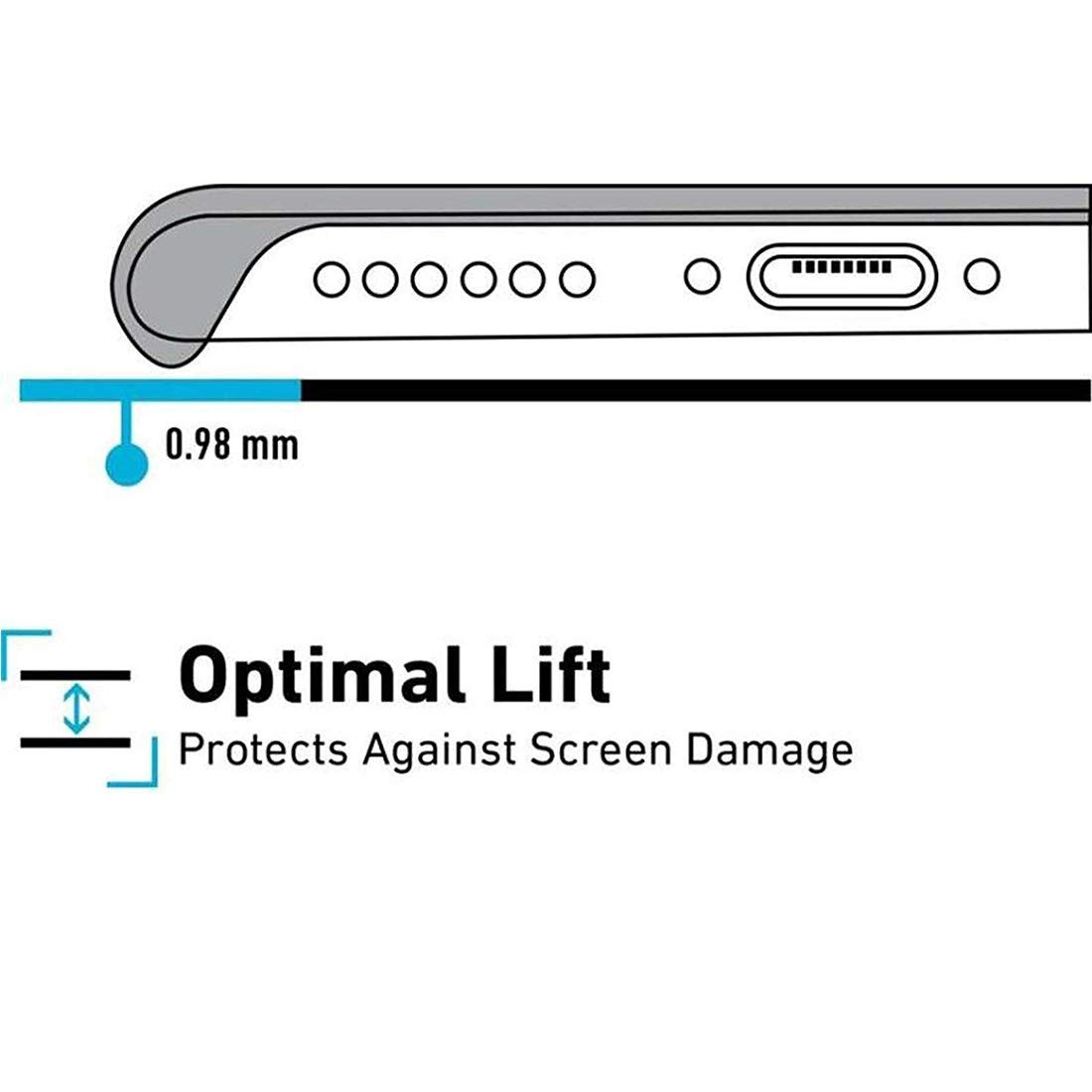
Image 4: Diagram illustrating the 0.98 mm optimal lift feature, designed to protect the screen from direct contact with surfaces.
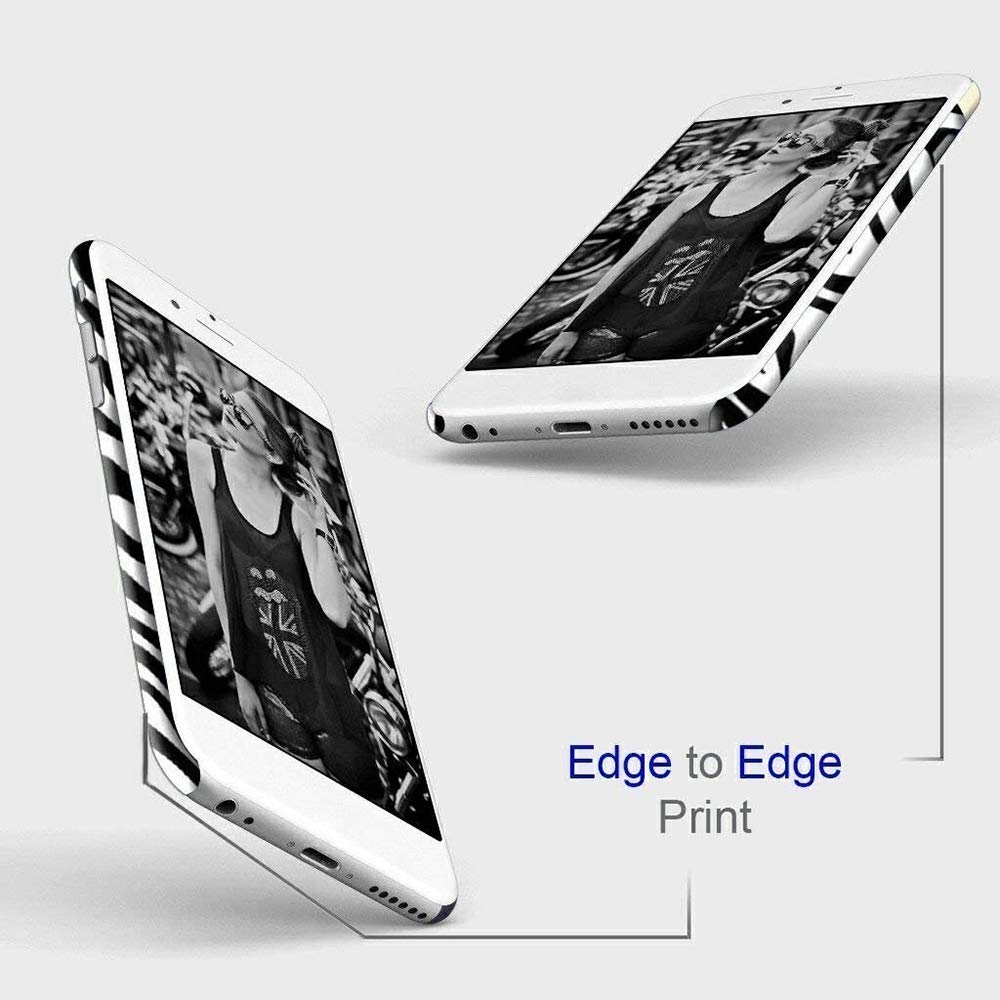
Image 5: Visual representation of the edge-to-edge printing technology used on the case, ensuring a complete and immersive design.
నిర్వహణ
To maintain the appearance and functionality of your case:
- శుభ్రపరచడం: కేసును క్రమం తప్పకుండా మృదువైన, డి-క్లాత్తో తుడవండి.amp cloth to remove dust and fingerprints. Avoid harsh chemicals or abrasive materials, as these may damage the print or material.
- విపరీతమైన పరిస్థితులను నివారించండి: Do not expose the case to extreme heat or prolonged direct sunlight, which could cause material degradation or fading of the design.
- తనిఖీ: Periodically inspect the case for any signs of wear or damage. If the case is significantly damaged, consider replacing it to ensure continued protection for your device.
ట్రబుల్షూటింగ్
- Case is difficult to install: Ensure your phone is correctly aligned with the case cutouts. Apply gentle, even pressure around the edges until the phone snaps into place. Do not force the phone into the case.
- Buttons are not responsive: Verify that the case is properly seated and not obstructing the buttons. Remove and re-install the case, ensuring a correct fit.
- Case appears loose: If the case feels loose after installation, it may not be fully snapped into place. Re-check all edges and corners to ensure a secure fit.
స్పెసిఫికేషన్లు
| ఫీచర్ | వివరాలు |
|---|---|
| బ్రాండ్ | సాధారణమైనది |
| మోడల్ సంఖ్య | WB-3D-VIVOU10-1786 |
| అనుకూల పరికరాలు | VIVO U10 |
| మెటీరియల్ | Hard Polycarbonate Plastic |
| ప్రత్యేక లక్షణాలు | 3D Printed Design, Matte Finish, Raised Lip for Screen Protection, Full Port Access |
| డిజైన్ నమూనా | Parrot Eye Pattern |
| మూలం దేశం | భారతదేశం |
| ASIN | B0B5PRD6PJ |
వారంటీ మరియు మద్దతు
This product is typically covered by a 10-day returnable policy as per standard retail terms. For specific warranty details or support inquiries, please refer to the retailer's policy at the time of purchase or contact the seller directly.
For general inquiries or assistance, please visit the అమెజాన్ కస్టమర్ సర్వీస్ పేజీ.


