
1. పరిచయం
Thank you for choosing the ErGear 63" x 55" Dual Motor L-Shaped Standing Desk. This manual provides essential information for the safe assembly, operation, and maintenance of your new electric height-adjustable desk. Please read these instructions carefully before use and retain them for future reference.

Image 1.1: The ErGear 63" x 55" L-Shaped Standing Desk, showcasing its spacious design and electric height adjustment feature.
2. భద్రతా సమాచారం
సురక్షితమైన ఆపరేషన్ను నిర్ధారించడానికి మరియు నష్టాన్ని నివారించడానికి, దయచేసి ఈ క్రింది భద్రతా మార్గదర్శకాలను గమనించండి:
- ఉపయోగం ముందు అన్ని భాగాలు సురక్షితంగా అమర్చబడి ఉన్నాయని నిర్ధారించుకోండి.
- ఎత్తు సర్దుబాటు సమయంలో పిల్లలు మరియు పెంపుడు జంతువులను డెస్క్ నుండి దూరంగా ఉంచండి.
- డెస్క్పై ఓవర్లోడ్ వేయవద్దు. గరిష్ట బరువు సామర్థ్యం కోసం స్పెసిఫికేషన్లను చూడండి.
- ద్రవాలను నేరుగా కంట్రోల్ ప్యానెల్పై లేదా ఎలక్ట్రికల్ భాగాల దగ్గర ఉంచడం మానుకోండి.
- శుభ్రపరిచే లేదా నిర్వహణ చేసే ముందు విద్యుత్తును డిస్కనెక్ట్ చేయండి.
- ఈ డెస్క్ ఇండోర్ ఉపయోగం కోసం మాత్రమే రూపొందించబడింది.

Image 2.1: The desk is certified safe, meeting US federal and state air standards for low VOC emissions, and complies with FCC and UL safety standards.
3. ప్యాకేజీ విషయాలు
The ErGear 63" L-Shaped Electric Standing Desk package includes all necessary components for assembly. Please verify that all parts are present and undamaged before beginning assembly.
- Desktop sections (multiple pieces for L-shape)
- Leg columns with dual motors
- Foot pads/bases
- నియంత్రణ ప్యానెల్
- పవర్ అడాప్టర్ మరియు కేబుల్స్
- అసెంబ్లీ హార్డ్వేర్ (స్క్రూలు, బోల్టులు, ఉపకరణాలు)
- ఇన్స్ట్రక్షన్ మాన్యువల్
4. సెటప్ మరియు అసెంబ్లీ
Assembly of the ErGear L-Shaped Standing Desk requires two people. A screwdriver is recommended for assembly. For detailed step-by-step instructions, please refer to the comprehensive PDF installation manual available online or included with your product.
4.1 అసెంబ్లీ ఎంపికలు
The L-shaped desktop can be assembled with the longer section on either the left or right side, allowing you to customize the desk to fit your space and preference.
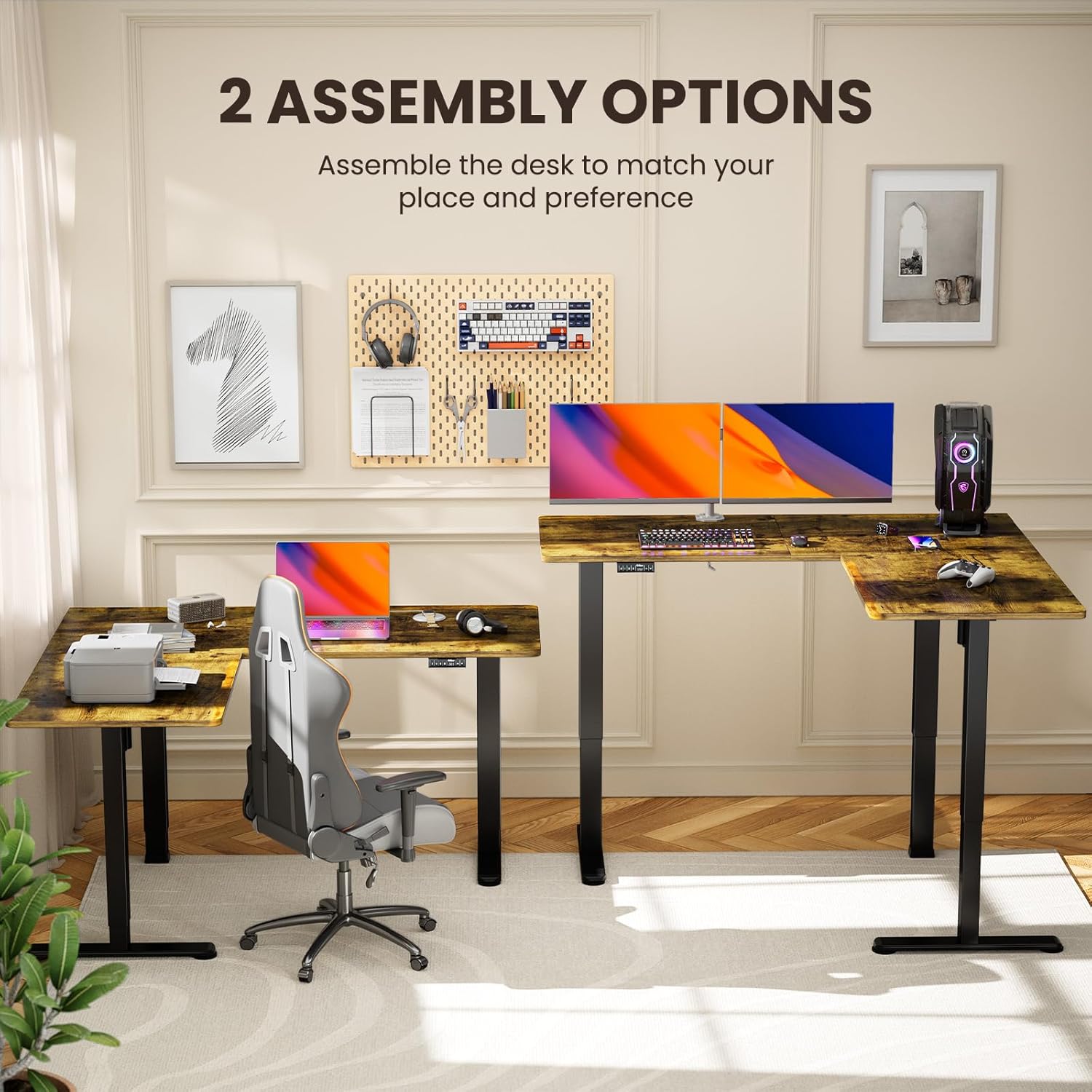
Image 4.1: Illustration of the two possible configurations for the L-shaped desktop, allowing for left or right-hand setup.

చిత్రం 4.2: ఓవర్ హెడ్ view demonstrating the flexibility of assembling the desk with the longer section on either side.
4.2 General Assembly Steps (Refer to PDF for details)
- అన్ని భాగాలను అన్ప్యాక్ చేసి, భాగాల జాబితాతో సరిచూసుకోండి.
- Attach the lifting columns to the desktop sections.
- Secure the foot pads to the lifting columns.
- Connect the motor cables and control panel to the main control box.
- Plug in the power adapter and perform initial calibration as per the detailed manual.
5. ఆపరేటింగ్ సూచనలు
Your ErGear standing desk features a dual-motor system for smooth and quiet height adjustments, along with a control panel for easy operation and memory presets.
5.1 ఎత్తు సర్దుబాటు
Use the up and down arrow buttons on the control panel to adjust the desk height. The desk can be adjusted from 28.35 inches to 46.46 inches.

Image 5.1: The desk in a standing position, demonstrating the electric height adjustment feature for ergonomic use.
5.2 మెమరీ ప్రీసెట్లు
The control panel allows you to save custom sit and stand height settings for quick transitions. Consult your detailed manual for specific instructions on setting and recalling memory positions.
5.3 Dual Motor System
The desk is equipped with dual motors for faster, smoother, and quieter operation. This system ensures stable and reliable long-term performance.

చిత్రం 5.2: ఒక అంతర్గత view highlighting the dual motor mechanism responsible for the desk's smooth and efficient height adjustment.

Image 5.3: The quiet operation of the desk allows for an undisturbed work environment, as demonstrated by a sleeping cat.
6. నిర్వహణ
Regular maintenance helps prolong the life and performance of your desk.
- శుభ్రపరచడం: డెస్క్టాప్ మరియు ఫ్రేమ్ను మృదువైన, d తో తుడవండి.amp వస్త్రం. కఠినమైన రసాయనాలు లేదా రాపిడి క్లీనర్లను నివారించండి.
- కేబుల్ నిర్వహణ: Periodically check and organize cables to prevent entanglement or damage during height adjustments.
- ఫాస్టెనర్లు: Occasionally check all screws and bolts to ensure they remain tight.
7. ట్రబుల్షూటింగ్
మీ డెస్క్తో మీకు సమస్యలు ఎదురైతే, ఈ క్రింది సాధారణ పరిష్కారాలను చూడండి:
| సమస్య | సాధ్యమైన కారణం | పరిష్కారం |
|---|---|---|
| డెస్క్ కదలడం లేదు | Power cable disconnected, overload, motor error | Check power connections. Reduce weight on desk. Refer to manual for error code interpretation and reset procedures. |
| అసమాన ఎత్తు సర్దుబాటు | Obstruction, calibration issue | Ensure no obstructions. Perform a reset/calibration as per the detailed manual. |
| Unusual noise during adjustment | Loose fasteners, obstruction | Check all fasteners for tightness. Remove any objects that may be interfering with the lifting columns. |
If the problem persists, please contact ErGear customer support.
8. స్పెసిఫికేషన్లు
Key technical details for your ErGear L-Shaped Standing Desk:
- మోడల్ సంఖ్య: EGESD8V
- ఉత్పత్తి కొలతలు: 55"డి x 63"వా x 28.35"హ
- కనిష్ట ఎత్తు: 28.35 అంగుళాలు
- గరిష్ట ఎత్తు: 46.46 అంగుళాలు
- గరిష్ట బరువు సిఫార్సు: 220 పౌండ్లు
- బేస్ మెటీరియల్: కార్బన్ స్టీల్
- టాప్ మెటీరియల్ రకం: Wood (Laminated)
- మోటార్లు: డ్యూయల్ మోటార్ సిస్టమ్
- అసెంబ్లీ: అవసరం (సిఫార్సు చేయబడిన 2 వ్యక్తులు)
- వారంటీ: 5 సంవత్సరాల వారంటీ

Image 8.1: Detailed dimensions of the ErGear L-Shaped Standing Desk, including the adjustable height range.

Image 8.2: The desk's robust lifting system is tested to support up to 220 lbs, ensuring dependable performance.
9. వారంటీ మరియు మద్దతు
ErGear provides a 5-year warranty for this product, covering parts and labor. For warranty claims, technical assistance, or further inquiries, please visit the official ErGear store or contact customer support.
ErGear Store: Visit the ErGear Store on Amazon
ఇన్స్టాలేషన్ మాన్యువల్ (PDF): For a detailed installation guide, please refer to the official PDF document: PDF మాన్యువల్ని డౌన్లోడ్ చేయండి