
పరిచయం
This manual provides comprehensive instructions for the operation and maintenance of your AbergBest Mini Digital Camera. Designed for ease of use, this compact camera is ideal for capturing everyday moments with its 21-megapixel sensor and HD 720P video recording capabilities. Please read this manual thoroughly to ensure proper usage and to maximize your camera's potential.
పెట్టెలో ఏముంది
Upon unboxing your AbergBest Mini Digital Camera, please verify that all the following components are included:
- AbergBest Mini Digital Camera (Model: New2022ABDC5100)
- 2 x Lithium Batteries
- Charging Brick (USB Wall Adapter)
- USB కేబుల్ (ఛార్జింగ్ మరియు డేటా బదిలీ కోసం)
- మణికట్టు పట్టీ
- Driver Disk (CD)
- వినియోగదారు మాన్యువల్
- Carrying Satchel

Image: All components included in the AbergBest Mini Digital Camera package.
సెటప్
1. బ్యాటరీ ఇన్స్టాలేషన్
The camera comes with two rechargeable lithium batteries. To install a battery:
- Locate the battery compartment door on the bottom of the camera.
- కంపార్ట్మెంట్ తెరవడానికి గొళ్ళెంను స్లైడ్ చేయండి.
- బ్యాటరీని చొప్పించండి, కాంటాక్ట్లు సరిగ్గా సమలేఖనం చేయబడ్డాయని నిర్ధారించుకోండి.
- Close the battery compartment door securely until it clicks.

Image: Visual guide for inserting the battery into the camera.
2. SD Card Installation (Not Included)
An SD memory card is required to store photos and videos. The camera supports up to a 64GB SD memory card. For optimal performance, use a certified brand SD card with a Class 4 speed or above.
- Locate the SD card slot, typically near the battery compartment or on the side of the camera.
- మెటల్ కాంటాక్ట్లు కిందకి చూసే వరకు SD కార్డ్ను చొప్పించండి.
- తీసివేయడానికి, కార్డు బయటకు వచ్చే వరకు సున్నితంగా లోపలికి నెట్టండి.

Image: Recommended SD card types and capacity for the camera.
3. కెమెరాను ఛార్జ్ చేయడం
Use the provided USB cable and charging brick to charge the camera. A fully charged battery can support the camera for over 60 minutes of use.
- Connect the small end of the USB cable to the camera's USB port.
- Connect the large end of the USB cable to the charging brick.
- Plug the charging brick into a wall outlet.
- The charging indicator light will illuminate during charging and turn off when complete.
ఆపరేటింగ్ సూచనలు
1. పవర్ చేయడం ఆన్/ఆఫ్
Press and hold the Power button (usually located on the top or side of the camera) to turn the camera on or off.
2. Using the LCD Screen
The camera features a 2.7-inch TFT LCD screen for framing shots, reviewing photos, and navigating menus.
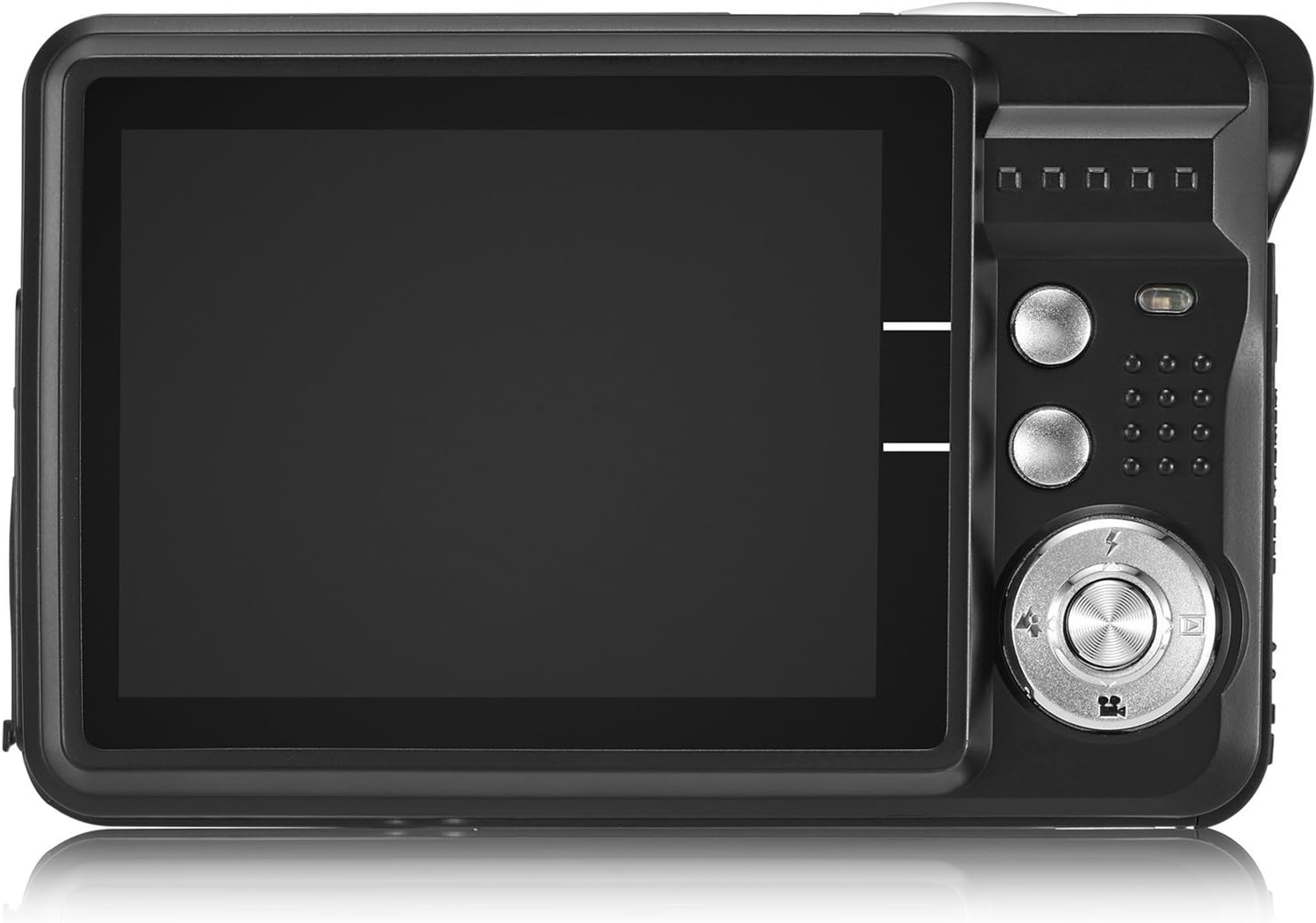
Image: The camera's 2.7-inch LCD screen and rear controls.
3. ఫోటోలు తీయడం
స్టిల్ చిత్రాన్ని క్యాప్చర్ చేయడానికి:
- LCD స్క్రీన్ ఉపయోగించి మీ సబ్జెక్టు ఫ్రేమ్ చేయండి.
- Press the Shutter button halfway down to focus.
- Press the Shutter button fully to take the picture.
The camera captures images at 21 megapixels in JPEG format.
4. వీడియోలను రికార్డ్ చేయడం
వీడియో రికార్డ్ చేయడానికి:
- Switch the camera to video mode (refer to the on-screen icons or user manual for specific button).
- రికార్డింగ్ ప్రారంభించడానికి షట్టర్ బటన్ను నొక్కండి.
- రికార్డింగ్ ఆపడానికి షట్టర్ బటన్ను మళ్లీ నొక్కండి.
Videos are recorded in HD 720P resolution in AVI format.

Image: The camera displaying video recording functionality.
5. జూమ్ ఫంక్షన్
The camera features 8X digital zoom. Use the zoom buttons (often labeled with a magnifying glass icon or 'W' for Wide and 'T' for Telephoto) to adjust the zoom level.

Image: Demonstrating the camera's 8X digital zoom capability.
6. Scene Modes and Settings
Access the camera's menu to select various scene modes and adjust settings for different shooting conditions. Available modes include:
- రాత్రి చిత్రం: For clear portraits in low light.
- Night Scenery: Optimizes for landscapes at night.
- క్రీడ: Reduces blur for fast-moving subjects.
- Scenery: Enhances outdoor landscape shots.
- పార్టీ: Ideal for indoor events with mixed lighting.
- బీచ్: Adjusts for bright, reflective environments.
- అధిక సున్నితత్వం: Improves performance in very low light.
Other adjustable settings include ISO (Auto, 100, 200, 400), Anti-Shake for stable images, and Flash options (Auto, On, Off, Red-eye Reduction). The camera also features Face Detection, Smile Capture, and a 2-second Self-Timer.

Image: The camera's 2.7-inch screen highlighting the face detection feature.

Image: Illustrating the effect of the built-in flash in low-light conditions.
కంప్యూటర్కు కనెక్ట్ చేస్తోంది
To transfer photos and videos to your computer:
- కెమెరా పవర్ ఆఫ్ చేయబడిందని నిర్ధారించుకోండి.
- అందించిన USB కేబుల్ని ఉపయోగించి కెమెరాను మీ కంప్యూటర్కి కనెక్ట్ చేయండి.
- Turn on the camera. It should appear as a removable disk drive on your computer.
- Alternatively, you can remove the SD card and insert it into a compatible card reader connected to your computer.
The camera is compatible with Windows XP/VISTA/7/8/10 and Mac operating systems. A driver disk is included for older systems or specific software needs, though most modern operating systems will recognize the camera automatically.

Image: Connecting the camera to a personal computer for data transfer.
నిర్వహణ
Proper care will extend the life of your camera:
- శుభ్రపరచడం: Use a soft, lint-free cloth to clean the camera body and screen. For the lens, use a specialized lens cleaning cloth and solution. Avoid harsh chemicals.
- నిల్వ: కెమెరాను చల్లని, పొడి ప్రదేశంలో ప్రత్యక్ష సూర్యకాంతి మరియు తీవ్రమైన ఉష్ణోగ్రతలకు దూరంగా నిల్వ చేయండి. ఎక్కువసేపు నిల్వ చేస్తే బ్యాటరీని తీసివేయండి.
- బ్యాటరీ సంరక్షణ: Fully charge batteries before first use. Avoid overcharging or completely draining the battery frequently to prolong its lifespan.
ట్రబుల్షూటింగ్
If you encounter issues with your camera, try the following common troubleshooting steps:
- కెమెరా ఆన్ చేయడం లేదు: Ensure the battery is correctly installed and fully charged. Try using the second provided battery.
- చిత్ర నాణ్యత బాగాలేదు: Check lighting conditions. Ensure the lens is clean. Adjust scene modes or ISO settings as needed.
- మెమరీ కార్డ్ లోపం: Ensure the SD card is properly inserted and not full. Try formatting the card (this will erase all data, so back up first). Use a compatible SD card (Class 4 or above, up to 64GB).
- కెమెరా స్తంభించిపోతుంది: కెమెరాను రీసెట్ చేయడానికి బ్యాటరీని తీసివేసి తిరిగి చొప్పించండి.
If problems persist, please refer to the detailed user manual or contact customer support.
స్పెసిఫికేషన్లు
| ఫీచర్ | వివరాలు |
|---|---|
| బ్రాండ్ | అబెర్గ్బెస్ట్ |
| మోడల్ పేరు | ABCAM218UPDATED |
| మోడల్ సంఖ్య | New2022ABDC5100 |
| గరిష్టం Webకెమెరా చిత్రం రిజల్యూషన్ | 21 ఎంపీ |
| ఫోటో సెన్సార్ టెక్నాలజీ | CMOS |
| వీడియో రిజల్యూషన్ | 720p |
| మద్దతు ఇచ్చారు File ఫార్మాట్ | AVI (Video), JPEG (Photo) |
| చిత్రం స్థిరీకరణ | డిజిటల్ |
| స్క్రీన్ పరిమాణం | 2.7 అంగుళాల TFT LCD |
| డిజిటల్ జూమ్ | 8x |
| ఫ్లాష్ మెమరీ రకం | SD (up to 64GB, Class 4+) |
| బ్యాటరీ రకం | లిథియం పాలిమర్ (2 చేర్చబడింది) |
| కనెక్టివిటీ టెక్నాలజీ | USB |
| అనుకూల పరికరాలు | Windows XP/VISTA/7/8/10/MAC |
| ప్రత్యేక ఫీచర్ | Face Detection, Smile Capture, Anti-Shake, Self-Timer |
| వస్తువు బరువు | 309 గ్రాములు |
| అంశం కొలతలు (D x W x H) | 3.74"డి x 2.4"వా x 0.94"హ |
వారంటీ మరియు మద్దతు
Your AbergBest Mini Digital Camera comes with a 1 సంవత్సరాల తయారీదారు వారంటీ. For warranty claims, technical support, or any questions regarding your product, please refer to the contact information provided in the included user manual or visit the official AbergBest webసైట్.
దయచేసి వారంటీ ప్రయోజనాల కోసం మీ కొనుగోలు రుజువును ఉంచుకోండి.