
JEYI I9-Seal
JEYI I9-Seal M.2 NVMe SSD Enclosure User Manual
Model: I9-Seal
పరిచయం
This manual provides comprehensive instructions for the installation, operation, and maintenance of your JEYI I9-Seal M.2 NVMe SSD Enclosure. This device converts an NVMe M.2 solid-state drive into a portable external storage solution with high-speed USB 3.2 Gen 2 connectivity.
ప్యాకేజీ విషయాలు
క్రింద జాబితా చేయబడిన అన్ని వస్తువులు మీ ప్యాకేజీలో చేర్చబడ్డాయని దయచేసి ధృవీకరించండి:
- JEYI M.2 NVMe SSD Enclosure
- థర్మల్ ప్యాడ్స్
- స్క్రూడ్రైవర్
- USB-A to USB-C Cable (10Gbps)
- USB-C to USB-C Cable (10Gbps)
- లాన్యార్డ్

సెటప్ సూచనలు
Follow these steps to install your NVMe M.2 SSD into the JEYI I9-Seal enclosure:
- ఎన్క్లోజర్ను సిద్ధం చేయండి: అంతర్గత PCBని బహిర్గతం చేయడానికి ఎన్క్లోజర్ను సున్నితంగా స్లైడ్ చేయండి.
- థర్మల్ ప్యాడ్ అప్లై చేయండి: Peel off the protective films from both sides of a thermal pad and carefully place it onto the NVMe SSD chip area. This aids in heat dissipation.
- Insert NVMe SSD: Align your NVMe M.2 SSD (2280 form factor only) with the M-Key slot on the PCB. Insert the SSD firmly but gently into the slot at an angle.
- SSD ని సురక్షితం చేయండి: Once inserted, gently push down the SSD and secure it with the provided screw using the included screwdriver. Ensure the SSD is flat and securely fastened.
- ఎన్క్లోజర్ను మూసివేయండి: Carefully slide the enclosure cover back into place until it clicks securely.


ఆపరేటింగ్ సూచనలు
Once your NVMe SSD is securely installed, connect the enclosure to your device:
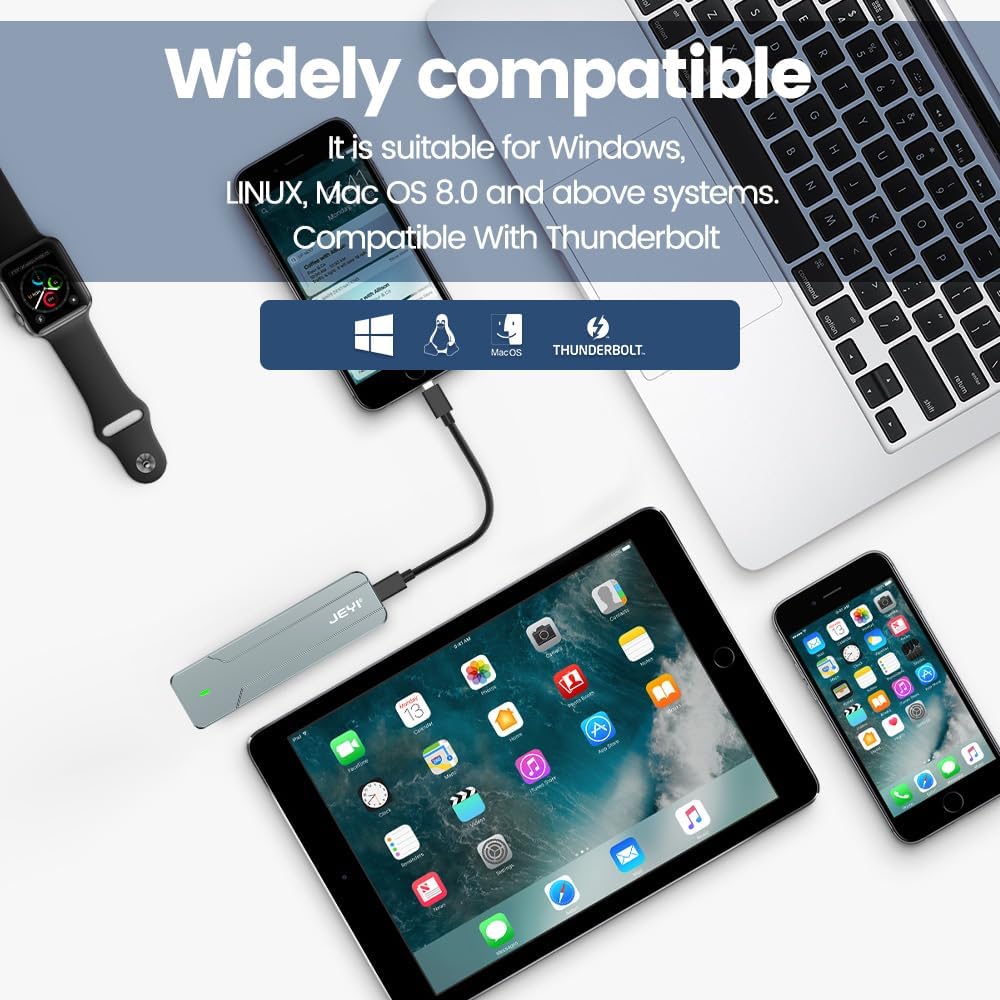
- పరికరానికి కనెక్ట్ చేయండి: Use either the provided USB-C to USB-C cable or the USB-A to USB-C cable to connect the enclosure to a compatible USB port on your computer, smartphone, tablet, or game console.
- శక్తి సూచిక: A small LED indicator on the enclosure will illuminate, signifying that the device is powered on and connected.
- Disk Recognition: Your operating system (Windows, macOS, Linux, Android, iOS) should automatically detect the new storage device. If it's a new SSD, you may need to initialize and format it through Disk Management (Windows) or Disk Utility (macOS) before use.
- డేటా బదిలీ: You can now perform data backup, file transfers, disk upgrades, data recovery, or use it for storage expansion. The enclosure supports USB 3.2 Gen 2 speeds up to 10Gbps.

నిర్వహణ
To ensure optimal performance and longevity of your JEYI I9-Seal enclosure:
- వేడి నిర్వహణ: అల్యూమినియం సి.asing and thermal pads are designed for efficient heat dissipation. During prolonged high-speed data transfers, the enclosure may become warm to the touch. This is normal and indicates effective heat transfer from the SSD.
- శుభ్రపరచడం: ఆవరణ వెలుపలి భాగాన్ని శుభ్రం చేయడానికి మృదువైన, పొడి వస్త్రాన్ని ఉపయోగించండి. ద్రవ క్లీనర్లు లేదా ద్రావకాలను ఉపయోగించడం మానుకోండి.
- నిల్వ: ఉపయోగంలో లేనప్పుడు, ప్రత్యక్ష సూర్యకాంతి మరియు తీవ్రమైన ఉష్ణోగ్రతలు లేకుండా చల్లని, పొడి ప్రదేశంలో ఆవరణను నిల్వ చేయండి.
- కేబుల్ కేర్: Handle the USB cables carefully. Avoid sharp bends or excessive pulling to prevent damage.
ట్రబుల్షూటింగ్
| సమస్య | సాధ్యమైన కారణం | పరిష్కారం |
|---|---|---|
| కంప్యూటర్ ద్వారా ఎన్ క్లోజర్ గుర్తించబడలేదు. |
|
|
| నెమ్మదిగా డేటా బదిలీ వేగం. |
|
|
| Enclosure gets very hot. |
|
|
స్పెసిఫికేషన్లు
| ఫీచర్ | వివరాలు |
|---|---|
| మోడల్ | I9-Seal |
| బ్రాండ్ | JEYI |
| హార్డ్వేర్ ఇంటర్ఫేస్ | USB 3.2 Gen 2 (USB-C) |
| డేటా బదిలీ రేటు | 10 Gbps వరకు |
| Compatible SSD Type | NVMe M.2 (PCI-E M-Key) |
| Supported SSD Form Factor | 2280 (80mm) only |
| గరిష్ట నిల్వ సామర్థ్యం | 4 TB |
| చిప్సెట్ | JMS583 A3 |
| ఫీచర్లు | UASP Support, TRIM Support, Win to Go (WTG) Support |
| మెటీరియల్ | అల్యూమినియం మిశ్రమం |
| రంగు | వెండి |
| ఉత్పత్తి కొలతలు | 4.06 x 1.02 x 0.39 అంగుళాలు (103 x 26 x 10 మిమీ) |
| వస్తువు బరువు | 0.317 ఔన్సులు (9 గ్రాములు) |
| అనుకూలమైన ఆపరేటింగ్ సిస్టమ్స్ | విండోస్, మాకోస్, లైనక్స్, iOS, ఆండ్రాయిడ్ |

వారంటీ మరియు మద్దతు
For warranty information or technical support, please refer to the official JEYI website or contact their customer service directly. Details regarding specific warranty periods and support channels are typically provided with your purchase documentation or on the manufacturer's webసైట్.
తయారీదారు: JEYI
Webసైట్: Visit the JEYI Store on Amazon
Ask a question about this manual
Ask about setup, troubleshooting, compatibility, parts, safety, or missing instructions. Manuals+ will review the question and use this page’s manual context to help answer it.