
1. పరిచయం
Thank you for choosing the VBESTLIFE S21 Ultra Unlocked Cell Phone. This manual provides essential information for setting up, operating, and maintaining your device. Please read it carefully to ensure proper use and to maximize the phone's features. This smartphone features a 6.1-inch HD display, dual SIM capability, and runs on the Android 11 operating system.
2. భద్రతా సమాచారం
- పరికరాన్ని తీవ్రమైన ఉష్ణోగ్రతలు, ప్రత్యక్ష సూర్యకాంతి లేదా అధిక తేమకు గురిచేయవద్దు.
- ఫోన్ను పడవేయడం లేదా తీవ్రమైన ప్రభావానికి గురిచేయడం మానుకోండి.
- నష్టాన్ని నివారించడానికి మరియు భద్రతను నిర్ధారించడానికి ఆమోదించబడిన ఛార్జర్లు మరియు ఉపకరణాలను మాత్రమే ఉపయోగించండి.
- Keep the device away from medical implants and pacemakers.
- ఫోన్ను మీరే విడదీయడానికి లేదా రిపేర్ చేయడానికి ప్రయత్నించవద్దు. అర్హత కలిగిన సేవా సిబ్బందిని సంప్రదించండి.
- స్థానిక నిబంధనల ప్రకారం పరికరాన్ని మరియు దాని బ్యాటరీని బాధ్యతాయుతంగా పారవేయండి.
3. ప్యాకేజీ విషయాలు
పెట్టెలో అన్ని వస్తువులు ఉన్నాయని నిర్ధారించుకోండి:
- VBESTLIFE S21 Ultra Unlocked Cell Phone
- Adapter (US plug)
- USB కేబుల్
- హెడ్ఫోన్లు
- SIM ఎజెక్టర్ సాధనం
- రక్షణ కేసు
- స్క్రీన్ ప్రొటెక్టర్
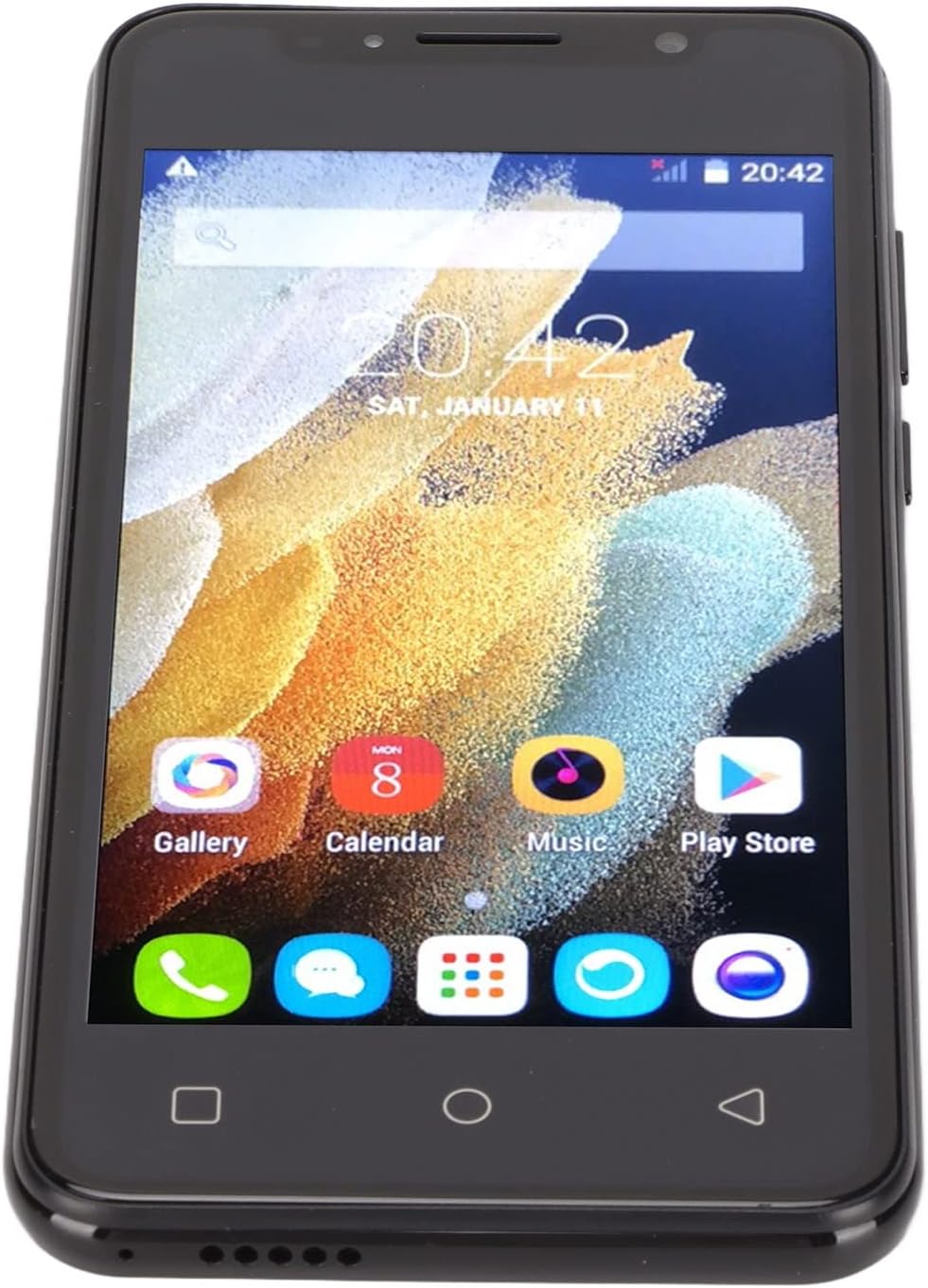
Image: The VBESTLIFE S21 Ultra phone displayed with its accessories, including a charger, USB cable, headphones, SIM ejector tool, protective case, and screen protector.
4. పరికరం ముగిసిందిview
Familiarize yourself with the physical features and components of your VBESTLIFE S21 Ultra smartphone.

చిత్రం: ముందు మరియు వెనుక views of the VBESTLIFE S21 Ultra phone, highlighting its design and displaying key specifications such as model, resolution, screen size, RAM, and ROM.

చిత్రం: కోణీయ view చూపించుasing both the front display and the rear camera module of the VBESTLIFE S21 Ultra smartphone.
4.1 ప్రదర్శన
The phone features a 6.1-inch HD+ display with a resolution of 1440 x 3200 pixels, offering a clear and vibrant visual experience.

Image: A user holding the VBESTLIFE S21 Ultra phone, which displays a scenic image on its 6.1-inch HD+ screen.
5. సెటప్
5.1 Inserting SIM and Memory Card
The VBESTLIFE S21 Ultra supports dual SIM cards and one small memory card simultaneously. Use the provided SIM ejector tool to open the SIM tray.
- ఫోన్ పక్కన సిమ్ ట్రేని గుర్తించండి.
- ట్రే పక్కన ఉన్న చిన్న రంధ్రంలోకి సిమ్ ఎజెక్టర్ సాధనాన్ని చొప్పించి, ట్రే బయటకు వచ్చే వరకు సున్నితంగా నెట్టండి.
- Place your Nano SIM cards into the designated SIM1 and SIM2 slots.
- If using, insert a small memory card into its dedicated slot.
- ట్రే సరైన స్థానంలోకి వచ్చే వరకు జాగ్రత్తగా దాన్ని తిరిగి ఫోన్లోకి నెట్టండి.

Image: A diagram illustrating the correct placement of two SIM cards (SIM1 and SIM2) and a memory card into the phone's tray.
5.2 ప్రారంభ పవర్ ఆన్
Press and hold the Power button located on the side of the phone until the screen lights up. Follow the on-screen prompts to complete the initial setup, including language selection, Wi-Fi connection, and Google account setup.
5.3 పరికరాన్ని ఛార్జ్ చేస్తోంది
Connect the USB cable to the phone's charging port and plug the adapter into a power outlet. The battery indicator on the screen will show the charging status. For optimal battery life, fully charge the phone before first use.
6. ఆపరేటింగ్ సూచనలు
6.1 ప్రాథమిక నావిగేషన్
- టచ్: యాప్ను తెరవడానికి లేదా అంశాన్ని ఎంచుకోవడానికి చిహ్నాన్ని నొక్కండి.
- స్వైప్: స్క్రీన్ల మధ్య స్క్రోల్ చేయడానికి లేదా నావిగేట్ చేయడానికి మీ వేలిని స్క్రీన్పైకి లాగండి.
- చిటికెడు: ఫోటోలను జూమ్ ఇన్ లేదా అవుట్ చేయడానికి రెండు వేళ్లను ఉపయోగించండి మరియు web పేజీలు.
- హోమ్ బటన్: హోమ్ స్క్రీన్కి తిరిగి వస్తుంది.
- వెనుక బటన్: మునుపటి స్క్రీన్కి తిరిగి వస్తుంది.
- ఇటీవలి యాప్ల బటన్: ఇటీవల ఉపయోగించిన అనువర్తనాలను ప్రదర్శిస్తుంది.
6.2 కాల్స్ చేయడం మరియు సందేశాలు పంపడం
Tap the Phone icon to access the dialer. Enter the number and tap the call button. To send a message, tap the Messages icon, select a contact or enter a number, type your message, and send.
6.3 నెట్వర్క్లకు కనెక్ట్ చేయడం
- Wi-Fi: Go to Settings > Network & internet > Wi-Fi. Turn Wi-Fi on and select your desired network. Enter the password if required.
- బ్లూటూత్: Go to Settings > Connected devices > Bluetooth. Turn Bluetooth on and pair with available devices.
- మొబైల్ డేటా: సెట్టింగ్లు > నెట్వర్క్ & ఇంటర్నెట్ > మొబైల్ నెట్వర్క్లో మీ SIM కార్డ్ యాక్టివ్గా ఉందని మరియు మొబైల్ డేటా ప్రారంభించబడిందని నిర్ధారించుకోండి.
6.4 కెమెరాను ఉపయోగించడం
Tap the Camera icon to open the camera application. The phone features a 24-megapixel front camera (f/2.0 aperture) and a 48-megapixel rear camera (f/1.8 aperture) with autofocus.
- ఫోటో తీయడానికి షట్టర్ బటన్ను నొక్కండి.
- కెమెరా టోగుల్ చిహ్నాన్ని ఉపయోగించి ముందు మరియు వెనుక కెమెరాల మధ్య మారండి.
- Explore various shooting modes and settings within the camera app.

Image: Details on the HD Front and Rear Camera specifications, including megapixels and aperture for the VBESTLIFE S21 Ultra.
6.5 ముఖ గుర్తింపు
The VBESTLIFE S21 Ultra supports face recognition for quick and secure unlocking.
- సెట్టింగ్లు > సెక్యూరిటీ > ఫేస్ అన్లాక్కి వెళ్లండి.
- Follow the on-screen instructions to register your face. Ensure you are in a well-lit area.
- రిజిస్టర్ అయిన తర్వాత, మీరు ముందు కెమెరాను చూడటం ద్వారా మీ ఫోన్ను అన్లాక్ చేయవచ్చు.

Image: An illustration demonstrating the facial recognition feature, where the front camera recognizes faces for quick unlocking.
7. నిర్వహణ
7.1 శుభ్రపరచడం
Use a soft, lint-free cloth to clean the phone's screen and body. Avoid using harsh chemicals or abrasive materials that could damage the device.
7.2 బ్యాటరీ సంరక్షణ
- బ్యాటరీని తరచుగా పూర్తిగా డిశ్చార్జ్ చేయడాన్ని నివారించండి.
- ఫోన్ పూర్తిగా ఛార్జ్ అయిన తర్వాత ఎక్కువ సేపు ఛార్జింగ్లో ఉంచవద్దు.
- Keep the phone within a moderate temperature range to prevent battery degradation.
7.3 సాఫ్ట్వేర్ నవీకరణలు
Regularly check for software updates to ensure your phone has the latest features and security patches. Go to Settings > System > System update to check for and install available updates.
8. ట్రబుల్షూటింగ్
| సమస్య | పరిష్కారం |
|---|---|
| ఫోన్ ఆన్ చేయలేదు | Ensure the battery is charged. Connect to a charger for at least 30 minutes. If it still doesn't turn on, perform a forced restart (hold Power button for 10-15 seconds). |
| Wi-Fiకి కనెక్ట్ చేయడం సాధ్యపడదు | Check if Wi-Fi is enabled in settings. Restart your router and the phone. Verify the Wi-Fi password. |
| పేలవమైన కాల్ నాణ్యత | నెట్వర్క్ సిగ్నల్ బలాన్ని తనిఖీ చేయండి. మెరుగైన రిసెప్షన్ ఉన్న ప్రాంతానికి వెళ్లండి. మైక్రోఫోన్ లేదా స్పీకర్ను ఏదీ బ్లాక్ చేయడం లేదని నిర్ధారించుకోండి. |
| యాప్లు క్రాష్ అవుతున్నాయి లేదా స్తంభించిపోతున్నాయి | యాప్ను మూసివేసి తిరిగి తెరవండి. యాప్ కాష్ను క్లియర్ చేయండి (సెట్టింగ్లు > యాప్లు > [యాప్ పేరు] > నిల్వ > కాష్ను క్లియర్ చేయండి). ఫోన్ను రీస్టార్ట్ చేయండి. |
| బ్యాటరీ త్వరగా అయిపోతుంది | Reduce screen brightness. Close unused apps. Turn off Wi-Fi, Bluetooth, and GPS when not in use. Check battery usage in settings to identify power-hungry apps. |
9. స్పెసిఫికేషన్లు
Detailed technical specifications for the VBESTLIFE S21 Ultra Unlocked Cell Phone:
| ఫీచర్ | వివరాలు |
|---|---|
| బ్రాండ్ | VBESTLIFE |
| మోడల్ | S21 అల్ట్రా |
| ఆపరేటింగ్ సిస్టమ్ | ఆండ్రాయిడ్ 11.0 |
| RAM మెమరీ | 512 MB |
| నిల్వ సామర్థ్యం | 4 GB |
| స్క్రీన్ పరిమాణం | 6.1 అంగుళాలు |
| డిస్ప్లే రిజల్యూషన్ | 1440 x 3200 పిక్సెల్లు |
| ప్రదర్శన రకం | LCD |
| వైర్లెస్ క్యారియర్ | అన్లాక్ చేయబడింది |
| సెల్యులార్ టెక్నాలజీ | 4G |
| కనెక్టివిటీ టెక్నాలజీ | USB, Wi-Fi |
| రంగు | నలుపు |
| సిమ్ కార్డ్ స్లాట్ కౌంట్ | డ్యూయల్ సిమ్ |
| కనెక్టర్ రకం | 3.5 మిమీ జాక్ |
| బయోమెట్రిక్ భద్రత | ముఖ గుర్తింపు |
| ఫ్రంట్ కెమెరా రిజల్యూషన్ | 3 ఎంపీ |
| వెనుక కెమెరా రిజల్యూషన్ | 48 ఎంపీ |
| బ్యాటరీ కెపాసిటీ | 2500 మిల్లీamp గంటలు |
| బ్యాటరీ రకం | లిథియం-అయాన్ |
| వీడియో క్యాప్చర్ రిజల్యూషన్ | 4k at 24 fps |
| నీటి నిరోధక స్థాయి | వాటర్ రెసిస్టెంట్ కాదు |

Image: A summary of key features for the S21 Ultra Unlocked Smartphone, including screen size, camera, dual SIM, battery, memory, and face recognition.
10. వారంటీ మరియు మద్దతు
For warranty information and technical support, please refer to the documentation provided with your purchase or contact VBESTLIFE customer service. Keep your proof of purchase for warranty claims.