
ఉత్పత్తి ముగిసిందిview
The LORZOR Slim Airtag Wallet is a minimalist wallet designed for efficient storage and security. It features genuine full-grain leather, an ultra-thin aluminum card holder, an integrated AirTag compartment, an ID window, and RFID blocking technology. This wallet is designed to hold essential cards and cash while maintaining a compact form factor.

సెటప్
1. Inserting the AirTag
Locate the dedicated AirTag holder on the wallet. Gently slide your Apple AirTag into the circular compartment. Ensure it is securely seated to prevent accidental dislodgement. (గాలిTag చేర్చబడలేదు)

2. Adding Cards and Cash
The wallet features an aluminum pop-up card holder for your primary cards and additional slots for other cards and cash. The pop-up mechanism is designed to hold 5-6 cards securely. Additional slots can accommodate 5-8 cash bills and other cards.

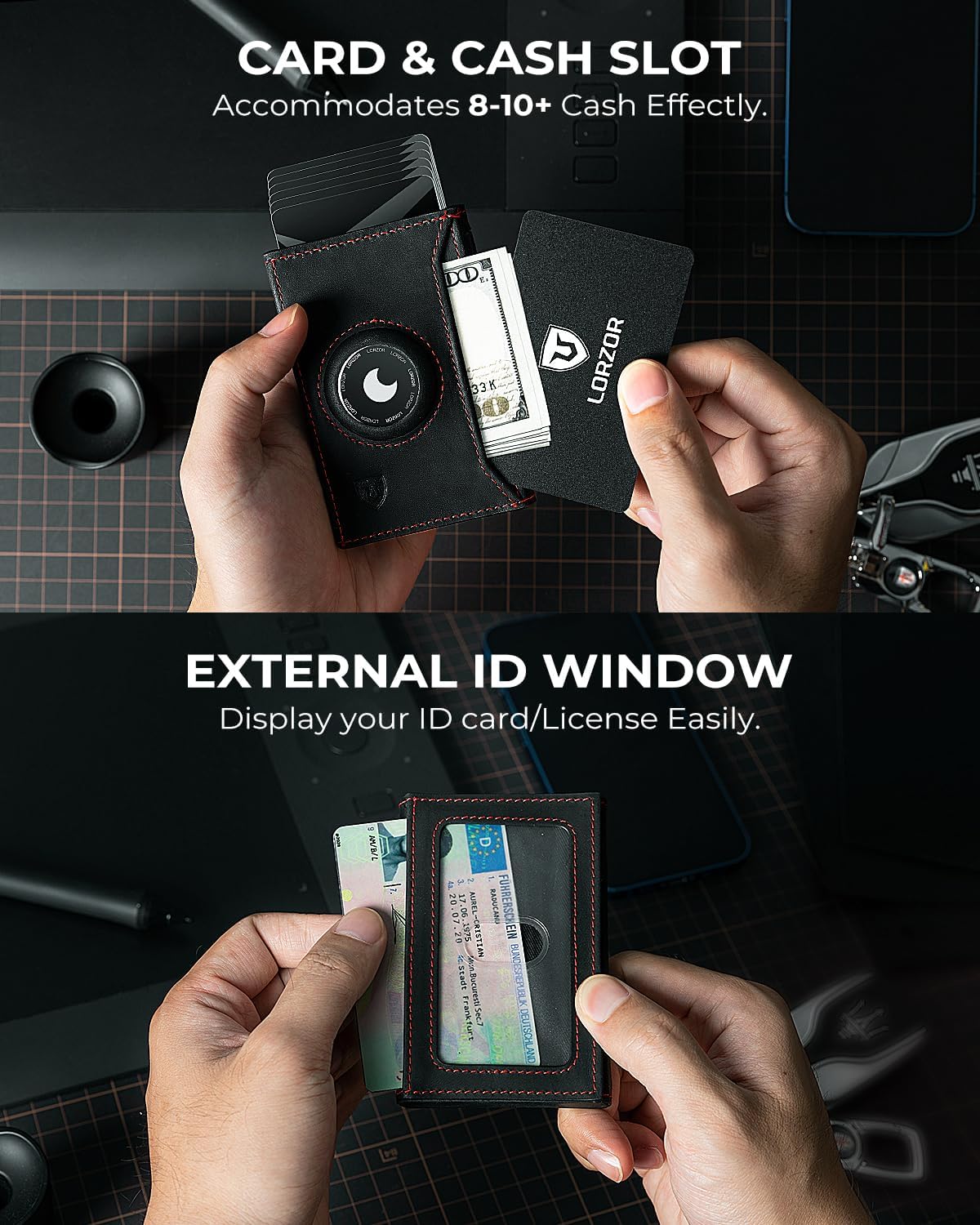
Video 1: Demonstrates the process of inserting cards and cash into the LORZOR wallet, highlighting the AirTag holder and ID window.
ఆపరేటింగ్ సూచనలు
1. Using the Pop-Up Card Mechanism
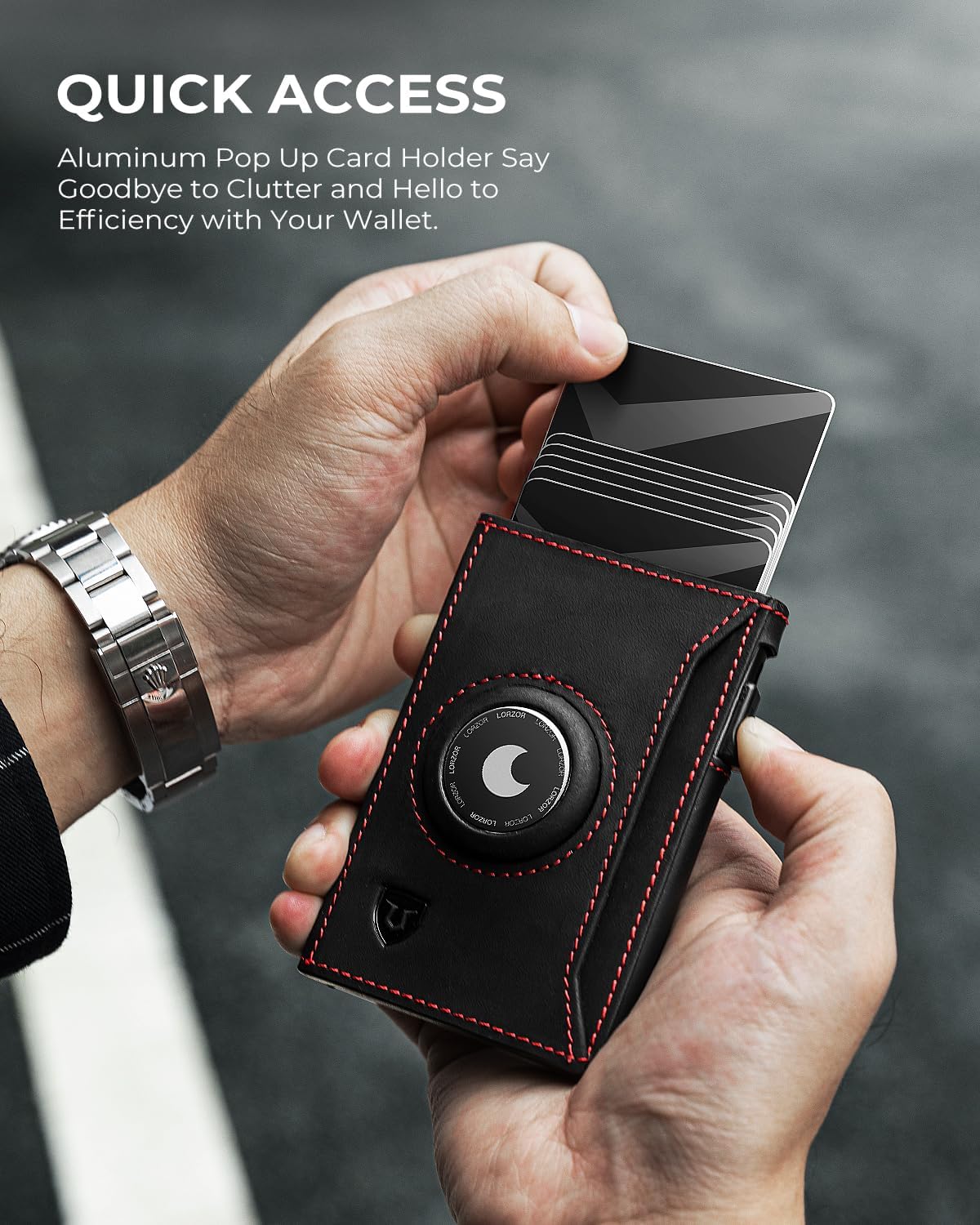
To access your cards, locate the side lever on the wallet. Push the lever to smoothly eject your cards from the aluminum card holder. This mechanism provides quick and easy access to your most frequently used cards.
2. RFID Blocking Functionality
The LORZOR wallet is equipped with advanced RFID blocking technology. This feature protects your sensitive information stored on credit cards, debit cards, and ID cards from electronic theft and unauthorized scanning. Keep your cards within the wallet to ensure this protection.

వీడియో 2: ముగిసిందిview of the LORZOR Ultra-thin Airtag Wallet, showcasing its slim design, AirTag compatibility, and quick access features.
నిర్వహణ
శుభ్రపరిచే సూచనలు
To clean your LORZOR wallet, use a soft, damp cloth (wet wipe) to gently wipe the exterior surfaces. Avoid using harsh chemicals or abrasive materials, as these can damage the genuine leather and aluminum components. Allow the wallet to air dry completely before use.
మెటీరియల్ కేర్
The wallet is crafted from genuine full-grain leather and aluminum. To maintain the leather's quality, avoid prolonged exposure to direct sunlight, extreme heat, or moisture. If the leather becomes wet, blot it gently with a dry cloth and allow it to air dry naturally. The aluminum card holder is durable and requires minimal care beyond regular cleaning.
ట్రబుల్షూటింగ్
- Cards are difficult to eject: Ensure you are not exceeding the recommended capacity of 5-6 cards in the aluminum pop-up holder. Overfilling can cause the mechanism to stick. Remove a card or two and try again.
- Wallet does not close properly with AirTag: గాలిTag holder is designed for a snug fit. If the wallet feels bulky or doesn't close, ensure the AirTag is correctly seated within its designated compartment and not protruding.
- Cash bills are tight in the side slot: The cash slot is designed for a minimalist approach. For optimal fit, fold bills neatly. Avoid overstuffing the cash pocket, as this can affect the wallet's slim profile.
- RFID blocking not working: Ensure all sensitive cards are fully inserted into the wallet's card slots. The RFID blocking material is integrated into the wallet's structure to protect cards when fully enclosed.
స్పెసిఫికేషన్లు
| ఫీచర్ | వివరాలు |
|---|---|
| బ్రాండ్ | లార్జోర్ |
| మోడల్ పేరు | KH005 |
| కొలతలు (L x W x H) | 3.8" x 2.5" x 0.35" (Approximate) |
| బరువు | 0.13 కిలోలు |
| మెటీరియల్ | Genuine Full-Grain Leather, Aluminum |
| రంగు | RedBlack |
| కార్డ్ కెపాసిటీ | 5-6 cards in pop-up holder, additional slots for more cards |
| Cash Capacity | 5-8 bills in cash pocket |
| ప్రత్యేక లక్షణాలు | గాలిTag Holder, ID Window, RFID Blocking, Pop-up Card Mechanism |
| ఉత్పత్తి సంరక్షణ | Wet Wipe Clean |
వారంటీ సమాచారం
Specific warranty details for the LORZOR Slim Airtag Wallet KH005 are not provided in this manual. For information regarding product warranty, please refer to the product packaging or contact LORZOR customer support directly.
మద్దతు
If you encounter any issues or have questions about your LORZOR Slim Airtag Wallet KH005, please contact the manufacturer or the seller for assistance. Contact information can typically be found on the product packaging or the seller's official webసైట్.