
పరిచయం
Thank you for choosing the Andoer 18.5-inch Wi-Fi Digital Photo Frame. This manual provides detailed instructions to help you set up, operate, and maintain your new digital photo frame. Please read this manual thoroughly before use and keep it for future reference.
పెట్టెలో ఏముంది
- 1 x Andoer 18.5-inch Wi-Fi Digital Photo Frame
- 1 x Back Stand
- 1 x Power Adapter (Input: 100-240V, 50/60Hz; Output: DC 12V, 2A)
- 1 x వినియోగదారు మాన్యువల్

Image: Package contents showing the digital photo frame, power adapter, back stand, and user manual.
భద్రతా సమాచారం
సురక్షితమైన ఆపరేషన్ను నిర్ధారించడానికి మరియు నష్టాన్ని నివారించడానికి, దయచేసి ఈ క్రింది భద్రతా జాగ్రత్తలను గమనించండి:
- పరికరాన్ని వర్షం, తేమ లేదా తీవ్రమైన ఉష్ణోగ్రతలకు గురిచేయవద్దు.
- Use only the provided power adapter. Using an unauthorized adapter may damage the device and void the warranty.
- Avoid placing the frame in direct sunlight or near heat sources.
- పరికరాన్ని మీరే విడదీయడానికి లేదా మరమ్మతు చేయడానికి ప్రయత్నించవద్దు. అన్ని సర్వీసింగ్లను అర్హత కలిగిన సిబ్బందికి సూచించండి.
- బలమైన అయస్కాంత క్షేత్రాల నుండి పరికరాన్ని దూరంగా ఉంచండి.
- Clean the screen with a soft, dry cloth. Do not use liquid cleaners or sprays directly on the screen.
ఉత్పత్తి ముగిసిందిview
The Andoer 18.5-inch Wi-Fi Digital Photo Frame is designed to display your cherished memories with ease and clarity. It features a high-resolution IPS touchscreen and Wi-Fi connectivity for instant sharing.
కీ ఫీచర్లు
- సులభమైన భాగస్వామ్యం: Integrated Wi-Fi supports instant and wireless sharing of photos and videos with friends and family from anywhere via the Frameo application.
- IPS Touch Screen: Features a 17.3-inch IPS screen with a 1920 x 1080 resolution, allowing for intuitive touch control to manage photos and settings.
- పెద్ద నిల్వ సామర్థ్యం: Equipped with 16GB of built-in memory (approximately 8GB usable for user content) and supports external TF cards up to 32GB.
- ఆటోమేటిక్ రొటేషన్: Automatically rotates photos to adjust direction. Includes a removable back stand for both portrait and landscape viewing, and can also be wall-mounted.

చిత్రం: ముందు భాగం view of the digital photo frame highlighting its main features.
సెటప్
1. అన్ప్యాకింగ్ మరియు ప్లేస్మెంట్
- ప్యాకేజింగ్ నుండి అన్ని భాగాలను జాగ్రత్తగా తొలగించండి.
- Attach the back stand to the frame for desktop placement, or prepare for wall mounting if desired.
- Place the frame on a stable, flat surface or mount it securely on a wall. Ensure adequate ventilation around the device.

చిత్రం: ఉదాamples of placing the digital photo frame on a desktop or mounting it on a wall.
2. పవర్ చేయడం
- Connect the power adapter to the DC input port on the back of the frame.
- పవర్ అడాప్టర్ను ప్రామాణిక ఎలక్ట్రికల్ అవుట్లెట్లోకి ప్లగ్ చేయండి.
- The frame will automatically power on and display the initial setup screen.
3. ప్రారంభ సెటప్ మరియు Wi-Fi కనెక్షన్
- Follow the on-screen prompts to select your preferred language, time zone, and other basic settings.
- When prompted, select your Wi-Fi network from the list and enter the password. Ensure a stable internet connection for optimal performance.
4. ఫ్రేమియో యాప్ ఇన్స్టాలేషన్ మరియు జత చేయడం
- Download the "Frameo" application from your smartphone's app store (available for iOS and Android).
- Frameo యాప్ని తెరిచి ఖాతాను సృష్టించండి లేదా లాగిన్ అవ్వండి.
- On your digital photo frame, navigate to the "Add Friend" section to get a unique frame code.
- In the Frameo app on your smartphone, enter the frame code to pair your device with the photo frame.
ఆపరేటింగ్ సూచనలు
1. టచ్ స్క్రీన్ను నావిగేట్ చేయడం
The frame features an intuitive IPS touchscreen. Swipe left/right to browse photos, tap to access menus, and pinch to zoom (if supported by the software version).

Image: Illustrating the touch control functionality of the 18.5-inch IPS screen.
2. Uploading Photos and Videos
You can upload media to your frame using the Frameo app or via email.
- ఫ్రేమియో యాప్ ద్వారా: Open the Frameo app on your smartphone, select the photos/videos you wish to share, choose your connected frame, and send.
- ఇమెయిల్ ద్వారా: The frame may have a unique email address. Send photos/videos to this address, and they will appear on your frame after processing.

Image: Demonstrating how to upload photos to the frame using a mobile phone app or email.

Image: Highlighting the instant wireless sharing capability of the photo frame.
3. Managing Photos and Settings
From the frame's touchscreen interface, you can:
- Move/Hide/Delete Photos: Tap on a photo to reveal options for managing it.
- Import Photos: If using an external TF card, you can import photos from it.
- సెట్టింగ్లను సర్దుబాటు చేయండి: Access the settings menu to change brightness, language, time zone, and the frame's name.
4. Automatic Rotation
The frame automatically detects its orientation (portrait or landscape) and adjusts the displayed photos accordingly. This feature ensures your photos are always displayed correctly, regardless of how the frame is positioned.
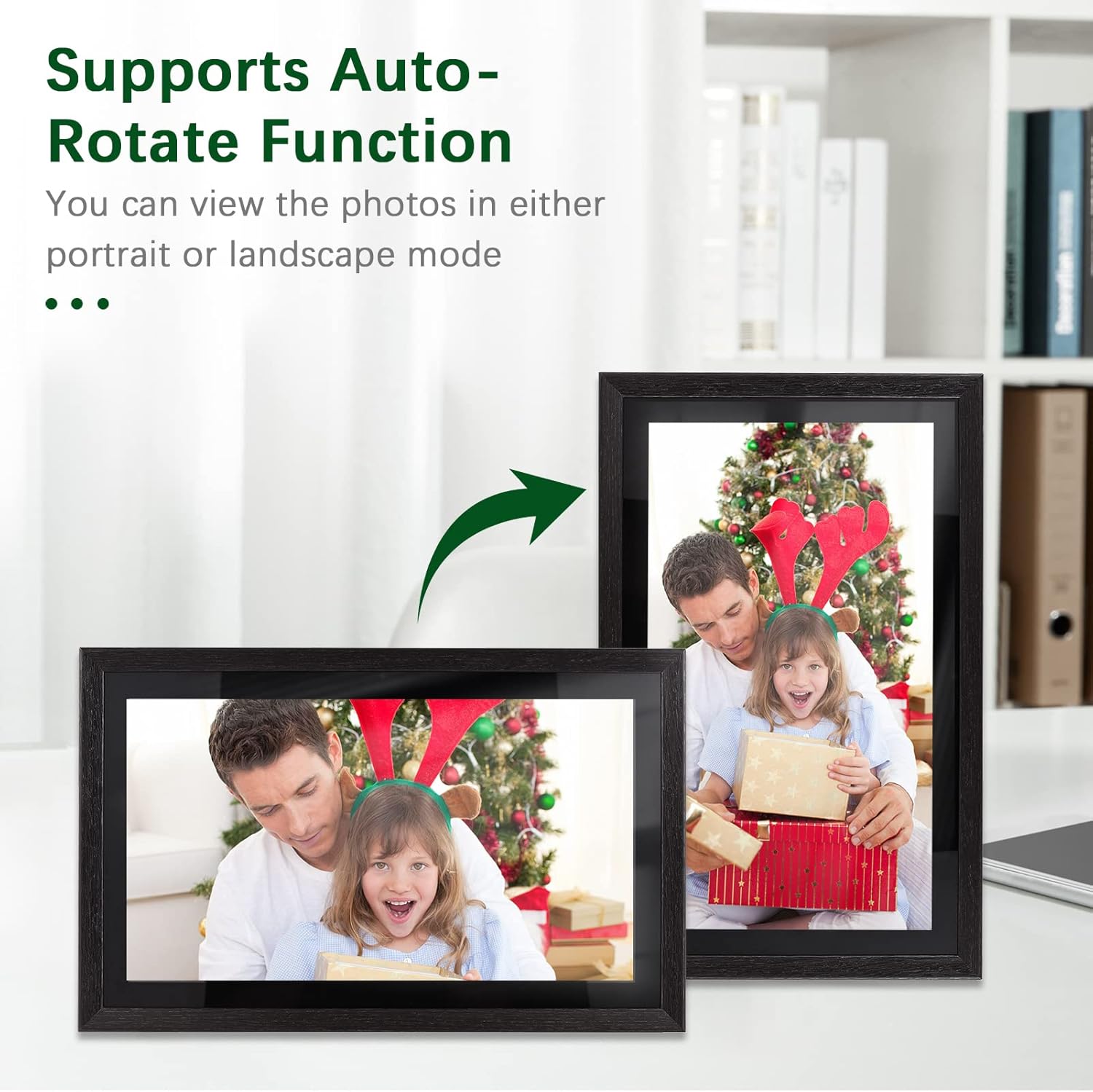
Image: Demonstration of the automatic rotation feature, showing the frame adapting to portrait and landscape orientations.
నిర్వహణ
ఫ్రేమ్ క్లీనింగ్
- స్క్రీన్: మెత్తటి, మెత్తటి బట్టతో స్క్రీన్ను సున్నితంగా తుడవండి. మొండి మరకల కోసం, కొద్దిగా dampనీటితో వస్త్రం మీద చల్లుకోండి (నేరుగా తెరపై పిచికారీ చేయవద్దు).
- ఫ్రేమ్ బాడీ: Use a soft, dry cloth to wipe the frame's body.
- Do not use abrasive cleaners, solvents, or chemical sprays, as these can damage the finish and screen.
సాఫ్ట్వేర్ నవీకరణలు
Periodically check for software updates in the frame's settings menu. Keeping your frame's software up-to-date ensures optimal performance and access to new features.
నిల్వ నిర్వహణ
The frame has 16GB of internal storage. If you find yourself running low on space, consider deleting old photos/videos or utilizing an external TF card (up to 32GB) for additional storage.
ట్రబుల్షూటింగ్
| సమస్య | సాధ్యమైన కారణం | పరిష్కారం |
|---|---|---|
| ఫ్రేమ్ పవర్ ఆన్ అవ్వదు. | పవర్ అడాప్టర్ కనెక్ట్ కాలేదు లేదా తప్పుగా ఉంది; పవర్ అవుట్లెట్ సమస్య. | పవర్ అడాప్టర్ ఫ్రేమ్కు మరియు పనిచేసే ఎలక్ట్రికల్ అవుట్లెట్కు సురక్షితంగా కనెక్ట్ చేయబడిందని నిర్ధారించుకోండి. వేరే అవుట్లెట్ను ప్రయత్నించండి. |
| Wi-Fiకి కనెక్ట్ చేయడం సాధ్యపడదు. | Incorrect password; weak signal; router issue. | Double-check the Wi-Fi password. Move the frame closer to the router. Restart your router. |
| Photos/videos not uploading. | No internet connection; incorrect frame code; app issues. | Verify Wi-Fi connection. Ensure the correct frame code is entered in the Frameo app. Restart the app and try again. Check available storage on the frame. |
| టచ్ స్క్రీన్ స్పందించడం లేదు. | తాత్కాలిక సాఫ్ట్వేర్ లోపం; స్క్రీన్ మురికిగా ఉంది. | Restart the frame by unplugging and replugging the power adapter. Clean the screen with a soft, dry cloth. |
స్పెసిఫికేషన్లు
| ఫీచర్ | వివరాలు |
|---|---|
| మోడల్ సంఖ్య | DRR9822880669739GJ |
| స్క్రీన్ పరిమాణం | 18.5 అంగుళాలు |
| ప్రదర్శన రకం | IPS టచ్ స్క్రీన్ |
| రిజల్యూషన్ | 1920 x 1080 |
| కారక నిష్పత్తి | 16:9 |
| అంతర్గత మెమరీ | 16GB (approx. 8GB usable) |
| బాహ్య నిల్వ | Supports TF Card (max. 32GB) |
| కనెక్టివిటీ | Wi-Fi |
| పవర్ ఇన్పుట్ | 12V/2A |
| పవర్ అడాప్టర్ | Input: 100-240V, 50/60Hz; Output: DC 12V, 2A |
| నియంత్రణ పద్ధతి | టచ్ స్క్రీన్ |
| అనుకూల పరికరాలు | ల్యాప్టాప్, స్మార్ట్ఫోన్, టాబ్లెట్ |
| రంగు | నలుపు |
| ప్యాకేజీ కొలతలు | 52.6 x 44.29 x 8.9 సెం.మీ |
| ప్యాకేజీ బరువు | 2.81 కిలోలు |
వారంటీ మరియు మద్దతు
వారంటీ సమాచారం
Andoer products are manufactured to the highest quality standards. This product is covered by a standard manufacturer's warranty against defects in materials and workmanship. Please refer to your purchase documentation for specific warranty terms and duration.
కస్టమర్ మద్దతు
If you encounter any issues or have questions regarding your Andoer 18.5-inch Wi-Fi Digital Photo Frame, please contact our customer support team. For the most up-to-date support information, including contact details and FAQs, please visit the official Andoer website or refer to your purchase platform's support section.