
Platinum Karaoke DK-88
Platinum Karaoke DK-88 Duo Speaker System
వినియోగదారు సూచనల మాన్యువల్
పరిచయం
Thank you for choosing the Platinum Karaoke DK-88 Duo Speaker System. This manual provides essential information for the safe and efficient operation of your new device. Please read it thoroughly before use and retain it for future reference.
The DK-88 Duo is an all-in-one karaoke solution, featuring a built-in song library, wireless microphones, and various connectivity options. Its robust design and versatile features make it ideal for home parties, family gatherings, and outdoor events.
భద్రతా సమాచారం
- అగ్ని లేదా విద్యుత్ షాక్ను నివారించడానికి యూనిట్ను వర్షం లేదా తేమకు గురిచేయవద్దు.
- సి ని తెరవవద్దుasing. అన్ని సర్వీసింగ్లను అర్హత కలిగిన సిబ్బందికి సూచించండి.
- యూనిట్ చుట్టూ సరైన వెంటిలేషన్ ఉండేలా చూసుకోండి. వెంటిలేషన్ ఓపెనింగ్లను బ్లాక్ చేయవద్దు.
- అందించిన ఛార్జింగ్ అడాప్టర్ను మాత్రమే ఉపయోగించండి.
- యూనిట్ను ప్రత్యక్ష సూర్యకాంతి, ఉష్ణ వనరులు మరియు అధిక దుమ్ము నుండి దూరంగా ఉంచండి.
- యూనిట్ పైన భారీ వస్తువులను ఉంచడం మానుకోండి.
- పిల్లలకు దూరంగా ఉంచండి.
ప్యాకేజీ విషయాలు
క్రింద జాబితా చేయబడిన అన్ని వస్తువులు మీ ప్యాకేజీలో చేర్చబడ్డాయో లేదో తనిఖీ చేయండి:
- Main Unit (DK-88 Duo Speaker)
- ఛార్జింగ్ అడాప్టర్
- 2 x వైర్లెస్ మైక్రోఫోన్లు
- రిమోట్ కంట్రోల్
- Batteries (for remote control and microphones)
- AV కేబుల్
- వినియోగదారు మాన్యువల్
- వారంటీ కార్డ్

Figure 1: Included Accessories and Components
ఉత్పత్తి ముగిసిందిview
ముందు View

మూర్తి 2: ముందు View of the DK-88 Duo with LED Lighting
అగ్ర ప్యానెల్ నియంత్రణలు

చిత్రం 3: టాప్ ప్యానెల్ నియంత్రణలు మరియు ఇన్పుట్లు
వెనుక ప్యానెల్

చిత్రం 4: కనెక్టివిటీ పోర్ట్లతో వెనుక ప్యానెల్
సెటప్
1. Powering On/Charging
- AC పవర్: Connect the charging adapter to the 'DC IN 20V/4A' port on the top panel and plug it into a wall outlet. The unit can be used while charging.
- బ్యాటరీ శక్తి: The unit has a built-in rechargeable battery providing up to 6 hours of playback. Ensure the unit is charged before portable use. The battery indicator on the display will show the current charge level.
2. మైక్రోఫోన్ సెటప్
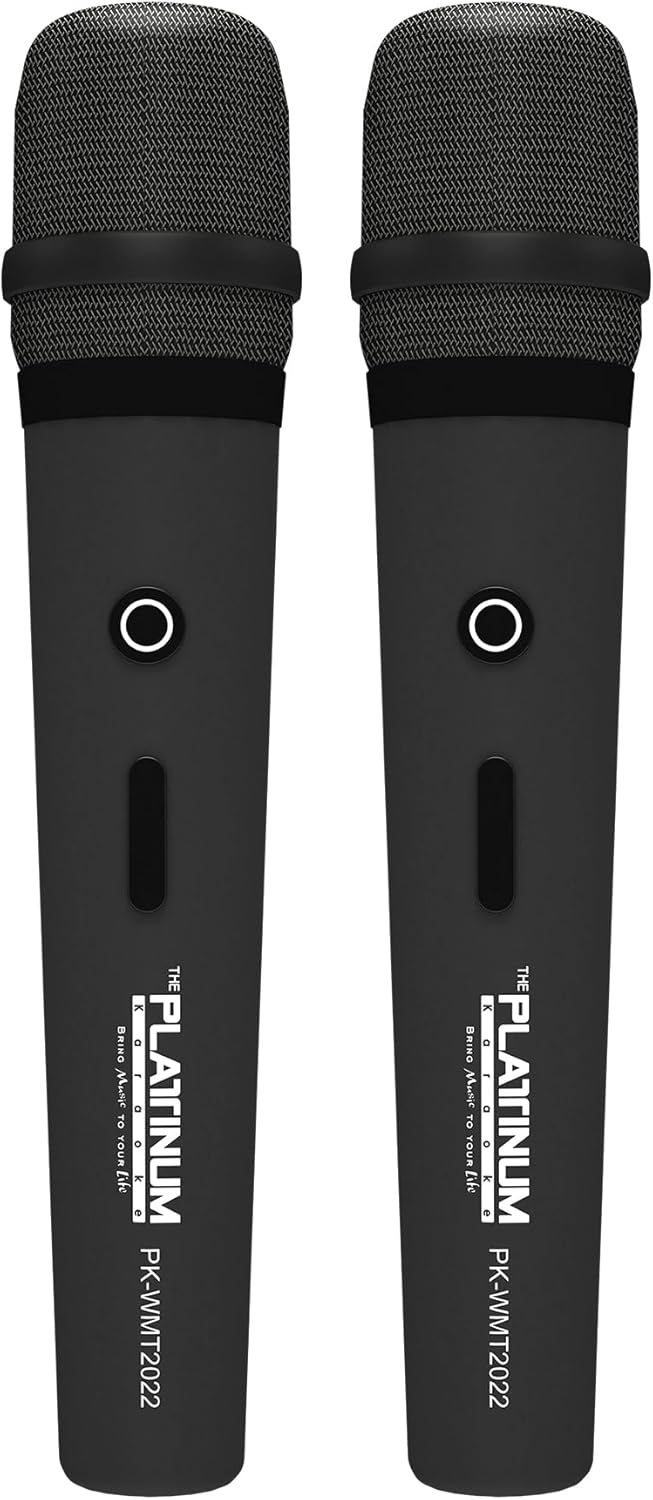
Figure 5: Wireless Microphones
- Insert the provided batteries into each wireless microphone.
- Turn on the microphones using their power switches. They will automatically connect to the DK-88 Duo unit.
- Adjust the 'MIC VOLUME' knob on the top panel to control the microphone output level.
3. ఆడియో మూలాలను కనెక్ట్ చేయడం
- బ్లూటూత్: Turn on the unit. The Bluetooth indicator will flash. Enable Bluetooth on your mobile device and select 'DK-88 Duo' from the list of available devices to pair.
- USB డ్రైవ్: MP3 సంగీతాన్ని కలిగి ఉన్న USB ఫ్లాష్ డ్రైవ్ను చొప్పించండి files into the 'USB' port on the top panel. The system will automatically detect and play the files.
- మైక్రో SD కార్డ్: Insert a Micro SD card (up to 32GB, pre-loaded with songs) into the 'MICRO SD' slot on the top panel. The system will automatically detect and play the songs.
- AUX ఇన్పుట్: Use the provided AV cable to connect external audio devices (e.g., DVD player, TV) to the 'AUX' input on the top panel.
- గిటార్ ఇన్పుట్: Connect a guitar to the 'GUITAR IN' port on the top panel. Adjust the dedicated 'GUITAR' volume knob.
ఆపరేటింగ్ సూచనలు
1. ప్రాథమిక ఆపరేషన్
- పవర్ ఆన్/ఆఫ్: Use the 'POWER' switch on the top panel to turn the unit on or off.
- వాల్యూమ్ నియంత్రణ: Rotate the 'VOLUME' knob to adjust the overall sound output.
- మోడ్ ఎంపిక: Press the 'MODE' button to switch between input sources (Bluetooth, USB, Micro SD, AUX).
2. కరోకే ఫీచర్లు
- పాటల ఎంపిక: Use the 'SKIP' buttons (|< / >> |) to navigate through songs.
- ఎకో ఎఫెక్ట్: Adjust the 'ECHO' knob to add or reduce echo to your vocals. This helps blend your voice with the music.
- పాటల రికార్డింగ్: Press the 'REC' button to start recording your performance. The system will save the music and your vocals to the inserted Micro SD card or USB drive. To share, simply copy the recorded file ఒక కంప్యూటర్కు.
- Vocal Assist (Training Songs): For training songs, the main vocals will automatically fade out when you sing into the microphone and reappear when you stop.
3. Audio Adjustment
- ట్రిబుల్ నియంత్రణ: Use the 'TREBLE' knob to adjust the high-frequency sounds of the music.
- బాస్ నియంత్రణ: Use the 'BASS' knob to adjust the low-frequency sounds of the music.
4. లైటింగ్ ప్రభావాలు
- Press the 'LIGHT' button on the top panel to cycle through different colorful fire lighting modes. The lights glow and dance with the music, enhancing the party atmosphere.
5. Platinum Link App
- Download the 'Platinum Link' app from your mobile device's app store (available on Android and iOS).
- Connect your mobile phone to the DK-88 Duo via Bluetooth.
- Use the app to control song selection, browse the song library, reserve songs, and display karaoke lyrics directly on your phone screen.
- The app also features a karaoke recording function to measure your vocal performance and improve your singing skills.
నిర్వహణ
- యూనిట్ను మృదువైన, పొడి గుడ్డతో శుభ్రం చేయండి. లిక్విడ్ క్లీనర్లు లేదా ఏరోసోల్లను ఉపయోగించవద్దు.
- ఉపయోగంలో లేనప్పుడు యూనిట్ను చల్లని, పొడి ప్రదేశంలో నిల్వ చేయండి.
- Remove batteries from the remote control and microphones if storing for extended periods to prevent leakage.
ట్రబుల్షూటింగ్
| సమస్య | సాధ్యమైన కారణం | పరిష్కారం |
|---|---|---|
| శక్తి లేదు | Unit is not charged or not connected to AC power. | Connect the charging adapter and ensure it's plugged into a working outlet. Check battery level. |
| మైక్రోఫోన్ల నుండి శబ్దం లేదు | Microphones are off, batteries are low, or volume is too low. | Turn on microphones, replace batteries, increase 'MIC VOLUME' knob. |
| బ్లూటూత్ కనెక్ట్ కావడం లేదు | Bluetooth is not enabled on the unit or mobile device, or device is too far. | Ensure unit is in Bluetooth mode, enable Bluetooth on your device, move closer to the unit. |
| Cannot play songs from USB/SD | సరికాదు file format, corrupted files, or card/drive not inserted properly. | నిర్ధారించండి files are MP3 format. Reinsert the USB drive/SD card. Try a different drive/card. |
| లైట్లు పనిచేయడం లేదు | Light feature is turned off. | Press the 'LIGHT' button to activate the lighting effects. |
స్పెసిఫికేషన్లు
| ఫీచర్ | వివరాలు |
|---|---|
| మోడల్ సంఖ్య | DK-88 |
| కొలతలు (L x W x H) | 35 x 38 x 78 సెం.మీ |
| బరువు | 13 కిలోలు |
| శక్తి మూలం | Battery Powered (1 x 12V battery included), AC Powered |
| బ్యాటరీ ప్లేటైమ్ | 6 గంటల వరకు |
| కనెక్టివిటీ టెక్నాలజీ | USB, బ్లూటూత్ |
| USB పోర్ట్లు | 1 |
| వక్తల సంఖ్య | 2 |
| ప్రత్యేక ఫీచర్ | Built-in Song Track |
| రంగు | నలుపు |
| సిఫార్సు చేసిన ఉపయోగాలు | Home parties, family gatherings, karaoke bars, outdoor events, musical performances |
వారంటీ మరియు మద్దతు
Your Platinum Karaoke DK-88 Duo comes with a warranty. Please refer to the included Warranty Card for detailed terms and conditions, including warranty period and coverage.
For technical support, service, or inquiries not covered in this manual, please contact Platinum Karaoke customer service. Contact information can typically be found on the Warranty Card or the official Platinum Karaoke webసైట్.
Ask a question about this manual
Ask about setup, troubleshooting, compatibility, parts, safety, or missing instructions. Manuals+ will review the question and use this page’s manual context to help answer it.