
1. పరిచయం
This manual provides essential instructions for the safe and effective use of your Liberty Safe HDV-150X Biometric Handgun Vault. The HDV-150X is designed to secure handguns and other valuables, offering quick access through advanced biometric finger swipe technology, a 5-digit entry code, and a secure cylinder key. Its portable design allows for versatile placement in drawers or vehicles.
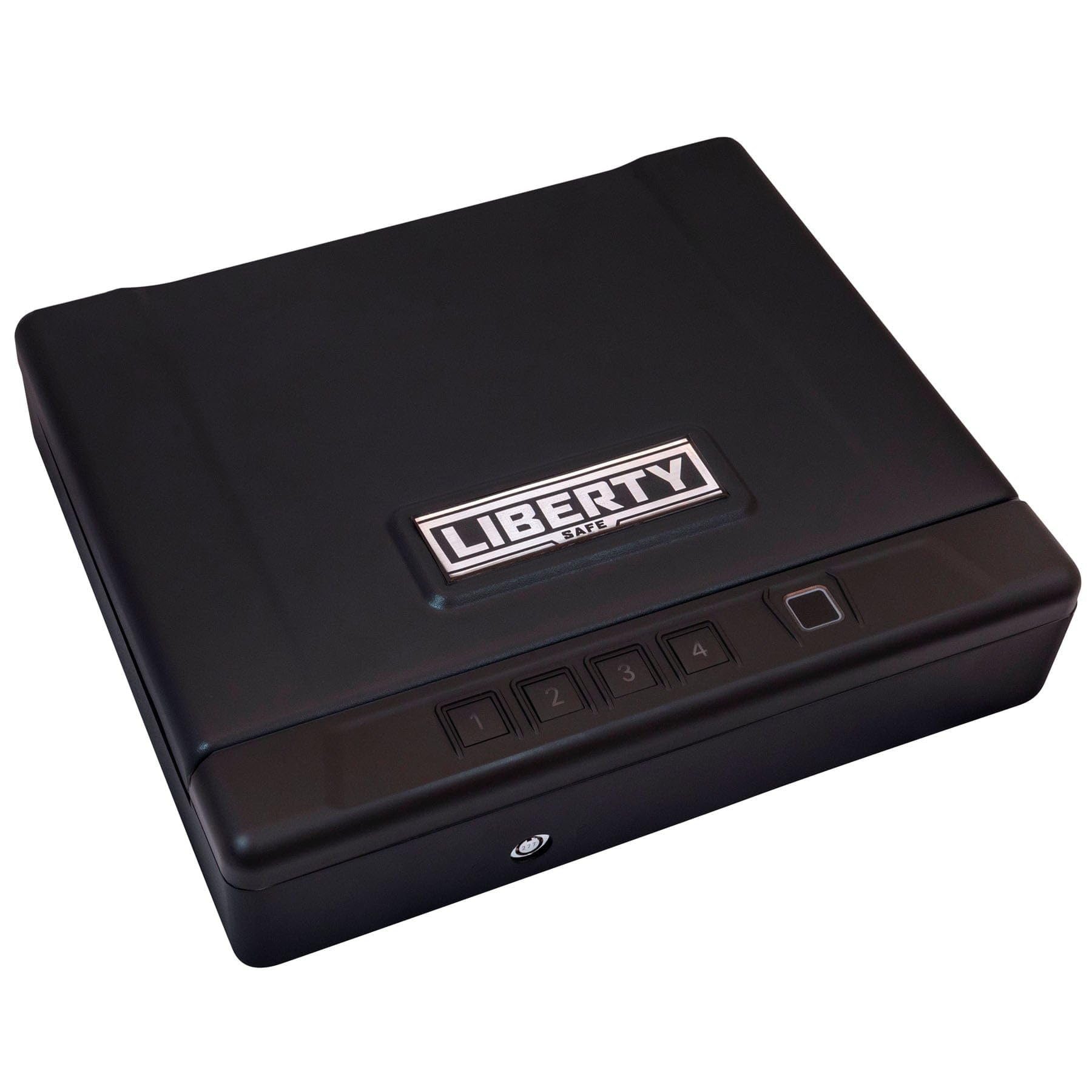
Image 1.1: The Liberty Safe HDV-150X Biometric Handgun Vault in its closed state, showcasing దాని కాంపాక్ట్ మరియు వివేకం గల డిజైన్.
2. భద్రతా సమాచారం
- అన్ని సూచనలను చదవండి: Before operating the vault, read and understand all instructions in this manual.
- Secure Key Storage: Always store the override keys in a secure location away from the vault and out of reach of unauthorized individuals. Do not store keys inside the vault.
- బ్యాటరీ భద్రత: Use only the specified battery type. Ensure correct polarity when installing. Replace all batteries simultaneously.
- Prevent Unauthorized Access: Do not share your access code or allow unauthorized individuals to register their fingerprints.
- సరైన స్థానం: Ensure the vault is placed on a stable, level surface. If mounting, follow all mounting instructions carefully.
- Children and Firearms: Always store firearms unloaded and locked away from children. The vault is a deterrent, not a substitute for responsible firearm handling.
3. ప్యాకేజీ విషయాలు
మీ ప్యాకేజీలో అన్ని అంశాలు ఉన్నాయని ధృవీకరించండి:
- Liberty Safe HDV-150X Biometric Handgun Vault
- కీలను భర్తీ చేయి (2)
- వినియోగదారు మాన్యువల్ (ఈ పత్రం)
- మౌంటు హార్డ్వేర్ (వర్తిస్తే)
- Foam Lined Interior (pre-installed)
4 కీ ఫీచర్లు
- Biometric Finger Swipe Access: Highly reliable system with a low fail rate.
- 30 Fingerprint Memory: Store multiple authorized fingerprints.
- 5-Digit Entry Code: Programmable electronic keypad for secondary access.
- Secure Cylinder Key Entry: Traditional key access for backup.
- Tough 14-Gauge Steel Construction: Durable and tamper-నిరోధక డిజైన్.
- Dual Latch Closure: Enhanced security for the vault door.
- LED Lighted Interior: Illuminates the contents upon opening.
- Foam Lined Interior: Protects contents from scratches and damage.
- పోర్టబుల్ డిజైన్: Easily fits in drawers or automobiles.
- యాంటీ థెఫ్ట్ అలారం: Provides an audible alert in case of tampఈరింగ్.
5. సెటప్
5.1. బ్యాటరీ ఇన్స్టాలేషన్
- Locate the battery compartment, typically on the underside or rear of the vault.
- కంపార్ట్మెంట్ కవర్ తెరవండి.
- Insert the required number of AA batteries (not included) according to the polarity indicators (+/-).
- బ్యాటరీ కంపార్ట్మెంట్ కవర్ను సురక్షితంగా మూసివేయండి.
5.2. Initial Access (Using Key)
Upon first use, or if batteries are depleted, you can access the vault using the provided override key.
- Locate the keyhole on the front of the vault.
- Insert one of the override keys and turn it clockwise to unlock.
- Lift the lid to open the vault.
5.3. Mounting the Vault
The HDV-150X can be floor-mounted for added security.
- Choose a desired mounting location.
- Open the vault and locate the pre-drilled mounting holes in the base.
- Mark the drilling points on the surface using the vault as a template.
- Drill pilot holes into the surface.
- Secure the vault using the provided mounting hardware. Ensure it is firmly attached.

Image 5.1: The HDV-150X vault positioned on a nightstand, demonstrating its suitability for bedside placement and portability.
6. ఆపరేటింగ్ సూచనలు
6.1. Opening with Biometric Fingerprint
- Place a registered finger flat on the biometric scanner.
- Swipe your finger smoothly across the sensor.
- If the fingerprint is recognized, the vault will unlock and the lid will open automatically.
6.2. Opening with 5-Digit Entry Code
- Press the buttons corresponding to your programmed 5-digit code.
- After entering the correct code, the vault will unlock and the lid will open.
6.3. Closing the Vault
To close the vault, simply lower the lid until it latches securely. Ensure no objects obstruct the closing mechanism.

చిత్రం 6.1: వివరణాత్మక view of the biometric finger swipe sensor and the 5-digit keypad, highlighting the primary access methods.

Image 6.2: A hand reaching into the open vault, demonstrating quick and easy access to contents when stored in a drawer.
7. Programming Fingerprints and Codes
7.1. Programming a New Fingerprint
The vault can store up to 30 unique fingerprints.
- Open the vault using an existing access method (key, code, or registered fingerprint).
- Locate the internal programming button (often red or labeled 'PROG'). Press and release it. The indicator light will illuminate.
- Place the finger you wish to register on the biometric scanner. Swipe it smoothly across the sensor.
- Repeat the swipe motion 3-5 times until the indicator light confirms successful registration (e.g., a green flash or beep).
- Test the newly registered fingerprint before closing the vault.
7.2. Programming a New 5-Digit Entry Code
- Open the vault using an existing access method.
- Press and release the internal programming button.
- Enter your desired 5-digit code on the keypad.
- Press the programming button again to confirm. The indicator light will confirm successful programming.
- Test the new code before closing the vault.
7.3. Deleting Fingerprints or Codes
Consult your specific model's detailed instructions for deleting individual fingerprints or codes, as this process can vary. Typically, a long press of the programming button or a specific key sequence is required to reset all stored data.
8. నిర్వహణ
8.1. బ్యాటరీ భర్తీ
When the batteries are low, the vault may emit a warning sound or the indicator light may flash red. Replace batteries promptly to ensure continued operation.
- Open the vault using the override key.
- Locate and open the battery compartment.
- పాత బ్యాటరీలను తీసివేసి వాటిని సరిగ్గా పారవేయండి.
- సరైన ధ్రువణతను నిర్ధారించుకుంటూ కొత్త AA బ్యాటరీలను చొప్పించండి.
- Close the compartment. Test the electronic lock functions.
8.2. శుభ్రపరచడం
Wipe the exterior of the vault with a soft, damp cloth. Do not use abrasive cleaners or solvents. Keep the biometric scanner and keypad free of dirt and debris for optimal performance.
9. ట్రబుల్షూటింగ్
| సమస్య | సాధ్యమైన కారణం | పరిష్కారం |
|---|---|---|
| Vault does not open with fingerprint. | Finger not registered; improper swipe technique; dirty sensor; low batteries. | Ensure finger is registered. Swipe slowly and consistently. Clean the sensor. Replace batteries. |
| Vault does not open with entry code. | Incorrect code entered; low batteries. | Verify the correct 5-digit code. Replace batteries. |
| Vault does not open with key. | Keyhole obstructed; internal mechanism issue. | Ensure keyhole is clear. If mechanism feels stuck, do not force. Contact support. |
| Lid does not open fully or is stuck. | Obstruction; latch mechanism issue. | Check for internal obstructions. If problem persists, contact support. |
| పవర్/ఇండికేటర్ లైట్లు లేవు. | డెడ్ లేదా తప్పుగా ఇన్స్టాల్ చేయబడిన బ్యాటరీలు. | సరైన ధ్రువణతను నిర్ధారించుకోవడానికి, బ్యాటరీలను మార్చండి. |
10. స్పెసిఫికేషన్లు
- బ్రాండ్: లిబర్టీ సేఫ్
- మోడల్: HDV-150X
- ఉత్పత్తి కొలతలు: 2.75"డి x 11.75"వా x 10"హ
- లాక్ రకం: బయోమెట్రిక్, ఎలక్ట్రానిక్ కాంబినేషన్ లాక్, కీ
- రంగు: నలుపు
- మెటీరియల్: Alloy Steel (14-Gauge)
- ప్రత్యేక ఫీచర్: పోర్టబుల్
- మౌంటు రకం: అంతస్తు మౌంట్
- వస్తువు బరువు: సుమారు 9.1 పౌండ్లు
- అలారం: వ్యతిరేక దొంగతనం
- నీటి నిరోధక స్థాయి: వాటర్ రెసిస్టెంట్ కాదు
- శక్తి మూలం: Battery Powered (AA batteries, not included)
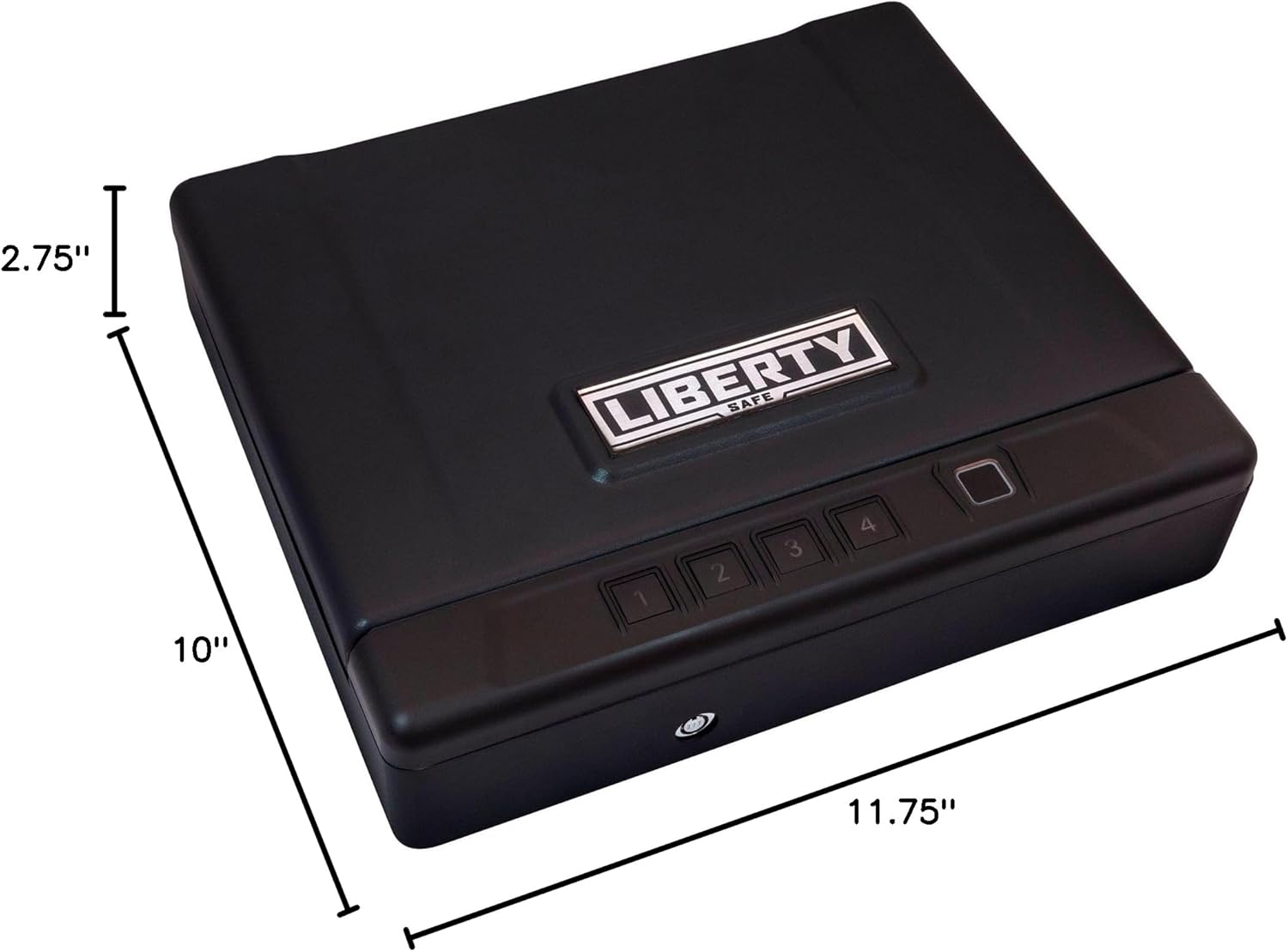
Image 10.1: The HDV-150X vault with its key dimensions (depth, width, height) clearly indicated for reference.

చిత్రం 10.2: లోపలి భాగం view of the HDV-150X, showing a handgun, passport, and coins, illustrating its storage capacity.

Image 10.3: Another interior view of the HDV-150X, displaying a watch, passport, cash, and a USB drive, demonstrating its versatility for various valuables.
11. వారంటీ & సపోర్ట్
11.1. వారంటీ సమాచారం
The Liberty Safe HDV-150X Biometric Handgun Vault comes with a 2 సంవత్సరాల వారంటీ. ఈ వారంటీ సాధారణ ఉపయోగంలో మెటీరియల్స్ మరియు పనితనంలో లోపాలను కవర్ చేస్తుంది. వారంటీ క్లెయిమ్ల కోసం దయచేసి మీ కొనుగోలు రుజువును ఉంచుకోండి.
11.2. కస్టమర్ మద్దతు
For technical assistance, warranty claims, or any questions regarding your Liberty Safe HDV-150X, please visit the official Liberty Safe website or contact their customer service department. Refer to the contact information provided on the Liberty Safe packaging or webసైట్.