
1. పరిచయం
This manual provides detailed instructions for the installation, operation, and maintenance of your Tiskgg 2.8 Cu Ft Digital Home Safe Box. Please read this manual thoroughly before using the safe to ensure proper function and security. Keep this manual for future reference.

Image: The Tiskgg 2.8 Cu Ft Digital Home Safe Box, showcasing its spacious interior and electronic keypad.
2. భద్రతా సమాచారం
To ensure safe operation and prevent unauthorized access, observe the following safety guidelines:
- అత్యవసర కీలను సేఫ్ లోపల నిల్వ చేయవద్దు. వాటిని సురక్షితమైన, ప్రత్యేక ప్రదేశంలో ఉంచండి.
- Do not share your digital codes with unauthorized individuals.
- Ensure the safe is securely mounted or placed to prevent removal.
- Regularly check battery levels to avoid being locked out.
- This safe is designed for security against theft and includes a fireproof document bag for limited fire protection. It is not a certified fireproof or waterproof safe for all contents.

Image: The safe is designed to secure items from unauthorized access, including children.
3. ప్యాకేజీ విషయాలు
ప్యాకేజీలో అన్ని అంశాలు ఉన్నాయని నిర్ధారించుకోండి:
- 1 x Tiskgg 2.8 Cu Ft Security Home Safe
- 1 x Fireproof Waterproof Document Bag (13.38" x 9.44" / 34 x 24 cm)
- 2 x అత్యవసర కీలు
- 1 x Emergency Battery Box
- 1 x Mounting Accessories (bolts)
- 1 x ఇన్స్ట్రక్షన్ మాన్యువల్
4. ఉత్పత్తి ముగిసిందిview
The Tiskgg 2.8 Cu Ft Digital Home Safe Box is constructed from alloy steel, featuring a robust design for enhanced security. It includes a digital keypad for programmable access codes, an emergency key override, and an external power supply option for battery failure. The interior is equipped with a removable shelf for organized storage.
ముఖ్య లక్షణాలు:
- Pry-Resistant and Anti-Theft Design: Features a 78mm reinforced solid pry-resistant steel door, thickened 30mm triple high-strength solid core lock bolts, and dual anti-impact hinges.
- డిజిటల్ కీప్యాడ్: Programmable with up to 8-digit codes.
- బహుళ అన్లాకింగ్ పద్ధతులు: Digital code, emergency key, and external power supply with code.
- అలారం సిస్టమ్: Activates after 3 incorrect entries.
- నిశ్శబ్ద మోడ్: Option to disable keypad sounds.
- తొలగించగల షెల్ఫ్: For flexible interior organization.
- Fireproof Document Bag: Provides additional protection for sensitive documents.

చిత్రం: పైగాview of the safe's security features, including anti-prying, anti-drilling, and anti-theft design, alongside the included fireproof bag.

చిత్రం: వివరణాత్మకం view of the safe's robust construction, showing the 30mm lock bolts and 78mm door thickness.
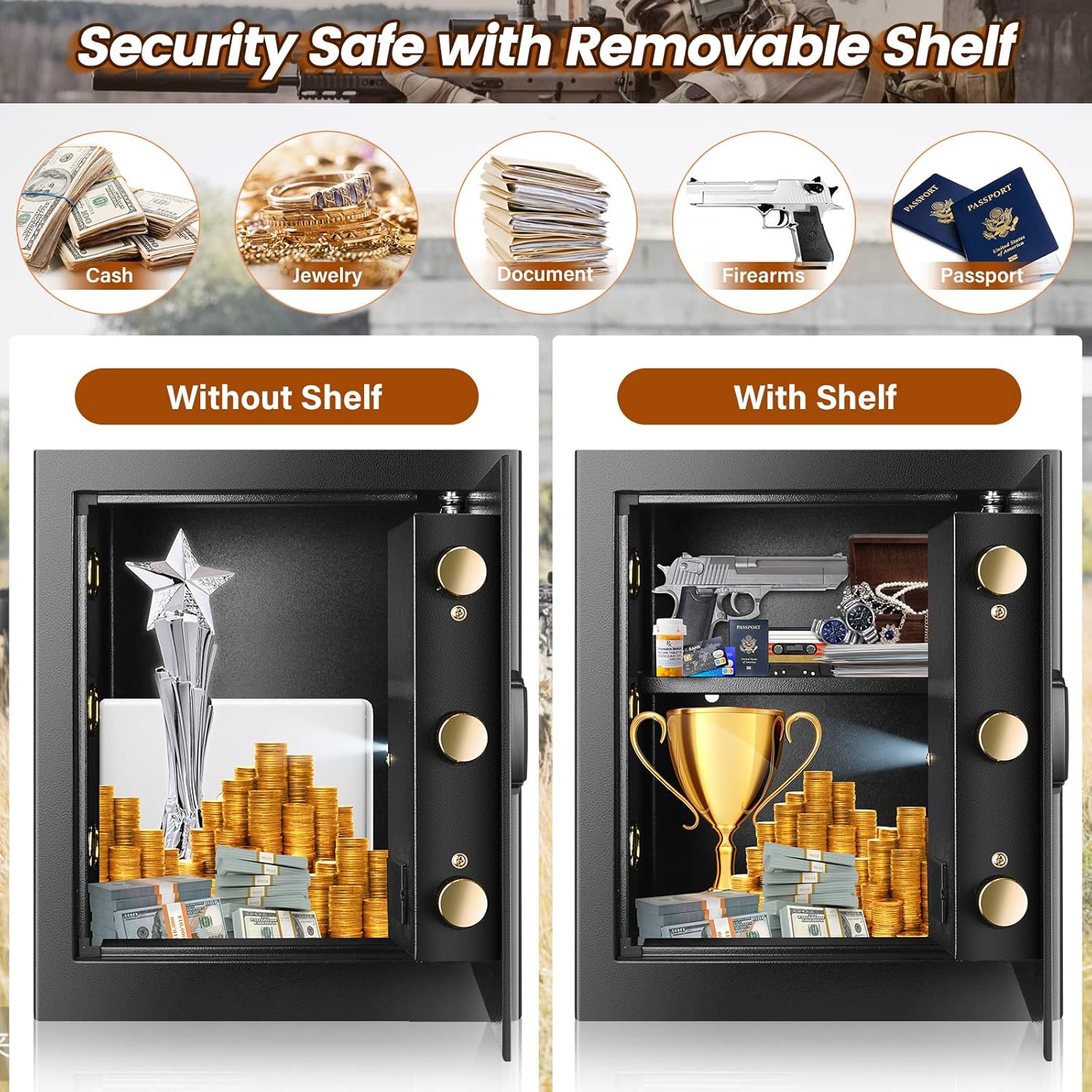
Image: The safe's interior, demonstrating storage capacity with and without the removable shelf for various valuables.
5. సెటప్
5.1. బ్యాటరీ ఇన్స్టాలేషన్
- సురక్షిత తలుపు లోపలి భాగంలో బ్యాటరీ కంపార్ట్మెంట్ను గుర్తించండి.
- Insert 4 AA batteries (not included) according to the polarity indicators.
- బ్యాటరీ కంపార్ట్మెంట్ కవర్ను మూసివేయండి.
5.2. Initial Opening and Code Setting
Upon first use, open the safe using the emergency key:
- Insert the emergency key into the keyhole, usually located behind the keypad cover.
- Turn the key clockwise while simultaneously turning the knob clockwise to open the door.
- With the door open, press the red reset button located on the inside of the door. The keypad will beep, and the indicator light will flash.
- Enter your desired 3-8 digit code on the keypad, then press the '#' button to confirm.
- కొత్త కోడ్ను మూసివేసే ముందు తలుపు తెరిచి ఉంచి దాన్ని పరీక్షించండి.
5.3. సేఫ్ను అమర్చడం
The safe can be mounted to a wall or floor for added security. Mounting hardware is included.
- Choose a suitable location, such as inside a closet or cabinet.
- సేఫ్ వెనుక లేదా దిగువన ముందుగా డ్రిల్లింగ్ చేసిన రంధ్రాల ద్వారా డ్రిల్లింగ్ పాయింట్లను గుర్తించండి.
- Drill holes in the wall or floor using an appropriate drill bit.
- Align the safe with the drilled holes and secure it using the provided mounting bolts.

Image: Step-by-step guide for wall-mounted installation of the safe.
6. ఆపరేషన్
6.1. సేఫ్ తెరవడం
There are three methods to open the safe:
Method 1: Digital Pass Code
- Enter your 3-8 digit personal code or master code.
- Press the '#' button. The green light will illuminate.
- 5 సెకన్లలోపు, తలుపు తెరవడానికి నాబ్ను సవ్యదిశలో తిప్పండి.
Method 2: Emergency Key
This method is used if you forget your code or if the batteries are completely drained.
- Remove the keypad cover to reveal the emergency keyhole.
- అత్యవసర కీని చొప్పించి, దాన్ని సవ్యదిశలో తిప్పండి.
- Simultaneously turn the knob clockwise to open the door.
Method 3: External Power Supply (Battery Box)
Use this method if the internal batteries are dead and you do not have the emergency key readily available.
- Connect the emergency battery box to the external power port on the keypad.
- Enter your 3-8 digit personal code or master code.
- Press the '#' button. The green light will illuminate.
- 5 సెకన్లలోపు, తలుపు తెరవడానికి నాబ్ను సవ్యదిశలో తిప్పండి.

Image: Visual guide to the three unlocking methods for the safe.
Video: Demonstration of opening the safe using the override key and the digital combination.
6.2. సేఫ్ను మూసివేయడం మరియు లాక్ చేయడం
Close the door and turn the knob counter-clockwise until it locks securely.
6.3. సైలెంట్ మోడ్
The safe features an optional silent mode to disable keypad sounds.
- To Turn On Silent Mode: Enter "*633" on the keypad.
- To Turn Off Silent Mode: Enter "*66" on the keypad.

Image: Features of the safe's alarm system and optional silent mode.
Video: Demonstration of activating and deactivating the silent mode feature on the safe.
6.4 అలారం వ్యవస్థ
The safe is equipped with an anti-theft alarm system:
- If an incorrect code is entered 3 consecutive times, the safe will automatically lock and trigger an audible alarm.
- The alarm will sound for a set period, alerting to attempted unauthorized access.
7. నిర్వహణ
7.1. బ్యాటరీ భర్తీ
When the battery indicator light flashes red or the keypad does not respond, it is time to replace the batteries. Use 4 new AA batteries. Always replace all batteries at once.
7.2. శుభ్రపరచడం
సేఫ్ యొక్క బాహ్య భాగాన్ని మృదువైన, డి-ప్యాక్ తో తుడవండి.amp వస్త్రం. ముగింపు లేదా ఎలక్ట్రానిక్ భాగాలను దెబ్బతీసే రాపిడి క్లీనర్లు లేదా ద్రావకాలను నివారించండి.
7.3. కీ నిర్వహణ
Record the unique number found on the keyhole. This number is essential if you need to request a replacement key. Store your emergency keys in a secure location away from the safe.
8. ట్రబుల్షూటింగ్
- డిజిటల్ కోడ్తో సేఫ్ తెరవబడదు:
- బ్యాటరీలు తాజాగా ఉన్నాయని మరియు సరిగ్గా ఇన్స్టాల్ చేయబడిందని నిర్ధారించుకోండి.
- Verify the code entered is correct.
- If batteries are dead, use the external battery box or emergency key.
- కీప్యాడ్ స్పందించడం లేదు:
- బ్యాటరీలను భర్తీ చేయండి.
- If still unresponsive, use the emergency key.
- అలారం అకస్మాత్తుగా మోగింది:
- This indicates 3 incorrect code entries. Wait for the alarm to stop or enter the correct code to disarm.
- Forgotten code:
- Use the emergency key to open the safe and reset the code.
9. స్పెసిఫికేషన్లు
| బ్రాండ్ | Tiskgg |
| మోడల్ సంఖ్య | 2.8 cubic fireproof home safe |
| కెపాసిటీ | 2.8 క్యూబిక్ అడుగులు |
| బాహ్య కొలతలు (D x W x H) | 12.2" x 14.96" x 17.71" (31సెం.మీ x 38సెం.మీ x 45సెం.మీ) |
| ఇంటీరియర్ కొలతలు (D x W x H) | 11" x 14.5" x 17.32" |
| మెటీరియల్ | మిశ్రమం ఉక్కు |
| లాక్ రకం | Combination, Electronic, Key |
| వస్తువు బరువు | 30.4 పౌండ్లు (13.8 కిలోలు) |
| మౌంటు రకం | ఫ్రీస్టాండింగ్, టేబుల్టాప్ |
| ప్రత్యేక లక్షణాలు | Alarm System, Removable Shelf, Sensor Light |
| బ్యాటరీలు అవసరం | అవును (4x AA, చేర్చబడలేదు) |
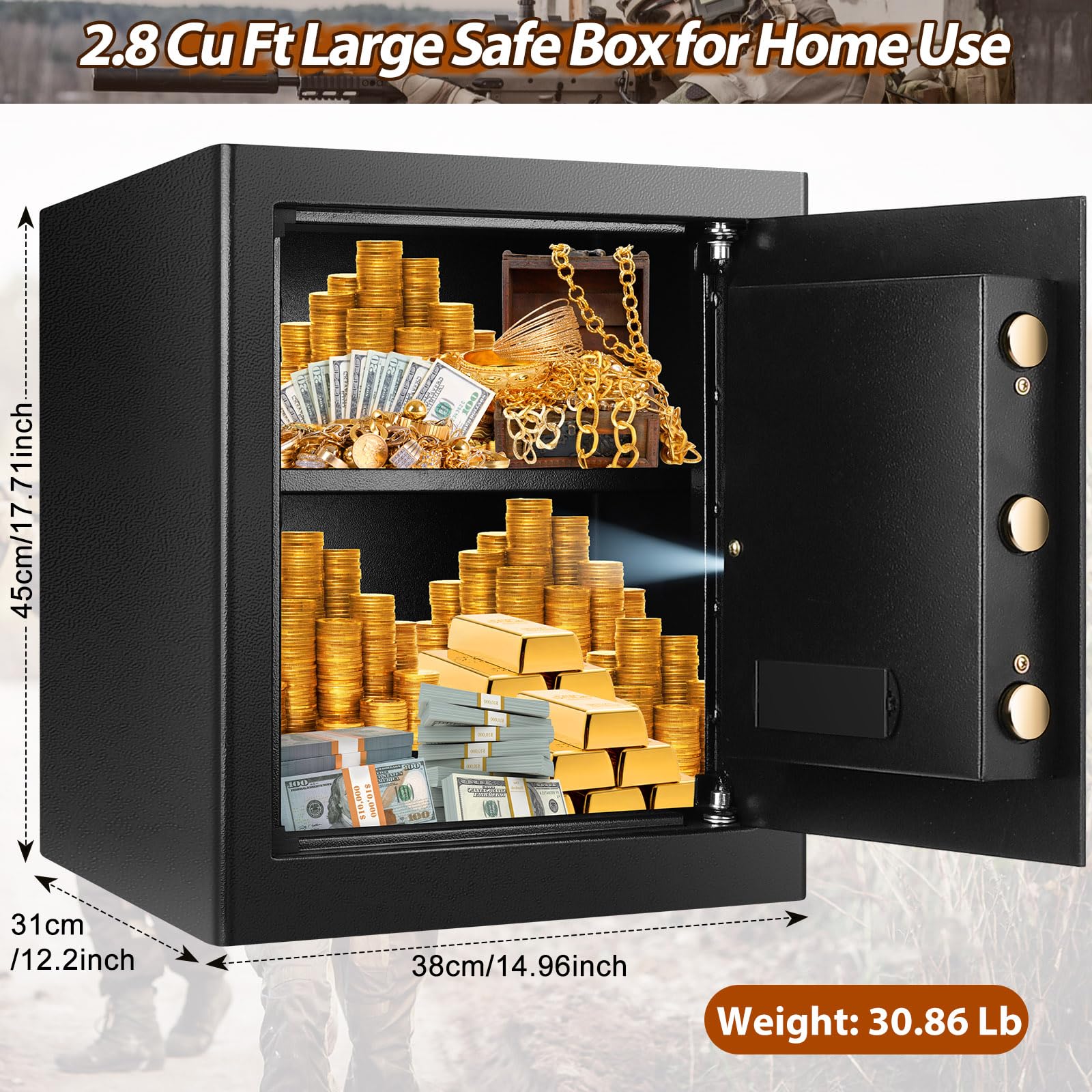
Image: Detailed dimensions and weight of the Tiskgg 2.8 Cu Ft safe box.
10. వారంటీ మరియు మద్దతు
Tiskgg provides 24-hour online customer service. If you lose your emergency keys, please contact customer service with the unique number found on the keyhole to request a new set.
For any questions, concerns, or support needs, please contact the seller, TISKGG SHOP, directly through your purchase platform.