
Bitvae R2
Bitvae R2 Rotating Electric Toothbrush User Manual
మోడల్: R2
పరిచయం
Thank you for choosing the Bitvae R2 Rotating Electric Toothbrush. This manual provides essential information for the safe and effective use of your new toothbrush. Please read it thoroughly before first use and keep it for future reference. The Bitvae R2 is designed to provide a superior clean, reaching areas manual brushing might miss, and promoting a healthier oral hygiene routine.
ప్యాకేజీ విషయాలు
మీ ప్యాకేజీలో అన్ని వస్తువులు ఉన్నాయని నిర్ధారించుకోండి:
- 1 x Bitvae R2 Toothbrush Handle
- 8 x Toothbrush Heads
- 1 x ప్రయాణ కేసు
- 1 x USB Cable (Adaptor not Included — please charge the toothbrush using a 5V-1A adapter)
- 1 x ఇన్స్ట్రక్షన్ మాన్యువల్ (ఈ డాక్యుమెంట్)

Image: The complete Bitvae R2 Electric Toothbrush package, showing the black toothbrush handle, eight replacement brush heads, a black travel case, and the product box.
సెటప్
1. టూత్ బ్రష్ ఛార్జింగ్ చేయడం
Before first use, fully charge the toothbrush. A full charge takes approximately 3 hours and provides up to 30 days of use (based on brushing twice a day for 2 minutes).
- Connect the USB cable to the charging port at the bottom of the toothbrush handle.
- Plug the USB cable into a 5V-1A USB power adapter (not included).
- The indicator light will show charging status. Once fully charged, the light will indicate completion.

చిత్రం: ఎక్స్-రే శైలి view of the toothbrush handle, highlighting the internal battery and electronics, with text indicating "Up to 30 Days of Use On a Single Charge."
2. బ్రష్ హెడ్ను అటాచ్ చేయడం
- టూత్ బ్రష్ హ్యాండిల్పై ఉన్న మెటల్ షాఫ్ట్తో బ్రష్ హెడ్ను సమలేఖనం చేయండి.
- బ్రష్ హెడ్ను అది స్థానంలో క్లిక్ అయ్యే వరకు గట్టిగా క్రిందికి నెట్టండి.

Image: A display of eight individual Bitvae R2 toothbrush heads, emphasizing that they provide 2 years of use.
The package includes 8 replacement heads, providing approximately 2 years of use. Two colored rings are provided to help distinguish brush heads if the handle is shared among family members.
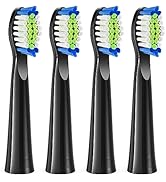
Image: The Bitvae R2 toothbrush handle alongside several brush heads, illustrating the use of two colored rings to differentiate between users.
ఆపరేటింగ్ సూచనలు
1. పవర్ ఆన్/ఆఫ్ మరియు మోడ్ ఎంపిక
- Press the power button to turn the toothbrush on.
- Press the mode button to cycle through the 5 available brushing modes:
- శుభ్రం: రోజువారీ శుభ్రపరచడానికి ప్రామాణిక మోడ్.
- సెన్సిటివ్: Gentle mode for sensitive teeth and gums.
- తెలుపు: ఉపరితల మరకలను తొలగించడానికి మరియు దంతాలను తెల్లగా చేయడానికి.
- చిగుళ్ల సంరక్షణ: Gently massages gums for improved gum health.
- నాలుక: For cleaning the tongue to reduce bad breath.
- Press and hold the power button to turn the toothbrush off.

Image: A close-up of the Bitvae R2 toothbrush handle, clearly showing the five distinct brushing modes and their corresponding indicator lights.
2. బ్రషింగ్ టెక్నిక్
- బ్రష్ హెడ్ను తడిపి, కొద్ది మొత్తంలో టూత్పేస్ట్ను రాయండి.
- బ్రష్ హెడ్ను మీ దంతాలకు వ్యతిరేకంగా చిగుళ్ల రేఖ వైపు కొంచెం కోణంలో ఉంచండి.
- Move the brush head slowly from tooth to tooth, allowing it to clean each surface. Do not scrub.
- టూత్ బ్రష్ కలిగి ఉంటుంది a 2-minute smart timer మరియు ఎ 30-second reminder. It will pulse every 30 seconds to indicate when to move to the next quadrant of your mouth, ensuring a thorough clean.

Image: The Bitvae R2 toothbrush with an overlay graphic demonstrating its 2-minute smart timer and 30-second reminder feature for optimal brushing.

Image: A visual representation of the Bitvae R2 toothbrush head effectively removing plaque from the surface of a tooth, with text indicating "Removes Up to 400% More Plaque."

Image: A side-by-side comparison illustrating the superior plaque removal capabilities of an electric toothbrush compared to a manual toothbrush, stating "Removes 700% more plaque."
3. ప్రెజర్ సెన్సార్
The Bitvae R2 is equipped with a visible pressure sensor. If you apply too much pressure while brushing, the pressure indicator light will turn RED to remind you to reduce force. This helps protect your gums and enamel from damage due to overbrushing.

Image: A section of the product packaging detailing the "Pressure Indicator" feature, which lights up red when too much pressure is applied.
నిర్వహణ
1. టూత్ బ్రష్ శుభ్రం చేయడం
- ప్రతి ఉపయోగం తర్వాత, బ్రష్ హెడ్ను నడుస్తున్న నీటిలో బాగా కడగాలి.
- ప్రకటనతో టూత్ బ్రష్ హ్యాండిల్ను తుడవండిamp గుడ్డ.
- The Bitvae R2 is IPX7 waterproof, meaning it can be used in the shower and thoroughly rinsed without worry.

Image: The Bitvae R2 toothbrush partially submerged in water, illustrating its IPX7 waterproof capability, suitable for use in the shower.
2. Replacing the Brush Head
Dentists recommend changing the brush head every 3 months, or sooner if the bristles become frayed. The color of the Premium Reminder bristles on your brush head will fade over time, indicating when it's time for a replacement.
- బ్రష్ హెడ్ను గట్టిగా పట్టుకుని, హ్యాండిల్ నుండి నేరుగా లాగండి.
- Align a new brush head and push it down until it clicks into place.

Image: A visual guide demonstrating the recommendation to replace the toothbrush head every 3 months, showing how the bristles fade to indicate wear.
ట్రబుల్షూటింగ్
| సమస్య | సాధ్యమైన కారణం | పరిష్కారం |
|---|---|---|
| టూత్ బ్రష్ ఆన్ అవ్వదు. | బ్యాటరీ తక్కువగా ఉంది లేదా ఛార్జ్ కాలేదు. | Charge the toothbrush for at least 3 hours. Ensure the USB cable and adapter are working correctly. |
| Brush head does not rotate or vibrates weakly. | Low battery; brush head not attached correctly; debris in the shaft. | Charge the toothbrush. Re-attach the brush head firmly. Clean any debris from the metal shaft. |
| Pressure sensor light turns red frequently. | Applying too much pressure while brushing. | Reduce the pressure applied to your teeth. The toothbrush is designed to clean effectively with light pressure. |
| బ్యాటరీ లైఫ్ ఊహించిన దాని కంటే తక్కువగా ఉంది. | Not fully charged; frequent use of high-power modes. | Ensure the toothbrush is fully charged. Battery life can vary slightly based on usage patterns and selected modes. |
స్పెసిఫికేషన్లు
| ఫీచర్ | వివరాలు |
|---|---|
| మోడల్ సంఖ్య | R2 |
| శక్తి మూలం | బ్యాటరీతో నడిచేది (1 A బ్యాటరీ చేర్చబడింది) |
| బ్యాటరీ లైఫ్ | Up to 30 days on a single 3-hour charge |
| బ్రషింగ్ మోడ్లు | 5 (Clean, Sensitive, White, Gum Care, Tongue) |
| స్మార్ట్ టైమర్ | 2-minute auto-timer with 30-second quadrant reminders |
| ప్రెజర్ సెన్సార్ | Visible red light indicator for excessive pressure |
| జలనిరోధిత రేటింగ్ | IPX7 (can be submerged in up to 1 meter of water for 30 minutes) |
| ఉత్పత్తి కొలతలు | 9.76 x 1.18 x 1.45 అంగుళాలు |
| వస్తువు బరువు | 4.94 ఔన్సులు |
| Brush Head Type | Rotating (compatible with Oral-B electric toothbrush handles and heads, except iO and Sonic) |
వారంటీ మరియు మద్దతు
Bitvae products come with a 2-year warranty and lifetime service. For any questions, concerns, or technical support, please contact Bitvae customer service.
సంప్రదింపు సమాచారం:
- ఇమెయిల్: support@bitvae.com
- ఫోన్: +1 (877) 678-9088
- Webసైట్: www.bitvae.com
Please have your model number (R2) and purchase date ready when contacting support.
Ask a question about this manual
Ask about setup, troubleshooting, compatibility, parts, safety, or missing instructions. Manuals+ will review the question and use this page’s manual context to help answer it.