
పరిచయం
This user manual provides essential information for setting up, operating, maintaining, and troubleshooting your MI Xiaomi Notebook Ultra. Please read this manual thoroughly before using your device to ensure proper function and longevity. Keep this manual for future reference.
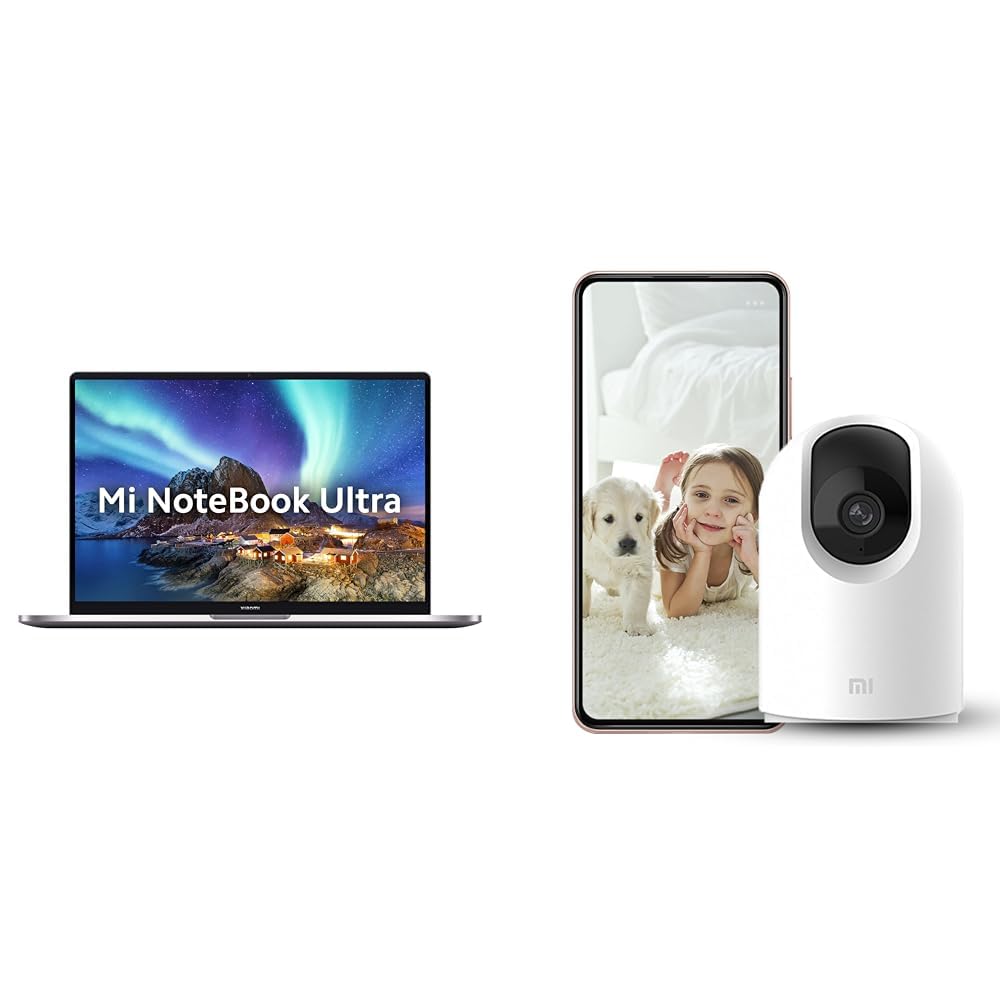
Image: The MI Xiaomi Notebook Ultra laptop, showcasing its display with a scenic wallpaper.
ఉత్పత్తి ముగిసిందిview
The MI Xiaomi Notebook Ultra is a thin and light laptop designed for performance and portability. It features an 11th Gen Intel Core i5-11320H processor, a high-resolution 3.2K IPS display, and integrated Intel Iris Xe Graphics. This section details the main components and features of your new laptop.
ముఖ్య లక్షణాలు:
- ప్రాసెసర్: 11th Gen Intel Tiger Lake Core i5-11300H processor with speeds up to 4.4 GHz, 4 cores, 8 threads, and 8 MB Cache.
- ప్రదర్శన: 39.62 cm (15.6-inch) IPS 3.2K resolution (3200x2000) with 16:10 aspect ratio, 100% sRGB, 90Hz refresh rate, 241 PPI, 1500:1 contrast ratio, anti-glare, and TUV Low blue light certification.
- మెమరీ & నిల్వ: 8GB DDR4 3200 MHz RAM and 512GB PCIe NVMe M.2 SSD.
- Operating System & Software: Pre-installed Windows 11 Home and Microsoft Office Home and Student 2021.
- గ్రాఫిక్స్: Integrated Intel Iris Xe graphics.
- కనెక్టివిటీ: Dual Band Wi-Fi and Bluetooth.
- భద్రత: Fingerprint Recognition.
- పోర్టులు: Includes Thunderbolt 4 and USB Type-C ports.

చిత్రం: ఒక ఓవర్view of the MI Xiaomi Notebook Ultra's key features, including its 3.2K display, all-metal design, 90Hz refresh rate, 12-hour battery, thin and light profile, Thunderbolt 4, USB Type-C, Intel Core i5/i7 H35 processor, 8/16GB RAM, 512GB SSD, Wi-Fi 6, and fingerprint reader.

చిత్రం: సైడ్ ప్రోfile of the MI Xiaomi Notebook Ultra, highlighting the various ports including Thunderbolt 4 and USB Type-C.
సెటప్ గైడ్
1. అన్బాక్సింగ్ మరియు ప్రారంభ తనిఖీ:
Carefully remove the laptop and all accessories from the packaging. Check for any visible damage. Ensure all components listed in the packaging are present.
2. కనెక్ట్ పవర్:
- Connect the power adapter to the laptop's USB Type-C charging port.
- పవర్ కేబుల్ను గోడ అవుట్లెట్లోకి ప్లగ్ చేయండి.
- ల్యాప్టాప్ను ప్రారంభ వినియోగానికి ముందు కనీసం 30 నిమిషాలు ఛార్జ్ చేయడానికి అనుమతించండి లేదా బ్యాటరీ సూచిక తగినంత ఛార్జ్ను చూపించే వరకు.
3. Initial Boot and Windows Setup:
- ల్యాప్టాప్ మూత తెరిచి పవర్ బటన్ నొక్కండి.
- Windows 11 హోమ్ సెటప్ ప్రక్రియను పూర్తి చేయడానికి స్క్రీన్పై ఉన్న సూచనలను అనుసరించండి. ఇందులో మీ ప్రాంతం, భాష, Wi-Fi నెట్వర్క్కు కనెక్ట్ చేయడం మరియు వినియోగదారు ఖాతాను సృష్టించడం వంటివి ఉంటాయి.
- Register your Microsoft account if prompted to activate Windows and Microsoft Office Home and Student 2021.
4. పెరిఫెరల్స్ కనెక్ట్ చేయడం:
You can connect external displays, wireless keyboards, mice, webcams, and other Bluetooth/Wi-Fi enabled devices. Refer to the device's specific instructions for pairing or connecting.
- USB పరికరాలు: Use the available USB Type-C or Thunderbolt 4 ports.
- బ్లూటూత్ పరికరాలు: Enable Bluetooth on your laptop via Windows settings and pair with your device.
- బాహ్య ప్రదర్శన: Connect an external monitor using a compatible cable to the Thunderbolt 4 port (which supports display output).
ఆపరేటింగ్ సూచనలు
విద్యుత్పరివ్యేక్షణ:
- పవర్ ఆన్: కీబోర్డ్ డెక్పై ఉన్న పవర్ బటన్ను నొక్కండి.
- స్లీప్ మోడ్: మూత మూసివేయండి లేదా Windows స్టార్ట్ మెను నుండి "స్లీప్" ఎంచుకోండి.
- షట్ డౌన్: విండోస్ స్టార్ట్ మెనూ నుండి "షట్ డౌన్" ఎంచుకోండి.
- పునఃప్రారంభించు: విండోస్ స్టార్ట్ మెనూ నుండి "పునఃప్రారంభించు" ఎంచుకోండి.
ప్రదర్శనను ఉపయోగించడం:
Your laptop features a 3.2K IPS display with a 90Hz refresh rate. You can adjust display settings (resolution, refresh rate, brightness) through Windows Display Settings. The anti-glare coating helps reduce reflections, and TUV Low blue light certification aims to reduce eye strain.
వేలిముద్ర గుర్తింపు:
The integrated fingerprint sensor allows for secure and quick login. To set up, navigate to Windows Settings > Accounts > Sign-in options and follow the instructions to register your fingerprint.
కీబోర్డ్ మరియు టచ్ప్యాడ్:
The laptop includes a full-sized keyboard and a precision touchpad. Customize touchpad gestures and keyboard backlight settings (if available) through Windows Settings.
ఆడియో:
The laptop is equipped with integrated speakers. Adjust volume using the function keys or Windows sound settings.
Webక్యామ్:
ఇంటిగ్రేటెడ్ webcam can be used for video calls and conferences. Ensure the physical lens shield is open when using the webcam. Manage webcam privacy settings in Windows.
నిర్వహణ
శుభ్రపరచడం:
- స్క్రీన్: మెత్తని, మెత్తని బట్టను తేలికగా ఉపయోగించండి డిampనీరు లేదా స్క్రీన్ క్లీనర్తో నింపబడి ఉండాలి. స్క్రీన్పై నేరుగా ద్రవాన్ని పిచికారీ చేయవద్దు.
- కీబోర్డ్ మరియు చాసిస్: మృదువైన, పొడి వస్త్రాన్ని ఉపయోగించండి. మొండి ధూళి కోసం, కొద్దిగా damp వస్త్రాన్ని ఉపయోగించవచ్చు. కఠినమైన రసాయనాలను నివారించండి.
- పోర్టులు: పోర్టులను దుమ్ము మరియు చెత్త లేకుండా ఉంచండి. అవసరమైతే సంపీడన గాలిని ఉపయోగించండి, కానీ జాగ్రత్తగా చేయండి.
బ్యాటరీ సంరక్షణ:
- బ్యాటరీని తరచుగా పూర్తిగా డిశ్చార్జ్ చేయడాన్ని నివారించండి.
- ల్యాప్టాప్ను ఎక్కువసేపు ఉపయోగించకపోతే చల్లని, పొడి ప్రదేశంలో నిల్వ చేయండి, బ్యాటరీని దాదాపు 50% ఛార్జ్ చేయండి.
- Use only the original power adapter provided with the laptop.
సాఫ్ట్వేర్ అప్డేట్లు:
Regularly update Windows, drivers, and other software to ensure optimal performance and security. You can check for updates via Windows Settings.
ట్రబుల్షూటింగ్
ఈ విభాగం మీరు ఎదుర్కొనే సాధారణ సమస్యలకు పరిష్కారాలను అందిస్తుంది. సమస్య కొనసాగితే, కస్టమర్ మద్దతును సంప్రదించండి.
No Power / Laptop Not Turning On:
- పవర్ అడాప్టర్ ల్యాప్టాప్ మరియు పనిచేసే పవర్ అవుట్లెట్ రెండింటికీ సురక్షితంగా కనెక్ట్ చేయబడిందని నిర్ధారించుకోండి.
- మరొక పరికరాన్ని ప్లగ్ చేయడం ద్వారా పవర్ అవుట్లెట్ పనిచేస్తుందో లేదో తనిఖీ చేయండి.
- బ్యాటరీ పూర్తిగా ఖాళీ అయిపోతే, పవర్ ఆన్ చేయడానికి ప్రయత్నించే ముందు కనీసం 30 నిమిషాలు ఛార్జ్ అవ్వనివ్వండి.
ప్రదర్శన సమస్యలు:
- ఖాళీ స్క్రీన్: Try connecting an external monitor to check if the laptop is outputting video. If the external monitor works, there might be an issue with the laptop's internal display.
- డిమ్ స్క్రీన్: Adjust brightness using the function keys or Windows Display Settings.
- తప్పు రిజల్యూషన్: Adjust the display resolution in Windows Display Settings.
Wi-Fi / Bluetooth Connectivity Problems:
- Ensure Wi-Fi and Bluetooth are enabled in Windows Settings.
- Wi-Fi సమస్యల కోసం మీ రౌటర్/మోడెమ్ను రీస్టార్ట్ చేయండి.
- బ్లూటూత్ కోసం, పరికరాన్ని అన్పెయిర్ చేసి, తిరిగి పెయిర్ చేయడానికి ప్రయత్నించండి.
- పరికర నిర్వాహికి ద్వారా నెట్వర్క్ అడాప్టర్ డ్రైవర్లను నవీకరించండి.
నెమ్మదిగా పనితీరు:
- నేపథ్యంలో నడుస్తున్న అనవసరమైన అప్లికేషన్లను మూసివేయండి.
- ఏవైనా పెండింగ్ విండోస్ అప్డేట్ల కోసం తనిఖీ చేసి, ఇన్స్టాల్ చేయండి.
- Run a disk cleanup and defragmentation (for HDDs, though this laptop has SSD).
- మాల్వేర్ లేదా వైరస్ల కోసం స్కాన్ చేయండి.
Included Accessory: Mi 360° Home Security Camera 2K Pro
Your MI Xiaomi Notebook Ultra package includes a Mi 360° Home Security Camera 2K Pro. This camera offers enhanced home surveillance with 2K resolution and smart features. Please refer to the separate user manual provided with the camera for detailed setup and operation instructions.
Key Features of the Camera:
- రిజల్యూషన్: 2K Video Resolution Quality.
- కనెక్టివిటీ: డ్యూయల్-బ్యాండ్ Wi-Fi.
- భద్రత: Physical lens shield.
- ఆడియో: Dual-microphone noise reduction.
- స్మార్ట్ ఫీచర్లు: AI Human Detection, Bluetooth gateway.
- నిల్వ: Cloud Storage In India.

Image: The Mi 360° Home Security Camera 2K Pro, a white spherical camera with a black lens module.

Image: An illustration of the Mi 360° Home Security Camera 2K Pro's features, including physical shield, dual-microphone noise reduction, dual-band Wi-Fi, Bluetooth gateway, AI Human Detection, and Cloud Storage.

Image: A comparison demonstrating the 2K video resolution quality of the Mi 360° Home Security Camera 2K Pro, showing a clearer image at 1296p compared to 1080p.
స్పెసిఫికేషన్లు
| ఫీచర్ | వివరాలు |
|---|---|
| బ్రాండ్ | MI |
| మోడల్ పేరు | Xiaomi Notebook Ultra |
| CPU మోడల్ నంబర్ | 11వ తరం ఇంటెల్ కోర్ i5-11320H |
| ప్రాసెసర్ వేగం | 3.1 GHz (Base) - 4.4 GHz (Max) |
| ప్రాసెసర్ కోర్లు | 4 |
| స్క్రీన్ పరిమాణం | 39.62 Centimetres (15.6-inch) |
| డిస్ప్లే రిజల్యూషన్ | 3200 x 2000 (3.2K) |
| ప్రదర్శన రకం | IPS LED, Anti Glare Coating |
| రిఫ్రెష్ రేట్ | 90Hz |
| RAM మెమరీ ఇన్స్టాల్ చేయబడిన పరిమాణం | 8 జిబి డిడిఆర్4 3200 మెగాహెర్ట్జ్ |
| హార్డ్ డిస్క్ పరిమాణం | 512 GB PCIe NVMe M.2 SSD |
| ఆపరేటింగ్ సిస్టమ్ | Windows 11 హోమ్ |
| గ్రాఫిక్స్ కోప్రాసెసర్ | ఇంటెల్ ఐరిస్ Xe గ్రాఫిక్స్ (ఇంటిగ్రేటెడ్) |
| వైర్లెస్ టెక్నాలజీ | Bluetooth, Wi-Fi (Dual Band) |
| బయోమెట్రిక్ భద్రత | వేలిముద్ర గుర్తింపు |
| వస్తువు బరువు | 1.7 కిలోలు |
| రంగు | మెటాలిక్ |
| సాఫ్ట్వేర్ చేర్చబడింది | Microsoft Office Home and Student 2021 |
| బ్యాటరీ సెల్ రకం | లిథియం పాలిమర్ |
వారంటీ మరియు మద్దతు
For warranty information and customer support, please refer to the warranty card included in your product packaging or visit the official MI support webసైట్. మద్దతును సంప్రదించేటప్పుడు మీ కొనుగోలు రసీదు మరియు ఉత్పత్తి సీరియల్ నంబర్ను అందుబాటులో ఉంచుకోండి.
ఆన్లైన్ మద్దతు: MI India Support