
1. పరిచయం
This manual provides comprehensive instructions for the installation, operation, and maintenance of the Loocam 900MHz Point-to-Point Wireless Bridge Outdoor. This device is designed to extend network connectivity over long distances in outdoor environments, utilizing Wi-Fi HaLow technology. Please read this manual thoroughly before using the product to ensure proper setup and optimal performance.
2. ప్యాకేజీ విషయాలు
క్రింద జాబితా చేయబడిన అన్ని అంశాలు మీ ప్యాకేజీలో చేర్చబడ్డాయని ధృవీకరించండి. ఏవైనా అంశాలు తప్పిపోయినా లేదా దెబ్బతిన్నా, దయచేసి కస్టమర్ మద్దతును సంప్రదించండి.
- 2 x Wireless Bridge Units (one Transmitter (TX), one Receiver (RX))
- 2 x వైఫై యాంటెన్నాలు
- 2 x పవర్ ఎడాప్టర్లు
- 2 x ఈథర్నెట్ కేబుల్స్
- Mounting Screws (for installation)
- ఉత్పత్తి మాన్యువల్ (ఈ పత్రం)

మూర్తి 2.1: ప్యాకేజీ కంటెంట్లు
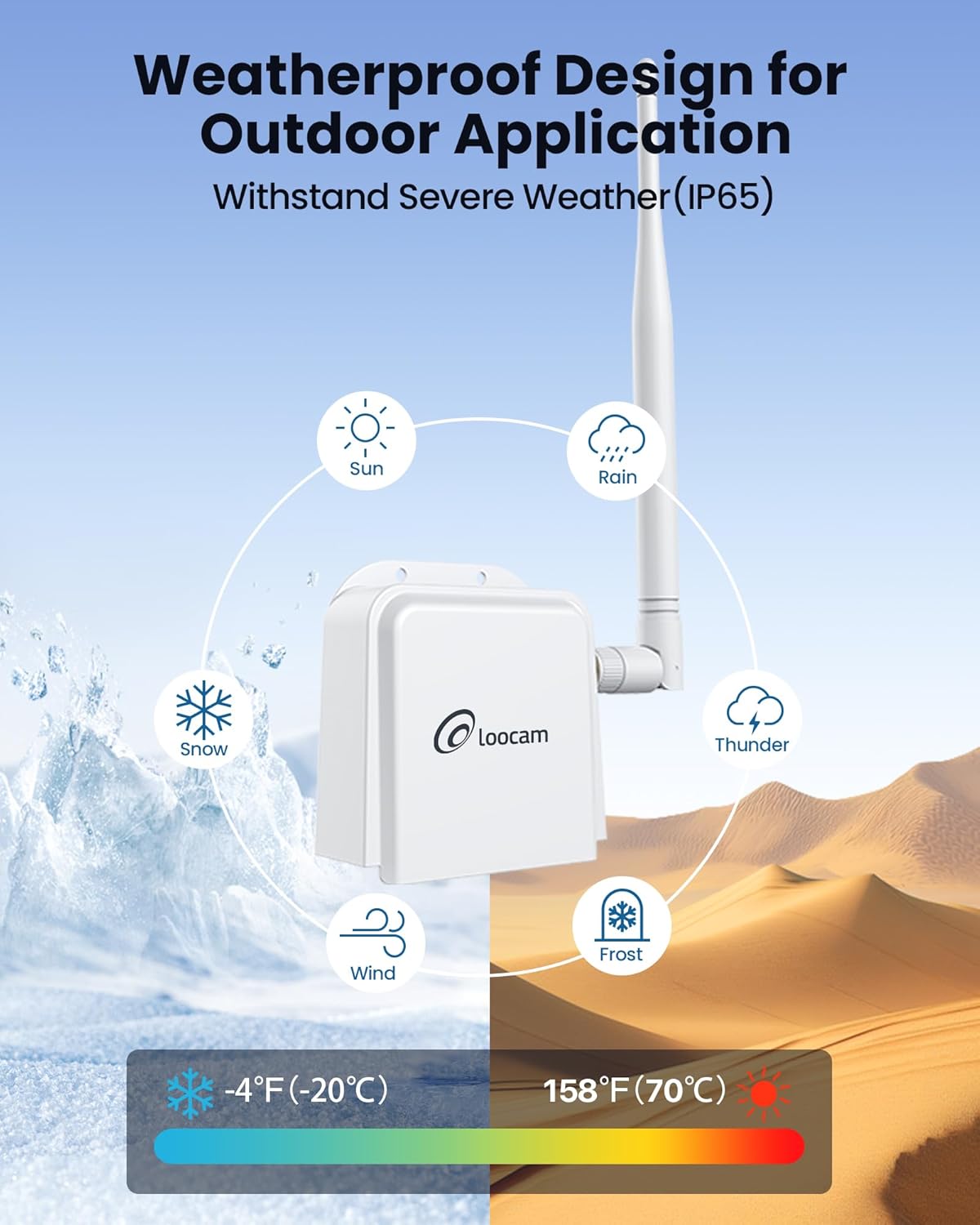
Figure 2.2: Wireless Bridge Unit Details (Ports and Indicators)
3. సెటప్ మరియు ఇన్స్టాలేషన్
The Loocam Wireless Bridge is designed for plug-and-play operation with automatic pairing. Follow these steps for initial setup.
3.1 Connecting to a PC (Exampలే)
- యాంటెన్నాలను అటాచ్ చేయండి: Screw the provided antennas onto the TX and RX bridge units.
- Power On TX Unit: Connect the power adapter to the TX bridge unit and plug it into a power outlet.
- Connect TX to Router: Use one Ethernet cable to connect the TX bridge unit to a LAN port on your router.
- Power On RX Unit: Connect the power adapter to the RX bridge unit and plug it into a power outlet.
- Connect RX to PC: Use the second Ethernet cable to connect the RX bridge unit to your computer's Ethernet port (you may need a USB to Ethernet adapter for laptops without a built-in port).
- కనెక్షన్ని ధృవీకరించండి: Once both units are powered and connected, they will automatically pair. The computer connected to the RX unit should now be able to access the internet.

Figure 3.1: Basic PC Connection Diagram

Figure 3.2: Extending Network to a Second Building
3.2 Connecting to an NVR (Exampలే)
The wireless bridge can also be used to extend network connectivity for IP cameras and Network Video Recorders (NVRs).
- యాంటెన్నాలను అటాచ్ చేయండి: Screw the provided antennas onto the TX and RX bridge units.
- Power On TX Unit: Connect the power adapter to the TX bridge unit and plug it into a power outlet.
- Connect TX to IP Camera: Use one Ethernet cable to connect the TX bridge unit to your IP camera.
- Power On RX Unit: Connect the power adapter to the RX bridge unit and plug it into a power outlet.
- Connect RX to NVR: Use the second Ethernet cable to connect the RX bridge unit to an available Ethernet port on your NVR.
- కనెక్షన్ని ధృవీకరించండి: The NVR should now detect the IP camera connected via the wireless bridge.

Figure 3.3: NVR Connection Diagram
3.3 భౌతిక సంస్థాపన
The bridge units can be mounted to a wall or other suitable surface using the provided screws.
- Mark Positions: Hold the bridge unit against the desired mounting surface and mark the positions for the two screw holes.
- డ్రిల్ రంధ్రాలు: గుర్తించబడిన స్థానాల్లో పైలట్ రంధ్రాలు వేయండి.
- సురక్షిత యూనిట్: Align the bridge unit with the holes and secure it using the provided screws.

చిత్రం 3.4: సంస్థాపనా దశలు
3.4 Identifying TX and RX Units
The units are pre-paired. One unit acts as the Transmitter (TX) and the other as the Receiver (RX). You can identify them by observing the indicator lights after powering on:
- The RX light on the Receiver (RX) unit should be illuminated.
- The RX light on the Transmitter (TX) unit should be off.

Figure 3.5: TX and RX Identification
3.5 సెటప్ వీడియో గైడ్
For a visual guide on connecting the Loocam Wireless Bridge, please watch the official setup video below.
Video 3.1: How to Connect Loocam Wireless Bridge. This video demonstrates the step-by-step process of connecting the wireless bridge units to a router and a computer, as well as to an NVR and camera, showing the physical connections and power-on sequence.
4. ఆపరేషన్
The Loocam Wireless Bridge operates on a point-to-point principle, extending your network wirelessly.
- ఫ్రీక్వెన్సీ బ్యాండ్: Operates in the 902MHz-928MHz band, offering strong penetration capabilities.
- ప్రసార దూరం: Achieves up to 2000 feet wireless transmission distance in open areas.
- Wi-Fi HaLow Technology: Utilizes 802.11ah Wi-Fi HaLow for extended coverage and improved obstacle penetration (up to 350 feet through one wall).
- డేటా రేటు: Supports speeds up to 16Mbps. Note that Wi-Fi HaLow is optimized for range and penetration rather than high bandwidth.
- అప్లికేషన్లు: Ideal for extending network coverage between buildings, for video surveillance systems, and for expanding Wi-Fi coverage in areas where traditional Wi-Fi signals are weak.

Figure 4.1: Ultra Long Range Transmission

Figure 4.2: 900MHz Band Features

Figure 4.3: Superior Obstacle Penetration

Figure 4.4: Extended Monitoring Range

Figure 4.5: Indoor & Outdoor Network Extension Coverage
5. నిర్వహణ
The Loocam Wireless Bridge is designed for outdoor use with a weather-resistant (IP65) rating. To ensure longevity and optimal performance:
- పర్యావరణ పరిస్థితులు: The device operates effectively in temperatures ranging from -5°F to 120°F (-20°C to 48°C). Avoid exposing the device to conditions outside this range for extended periods.
- శుభ్రపరచడం: Periodically clean the exterior of the units with a soft, dry cloth to remove dust and debris. Do not use liquid cleaners or solvents.
- కేబుల్ సమగ్రత: Regularly inspect all connected cables (power and Ethernet) for any signs of wear or damage. Replace damaged cables immediately.
- యాంటెన్నా స్థానం: Ensure antennas are securely attached and positioned for optimal signal strength.

Figure 5.1: Weatherproof Design
6. ట్రబుల్షూటింగ్
If you encounter issues with your Loocam Wireless Bridge, refer to the following common problems and solutions:
| సమస్య | సాధ్యమైన కారణం | పరిష్కారం |
|---|---|---|
| నెట్వర్క్ కనెక్షన్ లేదు |
|
|
| నెమ్మదిగా నెట్వర్క్ వేగం |
|
|
| అడపాదడపా కనెక్షన్ |
|
|
If the issue persists after trying these solutions, please contact Loocam customer support.
7. స్పెసిఫికేషన్లు
| ఫీచర్ | వివరాలు |
|---|---|
| బ్రాండ్ | లూకామ్ |
| మోడల్ | B0BQ2R66S4 |
| వైర్లెస్ కమ్యూనికేషన్ స్టాండర్డ్ | 900 MHz Radio Frequency (Wi-Fi HaLow 802.11ah) |
| డేటా బదిలీ రేటు | సెకనుకు 16 మెగాబిట్ల వరకు |
| ఫ్రీక్వెన్సీ బ్యాండ్ క్లాస్ | Single-Band (902MHz-928MHz) |
| ప్రత్యేక లక్షణాలు | యాక్సెస్ పాయింట్ మోడ్, WPS |
| కనెక్టర్ రకం | RJ45 |
| అనుకూల పరికరాలు | Personal Computer, NVR, IP Cameras, Network Switches |
| పరిధి | Up to 2000 feet (open areas), up to 350 feet (through one wall) |
| వాతావరణ నిరోధకత | IP65 రేట్ చేయబడింది |
| ఆపరేటింగ్ ఉష్ణోగ్రత | -5°F నుండి 120°F (-20°C నుండి 48°C) |
8. వారంటీ మరియు మద్దతు
Loocam is committed to providing high-quality products and excellent customer service.
- వారంటీ: ఈ ఉత్పత్తి 1 సంవత్సరాల వారంటీతో వస్తుంది.
- మనీ బ్యాక్ గ్యారెంటీ: Enjoy a 30-day money-back guarantee and free returns.
- సాంకేతిక మద్దతు: జీవితకాల సాంకేతిక మద్దతు అందుబాటులో ఉంది.
- ఆన్లైన్ మద్దతు: 24/7 online support is provided for any queries or assistance.
For further assistance, please visit the official Loocam webసైట్ లేదా వారి కస్టమర్ సేవా బృందాన్ని సంప్రదించండి.