
1. పరిచయం
Thank you for choosing the Gaiatop Portable Handheld Fan FS08. This compact and versatile fan is designed to provide personal cooling on the go, featuring a foldable design, multiple speed settings, and a long-lasting rechargeable battery. Please read this manual carefully before use to ensure proper operation and maintenance.
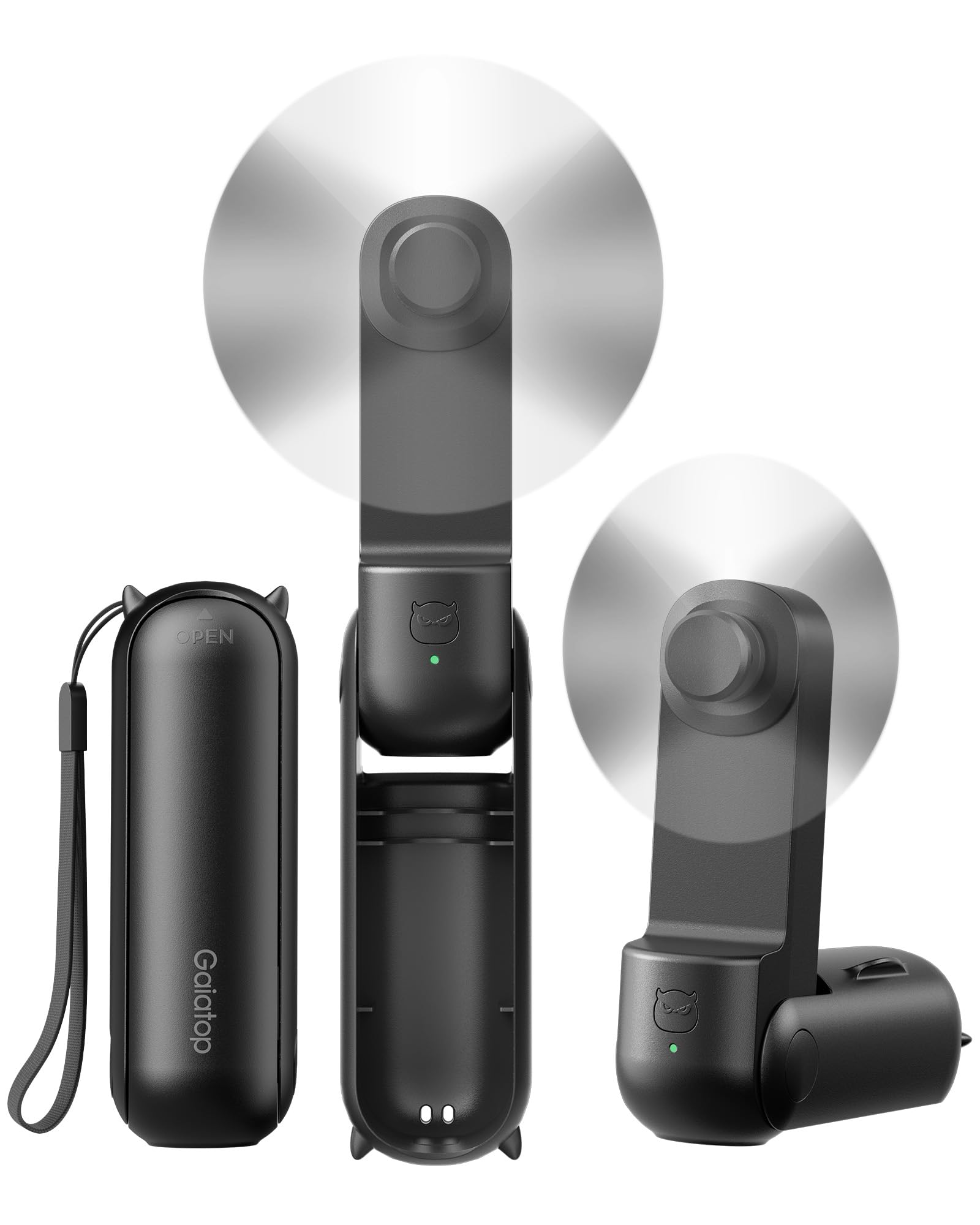
Figure 1: Gaiatop Portable Handheld Fan FS08 (Black)
2. ఉత్పత్తి లక్షణాలు
2.1. Foldable Lipstick Size
The FS08 fan features a compact, foldable design, making it easy to carry in a pocket, purse, clutch, or crossbody bag. Its small size (4.4 x 1.4 x 1.5 inches, 4 oz) ensures portability without sacrificing performance.

Figure 2: Compact and foldable design for easy storage in various bags.
2.2. Extended Cooling Time
Equipped with a high-capacity battery, the fan offers up to 17 hours of cooling on the lowest speed setting and 10 hours on the higher speed setting, ensuring prolonged use during travel or outdoor activities.

Figure 3: Fan in operation, highlighting its long battery life.
2.3. 3-ఇన్-1 కార్యాచరణ
The fan's 3-stage foldable design allows it to be used in multiple configurations: handheld (180° unfolded), or as a mini desk fan (90° or 270° angle) for hands-free cooling.

Figure 4: Demonstrating the fan's versatility as a handheld or desk fan.
2.4. Soft Blades and Safety
The fan is equipped with touchable and soft TPE blades that are designed for safety, preventing injury if accidentally touched during operation. It also features multiple built-in protections for durable use.

Figure 5: Soft TPE blades for enhanced user safety.
2.5. USB-C ఛార్జింగ్
The fan is easily rechargeable via a USB-C port, offering convenient power options from various sources.

Figure 6: USB-C charging port for easy recharging.
3. ప్యాకేజీ విషయాలు
The Gaiatop Portable Handheld Fan FS08 package includes:
- 1 x Small Portable Handheld Fan
- 1 x టైప్-సి కేబుల్
- 1 x వినియోగదారు మాన్యువల్
4. భాగాలు ఓవర్view
Familiarize yourself with the main components of your Gaiatop Portable Handheld Fan FS08:
- ఫ్యాన్ హెడ్: Contains the soft TPE blades and motor.
- Handle/Body: Houses the battery and control button.
- పవర్ బటన్: Located on the handle, used for power and speed control.
- USB-C ఛార్జింగ్ పోర్ట్: Located at the base of the handle for recharging.
- USB-A అవుట్పుట్ పోర్ట్: Can be used for charging other devices (power bank function).
- Foldable Hinge: Allows the fan to transform between handheld and desk modes.
5. సెటప్
5.1. Unfolding the Fan
- Gently unfold the fan head from its compact position.
- Adjust the fan head to your desired angle for handheld use (180° fully extended) or desk use (90° or 270° for stable placement).
5.2. ప్రారంభ ఛార్జింగ్
Before first use, fully charge the fan. Connect the provided Type-C cable to the fan's USB-C charging port and plug the other end into a compatible USB power source (e.g., computer, wall adapter). The indicator light will show charging status.
6. ఆపరేటింగ్ సూచనలు
6.1. పవర్ ఆన్/ఆఫ్ మరియు స్పీడ్ సర్దుబాటు
- To Power On (Low Speed): పవర్ బటన్ను ఒకసారి నొక్కండి.
- To Increase Speed (High Speed): Press the power button a second time.
- పవర్ ఆఫ్ చేయడానికి: Press the power button a third time.
6.2. Using as a Handheld Fan
Extend the fan to its full 180° position and hold it comfortably in your hand for direct personal cooling.
6.3. Using as a Desk Fan
Fold the fan to a 90° or 270° angle to create a stable base. Place it on a flat surface such as a desk or table for hands-free operation.
7. Charging the Fan
- Connect the Type-C charging cable to the fan's charging port.
- Plug the USB-A end of the cable into a power adapter, computer, or power bank.
- The indicator light will illuminate to show charging status.
- పూర్తిగా ఛార్జ్ కావడానికి సాధారణంగా దాదాపు 1 గంట పడుతుంది.
7.1. పవర్ బ్యాంక్ ఫంక్షన్
The fan can also act as a portable power bank. Connect your device's charging cable to the fan's USB-A output port to charge your smartphone or other small electronic devices.
8. నిర్వహణ
8.1. శుభ్రపరచడం
- Ensure the fan is powered off before cleaning.
- ఫ్యాన్ బయటి భాగాన్ని మృదువైన, పొడి గుడ్డతో తుడవండి.
- రాపిడి క్లీనర్లను ఉపయోగించవద్దు లేదా ఫ్యాన్ను నీటిలో ముంచవద్దు.
8.2. నిల్వ
When not in use, fold the fan into its compact form and store it in a cool, dry place away from direct sunlight and extreme temperatures.
9. ట్రబుల్షూటింగ్
| సమస్య | సాధ్యమైన కారణం | పరిష్కారం |
|---|---|---|
| ఫ్యాన్ ఆన్ అవ్వదు. | తక్కువ బ్యాటరీ. | Charge the fan fully using the provided USB-C cable. |
| అనుకోకుండా ఫ్యాన్ ఆగిపోయింది. | తక్కువ బ్యాటరీ. | ఫ్యాన్ ని రీఛార్జ్ చేయండి. |
| Fan blades are not spinning smoothly. | Obstruction or damage to blades. | Ensure no foreign objects are blocking the blades. If damaged, discontinue use. |
| Cannot charge other devices. | Fan battery is low or device is incompatible. | Ensure the fan is sufficiently charged. Check device compatibility. |
10. స్పెసిఫికేషన్లు
| ఫీచర్ | వివరాలు |
|---|---|
| బ్రాండ్ | గయాతోప్ |
| మోడల్ పేరు | Fan-FS08 |
| మోడల్ సంఖ్య | FS08 |
| రంగు | నలుపు |
| ఉత్పత్తి కొలతలు | 1.4"డి x 1.5"వా x 4.26"హ |
| వస్తువు బరువు | 4.8 ఔన్సులు |
| శక్తి మూలం | బ్యాటరీ ఆధారితమైనది |
| స్పీడ్ల సంఖ్య | 2 |
| వాల్యూమ్tage | 5 వోల్ట్లు |
| వాట్tage | 1.5 వాట్స్ |
| కనెక్టర్ రకం | USB టైప్ C |
| మెటీరియల్ | ABS + TPE Soft Blades |
| ప్రత్యేక లక్షణాలు | 10-17 Hours Cooling Time, 3-in-1 Handheld & Desk Fan, Mini Size Foldable |
11. భద్రతా సమాచారం
- ఫ్యాన్ను విడదీయవద్దు లేదా సవరించవద్దు.
- చిన్న పిల్లలకు దూరంగా ఉంచండి.
- Avoid exposing the fan to water or excessive moisture.
- Do not insert objects into the fan blades or vents.
- అందించిన ఛార్జింగ్ కేబుల్ లేదా సర్టిఫైడ్ దానికి సమానమైన దాన్ని మాత్రమే ఉపయోగించండి.
- Do not use the fan if it is damaged or malfunctioning.
12. వారంటీ మరియు మద్దతు
Gaiatop products are designed for quality and reliability. For warranty information, technical support, or customer service inquiries, please refer to the contact details provided on the product packaging or visit the official Gaiatop webవారంటీ క్లెయిమ్ల కోసం దయచేసి మీ కొనుగోలు రుజువును మీ వద్ద ఉంచుకోండి.