
Tecno SC01 - Black
Tecno Sonic 1 TWS Earbuds User Manual
Model: SC01 - Black | Brand: Tecno
పరిచయం
The Tecno Sonic 1 TWS Earbuds are designed to provide a superior audio experience with extended battery life and versatile wearing options. Featuring advanced call noise cancellation and a durable, water-resistant design, these earbuds are perfect for on-the-go use.
ముఖ్య లక్షణాలు:
- Up to 50 hours ultra-long battery life (with charging case)
- Free switching between in-ear and half in-ear wearing styles
- Effective call noise cancellation for clear communication
- సులభంగా పోర్టబిలిటీ కోసం కాంపాక్ట్ మరియు తేలికపాటి డిజైన్
- Dual connection and synchronous fast pairing
- IPX5 water resistance for worry-free use
సెటప్ గైడ్
1. ప్రారంభ ఛార్జింగ్
Before first use, fully charge the Tecno Sonic 1 earbuds and their charging case. Place both earbuds into the charging case and connect the case to a power source using the provided USB cable. The indicator lights on the case will show charging status.
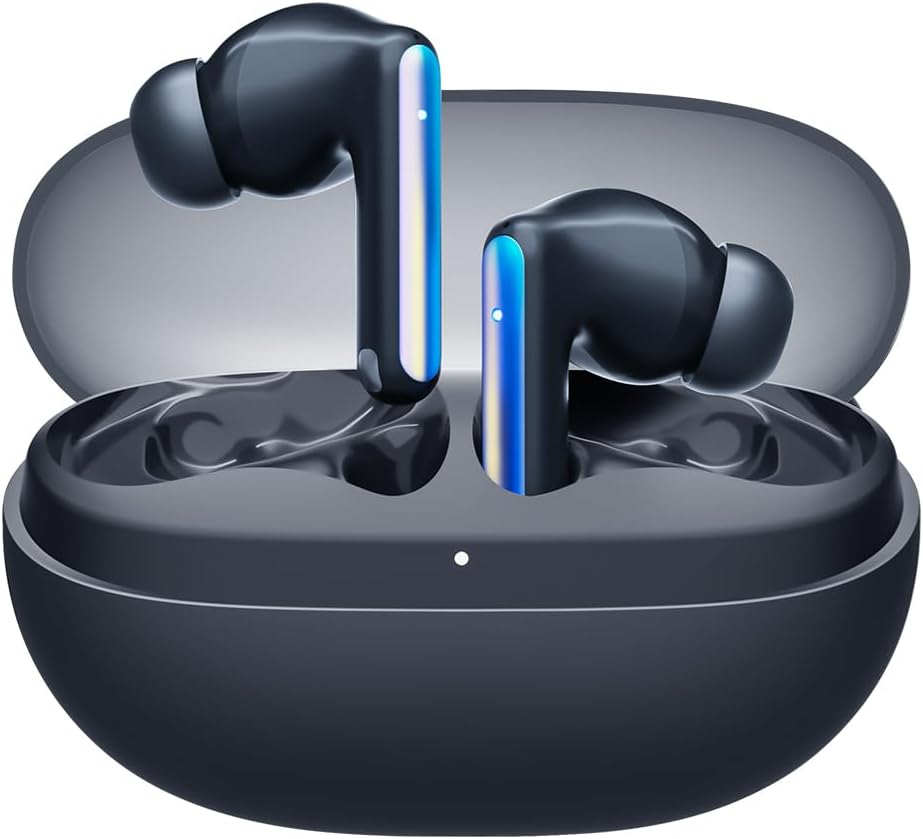
Image: Tecno Sonic 1 TWS Earbuds resting inside their charging case, indicating readiness for charging or storage.
2. పరికరంతో జత చేయడం
- ఇయర్బడ్లు ఛార్జింగ్ కేసులో ఉన్నాయని మరియు కేస్ మూత తెరిచి ఉందని నిర్ధారించుకోండి.
- మీ పరికరంలో (స్మార్ట్ఫోన్, టాబ్లెట్, మొదలైనవి), బ్లూటూత్ను ప్రారంభించండి.
- Select "Tecno Sonic 1" from the list of available Bluetooth devices.
- కనెక్ట్ అయిన తర్వాత, వాయిస్ ప్రాంప్ట్ విజయవంతమైన జతను నిర్ధారిస్తుంది.
Note: The earbuds support dual connection, allowing them to be paired with two devices simultaneously.
ఆపరేటింగ్ సూచనలు
ఇయర్బడ్స్ ధరించడం
The Tecno Sonic 1 earbuds offer flexible wearing options: in-ear and half in-ear. Choose the ear tips that provide the most comfortable and secure fit for optimal sound quality and noise cancellation.
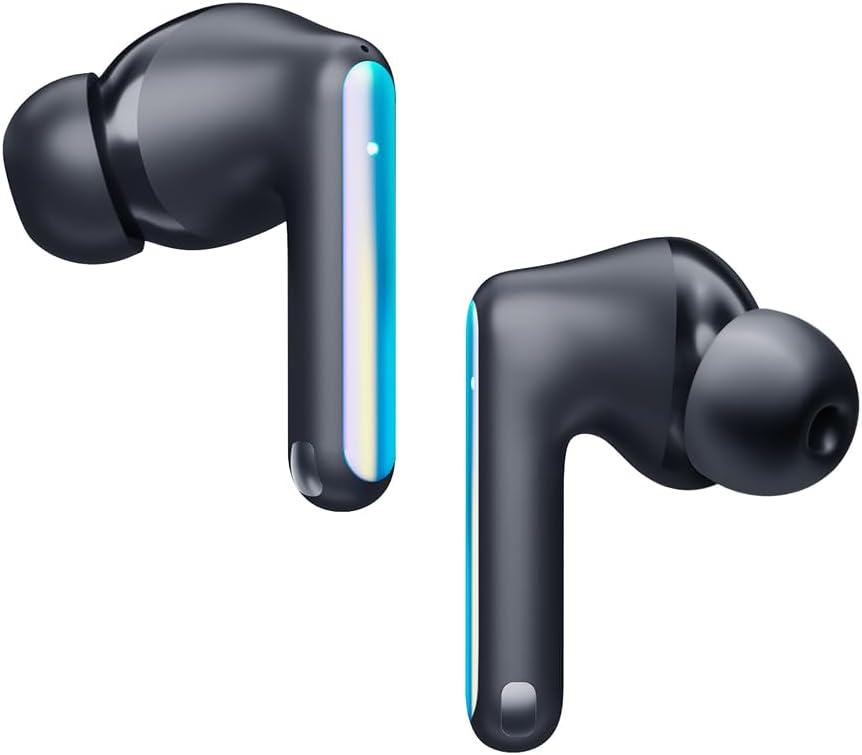
Image: Individual Tecno Sonic 1 TWS Earbuds, highlighting their sleek design and showing the different ear tip options for in-ear and half in-ear fit.
టచ్ కంట్రోల్స్
| చర్య | ఫంక్షన్ |
|---|---|
| సింగిల్ ట్యాప్ (ఎడమ/కుడి) | సంగీతాన్ని ప్లే చేయండి/పాజ్ చేయండి, కాల్కు సమాధానం ఇవ్వండి/ముగించండి |
| రెండుసార్లు నొక్కండి (కుడివైపు) | తదుపరి ట్రాక్ |
| రెండుసార్లు నొక్కండి (ఎడమవైపు) | మునుపటి ట్రాక్ |
| ట్రిపుల్ ట్యాప్ (ఎడమ/కుడి) | వాయిస్ అసిస్టెంట్ని యాక్టివేట్ చేయండి |
| Long Press (2s, Left/Right) | కాల్ని తిరస్కరించండి |
నిర్వహణ
క్లీనింగ్
- ఇయర్బడ్లు మరియు ఛార్జింగ్ కేసును మృదువైన, పొడి, మెత్తటి బట్టతో క్రమం తప్పకుండా శుభ్రం చేయండి.
- చెవుల చివరలను తీసివేసి, తేలికపాటి సబ్బు మరియు నీటితో శుభ్రం చేసి, తిరిగి అతికించే ముందు పూర్తిగా ఆరబెట్టండి.
- రాపిడి క్లీనర్లు లేదా ద్రావకాలు ఉపయోగించవద్దు.
నిల్వ
When not in use, store the earbuds in their charging case to protect them from dust and damage, and to ensure they remain charged.
ట్రబుల్షూటింగ్
సాధారణ సమస్యలు మరియు పరిష్కారాలు:
- ఇయర్బడ్లు జత కావడం లేదా కనెక్ట్ కావడం లేదు:
- ఇయర్బడ్లు ఛార్జ్ అయ్యాయని నిర్ధారించుకోండి.
- మీ పరికరంలో బ్లూటూత్ను ఆఫ్ చేసి ఆన్ చేయండి.
- Forget "Tecno Sonic 1" from your device's Bluetooth list and try pairing again.
- Place earbuds back in the case, close the lid for 5 seconds, then open to reset.
- శబ్దం లేదు లేదా తక్కువ వాల్యూమ్:
- ఇయర్బడ్లు మరియు మీ కనెక్ట్ చేయబడిన పరికరం రెండింటిలోనూ వాల్యూమ్ స్థాయిలను తనిఖీ చేయండి.
- మీ చెవుల్లో ఇయర్బడ్లు సరిగ్గా అమర్చబడ్డాయని నిర్ధారించుకోండి.
- ఇయర్బడ్ గ్రిల్స్ నుండి ఏవైనా చెత్తను శుభ్రం చేయండి.
- ఛార్జింగ్ సమస్యలు:
- ఛార్జింగ్ కేబుల్ మరియు అడాప్టర్ సరిగ్గా పనిచేస్తున్నాయని ధృవీకరించండి.
- ఇయర్బడ్లు మరియు కేస్లోని ఛార్జింగ్ కాంటాక్ట్లు శుభ్రంగా మరియు పొడిగా ఉన్నాయని నిర్ధారించుకోండి.
స్పెసిఫికేషన్లు
| ఫీచర్ | వివరాలు |
|---|---|
| బ్రాండ్ | టెక్నో |
| మోడల్ పేరు | Sonic - 1 |
| అంశం మోడల్ సంఖ్య | SC01 - Black |
| కనెక్టివిటీ టెక్నాలజీ | వైర్లెస్ (బ్లూటూత్) |
| చెవి ప్లేస్మెంట్ | చెవిలో |
| హెడ్ఫోన్ల ఫారమ్ ఫ్యాక్టర్ | చెవిలో |
| నాయిస్ కంట్రోల్ | Sound Isolation (Call Noise Cancellation) |
| ఇంపెడెన్స్ | 3 ఓం |
| హెడ్ఫోన్ జాక్ | జాక్ లేదు |
| రంగు | నలుపు |
| ఉత్పత్తి కొలతలు | 7.5 x 5.2 x 2.7 సెం.మీ |
| వస్తువు బరువు | 52 గ్రాములు |
| బ్యాటరీలు | 1 లిథియం అయాన్ బ్యాటరీ (చేర్చబడింది) |
| నీటి నిరోధకత | IPX5 |
వారంటీ మరియు మద్దతు
For warranty information and technical support, please refer to the documentation included with your purchase or visit the official Tecno webసైట్. ఏవైనా వారంటీ క్లెయిమ్ల కోసం మీ కొనుగోలు రుజువును ఉంచుకోండి.
మీరు సందర్శించవచ్చు Tecno Store on Amazon మరిన్ని ఉత్పత్తి సమాచారం మరియు మద్దతు వనరుల కోసం.
Ask a question about this manual
Ask about setup, troubleshooting, compatibility, parts, safety, or missing instructions. Manuals+ will review the question and use this page’s manual context to help answer it.