
1. పరిచయం
This manual provides essential information for the safe and effective use of your Lovskoo Mini Video Projector. Please read these instructions thoroughly before operating the device and retain them for future reference.
2. భద్రతా సమాచారం
- అగ్ని లేదా విద్యుత్ షాక్ను నివారించడానికి ప్రొజెక్టర్ను వర్షం లేదా తేమకు బహిర్గతం చేయవద్దు.
- సి ని తెరవవద్దుasing. అన్ని సర్వీసింగ్లను అర్హత కలిగిన సిబ్బందికి సూచించండి.
- సరైన వెంటిలేషన్ ఉండేలా చూసుకోండి. వెంటిలేషన్ ఓపెనింగ్లను బ్లాక్ చేయవద్దు.
- Use only the power adapter specified for this device.
- పరికరం పనిచేస్తున్నప్పుడు ప్రొజెక్టర్ లెన్స్కు నేరుగా కళ్ళు గురికాకుండా ఉండండి.
- ప్రొజెక్టర్ను వేడి వనరుల నుండి మరియు ప్రత్యక్ష సూర్యకాంతి నుండి దూరంగా ఉంచండి.
3. ప్యాకేజీ విషయాలు
ప్యాకేజీలో అన్ని అంశాలు ఉన్నాయని నిర్ధారించుకోండి:
- Lovskoo Mini Video Projector (Host)
- USB పవర్ కేబుల్
- రిమోట్ కంట్రోల్
- వినియోగదారు మాన్యువల్
4. ఉత్పత్తి ముగిసిందిview
Familiarize yourself with the components and dimensions of your projector.

మూర్తి 4.1: ముందు view of the Lovskoo Mini Video Projector.

Figure 4.2: Dimensions of the Lovskoo Mini Video Projector (approximately 4.3 x 1.9 x 3.5 inches).
The projector features a compact design with a lens at the front and control buttons on the top surface. Connectivity ports are located on the sides or rear, typically including USB and a 3.5mm audio output.
5. సెటప్
Follow these steps to set up your projector for first use:
- పవర్ కనెక్షన్: Connect the provided USB power cable to the projector's micro USB input and then to a compatible 5V 2A power source (e.g., a wall adapter or power bank).
- ప్లేస్మెంట్: Place the projector on a stable, flat surface. Ensure there are no obstructions in front of the lens. The recommended projection distance is 2-13.1 feet for a 14-100 inch screen size. For optimal viewing, a 9.32 feet distance is suggested for a 100-inch display.
- పవర్ ఆన్: పరికరాన్ని ఆన్ చేయడానికి ప్రొజెక్టర్ లేదా రిమోట్ కంట్రోల్లోని పవర్ బటన్ను నొక్కండి.
- ఫోకస్ సర్దుబాటు: Adjust the focus ring (if available) near the lens until the projected image is clear and sharp.
Video 5.1: This video demonstrates the projector's capability to display various screen sizes (40" to 60") and shows the projector in different color variants. It illustrates the projection distance and how the image scales.
6. ఆపరేటింగ్
Once powered on, the projector will display its main interface. Use the remote control or the buttons on the projector to navigate menus and select input sources.
6.1 ప్రాథమిక నియంత్రణలు
- పవర్ బటన్: ప్రొజెక్టర్ను ఆన్ లేదా ఆఫ్ చేస్తుంది.
- నావిగేషన్ బటన్లు: Used to move through menu options (Up, Down, Left, Right).
- సరే/ఎంటర్ బటన్: ఎంపికలను నిర్ధారిస్తుంది.
- వెనుకకు/నిష్క్రమించు బటన్: Returns to the previous menu or exits the current function.
- వాల్యూమ్ బటన్లు: ఆడియో అవుట్పుట్ స్థాయిని సర్దుబాటు చేస్తుంది.
6.2 కనెక్టివిటీ
The projector supports various input methods:
- USB ఇన్పుట్: Connect a USB drive to play media fileనేరుగా లు.
- 3.5mm ఆడియో అవుట్పుట్: మెరుగైన ఆడియో కోసం బాహ్య స్పీకర్లు లేదా హెడ్ఫోన్లను కనెక్ట్ చేయండి.
- మొబైల్ ఫోన్ కనెక్షన్: Connect your Android or iOS phone to the projector to mirror content. Specific connection methods (e.g., wired screen mirroring) may vary by phone model and require additional adapters (not included).

Figure 6.1: The projector can be powered by a mobile power supply (power bank) for portable use.
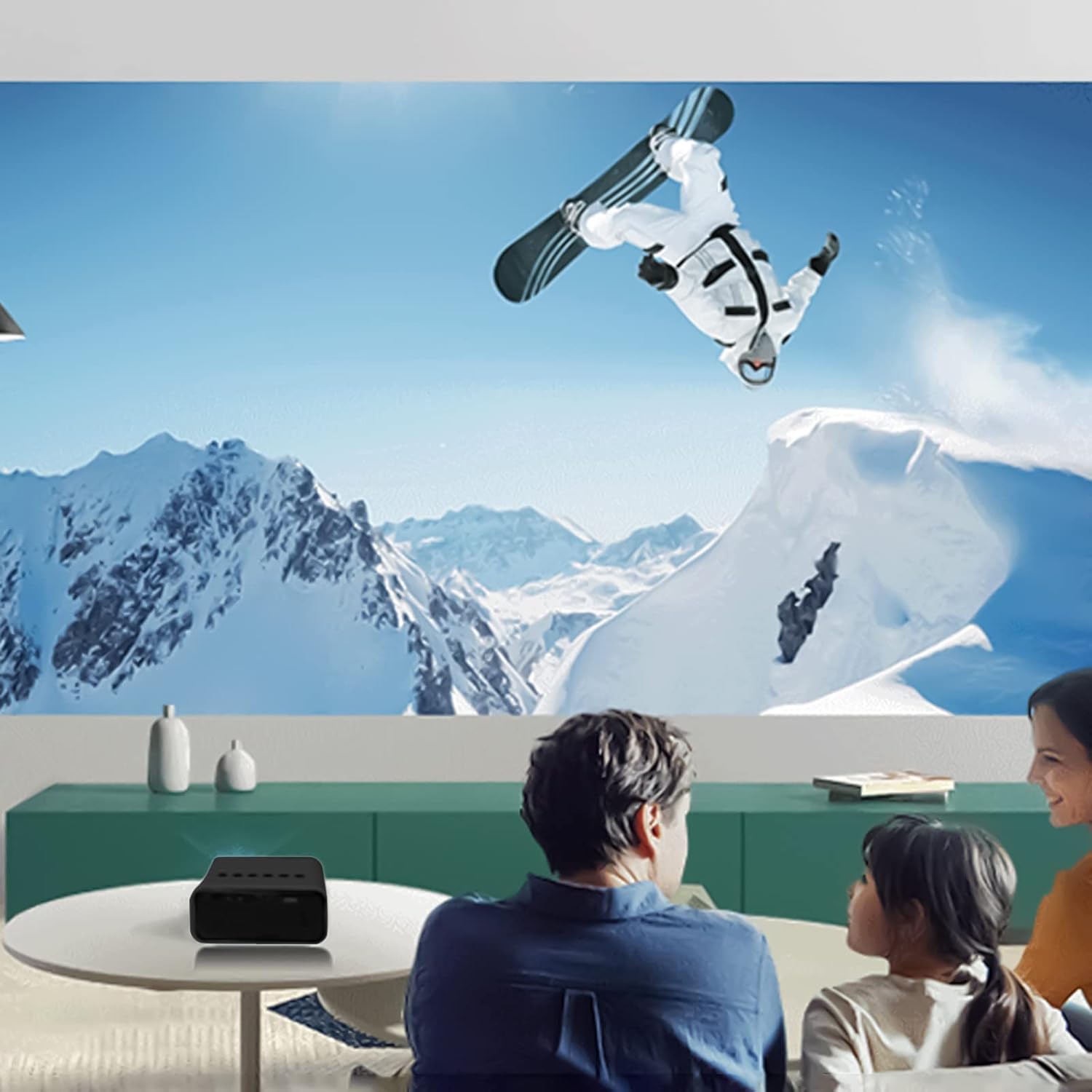
చిత్రం 6.2: ఉదాample of indoor projection setup.

చిత్రం 6.3: ఉదాample of outdoor projection setup, ideal for camping.
7. నిర్వహణ
Proper maintenance ensures the longevity and performance of your projector.
- లెన్స్ క్లీనింగ్: ప్రొజెక్టర్ లెన్స్ను సున్నితంగా తుడవడానికి ఆప్టికల్ లెన్స్ల కోసం ప్రత్యేకంగా రూపొందించిన మృదువైన, మెత్తటి రహిత వస్త్రాన్ని ఉపయోగించండి. రాపిడి క్లీనర్లను లేదా అధిక శక్తిని ఉపయోగించవద్దు.
- దుమ్ము తొలగింపు: Periodically clean the projector's exterior with a soft, dry cloth. Ensure ventilation openings are free from dust and debris.
- నిల్వ: ఉపయోగంలో లేనప్పుడు, ప్రొజెక్టర్ను చల్లని, పొడి ప్రదేశంలో, ప్రత్యక్ష సూర్యకాంతి మరియు తీవ్రమైన ఉష్ణోగ్రతలకు దూరంగా నిల్వ చేయండి.
8. ట్రబుల్షూటింగ్
మీ ప్రొజెక్టర్తో మీకు సమస్యలు ఎదురైతే, ఈ క్రింది సాధారణ సమస్యలు మరియు పరిష్కారాలను చూడండి:
| సమస్య | సాధ్యమైన కారణం | పరిష్కారం |
|---|---|---|
| పవర్ లేదు | Power cable not connected properly; faulty power source. | Ensure the USB power cable is securely connected. Try a different power adapter or USB port. |
| చిత్రం లేదు | Incorrect input source selected; lens cap on; focus issue. | Select the correct input source (e.g., USB). Remove any lens cap. Adjust the focus. |
| అస్పష్టమైన చిత్రం | Out of focus; incorrect projection distance. | Adjust the focus ring. Ensure the projector is within the recommended projection distance. |
| సౌండ్ లేదు | Volume too low; external speakers not connected or faulty. | Increase the volume. Check external speaker connections if used. |
9. స్పెసిఫికేషన్లు
Key technical specifications for the Lovskoo Mini Video Projector:
- మోడల్: మినీ వీడియో ప్రొజెక్టర్
- మద్దతు ఉన్న రిజల్యూషన్: 1080P HD (1920 x 1080 Max)
- స్థానిక రిజల్యూషన్: 320 x 180
- ప్రదర్శన సాంకేతికత: TFT LCD
- ప్రొజెక్షన్ పరిమాణం: 14-100 అంగుళాలు
- ప్రొజెక్షన్ దూరం: 2-13.1 అడుగులు
- LED లైఫ్: 30,000 గంటల వరకు
- విద్యుత్ వినియోగం: 10 W
- వాల్యూమ్tagఇ/ప్రస్తుతం: 5V 2A
- నియంత్రణ మోడ్: Manual buttons / Remote control
- ఇంటర్ఫేస్లు: USB x 1, 3.5mm Audio Output x 1, Micro USB (Power Input)
- కొలతలు: Approximately 4.3 x 1.9 x 3.5 inches (11 x 4.7 cm)
- బరువు: సుమారు 11.3 ఔన్సులు
- అంతర్నిర్మిత స్పీకర్: అవును
10. వారంటీ మరియు మద్దతు
For warranty information and customer support, please refer to the documentation provided at the time of purchase or contact Lovskoo customer service through their official channels. Keep your purchase receipt as proof of purchase.