
1. పరిచయం
Thank you for choosing the BIKECOMM BK-S2 Motorcycle Bluetooth Intercom Headset. This device is designed to enhance your riding experience by providing clear communication, music playback, and GPS navigation audio directly to your helmet. The BK-S2 features Bluetooth V5.0 for stable connections, a 7mm extra-slim speaker design for comfort, and advanced noise filtering for clear audio.

Image 1.1: The BIKECOMM BK-S2 Motorcycle Bluetooth Intercom Headset unit.
2. భద్రతా సమాచారం
Please read all safety information carefully before using the BK-S2 headset to ensure safe and proper operation. Failure to follow these instructions may result in injury or damage to the device.
- రోడ్డు భద్రత: Always prioritize road safety. Do not operate the device in a way that distracts you from riding. Keep your attention on the road and traffic conditions.
- వాల్యూమ్ స్థాయిలు: Avoid listening at excessively high volume levels for prolonged periods, as this can cause hearing damage. Maintain a volume that allows you to hear ambient sounds and traffic.
- నీటి బహిర్గతం: While the device is IPX7 waterproof, avoid submerging it in water for extended periods or exposing it to high-pressure water jets. Ensure the charging port cover is securely closed.
- బ్యాటరీ సంరక్షణ: Do not attempt to replace the battery yourself. Do not expose the device to extreme temperatures, direct sunlight, or open flames. Dispose of batteries according to local regulations.
- శుభ్రపరచడం: శుభ్రం చేయడానికి మృదువైన, పొడి వస్త్రాన్ని ఉపయోగించండి. కఠినమైన రసాయనాలు లేదా రాపిడి క్లీనర్లను ఉపయోగించవద్దు.
3. ప్యాకేజీ విషయాలు
The BK-S2 package includes the following components:
- BK-S2 Bluetooth Intercom Unit
- Helmet Speakers (7mm extra slim)
- Microphone (boom or wire, depending on helmet type)
- Mounting Brackets (clip and adhesive)
- USB ఛార్జింగ్ కేబుల్
- వినియోగదారు మాన్యువల్
- ఆల్కహాల్ ప్రిపరేషన్ ప్యాడ్
- Speaker Velcro Pads
- Microphone Velcro Pads
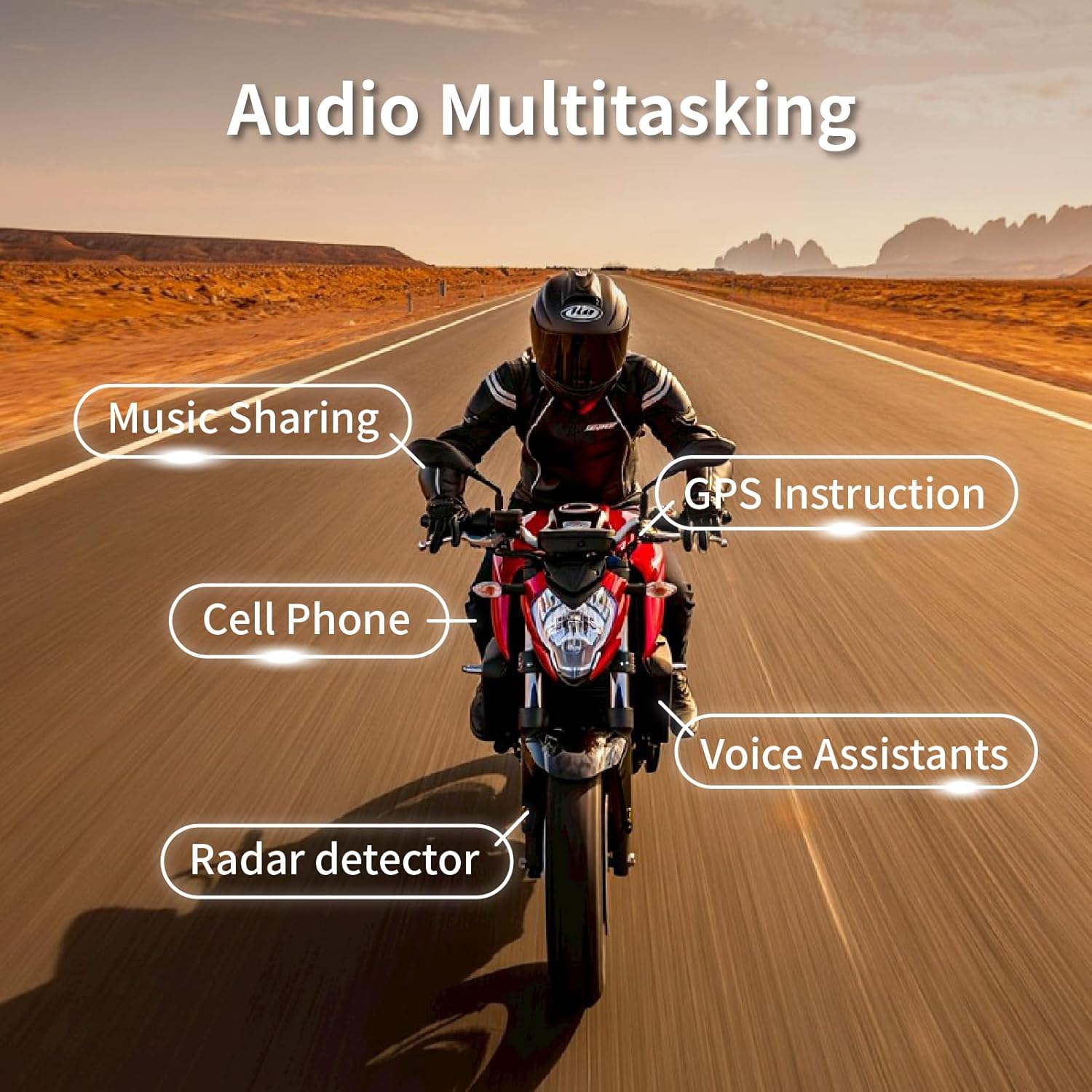
Image 3.1: All components included in the BK-S2 package.
4. సెటప్ మరియు ఇన్స్టాలేషన్
4.1 పరికరాన్ని ఛార్జ్ చేస్తోంది
Before first use, fully charge the BK-S2 unit. Connect the provided USB charging cable to the charging port on the unit and to a USB power source. The charging time is approximately 2.5 to 3 hours.
4.2 హెల్మెట్ ఇన్స్టాలేషన్
- మౌంటు స్థానాన్ని ఎంచుకోండి: Select a suitable flat surface on the left side of your helmet for the main unit.
- మౌంటు బ్రాకెట్ను అటాచ్ చేయండి: Use either the clip-on bracket (for helmets with a suitable edge) or the adhesive bracket (for smooth surfaces). Ensure the surface is clean and dry before applying adhesive.
- స్పీకర్లను ఇన్స్టాల్ చేయండి: Place the 7mm extra-slim speakers inside the helmet's ear pockets. Use the provided Velcro pads to secure them. Ensure they are positioned directly over your ears for optimal sound quality.
- మైక్రోఫోన్ను ఇన్స్టాల్ చేయండి: Attach the microphone to the inside of the helmet, near your mouth. For full-face helmets, use the wire microphone. For open-face or modular helmets, use the boom microphone.
- కేబుల్స్ కనెక్ట్ చేయండి: Route the speaker and microphone cables neatly under the helmet padding and connect them to the main BK-S2 unit.
- Mount BK-S2 Unit: Slide the BK-S2 unit onto the installed mounting bracket until it clicks securely into place.

Image 4.1: The 7mm extra-slim speakers designed for comfortable helmet fit.

Image 4.2: The BK-S2 features large buttons for easy operation, even with gloves.
4.3 Initial Pairing (Bluetooth)
- పవర్ ఆన్: Press and hold the Power button until the LED indicator flashes, indicating the device is on.
- జత చేసే విధానాన్ని నమోదు చేయండి: Refer to your device's specific instructions for entering Bluetooth pairing mode (usually involves holding a button until the LED flashes rapidly or changes color).
- Search on Phone: On your smartphone or GPS device, go to Bluetooth settings and search for new devices.
- Select BK-S2: Select "BK-S2" from the list of available devices.
- ధృవీకరణ: Once paired, the LED indicator will change, and you may hear an audio confirmation.
5. ఆపరేటింగ్ సూచనలు
5.1 పవర్ ఆన్/ఆఫ్
- పవర్ ఆన్: పవర్ బటన్ను దాదాపు 3 సెకన్ల పాటు నొక్కి పట్టుకోండి.
- పవర్ ఆఫ్: పవర్ బటన్ను దాదాపు 5 సెకన్ల పాటు నొక్కి పట్టుకోండి.
5.2 వాల్యూమ్ నియంత్రణ
- వాల్యూమ్ పెంచండి: వాల్యూమ్ అప్ (+) బటన్ను నొక్కండి.
- వాల్యూమ్ తగ్గించండి: వాల్యూమ్ డౌన్ (-) బటన్ను నొక్కండి.
5.3 ఫోన్ కాల్స్
- సమాధానం కాల్: మల్టీ-ఫంక్షన్ బటన్ను ఒకసారి నొక్కండి.
- కాల్ ముగించు: కాల్ సమయంలో మల్టీ-ఫంక్షన్ బటన్ను ఒకసారి నొక్కండి.
- కాల్ని తిరస్కరించండి: మల్టీ-ఫంక్షన్ బటన్ను 2 సెకన్ల పాటు నొక్కి పట్టుకోండి.
- వాయిస్ అసిస్టెంట్: Double-press the Multi-function button to activate your phone's voice assistant (Siri, Google Assistant).
5.4 ఇంటర్కామ్ ఫంక్షన్
The BK-S2 supports Instant Link Fleet Mode Conference Group Intercom for up to six motorcycle helmets, with an increased range of up to 1200 meters (approximately 0.75 miles) in open terrain.

Image 5.1: The BK-S2 supports group intercom for up to 6 riders.
- ఇంటర్కామ్ను ప్రారంభించండి: Follow the specific pairing instructions in the full manual for multi-unit intercom setup.
- ఇంటర్కామ్ను ముగించండి: Press the Intercom button once.
5.5 Music Playback & Audio Mixing
The BK-S2 features an Audio Mixer and Duo Music Chatting, allowing you to listen to FM Radio, Map Navigation/GPS, or music while in intercom mode. It also supports two headsets listening to the same music simultaneously.

Image 5.2: The BK-S2 offers Audio Mix, DSP, and CVC Noise Reduction for clear audio.
Image 5.3: Audio multitasking allows simultaneous use of music, GPS, and communication.
- సంగీతాన్ని ప్లే/పాజ్ చేయండి: మల్టీ-ఫంక్షన్ బటన్ను ఒకసారి నొక్కండి.
- తదుపరి ట్రాక్: Press the Volume Up (+) button for 2 seconds.
- మునుపటి ట్రాక్: Press the Volume Down (-) button for 2 seconds.
5.6 శబ్ద రద్దు
The BK-S2 features a Dual Noise Filtering Process with both microphone and DSP (Digital Signal Processing). This technology eliminates low-frequency noise, such as wind noise, and filters out non-human audio like motorcycle engine sounds, ensuring crystal clear communication.
6. నిర్వహణ మరియు సంరక్షణ
Proper maintenance will extend the lifespan of your BK-S2 headset.
- శుభ్రపరచడం: మృదువైన, డి తో యూనిట్ను తుడవండిamp వస్త్రం. కఠినమైన డిటర్జెంట్లు లేదా ద్రావకాలను ఉపయోగించవద్దు.
- నీటి నిరోధకత: The BK-S2 is IPX7 waterproof, meaning it can withstand immersion in up to 1 meter of water for 30 minutes. However, always ensure the charging port cover is sealed tightly to prevent water ingress.
- నిల్వ: ఉపయోగంలో లేనప్పుడు పరికరాన్ని చల్లని, పొడి ప్రదేశంలో నిల్వ చేయండి. తీవ్రమైన ఉష్ణోగ్రతలను నివారించండి.
- బ్యాటరీ లైఫ్: For optimal battery longevity, avoid fully discharging the battery frequently. Charge the device regularly, even if not in constant use.

Image 6.1: The BK-S2 is IPX7 waterproof, designed to withstand various weather conditions.
7. ట్రబుల్షూటింగ్
If you encounter issues with your BK-S2 headset, refer to the following common problems and solutions:
| సమస్య | సాధ్యమైన కారణం | పరిష్కారం |
|---|---|---|
| పరికరం పవర్ ఆన్ చేయదు. | తక్కువ బ్యాటరీ. | పరికరాన్ని కనీసం 3 గంటలు ఛార్జ్ చేయండి. |
| స్పీకర్ల నుండి శబ్దం లేదు. | Speakers not connected properly or volume too low. | Check speaker connections. Increase volume. Ensure device is paired. |
| Cannot pair with phone/device. | Device not in pairing mode or too far from phone. | Ensure BK-S2 is in pairing mode. Move devices closer. Turn Bluetooth off/on on phone. |
| Intercom connection unstable. | Out of range or obstructions. | Reduce distance between intercom units. Move to an area with fewer obstructions. |
| Poor microphone clarity. | Microphone not positioned correctly or wind noise. | Adjust microphone closer to mouth. Ensure wind noise reduction is active. |
If the problem persists after trying these solutions, please contact BIKECOMM customer support.
8. స్పెసిఫికేషన్లు
| ఫీచర్ | వివరాలు |
|---|---|
| మోడల్ సంఖ్య | BK-S2 |
| బ్లూటూత్ వెర్షన్ | V5.0 |
| ఇంటర్కామ్ రేంజ్ | Up to 1200 meters (approx. 0.75 miles) for 6 riders |
| జలనిరోధిత రేటింగ్ | IPX7 |
| స్పీకర్ రకం | 7mm Extra Slim High Sound Quality Helmet Speakers |
| నాయిస్ రద్దు | Dual Noise Filtering Process (Microphone & DSP) |
| ఛార్జింగ్ సమయం | దాదాపు 2.5 - 3 గంటలు |
| టాక్ టైమ్ | సుమారు 14-15 గంటలు |
| సంగీతం ప్లేబ్యాక్ సమయం | సుమారు 16-17 గంటలు |
| బ్యాటరీ రకం | 1 లిథియం పాలిమర్ బ్యాటరీ (చేర్చబడింది) |
| వస్తువు బరువు | 1.92 ఔన్సులు |
| ఉత్పత్తి కొలతలు | 1.69 x 1.1 x 3.82 అంగుళాలు |
| ధృవపత్రాలు | FCC, ROHS, BQB |
9. వారంటీ సమాచారం
BIKECOMM products are manufactured to high-quality standards. This product is covered by a limited warranty against defects in materials and workmanship from the date of purchase. Please retain your proof of purchase for warranty claims. The warranty does not cover damage caused by misuse, accident, unauthorized modification, or normal wear and tear. For specific warranty terms and conditions, please refer to the warranty card included in your package or contact BIKECOMM customer support.
10. కస్టమర్ మద్దతు
For further assistance, technical support, or warranty inquiries, please contact BIKECOMM customer service. You can typically find contact information on the BIKECOMM official webసైట్ లేదా మీరు ఉత్పత్తిని కొనుగోలు చేసిన రిటైలర్ ద్వారా.
ఆన్లైన్ వనరులు: Visit the official BIKECOMM website for FAQs, updated manuals, and software/firmware updates.
సంప్రదింపు సమాచారం: Refer to your product packaging or the BIKECOMM webఅత్యంత తాజా కస్టమర్ సపోర్ట్ సంప్రదింపు వివరాల కోసం సైట్.