
పరిచయం
This manual provides essential instructions for the proper setup, operation, and maintenance of your Airbition 8-Inch Small Wall Mount Fan Remote Control. Please read this manual thoroughly before using the product to ensure safe and efficient operation. Keep this manual for future reference.
ప్యాకేజీ విషయాలు
- Airbition Remote Control (Model: AIR301-Y)
- 1 x CR2 బ్యాటరీ (ముందే ఇన్స్టాల్ చేయబడింది లేదా విడిగా చేర్చబడింది)
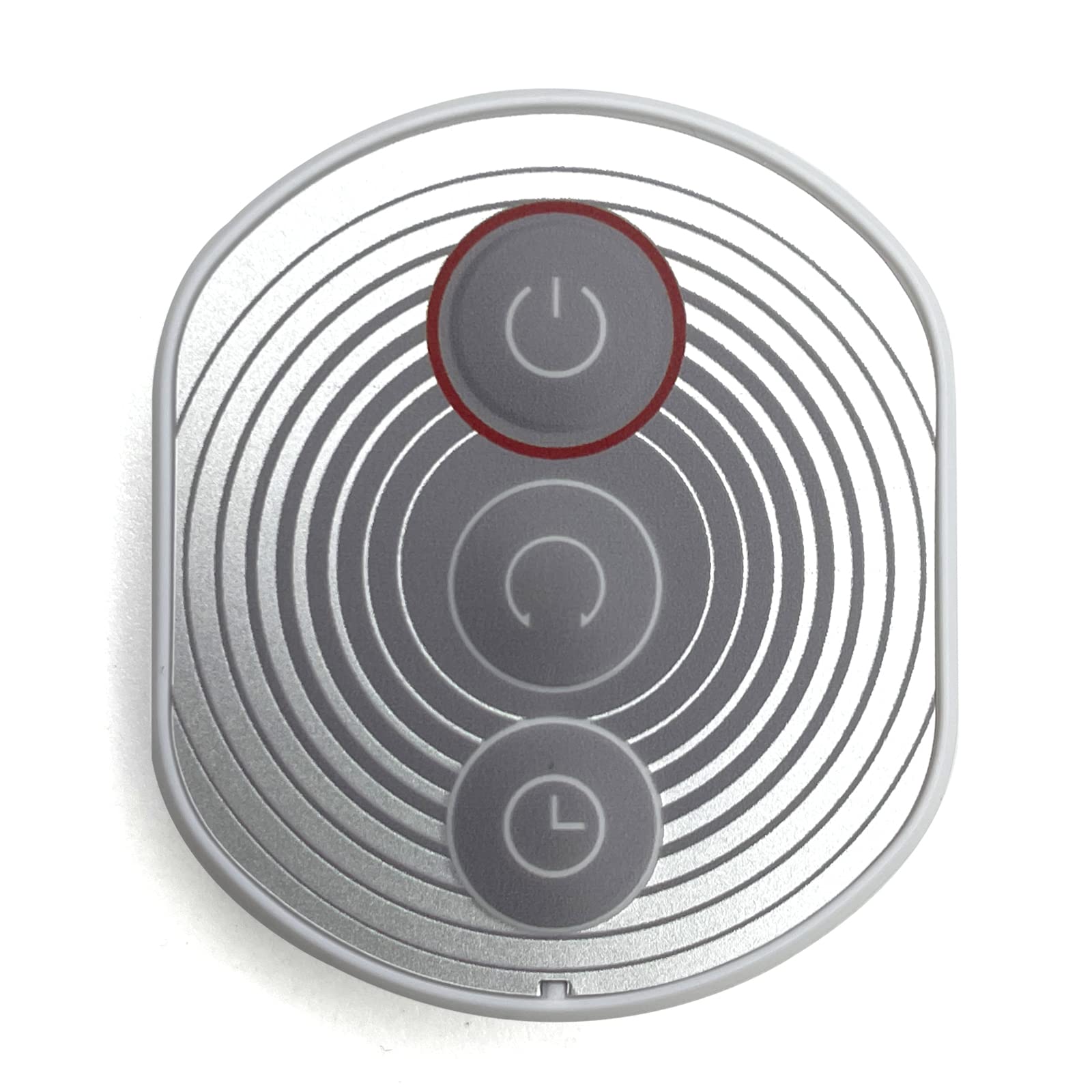
Image: Airbition Remote Control. This image displays the white remote control unit, highlighting its compact design and button layout.
భద్రతా సూచనలు
To prevent damage or injury, observe the following safety precautions:
- రిమోట్ కంట్రోల్ను నీటికి లేదా అధిక తేమకు గురిచేయవద్దు.
- రిమోట్ కంట్రోల్ను వదలడం లేదా బలమైన ప్రభావాలకు గురిచేయడం మానుకోండి.
- బ్యాటరీలను పిల్లలకు మరియు పెంపుడు జంతువులకు దూరంగా ఉంచండి.
- పాత మరియు కొత్త బ్యాటరీలు లేదా వివిధ రకాల బ్యాటరీలను కలపవద్దు.
- స్థానిక నిబంధనల ప్రకారం ఉపయోగించిన బ్యాటరీలను పారవేయండి.
- Do not attempt to open or modify the remote control.
సెటప్
బ్యాటరీ సంస్థాపన
- రిమోట్ కంట్రోల్ వెనుక బ్యాటరీ కంపార్ట్మెంట్ను గుర్తించండి.
- బ్యాటరీ కంపార్ట్మెంట్ కవర్ తెరవండి.
- ఒక CR2 బ్యాటరీని చొప్పించండి, పాజిటివ్ (+) మరియు నెగటివ్ (-) టెర్మినల్స్ కంపార్ట్మెంట్ లోపల ఉన్న గుర్తులతో సరిగ్గా సమలేఖనం చేయబడ్డాయని నిర్ధారించుకోండి.
- బ్యాటరీ కంపార్ట్మెంట్ కవర్ను సురక్షితంగా మూసివేయండి.
The remote control is now ready for use with your compatible Airbition wall mount fan.
ఆపరేటింగ్ సూచనలు
The Airbition remote control uses infrared (IR) technology. Ensure there is a clear line of sight between the remote control and the fan's IR receiver for optimal performance.
Remote Control Functions (Button Control)
- పవర్ బటన్: ఫ్యాన్ను ఆన్ లేదా ఆఫ్ చేయడానికి నొక్కండి.
- స్పీడ్ బటన్లు: Adjust the fan speed (e.g., Low, Medium, High).
- మోడ్ బటన్: Cycle through different fan modes (e.g., Normal, Natural, Sleep).
- టైమర్ బటన్: Set a timer for the fan to automatically turn off after a specified duration.
- డోలనం బటన్: Activate or deactivate the fan's oscillation feature.
Refer to your Airbition wall mount fan's manual for specific functions and compatibility.
నిర్వహణ
క్లీనింగ్
Wipe the remote control with a soft, dry cloth. Do not use abrasive cleaners, solvents, or harsh chemicals, as these may damage the surface or internal components.
బ్యాటరీ భర్తీ
If the remote control's range decreases or it becomes unresponsive, replace the battery following the battery installation steps in the 'Setup' section.
ట్రబుల్షూటింగ్
- రిమోట్ కంట్రోల్ పనిచేయదు:
- Check if the battery is inserted correctly with the correct polarity.
- బ్యాటరీని కొత్త CR2 బ్యాటరీతో భర్తీ చేయండి.
- Ensure there is a clear line of sight between the remote control and the fan's IR receiver. Remove any obstructions.
- Make sure you are within the effective operating range of the fan's IR receiver.
- Fan not responding to specific buttons:
- Verify that the fan supports the specific function you are trying to activate.
- Ensure the remote control is pointed directly at the fan's IR receiver.
స్పెసిఫికేషన్లు
| బ్రాండ్ | Airbition |
| మోడల్ సంఖ్య | AIR301-Y |
| అనుకూల పరికరాలు | అభిమాని |
| కనెక్టివిటీ టెక్నాలజీ | ఇన్ఫ్రారెడ్ (IR) |
| కంట్రోలర్ రకం | బటన్ నియంత్రణ |
| బ్యాటరీ రకం | CR2 |
| బ్యాటరీల సంఖ్య | 1 (చేర్చబడింది) |
| రంగు | తెలుపు |
వారంటీ మరియు మద్దతు
For warranty information or technical support, please refer to the documentation provided with your Airbition wall mount fan or visit the official Airbition webవారంటీ క్లెయిమ్ల కోసం కొనుగోలు రుజువుగా మీ కొనుగోలు రసీదును ఉంచండి.