
1. పరిచయం
Thank you for choosing the TURBOLOCK TS-200 Biometric Handgun Safe. This safe is designed to provide secure storage for your firearms and valuables, offering quick access through multiple entry methods. Please read this manual thoroughly before operating the safe to ensure proper setup and functionality.
2. భద్రతా సమాచారం
- Always store firearms unloaded and separate from ammunition.
- Keep backup keys and passcodes in a secure location away from the safe and out of reach of children.
- Do not store the backup keys inside the safe.
- Ensure the safe is securely mounted or anchored to prevent unauthorized removal.
- Replace batteries promptly when the low battery alert is indicated to avoid lockout.
- This safe is not water-resistant or fireproof. Protect contents accordingly.
3. ప్యాకేజీ విషయాలు
మీ ప్యాకేజీలో అన్ని అంశాలు ఉన్నాయని ధృవీకరించండి:
- TURBOLOCK TS-200 Biometric Handgun Safe
- బ్యాకప్ కీలు (2)
- వినియోగదారు మాన్యువల్
- మౌంటింగ్ హార్డ్వేర్ (స్క్రూలు మరియు వాల్ యాంకర్లు)
4. ఉత్పత్తి ముగిసిందిview
The TS-200 safe features a robust alloy steel construction and multiple access options for enhanced security.

మూర్తి 4.1: ముందు view of the TURBOLOCK TS-200 safe, showing the keypad and fingerprint scanner.
ముఖ్య లక్షణాలు:
- Biometric Fingerprint Scanner: Stores up to 20 unique fingerprints for quick access.
- సంఖ్యా కీప్యాడ్: Supports up to a 7-digit passcode with a code disguise feature.
- బ్యాకప్ కీ యాక్సెస్: Two physical keys are provided for manual override.
- Auto-Open Lid: Provides rapid access upon successful authentication.
- ఇంటీరియర్ LED లైట్: Illuminates the safe's contents for visibility in low light.
- మన్నికైన నిర్మాణం: Made from alloy steel with a drill-resistant casing.
- మౌంటు ఎంపికలు: Pre-drilled holes for secure mounting and a Kensington lock slot for cable anchoring.

Figure 4.2: The three primary methods for opening the safe: physical key, numeric keypad, and biometric fingerprint scan.

Figure 4.3: Illustration of the safe's mounting options, including pre-drilled holes for screws and a Kensington cable lock slot (cable not included).
5. సెటప్
5.1. బ్యాటరీ ఇన్స్టాలేషన్
The safe requires 4 AA batteries (not included). To install:
- Open the safe using one of the backup keys.
- Locate the battery compartment inside the safe.
- సరైన ధ్రువణతను నిర్ధారిస్తూ 4 AA బ్యాటరీలను చొప్పించండి.
- Close the battery compartment. The internal LED light should briefly illuminate.
5.2. Setting a Passcode
You can set a custom passcode of 4 to 7 digits. The safe requires a 7-digit input to open, allowing you to embed your shorter code within random digits for added security (Code Disguise).
- With the safe open, press the internal setup button (usually located near the battery compartment). The fingerprint scanner light will turn green.
- Enter your desired passcode (e.g., 1-2-3-4).
- Press the internal setup button again. The light will turn blue, confirming the passcode is set.
- To test, close the safe. Enter three random digits, then your passcode, then three more random digits (e.g., 5-6-7-1-2-3-4-8-9-0). The safe should open.
5.3. Registering Fingerprints
ఈ సేఫ్ 20 ప్రత్యేక వేలిముద్రలను నిల్వ చేయగలదు.
- With the safe open, press the internal setup button. The fingerprint scanner light will turn green.
- Place your finger on the scanner. It will beep once. Lift and repeat this process two more times until it beeps twice and the light turns blue. This registers one fingerprint.
- Repeat step 2 for each additional fingerprint you wish to register (up to 20).

Figure 5.1: The biometric fingerprint scanner and numeric keypad for access and setup.
Video 5.1: An official product video demonstrating the setup and operation of the TURBOLOCK TS-200 Biometric Pistol Safe.
6. సేఫ్ను నిర్వహించడం
6.1. వేలిముద్రతో తెరవడం
రిజిస్టర్డ్ వేలిముద్రను ఉపయోగించి సేఫ్ తెరవడానికి:
- వేలిముద్ర స్కానర్పై రిజిస్టర్డ్ వేలిని గట్టిగా ఉంచండి.
- If recognized, the scanner light will turn green, and the lid will automatically open.
6.2. పాస్కోడ్తో తెరవడం
సంఖ్యా కీప్యాడ్ని ఉపయోగించి సేఫ్ని తెరవడానికి:
- Enter your 7-digit passcode (which can include random digits before or after your core code).
- If correct, the keypad light will turn green, and the lid will automatically open.
6.3. Opening with Backup Key
In case of battery failure or forgotten codes, use the backup key:
- Insert the backup key into the keyhole on the front of the safe.
- సేఫ్ని అన్లాక్ చేయడానికి కీని తిప్పండి.
- Manually lift the lid to open.
6.4. సైలెంట్ మోడ్
The safe features a silent mode for discreet operation. Refer to the detailed instructions in the included user manual for activating and deactivating this feature.
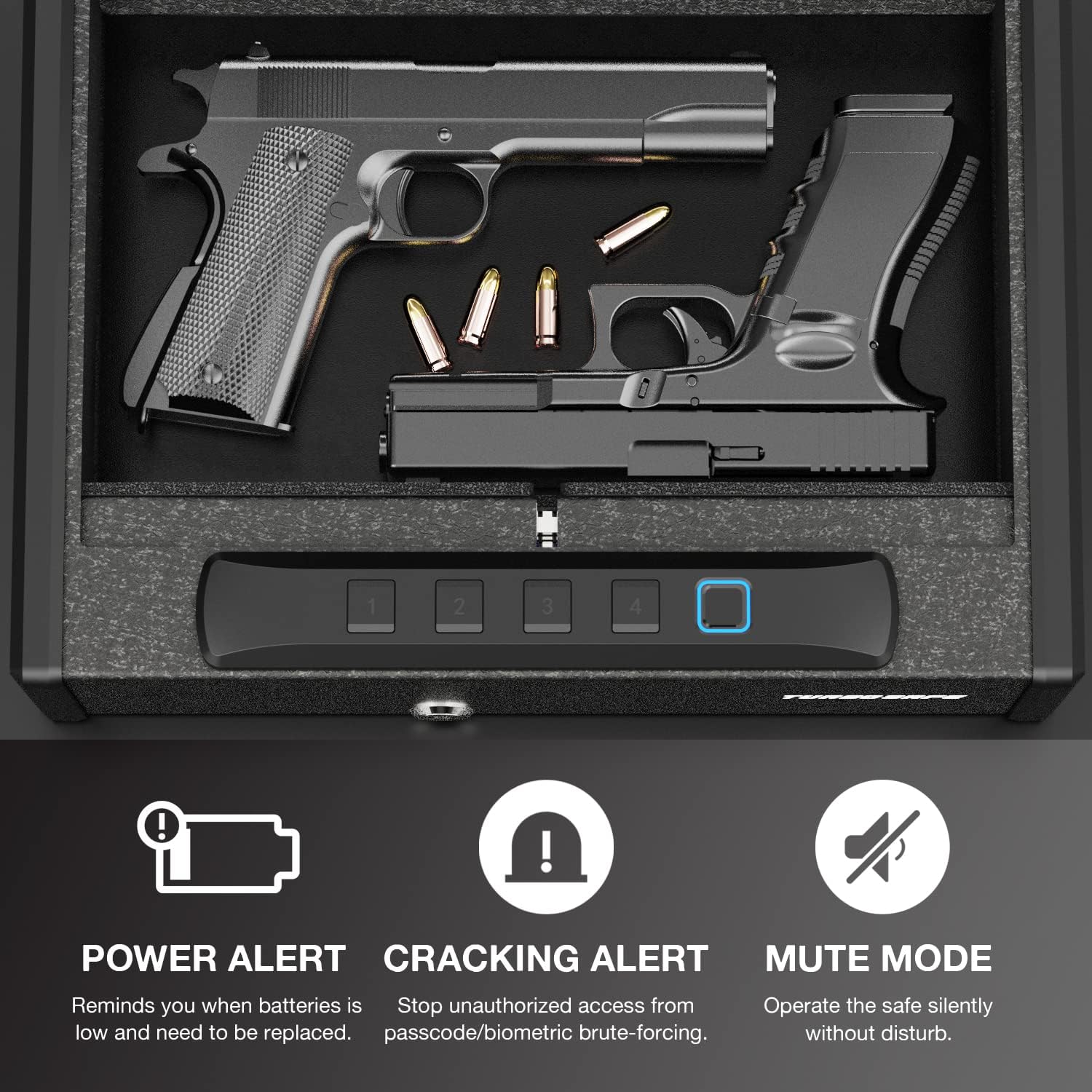
Figure 6.1: Interior of the safe, highlighting features like Power Alert for low batteries, Cracking Alert for unauthorized access attempts, and Mute Mode for silent operation.
7. నిర్వహణ
7.1. బ్యాటరీ భర్తీ
When the safe indicates a low battery (e.g., through a 'Power Alert' light or specific beeps), replace all 4 AA batteries promptly to ensure continuous operation and prevent lockout. Follow the battery installation steps in Section 5.1.
7.2. శుభ్రపరచడం
To maintain the safe's appearance and functionality:
- ఒక మృదువైన, d తో బాహ్య తుడవడంamp గుడ్డ. రాపిడి క్లీనర్లను నివారించండి.
- Keep the fingerprint scanner clean and free of debris for optimal performance.
- Ensure the interior is dry before storing items.
8. ట్రబుల్షూటింగ్
| సమస్య | సాధ్యమైన కారణం | పరిష్కారం |
|---|---|---|
| వేలిముద్రతో సేఫ్ తెరుచుకోదు. | Finger not registered; improper placement; dirty scanner. | Ensure finger is registered. Place entire pad of finger firmly on scanner. Clean scanner surface. Try a different registered finger. |
| పాస్కోడ్తో సేఫ్ తెరవబడదు. | Incorrect passcode entered; batteries low. | Verify the passcode. Remember to use 7 digits, embedding your core code. Replace batteries. |
| Safe is unresponsive. | డెడ్ బ్యాటరీలు. | Replace batteries. Use backup key to open if necessary. |
| Lid does not auto-open. | Obstruction; mechanism issue. | Check for any obstructions. Ensure the safe is on a level surface. If issue persists, contact support. |
| All codes/fingerprints need to be cleared. | Resetting for new user or security. | With the safe open, press and hold the internal setup button for approximately 10 seconds until it beeps multiple times, indicating all stored data is cleared. |
9. స్పెసిఫికేషన్లు
| ఫీచర్ | వివరాలు |
|---|---|
| బ్రాండ్ | టర్బోలాక్ |
| మోడల్ సంఖ్య | TS-200 |
| ఉత్పత్తి కొలతలు (D x W x H) | 13.5"డి x 10.6"వా x 3.8"హ |
| వస్తువు బరువు | 10.8 పౌండ్లు |
| లాక్ రకం | Biometric, Keypad, Key |
| మెటీరియల్ | మిశ్రమం ఉక్కు |
| కెపాసిటీ | 568.6 Cubic Inches (Holds 2 pistols and ammo) |
| వేలిముద్ర కెపాసిటీ | 20 వరకు |
| పాస్కోడ్ పొడవు | Up to 7 digits (with Code Disguise) |
| శక్తి మూలం | 4 x AA బ్యాటరీలు |
| ప్రత్యేక లక్షణాలు | Portable, Auto-Open Lid, Silent Mode, Internal LED Light, Kensington Lock Slot, Pre-drilled Mounting Holes |
| నీటి నిరోధక స్థాయి | వాటర్ రెసిస్టెంట్ కాదు |
10. వారంటీ మరియు మద్దతు
10.1. తయారీదారు వారంటీ
The TURBOLOCK TS-200 Biometric Handgun Safe comes with a Manufacturer Limited Warranty. Please refer to the warranty card included in your package or visit the official TURBOLOCK webవివరణాత్మక నిబంధనలు మరియు షరతుల కోసం సైట్.
10.2. కస్టమర్ మద్దతు
For technical assistance, troubleshooting, or warranty claims, please contact TURBOLOCK customer support. Contact information can typically be found on the product packaging or the official brand webసైట్.