
1. సెటప్ మరియు ఇన్స్టాలేషన్
1.1 ప్రీ-ఇన్స్టాలేషన్ చెక్లిస్ట్
- సిస్టమ్ అనుకూలత: Ensure your motherboard has an available PCI Express 4.0 x16 slot.
- విద్యుత్ సరఫరా: Verify your power supply unit (PSU) meets the minimum wattage requirements for the RTX 3060 Ti and has the necessary PCIe power connectors. Consult your PSU manual for details.
- క్లియరెన్స్: Confirm your PC case has adequate space for the graphics card dimensions.
- డ్రైవర్లు: Download the latest NVIDIA drivers from the official NVIDIA webసంస్థాపనకు ముందు సైట్.
1.2 భౌతిక సంస్థాపన
- పవర్ ఆఫ్: Shut down your computer completely and disconnect the power cable.
- ఓపెన్ కేస్: మదర్బోర్డును యాక్సెస్ చేయడానికి మీ కంప్యూటర్ కేసును తెరవండి.
- PCIe స్లాట్ను గుర్తించండి: Identify an available PCI Express 4.0 x16 slot. Remove any expansion slot covers if necessary.
- గ్రాఫిక్స్ కార్డ్ చొప్పించు: Carefully align the graphics card with the PCIe slot and press down firmly until it is securely seated. You should hear a click from the slot's retention clip.
- సెక్యూర్ కార్డ్: Fasten the graphics card to the case using the screw or latch mechanism.
- పవర్ కనెక్ట్ చేయండి: Connect the appropriate PCIe power cables from your PSU to the graphics card. The PNY GeForce RTX 3060 Ti typically requires one 8-pin PCIe power connector. Ensure all pins are fully seated.
- కేసును మూసివేయి: మీ కంప్యూటర్ కేసును మూసివేసి, పవర్ కేబుల్ను తిరిగి కనెక్ట్ చేయండి.
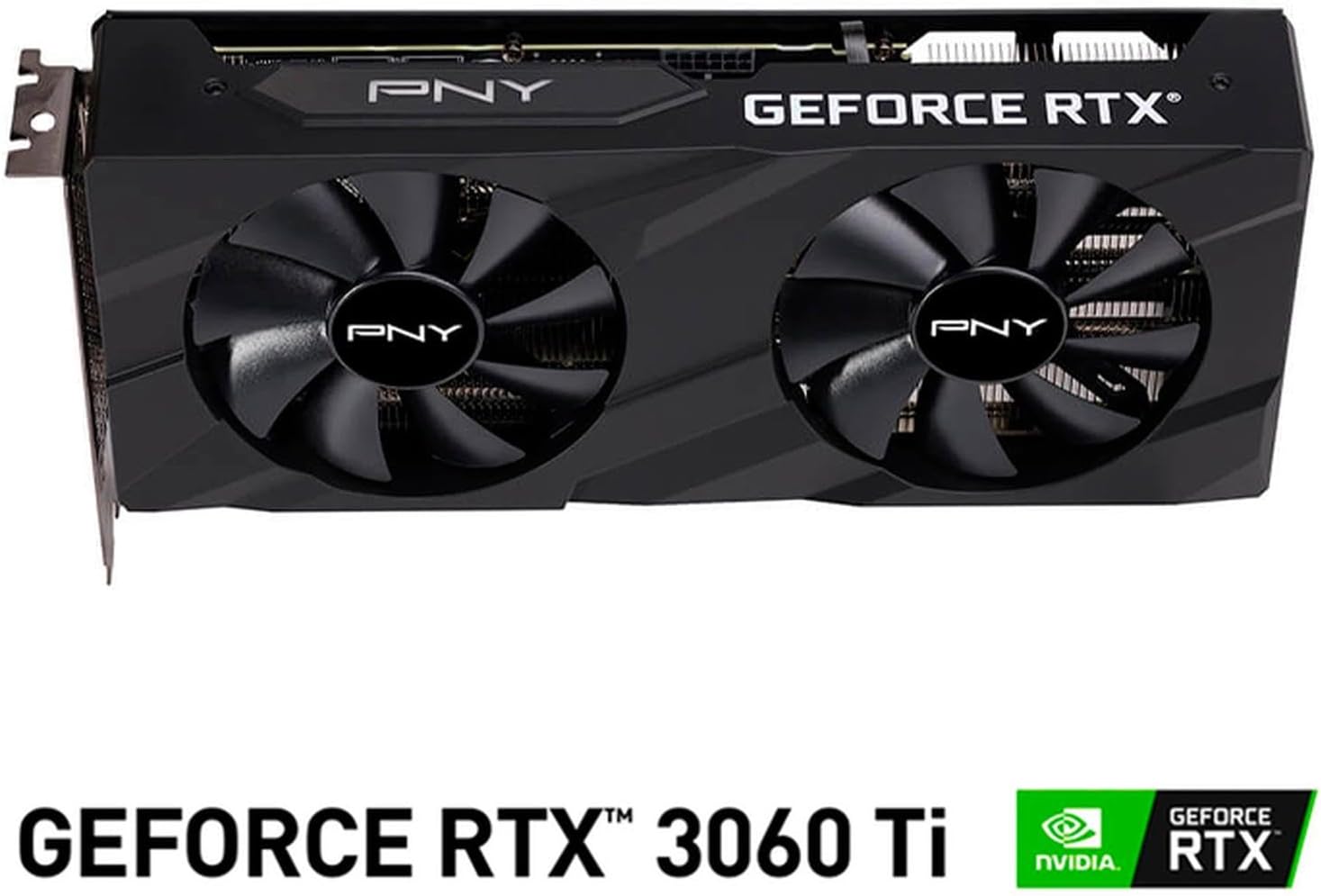
చిత్రం: ముందు భాగం view of the PNY GeForce RTX 3060 Ti Verto Dual Fan Graphics Card, showing the dual fans and PNY branding.
1.3 డ్రైవర్ ఇన్స్టాలేషన్
- బూట్ సిస్టమ్: Power on your computer. It may boot into a lower resolution or use generic display drivers initially.
- డ్రైవర్లను ఇన్స్టాల్ చేయండి: Run the NVIDIA driver installer downloaded earlier. Follow the on-screen prompts to complete the installation. A restart may be required.
- ఇన్స్టాలేషన్ను ధృవీకరించండి: After restarting, open NVIDIA GeForce Experience or the NVIDIA Control Panel to confirm the graphics card is recognized and drivers are up to date.
2. ఆపరేషన్
2.1 డిస్ప్లేలను కనెక్ట్ చేయడం
The PNY GeForce RTX 3060 Ti features multiple video output interfaces for connecting displays:
- డిస్ప్లేపోర్ట్ 1.4a: For high-resolution and high-refresh-rate monitors.
- HDMI2.1: For connecting to TVs or monitors supporting 4K at higher refresh rates.
Connect your display cables to the appropriate ports on the graphics card. The card supports a maximum display resolution of 7680 x 4320 @60Hz.

చిత్రం: కోణీయ view of the PNY GeForce RTX 3060 Ti Verto Dual Fan Graphics Card, highlighting the cooling solution and overall design.
2.2 NVIDIA GeForce అనుభవం
NVIDIA GeForce Experience is a companion application for your graphics card. It allows you to:
- Optimize Game Settings: Automatically configure game settings for the best experience.
- Keep Drivers Up to Date: Receive notifications and easily install the latest NVIDIA Game Ready Drivers.
- Capture & Share: Record gameplay, take screenshots, and livestream with friends using features like ShadowPlay.
2.3 పనితీరు ముగిసిందిview
The GeForce RTX 3060 Ti is built on NVIDIA’s 2nd generation RTX architecture (Ampere), featuring enhanced Ray Tracing Cores and Tensor Cores for advanced graphics and AI acceleration. Key performance specifications include:
- ప్రధాన గడియారం: 1410MHz
- బూస్ట్ క్లాక్: 1665MHz
- మెమరీ: 8GB GDDR6X (256-bit) with up to 608GB/sec bandwidth.
- CUDA కోర్లు: 4864
3. నిర్వహణ
3.1 Cleaning Your Graphics Card
Regular cleaning helps maintain optimal performance and extends the lifespan of your graphics card. Always power off your computer and disconnect the power cable before cleaning.
- దుమ్ము తొలగింపు: Use compressed air to gently blow dust from the fans and heatsink fins. Hold the fans to prevent them from spinning rapidly during cleaning.
- ఉపరితల శుభ్రపరచడం: Wipe the exterior surfaces with a soft, dry, lint-free cloth. Avoid using liquid cleaners directly on the card.
3.2 డ్రైవర్ నవీకరణలు
Keep your graphics drivers updated to ensure compatibility with the latest games and applications, and to benefit from performance improvements and bug fixes. Use NVIDIA GeForce Experience or visit the official NVIDIA webతాజా డ్రైవర్లను డౌన్లోడ్ చేసి, ఇన్స్టాల్ చేయడానికి సైట్.
4. ట్రబుల్షూటింగ్
4.1 సాధారణ సమస్యలు మరియు పరిష్కారాలు
- డిస్ప్లే అవుట్పుట్ లేదు:
- Ensure display cables are securely connected to both the graphics card and the monitor.
- Verify the graphics card is fully seated in the PCIe slot and all power connectors are attached.
- వీలైతే వేరే డిస్ప్లే కేబుల్ లేదా మానిటర్తో పరీక్షించండి.
- సిస్టమ్ అస్థిరత లేదా క్రాష్లు:
- Ensure your power supply meets the recommended wattage.
- Check for overheating. Monitor GPU temperatures using software like MSI Afterburner or HWMonitor.
- Perform a clean installation of the latest graphics drivers.
- ఆటలలో పేలవమైన ప్రదర్శన:
- మీరు తాజా గ్రాఫిక్స్ డ్రైవర్లను ఇన్స్టాల్ చేసుకున్నారని నిర్ధారించుకోండి.
- Check in-game settings; reduce resolution or graphics quality if necessary.
- Verify that your system is not bottlenecked by other components (CPU, RAM).

చిత్రం: వైపు view of the PNY GeForce RTX 3060 Ti Verto Dual Fan Graphics Card, showing the heatsink fins and power connectors.
5. స్పెసిఫికేషన్లు
Below are the detailed technical specifications for the PNY GeForce RTX 3060 Ti 8GB GDDR6X Verto Dual Fan Graphics Card:
| ఫీచర్ | స్పెసిఫికేషన్ |
|---|---|
| గ్రాఫిక్స్ కోప్రాసెసర్ | NVIDIA GeForce RTX 3060 Ti |
| బ్రాండ్ | PNY |
| గ్రాఫిక్స్ RAM పరిమాణం | 8 GB |
| గ్రాఫిక్స్ RAM రకం | GDDR6X |
| GPU క్లాక్ స్పీడ్ | 1410 MHz |
| మెమరీ క్లాక్ స్పీడ్ | 1410 MHz (Effective 19000 MHz) |
| వీడియో అవుట్పుట్ ఇంటర్ఫేస్ | డిస్ప్లేపోర్ట్, HDMI |
| గ్రాఫిక్స్ కార్డ్ ఇంటర్ఫేస్ | PCI-Express x16 |
| అభిమానుల సంఖ్య | 2 |
| డిస్ప్లే రిజల్యూషన్ గరిష్టం | 7680 x 4320 @ 60Hz |
| అనుకూల పరికరాలు | డెస్క్టాప్ |
| మోడల్ పేరు | VERTO Dual Fan |
| మోడల్ సంఖ్య | VCG3061T8LDFBPB1 |
| UPC | 751492767314 |
| వస్తువు బరువు | 1 కిలోగ్రాము |

చిత్రం: వెనుకకు view of the PNY GeForce RTX 3060 Ti Verto Dual Fan Graphics Card, showing the backplate and PCB.
6. వారంటీ మరియు మద్దతు
6.1 ఉత్పత్తి వారంటీ
This PNY GeForce RTX 3060 Ti Graphics Card comes with a 3 సంవత్సరాల వారంటీ. For specific terms and conditions, please refer to the warranty documentation included with your product or visit the official PNY webసైట్.
6.2 సాంకేతిక మద్దతు
If you encounter any issues not covered in this manual or require further assistance, please contact PNY Technical Support. You can typically find support contact information, FAQs, and driver downloads on the official PNY webసైట్: