పరిచయం
ధన్యవాదాలు, ధన్యవాదాలు.asing the KM-G6 Mechanical Keyboard. This user manual provides detailed instructions on how to set up, operate, and maintain your new keyboard. Please read this manual thoroughly before use to ensure optimal performance and longevity of your device.
ప్యాకేజీ విషయాలు
అన్బాక్సింగ్ తర్వాత, దయచేసి మీ ప్యాకేజీలో ఈ క్రింది అన్ని అంశాలు చేర్చబడ్డాయని ధృవీకరించండి:
- KM-G6 LED-Backlit 104-Key Mechanical Keyboard
- కీకాప్ పుల్లర్
- వినియోగదారు మాన్యువల్

Image: All items included in the KM-G6 Mechanical Keyboard package.
ఉత్పత్తి లక్షణాలు
The KM-G6 Mechanical Keyboard is designed with advanced features to enhance your typing and gaming experience:
- LED-Backlit: Features a 6-color backlight with each row displaying a different specific color. Includes 9 preset lighting effects and 2 slots for assignable lighting effects, allowing for customization to match your setup.
- Blue Switch: Equipped with individual, clicky Outemu Blue switches that provide accurate, responsive key commands. These switches have a tested lifespan of 50 million keystrokes.
- Full N-Key Rollover: The 104-key rollover ensures that every key-press is registered, preventing missed or confused commands even during rapid input.
- Durable & Water-Resistant: Constructed with double-shot-molded ABS keycaps and a brushed metal panel, making it highly durable and resistant to abrasion and accidental spills.
- 104 Blue Switches: Accessible for new mechanical keyboard users, facilitating faster typing and improved gaming performance for both office work and gaming.

Image: The KM-G6 Mechanical Keyboard showcasing its vibrant 6-color LED backlighting.
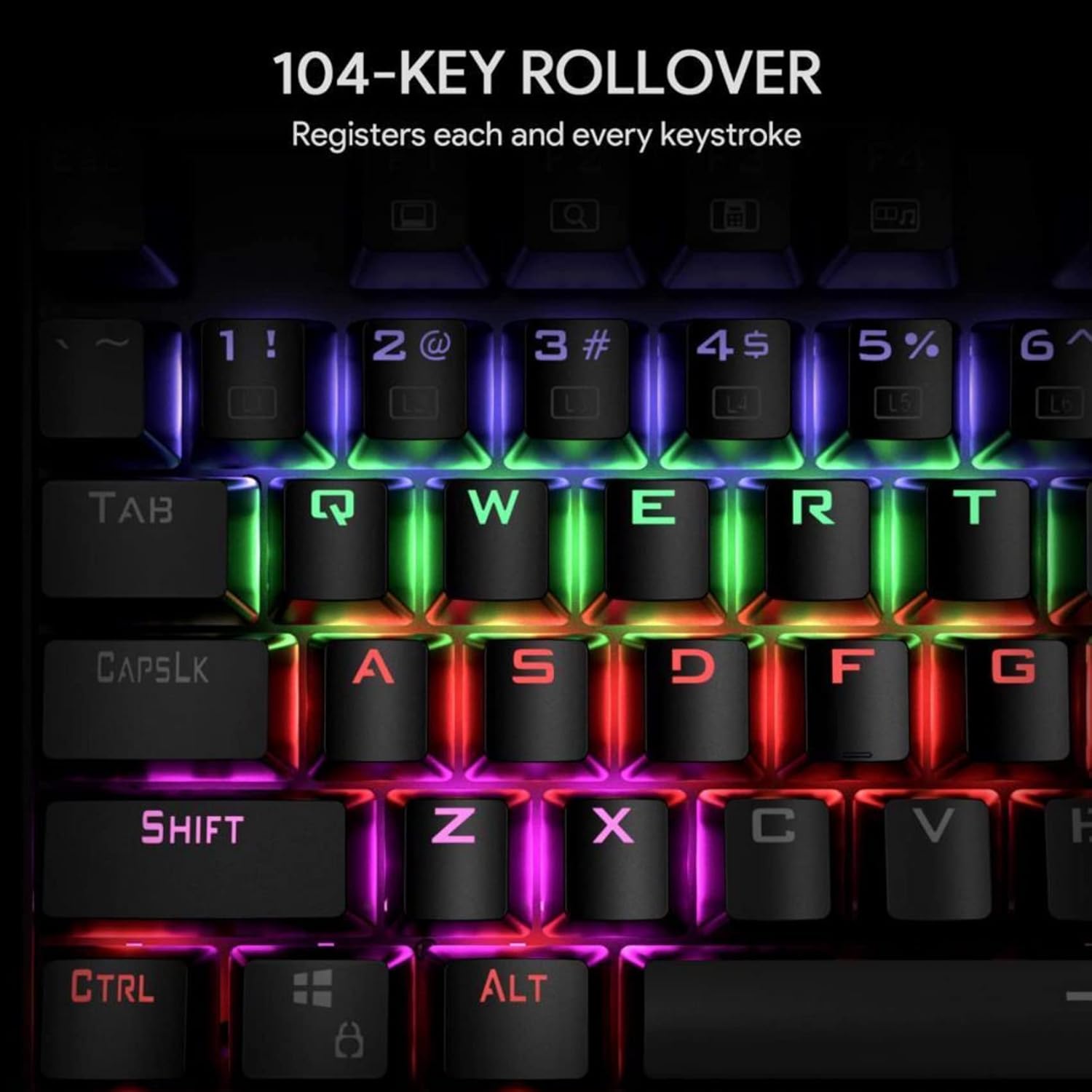
Image: Illustration of the 104-key rollover feature, ensuring every keystroke is registered.
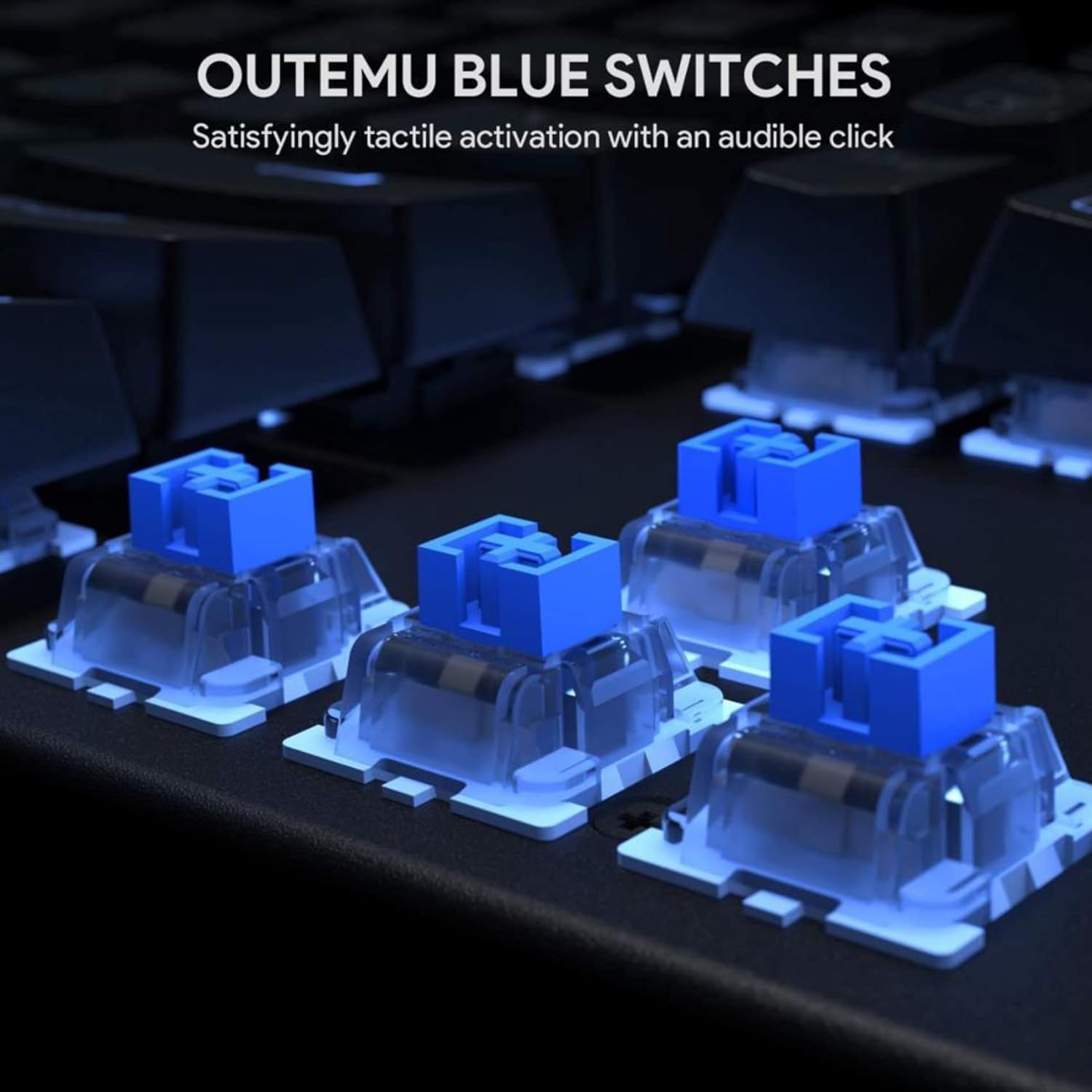
చిత్రం: వివరణాత్మకం view of the Outemu Blue mechanical switches, known for their tactile feedback and audible click.

Image: The keyboard illuminated with its 6-color LED backlight, demonstrating different lighting effects.

Image: The keyboard demonstrating its spill-resistance, with water droplets on the keys.
సెటప్
Setting up your KM-G6 Mechanical Keyboard is straightforward:
- అన్ప్యాక్: ప్యాకేజింగ్ నుండి కీబోర్డ్ మరియు అన్ని ఉపకరణాలను జాగ్రత్తగా తీసివేయండి.
- కనెక్ట్ చేయండి: మీ కంప్యూటర్లో అందుబాటులో ఉన్న USB పోర్ట్కి కీబోర్డ్ యొక్క USB కనెక్టర్ను ప్లగ్ చేయండి.
- డ్రైవర్ ఇన్స్టాలేషన్: కీబోర్డ్ ప్లగ్-అండ్-ప్లే మరియు సాధారణంగా అదనపు డ్రైవర్లు అవసరం లేదు. మీ ఆపరేటింగ్ సిస్టమ్ అవసరమైన డ్రైవర్లను స్వయంచాలకంగా గుర్తించి ఇన్స్టాల్ చేయాలి.
- ప్లేస్మెంట్: కీబోర్డ్ను స్థిరమైన, చదునైన ఉపరితలంపై ఉంచండి.
ఆపరేటింగ్ సూచనలు
LED బ్యాక్లైట్ నియంత్రణ
The KM-G6 keyboard offers various lighting modes and customization options:
- స్విచింగ్ మోడ్లు: ఉపయోగించండి Fn నిర్దిష్ట ఫంక్షన్ కీలతో కలిపిన కీ (ఉదా., Fn + INS, Fn + HOME, Fn + PGUP, Fn + DEL, Fn + END, Fn + PGDN) to cycle through the 9 preset lighting effects.
- ప్రకాశం సర్దుబాటు: ఉపయోగించండి Fn + పైకి బాణం ప్రకాశాన్ని పెంచడానికి మరియు Fn + డౌన్ బాణం ప్రకాశాన్ని తగ్గించడానికి.
- వేగం సర్దుబాటు: ఉపయోగించండి Fn + ఎడమ బాణం to decrease effect speed and Fn + కుడి బాణం to increase effect speed.
- కస్టమ్ మోడ్లు: The keyboard supports 2 slots for assignable lighting effects. Refer to the specific key combinations for programming these modes (often involving Fn + 1/2 అనుసరించింది Fn + ESC to save, and then pressing the keys you want lit).
మల్టీమీడియా విధులు
నొక్కడం ద్వారా మల్టీమీడియా నియంత్రణలను యాక్సెస్ చేయండి Fn key in combination with the F-keys:
- Fn+F1: నా కంప్యూటర్
- Fn+F2: శోధన
- Fn+F3: కాలిక్యులేటర్
- Fn+F4: మీడియా ప్లేయర్
- Fn+F5: మునుపటి ట్రాక్
- Fn+F6: తదుపరి ట్రాక్
- Fn+F7: ప్లే/పాజ్ చేయండి
- Fn+F8: ఆపు
- Fn+F9: మ్యూట్ చేయండి
- Fn+F10: వాల్యూమ్ డౌన్
- Fn+F11: వాల్యూమ్ అప్
- Fn+F12: కీబోర్డ్ను లాక్ చేయండి
నిర్వహణ
సరైన నిర్వహణ మీ కీబోర్డ్ యొక్క దీర్ఘాయువు మరియు పనితీరును నిర్ధారిస్తుంది:
- కీక్యాప్లను శుభ్రపరచడం: Use the included keycap puller to carefully remove keycaps. Clean them with a soft cloth dampతేలికపాటి సబ్బు మరియు నీటితో శుభ్రం చేసి, తిరిగి అతికించే ముందు అవి పూర్తిగా పొడిగా ఉన్నాయని నిర్ధారించుకోండి.
- బోర్డును శుభ్రపరచడం: Use compressed air to remove dust and debris from between the keys. For stubborn dirt, a cotton swab lightly dampened with isopropyl alcohol can be used.
- చిందటం నిర్వహణ: While the keyboard is water-resistant, it is not waterproof. In case of a spill, immediately unplug the keyboard, wipe off excess liquid, and allow it to air dry completely before reconnecting.
- నిల్వ: కీబోర్డ్ను ప్రత్యక్ష సూర్యకాంతి మరియు తీవ్రమైన ఉష్ణోగ్రతలకు దూరంగా చల్లని, పొడి ప్రదేశంలో నిల్వ చేయండి.
ట్రబుల్షూటింగ్
If you encounter issues with your KM-G6 keyboard, refer to the following common solutions:
- కీబోర్డ్ స్పందించడం లేదు:
- USB కేబుల్ కీబోర్డ్ మరియు కంప్యూటర్ రెండింటికీ సురక్షితంగా ప్లగ్ చేయబడిందని నిర్ధారించుకోండి.
- కీబోర్డ్ను వేరే USB పోర్ట్లోకి ప్లగ్ చేసి ప్రయత్నించండి.
- మీ కంప్యూటర్ని పునఃప్రారంభించండి.
- సిస్టమ్-నిర్దిష్ట సమస్యలను తోసిపుచ్చడానికి మరొక కంప్యూటర్లో కీబోర్డ్ను పరీక్షించండి.
- బ్యాక్లైట్ పనిచేయడం లేదు లేదా మినుకుమినుకుమంటోంది:
- Check if the backlight is turned off (use Fn + డౌన్ బాణం to increase brightness).
- Cycle through different lighting modes to see if the issue persists across all modes.
- Ensure your computer's USB port provides sufficient power. Try a different port or a powered USB hub.
- నమోదు కాని కీలు:
- Remove the keycap using the keycap puller and check for any debris or obstruction under the switch.
- కీక్యాప్ స్విచ్పై సరిగ్గా అమర్చబడిందని నిర్ధారించుకోండి.
స్పెసిఫికేషన్లు
| ఫీచర్ | వివరాలు |
|---|---|
| మోడల్ సంఖ్య | KM-G6 |
| కొలతలు (L x W x H) | 16.9 x 5.31 x 1.57 అంగుళాలు (434 x 135 x 37 మిమీ) |
| వస్తువు బరువు | 2.79 పౌండ్లు |
| కీ స్విచ్లు | Outemu Blue Mechanical Switches |
| కీల సంఖ్య | 104 |
| బ్యాక్లైట్ | 6-Color LED Backlight |
| ఎన్-కీ రోల్ ఓవర్ | Full 104-Key Rollover |
| మెటీరియల్ | అక్రిలోనిట్రైల్ బ్యూటాడిన్ స్టైరీన్ (ABS), మెటల్ |
| కనెక్టివిటీ | వైర్డు USB |
| ప్రత్యేక లక్షణాలు | Backlit, Water Resistant |

చిత్రం: డైమెన్షనల్ ఓవర్view of the KM-G6 Mechanical Keyboard.
వారంటీ మరియు మద్దతు
This product comes with a standard manufacturer's warranty. For detailed warranty information, please refer to the warranty card included in your package or visit the manufacturer's official website. For technical support, troubleshooting assistance, or any inquiries regarding your KM-G6 Mechanical Keyboard, please contact the retailer or manufacturer's customer service.
వారంటీ క్లెయిమ్ల కోసం కొనుగోలు రుజువుగా మీ కొనుగోలు రసీదును ఉంచండి.


