
పరిచయం
This manual provides essential information for the safe and efficient operation of your HAVERLAND Portable Air Conditioner, model TAC-1223WC. Please read these instructions carefully before use and retain them for future reference.
భద్రతా సూచనలు
- Ensure the appliance is placed on a flat, stable surface to prevent tipping.
- గాలి ఇన్లెట్లు లేదా అవుట్లెట్లను నిరోధించవద్దు. సరైన గాలి ప్రవాహం కోసం యూనిట్ చుట్టూ తగినంత క్లియరెన్స్ నిర్వహించండి.
- ఏదైనా నిర్వహణ లేదా శుభ్రపరిచే ముందు ఎల్లప్పుడూ యూనిట్ను అన్ప్లగ్ చేయండి.
- దెబ్బతిన్న పవర్ కార్డ్ లేదా ప్లగ్తో యూనిట్ను ఆపరేట్ చేయవద్దు.
- యూనిట్ను ఉష్ణ వనరులు, ప్రత్యక్ష సూర్యకాంతి మరియు మండే పదార్థాల నుండి దూరంగా ఉంచండి.
- ఈ ఉపకరణం వారి భద్రతకు బాధ్యత వహించే వ్యక్తి ద్వారా ఉపకరణాన్ని ఉపయోగించడం గురించి పర్యవేక్షణ లేదా సూచనలను అందిస్తే తప్ప, శారీరక, ఇంద్రియ లేదా మానసిక సామర్థ్యాలు తగ్గిన వ్యక్తులు (పిల్లలతో సహా) లేదా అనుభవం మరియు జ్ఞానం లేకపోవడం కోసం ఉద్దేశించబడలేదు.
- After transport, allow the unit to stand upright for at least 12-24 hours before plugging it in to allow the refrigerant to settle.
ప్యాకేజీ విషయాలు
ప్యాకేజీలో అన్ని అంశాలు ఉన్నాయని నిర్ధారించుకోండి:
- HAVERLAND Portable Air Conditioner Unit (TAC-1223WC)
- ఎగ్జాస్ట్ గొట్టం
- Window Sealing Kit (for sliding windows)
- రిమోట్ కంట్రోల్ (బ్యాటరీలతో)
- డ్రైనేజ్ ట్యూబ్
- వినియోగదారు మాన్యువల్
సెటప్
1. ప్లేస్మెంట్
Position the air conditioner on a flat, stable surface. The unit is equipped with wheels for easy mobility. Ensure there is at least 30 cm of space around the unit for optimal air circulation.

మూర్తి 1: ముందు view of the HAVERLAND Portable Air Conditioner TAC-1223WC. The unit is white with a dark grey top panel and a front air outlet.

మూర్తి 2: వైపు view of the HAVERLAND Portable Air Conditioner TAC-1223WC, highlighting the integrated handle for easy movement.
2. ఎగ్జాస్ట్ హోస్ ఇన్స్టాలేషన్
Connect the exhaust hose to the air outlet on the back of the unit. Extend the hose and attach the window sealing kit to the other end. Place the window kit in a partially open window, ensuring a tight seal to prevent hot air from re-entering the room.
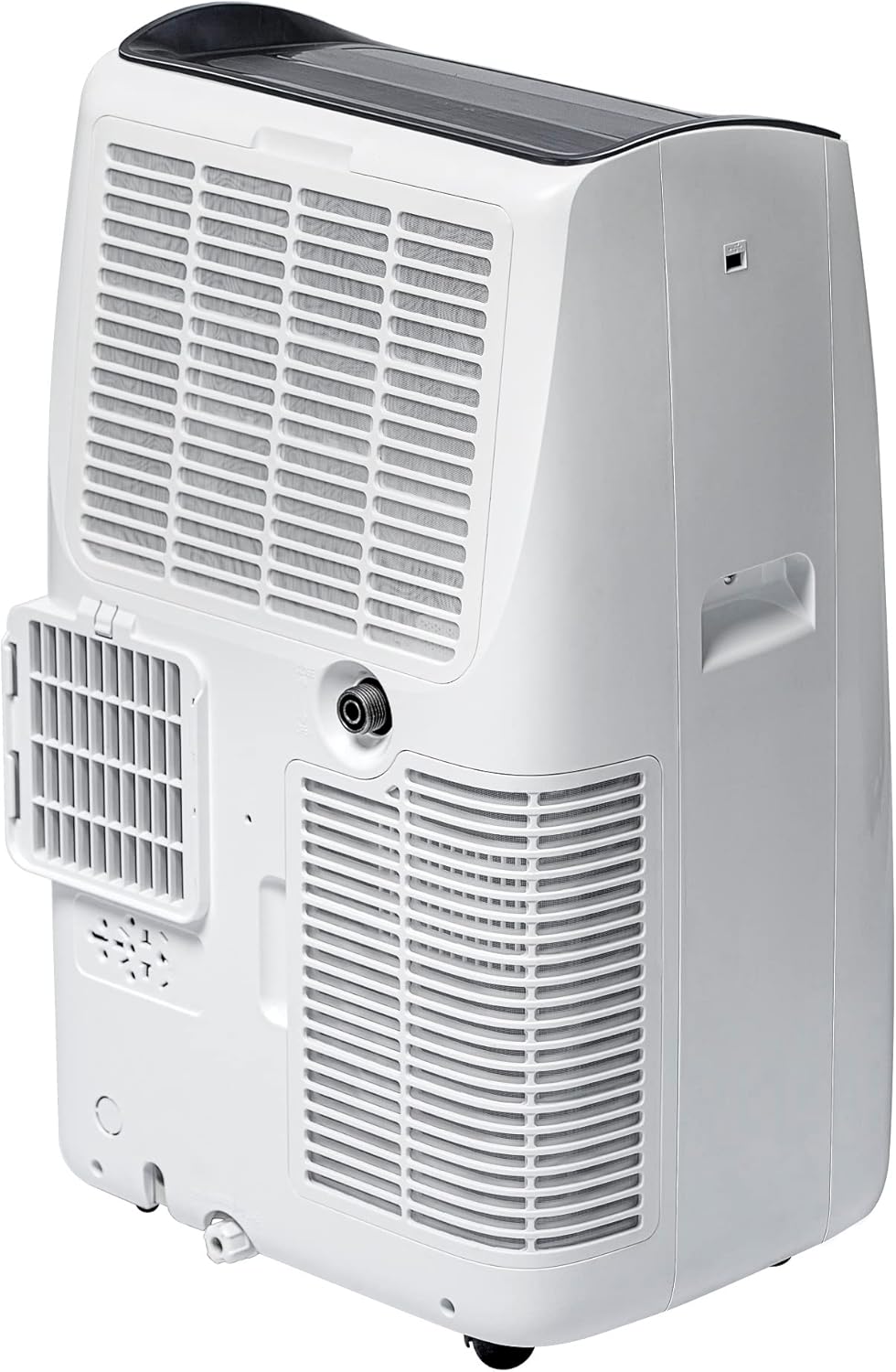
చిత్రం 3: వెనుక view of the air conditioner, showing the connection point for the exhaust hose and the water drainage ports.
3. నీటి పారుదల
The unit has an internal water tank for condensed water. When the tank is full, the unit will stop operating and indicate 'FULL' on the display. To drain, remove the rubber stopper from the lower drain port on the back of the unit and allow water to flow into a suitable container. For continuous drainage, connect the provided drainage tube to the upper drain port and direct it to a floor drain or a larger container.
ఆపరేటింగ్ సూచనలు
1. కంట్రోల్ ప్యానెల్ ఓవర్view
The control panel is located on the top of the unit and features intuitive touch buttons and an LED display.

మూర్తి 4: వివరంగా view of the control panel, showing buttons for power, mode selection, fan speed, temperature adjustment, and timer.
2. రిమోట్ కంట్రోల్
The included remote control allows you to operate all functions of the air conditioner from a distance. Insert the provided AAA batteries into the remote control before first use.

Figure 5: The remote control for the air conditioner, featuring simple and easy-to-understand buttons for various functions.
3. ఆపరేటింగ్ మోడ్లు
- కూల్ మోడ్: Provides cooling to the room. Adjust the desired temperature using the up/down arrows.
- అభిమాని మోడ్: Circulates air without cooling. Select desired fan speed (Low, High, Auto).
- డ్రై మోడ్ (డీహ్యూమిడిఫికేషన్): గదిలో తేమను తగ్గిస్తుంది.
- స్లీప్ మోడ్: Optimizes cooling and noise levels for comfortable sleep.
4. టైమర్ ఫంక్షన్
Set the unit to turn on or off automatically after a specified period (up to 24 hours). Press the 'Timer' button and use the up/down arrows to set the desired duration.
నిర్వహణ
1. ఎయిర్ ఫిల్టర్లను శుభ్రపరచడం
Regularly clean the air filters (located on the back of the unit) to maintain optimal performance. Remove the filter covers, slide out the filters, and wash them with warm, soapy water. Rinse thoroughly and allow to air dry completely before reinserting.
2. Draining Water Tank
As described in the Setup section, drain the internal water tank when the 'FULL' indicator appears. If using continuous drainage, ensure the drainage tube is clear and properly positioned.
3. నిల్వ
Before storing the unit for an extended period, ensure the water tank is completely drained and the filters are clean and dry. Store the unit upright in a cool, dry place.
ట్రబుల్షూటింగ్
- యూనిట్ ఆన్ కావడం లేదు: Check power connection, ensure the unit is plugged into a working outlet.
- యూనిట్ చల్లబడటం లేదు: Verify that the unit is in Cool Mode and the temperature setting is lower than the room temperature. Check if the exhaust hose is properly installed and sealed. Clean air filters if dirty.
- 'FULL' indicator is on: The internal water tank is full. Drain the water as per the Maintenance section.
- అసాధారణ శబ్దం: Ensure the unit is on a flat surface. Check for any obstructions in the air inlets/outlets.
స్పెసిఫికేషన్లు
| ఫీచర్ | స్పెసిఫికేషన్ |
|---|---|
| మోడల్ సంఖ్య | TAC-1223WC |
| శీతలీకరణ సామర్థ్యం | 12000 BTU |
| శక్తి సామర్థ్య రేటింగ్ | A |
| సిఫార్సు చేయబడిన గది పరిమాణం | 25మీ² వరకు |
| శబ్దం స్థాయి | 65 డెసిబెల్స్ |
| శీతలకరణి | R-290 |
| వాల్యూమ్tage | 220 వోల్ట్లు |
| కొలతలు (L x W x H) | 42 x 36 x 69 సెం.మీ |
| బరువు | 27 కిలోలు |
| ప్రత్యేక లక్షణాలు | WiFi enabled, 24h timer |

Figure 6: Energy efficiency label for the TAC-1223WC model, indicating its Class A rating and other performance metrics.
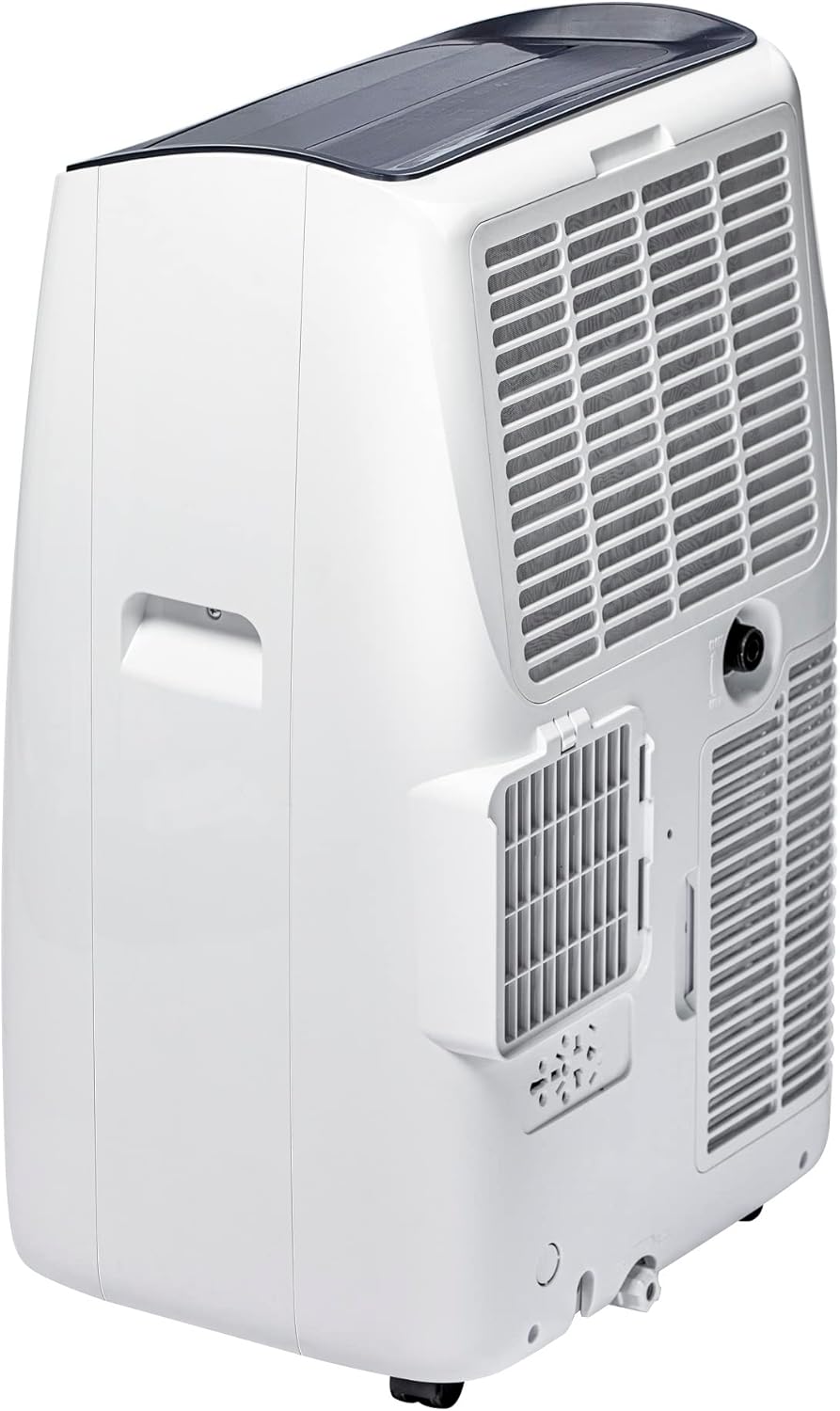
Figure 7: Diagram illustrating the dimensions of the portable air conditioner: 42cm (front), 36cm (side), and 69cm (height).
వారంటీ మరియు మద్దతు
This product comes with a manufacturer's warranty. For detailed warranty information, please refer to the warranty card included in your package or contact HAVERLAND customer support. For technical assistance or service inquiries, please visit the official HAVERLAND webసైట్ లేదా వారి అధీకృత సేవా కేంద్రాలను సంప్రదించండి.