
1. పరిచయం
This manual provides detailed instructions for the setup, operation, maintenance, and troubleshooting of your Cosmic Byte ARES Wired Controller for PC. Designed for an enhanced gaming experience, this controller features Hall Effect joysticks and triggers, dual vibration, and customizable Turbo functions.
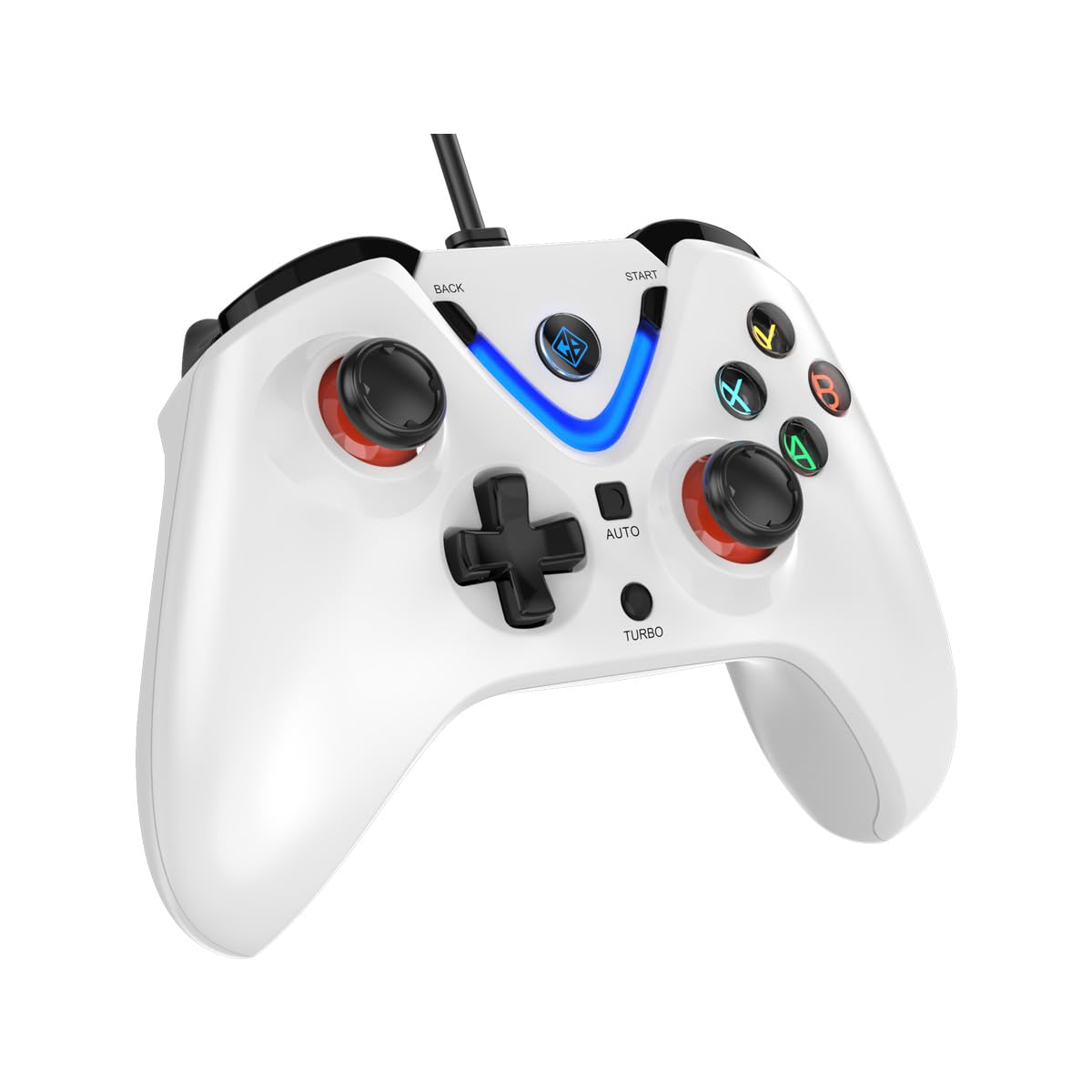
Image 1: The Cosmic Byte ARES Wired Controller in white, showcasinదాని ఎర్గోనామిక్ డిజైన్.
2. సెటప్ సూచనలు
2.1 PCకి కనెక్ట్ చేస్తోంది
- మీ PC పవర్ ఆన్ చేయబడిందని నిర్ధారించుకోండి.
- మీ కంప్యూటర్లో అందుబాటులో ఉన్న USB పోర్ట్ను గుర్తించండి.
- Plug the USB connector of the Cosmic Byte ARES Wired Controller into the USB port.
- ఆపరేటింగ్ సిస్టమ్ అవసరమైన డ్రైవర్లను స్వయంచాలకంగా గుర్తించి ఇన్స్టాల్ చేస్తుంది. ఈ ప్రక్రియకు కొన్ని క్షణాలు పట్టవచ్చు.
- సంస్థాపన పూర్తయిన తర్వాత, నియంత్రిక ఉపయోగం కోసం సిద్ధంగా ఉంటుంది.

Image 2: The controller connected via its wired USB connection, ensuring fast response.
3. ఆపరేటింగ్ సూచనలు
3.1 ప్రాథమిక నియంత్రణలు
The Cosmic Byte ARES controller features standard gamepad layouts, including:
- Left and Right Analog Joysticks: ఖచ్చితమైన కదలిక మరియు కెమెరా నియంత్రణ కోసం.
- డి-ప్యాడ్: దిశాత్మక ఇన్పుట్ కోసం, తరచుగా మెనుల్లో లేదా నిర్దిష్ట ఆట చర్యల కోసం ఉపయోగిస్తారు.
- యాక్షన్ బటన్లు (A, B, X, Y): For primary game interactions.
- భుజం బటన్లు (L1, R1) మరియు ట్రిగ్గర్లు (L2, R2): For various in-game functions like shooting, aiming, or accelerating.
- Start and Back Buttons: For pausing games, accessing menus, or specific in-game commands.
- టర్బో బటన్: For activating rapid-fire functions.
- ఆటో బటన్: For activating automatic rapid-fire functions.
3.2 హాల్ ఎఫెక్ట్ జాయ్స్టిక్లు మరియు ట్రిగ్గర్లు
The controller is equipped with Hall Effect joysticks and triggers, which use magnetic sensors instead of physical contacts. This technology provides:
- మెరుగైన ఖచ్చితత్వం: More accurate and responsive input.
- పెరిగిన మన్నిక: Reduces wear and tear, preventing stick drift over time.
- స్మూత్ ఆపరేషన్: Consistent and linear response for triggers, allowing for nuanced control in games.

చిత్రం 3: పేలిన view illustrating the Hall Effect joystick mechanism and the Hall Effect triggers.
3.3 డ్యూయల్ వైబ్రేషన్ ఫీడ్బ్యాక్
The controller features dual vibration motors that provide tactile feedback during gameplay, enhancing immersion by simulating in-game events such as impacts, explosions, or engine rumbling.
3.4 Backlit LED Buttons
The action buttons (A, B, X, Y) and the central V-shaped indicator feature LED backlighting, providing visibility in low-light conditions and adding to the controller's aesthetic.

Image 4: The controller with its LED buttons illuminated and visual representation of vibration effects.
3.5 టర్బో మరియు ఆటో టర్బో విధులు
The Turbo and Auto Turbo functions allow for rapid, repeated input of a button press without continuously pressing the button.
- టర్బోను సక్రియం చేస్తోంది: Press and hold the desired action button (e.g., A) and then press the టర్బో button. The button will now rapidly repeat its input as long as you hold it down.
- Activating Auto Turbo: Press and hold the desired action button (e.g., A) and then press the ఆటో button. The button will now rapidly repeat its input automatically without needing to be held down.
- Deactivating Turbo/Auto Turbo: To deactivate, repeat the activation steps for the specific button, or press the క్లియర్ button (if available) or disconnect and reconnect the controller.

Image 5: Close-up of the controller showing the Turbo and Auto function buttons.
4. నిర్వహణ
- శుభ్రపరచడం: కంట్రోలర్ను శుభ్రం చేయడానికి మృదువైన, పొడి వస్త్రాన్ని ఉపయోగించండి. మొండి ధూళి కోసం, కొద్దిగా damp cloth can be used, ensuring no liquid enters the controller. Avoid harsh chemicals or abrasive cleaners.
- నిల్వ: Store the controller in a cool, dry place away from direct sunlight and extreme temperatures. Avoid placing heavy objects on the controller.
- కేబుల్ కేర్: Do not sharply bend or pull the USB cable. Always grasp the plug when disconnecting from the PC.
5. ట్రబుల్షూటింగ్
- కంట్రోలర్ గుర్తించబడలేదు:
- USB కేబుల్ కంట్రోలర్ మరియు PC రెండింటికీ సురక్షితంగా కనెక్ట్ చేయబడిందని నిర్ధారించుకోండి.
- Try plugging the controller into a different USB port.
- మీ కంప్యూటర్ని పునఃప్రారంభించండి.
- Check Device Manager on Windows to see if the controller is listed and if there are any driver issues.
- Buttons/Joysticks Not Responding:
- Verify the controller is recognized by your PC (see above).
- Test the controller in a different game or a controller testing utility to rule out game-specific issues.
- Ensure no other input devices are interfering.
- వైబ్రేషన్ పనిచేయకపోవడం:
- వైబ్రేషన్ ఫీడ్బ్యాక్ ప్రారంభించబడిందని నిర్ధారించుకోవడానికి ఇన్-గేమ్ సెట్టింగ్లను తనిఖీ చేయండి.
- Some games may not support vibration or may have limited vibration effects.
6. స్పెసిఫికేషన్లు
| ఫీచర్ | వివరాలు |
|---|---|
| బ్రాండ్ | కాస్మిక్ బైట్ |
| మోడల్ పేరు | ఆరెస్ |
| అనుకూల పరికరాలు | PC |
| కంట్రోలర్ రకం | గేమ్ప్యాడ్ |
| కనెక్టివిటీ టెక్నాలజీ | USB |
| ఉత్పత్తి లక్షణాలు | ఎర్గోనామిక్ |
| బటన్ పరిమాణం | 16 |
| హార్డ్వేర్ ప్లాట్ఫారమ్ | PC |
| పవర్ సోర్స్ రకం | కార్డెడ్ ఎలక్ట్రిక్, USB కేబుల్ |
| వస్తువు బరువు | 220 గ్రాములు |
| అంశం కొలతలు | 6 x 10 x 4 సెంటీమీటర్లు |
| రంగు | తెలుపు |
| మూలం దేశం | చైనా |

Image 6: A comparison table highlighting features of different ARES controller models.
7. వారంటీ మరియు మద్దతు
7.1 వారంటీ సమాచారం
The Cosmic Byte ARES Wired Controller comes with a తయారీ లోపాలపై 1 సంవత్సరం వారంటీ కొనుగోలు తేదీ నుండి. వారంటీ క్లెయిమ్ల కోసం దయచేసి మీ కొనుగోలు రుజువును ఉంచుకోండి.
7.2 తయారీదారు సంప్రదింపు సమాచారం
For support, service, or warranty inquiries, please contact:
కాస్మిక్ బైట్Prakash Warehousing, S. No.163, Hissa No 1-2-3-4-5A-5B/2/1,
Phursungi, Pune 412308, Maharashtra, India
For further assistance, please visit the official Cosmic Byte webసైట్ లేదా వారి కస్టమర్ సేవను సంప్రదించండి.