
1. పరిచయం
ధన్యవాదాలు, ధన్యవాదాలు.asing the SODLK T300 120W Portable Bluetooth Speaker. This manual provides essential information for setting up, operating, and maintaining your speaker. Please read it thoroughly before use to ensure optimal performance and longevity of your device. Keep this manual for future reference.
2. భద్రతా సమాచారం
- స్పీకర్ను తీవ్రమైన ఉష్ణోగ్రతలు, ప్రత్యక్ష సూర్యకాంతి లేదా అధిక తేమకు గురిచేయవద్దు.
- స్పీకర్ను వదలివేయడం లేదా బలమైన ప్రభావాలకు గురిచేయడం మానుకోండి.
- స్పీకర్ను మీరే విడదీయవద్దు, మరమ్మతు చేయవద్దు లేదా సవరించవద్దు. ఏదైనా మరమ్మతుల కోసం అర్హత కలిగిన సేవా సిబ్బందిని సంప్రదించండి.
- స్పీకర్ను నీరు మరియు ఇతర ద్రవాలకు దూరంగా ఉంచండి. ఈ ఉత్పత్తి నీటి నిరోధకం కాదు.
- ఛార్జింగ్ కోసం అందించిన USB కేబుల్ను మాత్రమే ఉపయోగించండి.
- వినికిడి దెబ్బతినకుండా ఉండటానికి స్పీకర్ను ఎక్కువసేపు అధిక వాల్యూమ్లలో ఆపరేట్ చేయవద్దు.
3. ప్యాకేజీ విషయాలు
దయచేసి ఈ క్రింది అంశాల కోసం ప్యాకేజీని తనిఖీ చేయండి:
- SODLK T300 బ్లూటూత్ స్పీకర్
- USB ఛార్జింగ్ కేబుల్
- వినియోగదారు మాన్యువల్
4. ఉత్పత్తి ముగిసిందిview
The SODLK T300 is a powerful portable Bluetooth speaker designed for robust audio performance. It features a durable exterior, integrated handle, and dynamic LED lighting on the sides. The speaker incorporates advanced audio technology for a rich sound experience.

చిత్రం: ముందు భాగం view of the SODLK T300 Portable Bluetooth Speaker, showcasing its black finish, front grille, and side LED lights.
Internally, the T300 is equipped with a sophisticated driver system to deliver its 120W output. This includes multiple dynamic driver units and vibrating diaphragms for enhanced bass and clear audio reproduction.

చిత్రం: పేలినది view illustrating the internal components of the SODLK T300 speaker, highlighting the 4 dynamic driver units and DSP sound processing.
5. సెటప్
5.1 స్పీకర్ను ఛార్జ్ చేయడం
Before first use, fully charge the speaker. Connect the provided USB charging cable to the speaker's charging port and a compatible USB power adapter (not included). The LED indicator will show charging status and turn off or change color when fully charged.
5.2 పవర్ చేయడం ఆన్/ఆఫ్
- పవర్ ఆన్ చేయడానికి: Press and hold the Power button for a few seconds until the LED lights illuminate and you hear an audible prompt.
- పవర్ ఆఫ్ చేయడానికి: LED లైట్లు ఆపివేయబడే వరకు మరియు మీరు వినగల ప్రాంప్ట్ వినిపించే వరకు పవర్ బటన్ను కొన్ని సెకన్ల పాటు మళ్ళీ నొక్కి పట్టుకోండి.
6. ఆపరేటింగ్ సూచనలు
6.1 బ్లూటూత్ జత చేయడం
The SODLK T300 features Bluetooth 5.1 for a stable and efficient wireless connection.

Image: Graphic illustrating the benefits of Bluetooth 5.1 connectivity for the SODLK T300, including faster and stronger connection, lower power consumption, better sound, more stable transfer, and higher noise reduction.
- Ensure the speaker is powered on and in Bluetooth pairing mode (the LED indicator will typically flash blue).
- మీ పరికరంలో (స్మార్ట్ఫోన్, టాబ్లెట్, కంప్యూటర్), బ్లూటూత్ను ప్రారంభించి, అందుబాటులో ఉన్న పరికరాల కోసం శోధించండి.
- Select "SODLK T300" from the list of devices.
- Once paired, the speaker will indicate a successful connection, and the LED light will change.
6.2 TWS (ట్రూ వైర్లెస్ స్టీరియో) కనెక్షన్
To connect two SODLK T300 speakers for a stereo sound experience:
- రెండు స్పీకర్లు ఆన్లో ఉన్నాయని మరియు ఏ బ్లూటూత్ పరికరానికి కనెక్ట్ కాలేదని నిర్ధారించుకోండి.
- On one speaker, press the TWS button. It will enter TWS pairing mode.
- రెండు స్పీకర్లు స్వయంచాలకంగా ఒకదానికొకటి కనెక్ట్ అవుతాయి. కనెక్ట్ అయిన తర్వాత, ఒక స్పీకర్ మాస్టర్ (ఎడమ ఛానల్) గా మరియు మరొకటి స్లేవ్ (కుడి ఛానల్) గా పనిచేస్తుంది.
- విభాగం 6.1లో వివరించిన విధంగా బ్లూటూత్ ద్వారా మీ పరికరాన్ని మాస్టర్ స్పీకర్కు కనెక్ట్ చేయండి.
6.3 Playing Music from Various Sources
The SODLK T300 supports multiple playback modes:
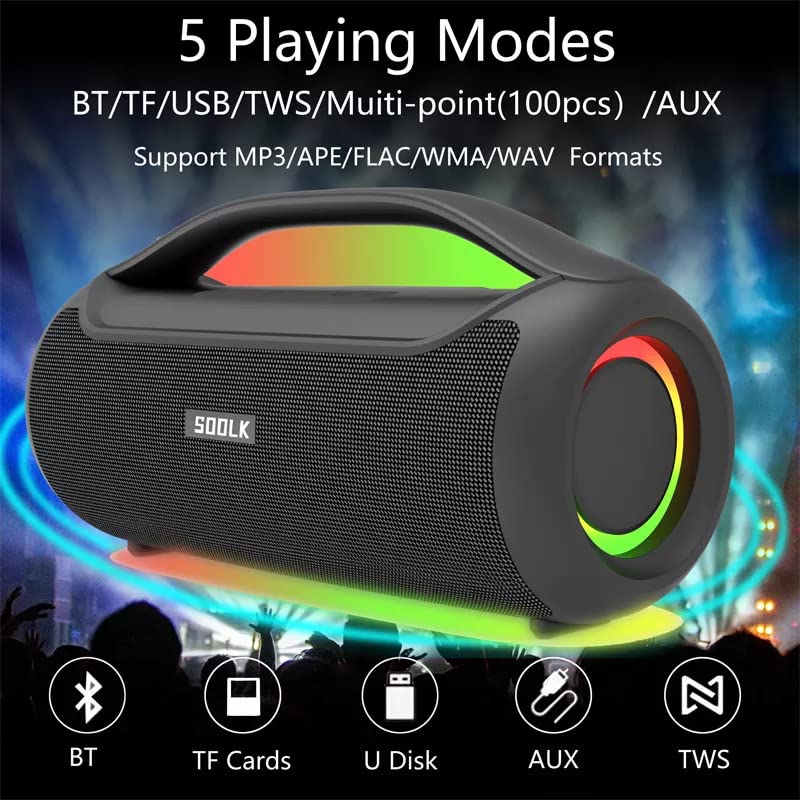
Image: Visual representation of the 5 playing modes supported by the SODLK T300: Bluetooth (BT), TF Cards, U Disk (USB), AUX, and TWS. It also indicates support for MP3/APE/FLAC/WMA/WAV formats.
- బ్లూటూత్: Connect your device wirelessly as described in section 6.1.
- TF కార్డ్: ఆడియోతో TF (మైక్రో SD) కార్డ్ని చొప్పించండి fileలు TF కార్డ్ స్లాట్లోకి ప్రవేశిస్తాయి. స్పీకర్ స్వయంచాలకంగా TF కార్డ్ మోడ్కి మారి ప్లేబ్యాక్ను ప్రారంభిస్తుంది.
- USB డిస్క్: ఆడియోతో USB ఫ్లాష్ డ్రైవ్ను చొప్పించండి fileUSB పోర్ట్లోకి లు. స్పీకర్ స్వయంచాలకంగా USB మోడ్కి మారి ప్లేబ్యాక్ను ప్రారంభిస్తుంది.
- AUX ఇన్పుట్: Connect an external audio device using a 3.5mm AUX cable (not included) to the AUX port. The speaker will switch to AUX mode.
Use the speaker's control buttons to play/pause, skip tracks, and adjust volume.
6.4 EQ Playing Modes
The speaker offers three equalizer (EQ) modes to optimize your listening experience for different music genres.

Image: Graphic displaying the three EQ playing modes of the SODLK T300: HIFI 6D Surround, Vocal, and Deep Bass, with illustrative icons for each.
Press the EQ button to cycle through the following modes:
- HIFI 6D Surround: Provides an immersive, wide soundstage.
- స్వరం: Enhances clarity for vocals, ideal for podcasts or acoustic music.
- డీప్ బాస్: Boosts low frequencies for a more impactful bass response.
6.5 LED లైట్ కంట్రోల్
The SODLK T300 features dynamic LED lights. Press the Light button to cycle through different lighting modes or to turn the lights off.
6.6 NFC Connection (Near Field Communication)
For compatible devices, NFC allows for quick and easy Bluetooth pairing.
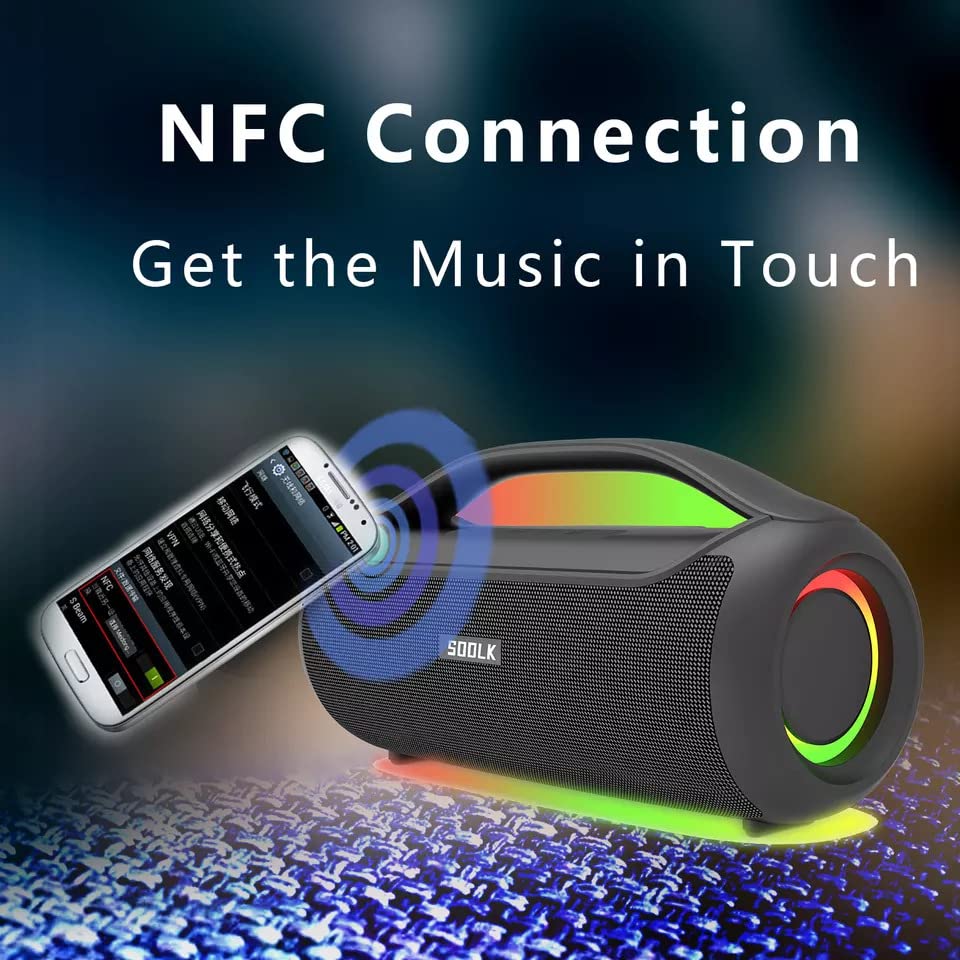
Image: A smartphone being tapped against the SODLK T300 speaker, illustrating the NFC connection process for instant music pairing.
- మీ స్మార్ట్ఫోన్ లేదా పరికరంలో NFC ప్రారంభించబడిందని నిర్ధారించుకోండి.
- Tap your NFC-enabled device gently against the NFC area on the speaker.
- Your device will prompt you to connect via Bluetooth. Confirm the connection.
7. నిర్వహణ
7.1 శుభ్రపరచడం
Wipe the speaker with a soft, dry cloth. Do not use abrasive cleaners, alcohol, or other chemical solvents, as these may damage the surface.
7.2 నిల్వ
ఎక్కువసేపు ఉపయోగంలో లేనప్పుడు, స్పీకర్ను ప్రత్యక్ష సూర్యకాంతి మరియు తీవ్రమైన ఉష్ణోగ్రతలకు దూరంగా చల్లని, పొడి ప్రదేశంలో నిల్వ చేయండి. బ్యాటరీ ఆరోగ్యాన్ని కాపాడుకోవడానికి కనీసం మూడు నెలలకు ఒకసారి స్పీకర్ను ఛార్జ్ చేయాలని సిఫార్సు చేయబడింది.
8. ట్రబుల్షూటింగ్
| సమస్య | సాధ్యమైన కారణం | పరిష్కారం |
|---|---|---|
| స్పీకర్ పవర్ ఆన్ చేయదు. | తక్కువ బ్యాటరీ. | స్పీకర్ను పూర్తిగా ఛార్జ్ చేయండి. |
| శబ్దం లేదు. | Volume too low; incorrect input mode; device not paired. | Increase volume; switch to correct input mode (BT, AUX, TF, USB); re-pair Bluetooth device. |
| బ్లూటూత్ జత చేయడం విఫలమైంది. | స్పీకర్ జత చేసే మోడ్లో లేదు; పరికరం బ్లూటూత్ ఆఫ్లో ఉంది; స్పీకర్ నుండి చాలా దూరంలో ఉంది. | Ensure speaker is in pairing mode; enable Bluetooth on device; move device closer to speaker. |
| TWS కనెక్షన్ విఫలమైంది. | స్పీకర్లు ఇప్పటికే మరొక పరికరానికి కనెక్ట్ చేయబడ్డాయి; చాలా దూరంగా ఉన్నాయి. | Disconnect speakers from other devices; ensure speakers are close to each other. |
9. స్పెసిఫికేషన్లు
Detailed technical specifications for the SODLK T300 speaker:
| ఫీచర్ | స్పెసిఫికేషన్ |
|---|---|
| మోడల్ పేరు | T300 |
| స్పీకర్ రకం | పోర్టబుల్ స్పీకర్ |
| ప్రత్యేక ఫీచర్ | Subwoofer, LED Light, TWS Connection |
| కనెక్టివిటీ టెక్నాలజీ | Bluetooth 5.1, Auxiliary, TF Card, USB |
| వైర్లెస్ కమ్యూనికేషన్ | బ్లూటూత్ |
| స్పీకర్ గరిష్ట అవుట్పుట్ పవర్ | 120 వాట్స్ |
| ఆడియో అవుట్పుట్ మోడ్ | స్టీరియో |
| సరౌండ్ సౌండ్ ఛానెల్ కాన్ఫిగరేషన్ | 6D |
| శక్తి మూలం | బ్యాటరీ ఆధారితమైనది |
| నియంత్రణ పద్ధతి | టచ్ బటన్లు |
| ఉత్పత్తి కొలతలు | 11.2D x 29.2W x 10.1H సెంటీమీటర్లు |
| జలనిరోధితమైనది | నం |
| చేర్చబడిన భాగాలు | USB Cable, Speaker, User Manual |
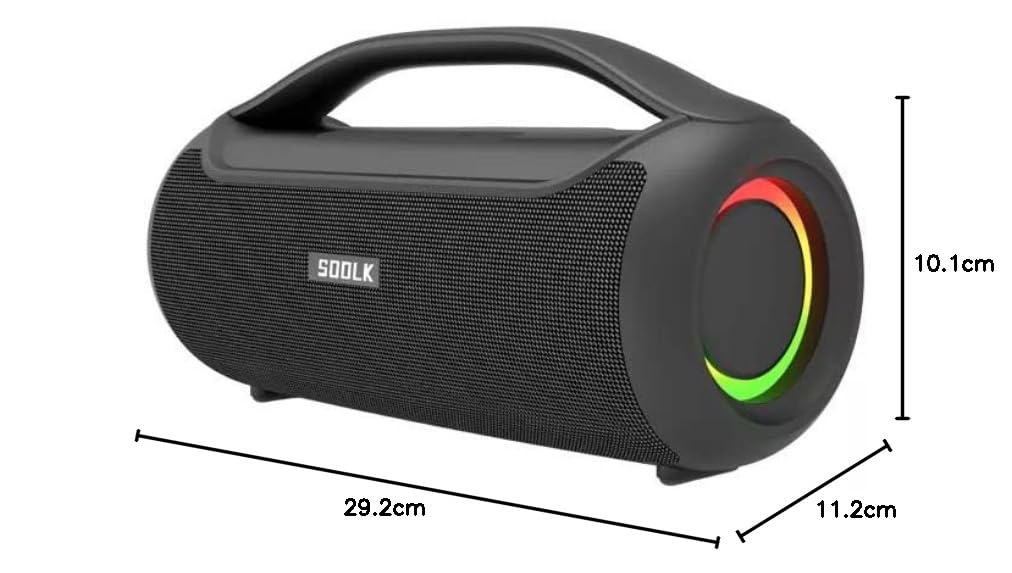
Image: Diagram showing the dimensions of the SODLK T300 speaker: 29.2cm (width), 11.2cm (depth), and 10.1cm (height).
10. వారంటీ మరియు మద్దతు
The SODLK T300 speaker comes with a 1 సంవత్సరాల వారంటీ కొనుగోలు చేసిన తేదీ నుండి. ఈ వారంటీ సాధారణ ఉపయోగంలో తయారీ లోపాలు మరియు పనితనాన్ని కవర్ చేస్తుంది. దుర్వినియోగం, ప్రమాదాలు, అనధికార మార్పులు లేదా సాధారణ అరిగిపోవడం వల్ల కలిగే నష్టాన్ని ఇది కవర్ చేయదు.
For warranty claims, technical support, or any inquiries, please contact your retailer or the SODLK customer service department with your purchase details.