
1. పరిచయం
This manual provides essential information for the safe and effective use of your Henhaoro Payment Terminal Battery. Please read these instructions carefully before installation and operation to ensure optimal performance and longevity of the battery.
2. భద్రతా సమాచారం మరియు హెచ్చరికలు
Failure to follow these safety instructions may result in fire, electric shock, injury, or damage to the battery or device.
- చేయవద్దు బ్యాటరీ ప్యాక్ను విడదీయడానికి, తెరవడానికి లేదా సర్వీస్ చేయడానికి ప్రయత్నించవద్దు.
- REPLACE ONLY with the battery pack designated for this product. Using an incompatible battery may pose a risk of fire or explosion.
- చేయవద్దు క్రష్, పంక్చర్, చిన్న బాహ్య పరిచయాలు, లేదా అగ్ని లేదా నీటిలో పారవేయడం.
- చేయవద్దు store above 60°C (140°F).
- లేబుల్ తొలగించబడితే వారంటీ చెల్లదు.
- బ్యాటరీని పిల్లలకు దూరంగా ఉంచండి.

Image 2.1: Battery label displaying important safety warnings and specifications.
This battery features built-in protection against over-charge, over-discharge, over-heat, over-current, and short-circuit. It is certified with ROSH, CE, and UL standards.
3. ఉత్పత్తి ముగిసిందిview
The Henhaoro Payment Terminal Battery (Model: SMBP001, SM-INR18650M26-1S2P) is a high-capacity Li-ion battery designed for specific Sunmi payment terminals. It provides reliable power for your device, ensuring continuous operation.
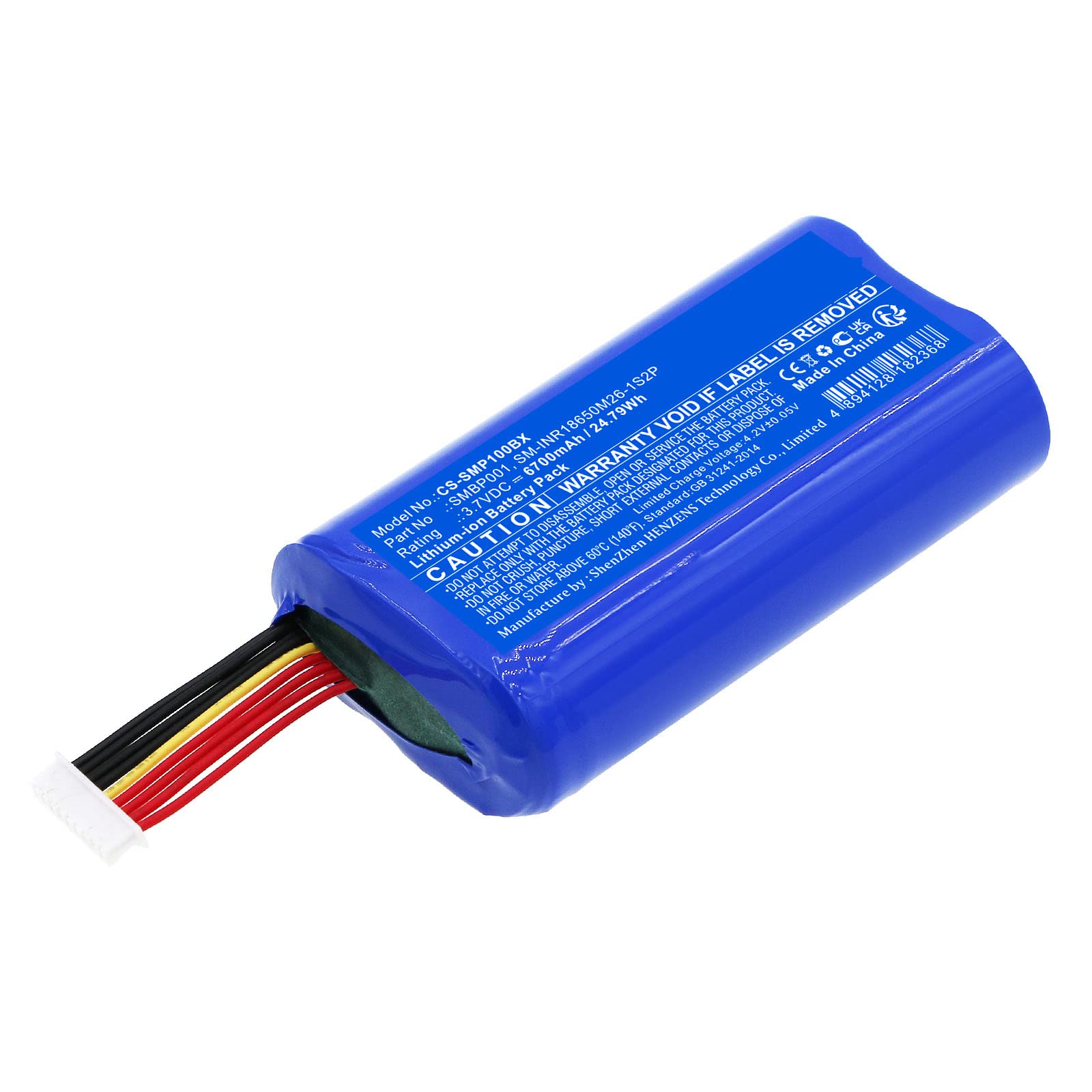
చిత్రం 3.1: మొత్తం మీద view of the Henhaoro Payment Terminal Battery.
అనుకూలత:
- Sunmi V1S
- Sunmi V2
- Sunmi P1
4. సెటప్ మరియు ఇన్స్టాలేషన్
Follow these steps to properly install the battery into your compatible Sunmi payment terminal.
- పవర్ ఆఫ్ పరికరం: Ensure your Sunmi payment terminal is completely powered off and disconnected from any power source before attempting battery installation.
- బ్యాటరీ కంపార్ట్మెంట్ను గుర్తించండి: Refer to your Sunmi device's user manual to locate and open the battery compartment. This is typically on the back or bottom of the device.
- పాత బ్యాటరీని తీసివేయండి (వర్తిస్తే): If replacing an existing battery, carefully disconnect its connector and remove it from the compartment.
- కొత్త బ్యాటరీని చొప్పించండి: Align the Henhaoro battery with the compartment. Ensure the battery's connector cable is positioned correctly to reach the device's battery port.
- బ్యాటరీని కనెక్ట్ చేయండి: Gently but firmly connect the battery's connector to the corresponding port on your Sunmi device. Ensure a secure connection.
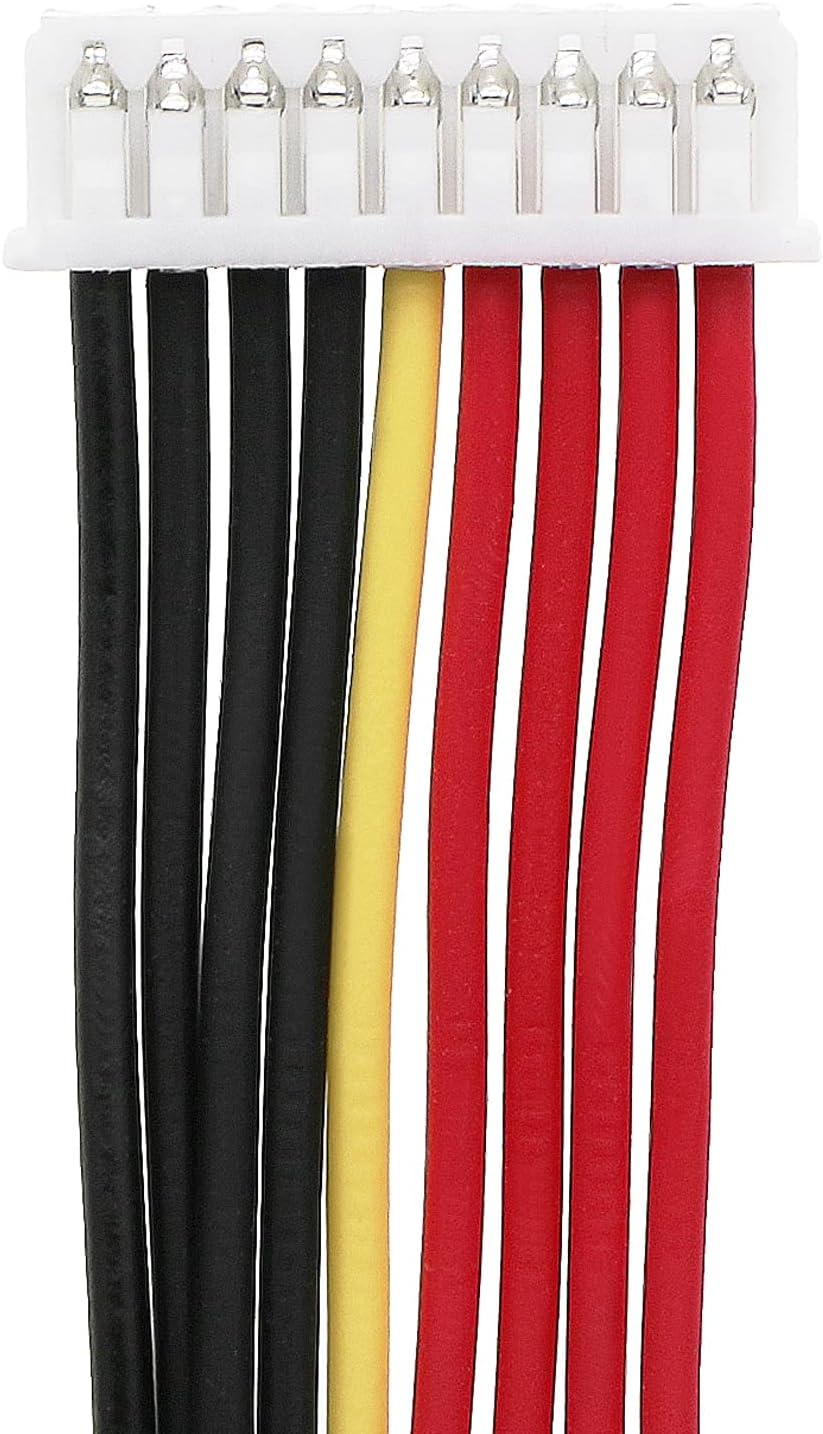
చిత్రం 4.1: వివరణాత్మకమైనది view of the battery's multi-pin connector.
- కంపార్ట్మెంట్ మూసివేయండి: బ్యాటరీ కంపార్ట్మెంట్ కవర్ను సురక్షితంగా మూసివేయండి.
- ప్రారంభ ఛార్జ్: After installation, it is recommended to fully charge the battery before first use. Connect your Sunmi device to its power adapter and allow it to charge until the charging indicator shows full.

చిత్రం 4.2: కోణీయ view of the battery connector, showing wire arrangement.
5. ఆపరేటింగ్ సూచనలు
Once installed and fully charged, the battery will power your Sunmi payment terminal. The device's operating system will manage battery usage and display charge levels.
ఛార్జింగ్:
- Use only the original charger and power adapter provided with your Sunmi payment terminal.
- Connect the charger to the device and a power outlet. The device's charging indicator will typically illuminate.
- Avoid interrupting the charging cycle frequently. For optimal battery health, allow the battery to charge fully when possible.
డిశ్చార్జింగ్:
- The battery will discharge during normal use of the payment terminal.
- While modern Li-ion batteries do not suffer from 'memory effect', it is generally good practice to avoid consistently draining the battery to 0% before recharging.
6. నిర్వహణ
Proper maintenance can extend the life of your battery.
- నిల్వ: If storing the battery for an extended period, ensure it is charged to approximately 50-60% and stored in a cool, dry place, away from direct sunlight and extreme temperatures.
- శుభ్రపరచడం: Keep the battery and its contacts clean. Use a dry, soft cloth to wipe away dust or debris. Do not use liquid cleaners.
- నిర్వహణ: బ్యాటరీని పడవేయడం లేదా బలమైన ప్రభావాలకు గురిచేయడం మానుకోండి.
- పారవేయడం: Dispose of old or damaged batteries responsibly according to local regulations. Do not dispose of in household waste.
7. ట్రబుల్షూటింగ్
మీ బ్యాటరీతో సమస్యలు ఎదురైతే, ఈ క్రింది సాధారణ పరిష్కారాలను పరిగణించండి:
- పరికరం ఆన్ చేయడం లేదు:
- Ensure the battery is correctly installed and its connector is securely attached.
- Verify the battery has sufficient charge. Connect the device to its charger.
- Check if the device's power button is functioning correctly.
- బ్యాటరీ ఛార్జింగ్ లేదు:
- Confirm the charger and power adapter are working and properly connected to both the device and the power outlet.
- Inspect the charging port on the device for any debris or damage.
- వేరే పవర్ అవుట్లెట్ని ప్రయత్నించండి.
- తక్కువ బ్యాటరీ జీవితం:
- బ్యాటరీ పూర్తిగా ఛార్జ్ అయ్యిందని నిర్ధారించుకోండి.
- Reduce screen brightness or close unnecessary applications on the payment terminal.
- If the battery is old, its capacity may have naturally degraded over time.
సమస్యలు కొనసాగితే, దయచేసి కస్టమర్ మద్దతును సంప్రదించండి.
8. స్పెసిఫికేషన్లు

Image 8.1: The battery showing its model number and electrical ratings.
| ఫీచర్ | స్పెసిఫికేషన్ |
|---|---|
| మోడల్ సంఖ్య | CS-SMP100BX |
| పార్ట్ నంబర్ | SMBP001, SM-INR18650M26-1S2P |
| బ్యాటరీ రకం | లి-అయాన్ (లిథియం అయాన్) |
| కెపాసిటీ | 6700mAh |
| వాల్యూమ్tage | 3.7V |
| శక్తి రేటు | 24.79Wh |
| కొలతలు | 68.30 x 37.20 x 18.80 మిమీ |
| నికర బరువు | 100.0g / 3.53oz |
| స్థూల బరువు | 125g / 4.41oz |
| EAN కోడ్ | 4894128182368 |
| ధృవపత్రాలు | ROSH, CE, UL |
9. వారంటీ మరియు మద్దతు
వారంటీ:
This Henhaoro battery comes with a 1 సంవత్సరాల వారంటీ from the date of purchase. The warranty covers manufacturing defects under normal use. Damage resulting from misuse, unauthorized modification, or failure to follow instructions in this manual is not covered.
కస్టమర్ మద్దతు:
For technical assistance, warranty claims, or further inquiries, please contact your retailer or the manufacturer directly. Please have your product model number and purchase information ready when contacting support.