
iJoy DHP2431
iJoy Disney Nightmare Before Christmas Sally Dress Bluetooth Headphones User Manual
Model: DHP2431 | Brand: iJoy
పరిచయం

చిత్రం: The iJoy Disney Nightmare Before Christmas Sally Dress Bluetooth Headphones, showcasing their unique design.
Thank you for choosing the iJoy Disney Nightmare Before Christmas Sally Dress Bluetooth Headphones. These wireless over-ear headphones are designed to provide a rich audio experience with a unique Sally Dress design. They feature a built-in microphone for hands-free calling, a foldable design for portability, and versatile connectivity options. This manual will guide you through the setup, operation, and maintenance of your new headphones.
సెటప్
1. హెడ్ఫోన్లను ఛార్జ్ చేయడం
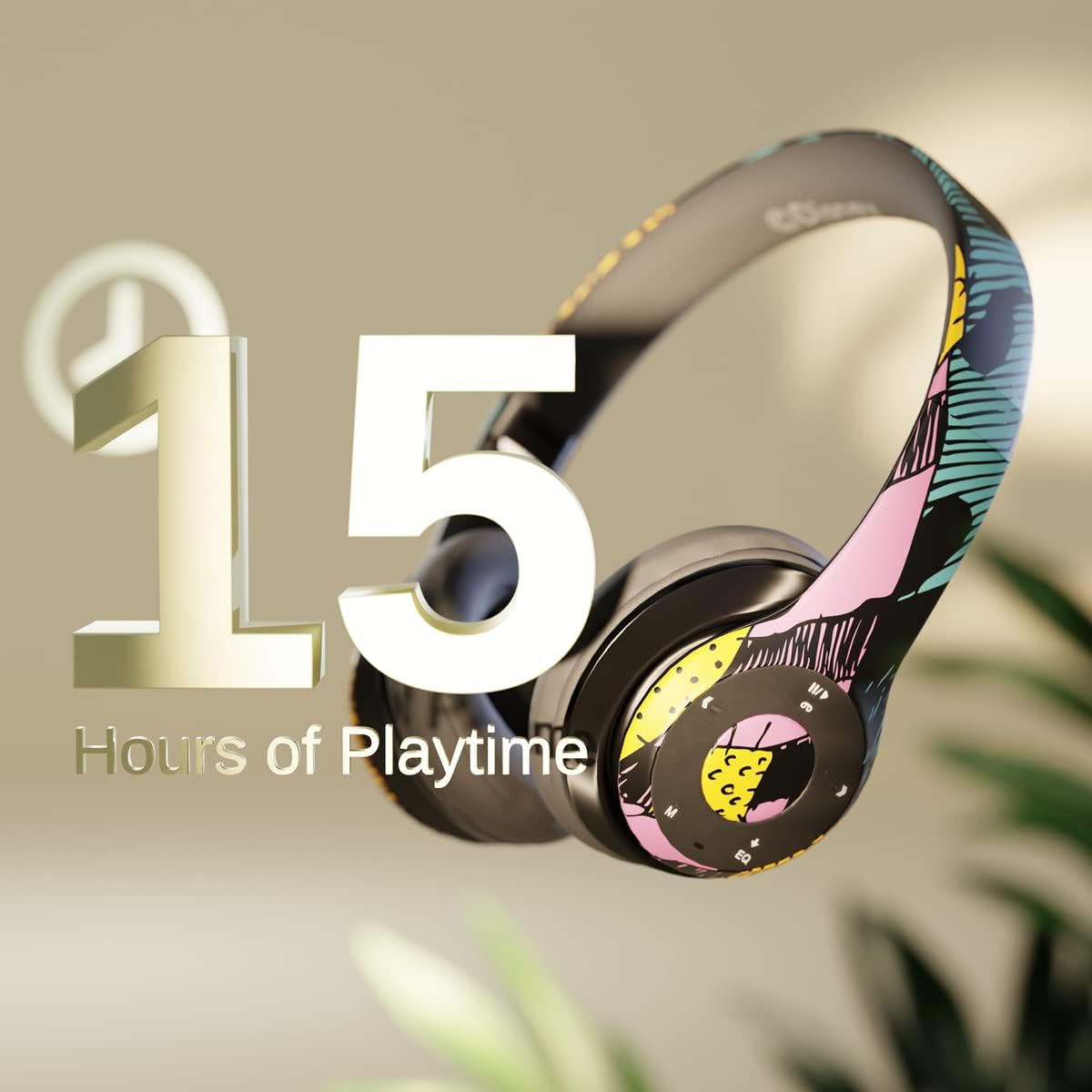
చిత్రం: Graphic indicating 15 hours of playtime for the headphones, highlighting battery endurance.
Before first use, fully charge your headphones. Connect the provided charging cable to the charging port on the headphones and a USB power source. The LED indicator will show charging status and turn off when fully charged. A full charge provides approximately 15 hours of battery life.
2. బ్లూటూత్ పెయిరింగ్

చిత్రం: The headphones with a graphic illustrating universal compatibility with both Apple and Android devices.
- హెడ్ఫోన్లు ఆఫ్ చేయబడి ఉన్నాయని నిర్ధారించుకోండి.
- జత చేసే మోడ్ను సూచిస్తూ, LED సూచిక నీలం మరియు ఎరుపు రంగుల్లో మెరిసే వరకు పవర్ బటన్ను నొక్కి పట్టుకోండి.
- మీ బ్లూటూత్-ప్రారంభించబడిన పరికరంలో (స్మార్ట్ఫోన్, టాబ్లెట్, కంప్యూటర్), బ్లూటూత్ సెట్టింగ్లకు వెళ్లి అందుబాటులో ఉన్న పరికరాల కోసం శోధించండి.
- Select "iJoy DHP2431" (or similar name) from the list.
- కనెక్ట్ అయిన తర్వాత, LED సూచిక నెమ్మదిగా నీలం రంగులో ఉంటుంది.
3. Using the Auxiliary Cable
For a wired connection, plug one end of the 3.5mm auxiliary cable into the headphone's audio jack and the other end into your audio device. This allows for continued listening even if the battery is depleted.
4. మైక్రో SD కార్డ్ ప్లేబ్యాక్
Insert a Micro SD card with your favorite music into the designated slot on the headphones. The headphones will automatically switch to Micro SD card playback mode. Use the control buttons to manage your music.
ఆపరేటింగ్ సూచనలు
పవర్ ఆన్/ఆఫ్
- పవర్ ఆన్ చేయడానికి: LED సూచిక వెలిగే వరకు పవర్ బటన్ను నొక్కి పట్టుకోండి.
- పవర్ ఆఫ్ చేయడానికి: LED సూచిక ఆఫ్ అయ్యే వరకు పవర్ బటన్ను నొక్కి పట్టుకోండి.
5-Button Control System
The headphones feature a convenient 5-button control system located on the ear cup for easy management of audio and calls.

చిత్రం: వివరంగా view of the 5-button control panel on the headphone ear cup, indicating functions for volume, track navigation, equalizer, and call management.
- Play/Pause/Answer/Hang-up: Press the center button to play or pause music, or to answer/end a phone call.
- వాల్యూమ్ అప్ / తదుపరి ట్రాక్: Press the '+' button to increase volume. Hold the '+' button to skip to the next track.
- వాల్యూమ్ డౌన్ / మునుపటి ట్రాక్: Press the '-' button to decrease volume. Hold the '-' button to go to the previous track.
- సమం: Press the 'EQ' button to cycle through different equalizer presets.
- మోడ్ సెలెక్టర్: Press the 'M' button to switch between Bluetooth, Micro SD card, and FM Radio modes.
హ్యాండ్స్-ఫ్రీ కాలింగ్
With the built-in microphone, you can make and receive calls directly through your headphones when connected via Bluetooth to your smartphone. Use the center button to answer or end calls.
అంతర్నిర్మిత రేడియో రిసీవర్
Switch to FM Radio mode using the 'M' button. The headphones will automatically scan and tune into available radio stations. Use the track navigation buttons to change stations.
ఫోల్డబుల్ డిజైన్

చిత్రం: The headphones are shown in their folded configuration, highlighting their compact and portable design for easy storage and transport.
The headphones feature a foldable design, allowing for easy storage and portability. Simply fold the ear cups inwards towards the headband to reduce their size for travel or storage in a backpack.
Noise Canceling Design

చిత్రం: ఒక పేలింది view of the headphone's ear cup, illustrating the internal speaker components and the connection point for the auxiliary cable, emphasizing the noise-canceling technology.
The over-ear cup design helps to isolate audio, providing a more immersive listening experience by reducing external noise interference.
నిర్వహణ
- శుభ్రపరచడం: హెడ్ఫోన్లను శుభ్రం చేయడానికి మృదువైన, పొడి వస్త్రాన్ని ఉపయోగించండి. రాపిడి క్లీనర్లు లేదా ద్రావకాలను ఉపయోగించవద్దు.
- నిల్వ: When not in use, store the headphones in a cool, dry place. Utilize the foldable design for compact storage.
- బ్యాటరీ సంరక్షణ: బ్యాటరీ జీవితకాలం పొడిగించడానికి, హెడ్ఫోన్లను తరచుగా పూర్తిగా డిశ్చార్జ్ చేయకుండా ఉండండి. నిరంతరం ఉపయోగంలో లేకపోయినా, వాటిని క్రమం తప్పకుండా ఛార్జ్ చేయండి.
- నీటి నిరోధకత: ఈ హెడ్ఫోన్లు నీటి నిరోధకతను కలిగి ఉండవు. ద్రవాలకు గురికాకుండా ఉండండి.
ట్రబుల్షూటింగ్
- శక్తి లేదు: హెడ్ఫోన్లు పూర్తిగా ఛార్జ్ అయ్యాయని నిర్ధారించుకోండి. పవర్ సోర్స్కి కనెక్ట్ చేసి, ఛార్జింగ్ ఇండికేటర్ను తనిఖీ చేయండి.
- బ్లూటూత్ ద్వారా జత చేయడం సాధ్యం కాదు:
- హెడ్ఫోన్లు జత చేసే మోడ్లో ఉన్నాయని నిర్ధారించుకోండి (LED నీలం మరియు ఎరుపు రంగులో మెరుస్తోంది).
- Make sure Bluetooth is enabled on your device and it's within range (typically 10 meters).
- మీ ఫోన్ బ్లూటూత్ జాబితా నుండి పరికరాన్ని మర్చిపోయి, మళ్ళీ జత చేయడానికి ప్రయత్నించండి.
- హెడ్ఫోన్లు మరియు మీ పరికరం రెండింటినీ రీస్టార్ట్ చేయండి.
- ధ్వని లేదు:
- హెడ్ఫోన్లు మరియు మీ కనెక్ట్ చేయబడిన పరికరం రెండింటిలోనూ వాల్యూమ్ స్థాయిని తనిఖీ చేయండి.
- Ensure the headphones are properly connected via Bluetooth or auxiliary cable.
- If using an SD card, ensure the audio fileలు అనుకూలమైన ఆకృతిలో ఉన్నాయి.
- పేలవమైన ధ్వని నాణ్యత:
- జోక్యాన్ని నివారించడానికి మీ బ్లూటూత్ పరికరానికి దగ్గరగా వెళ్లండి.
- నాణ్యత సమస్యల కోసం ఆడియో మూలాన్ని తనిఖీ చేయండి.
- Ensure the ear cups are properly positioned over your ears for optimal sound isolation.
స్పెసిఫికేషన్లు
| మోడల్ పేరు | DHP2431 |
| కనెక్టివిటీ టెక్నాలజీ | వైర్లెస్ (బ్లూటూత్) |
| వైర్లెస్ కమ్యూనికేషన్ టెక్నాలజీ | బ్లూటూత్ |
| చేర్చబడిన భాగాలు | Headphones, Charging Cable, Auxiliary Cable |
| వయస్సు పరిధి (వివరణ) | Adult (suitable for kids) |
| మెటీరియల్ | Plastic, Metal, Fabric, Memory Foam |
| ఉత్పత్తి కోసం సిఫార్సు చేయబడిన ఉపయోగాలు | సంగీతం, కాలింగ్ |
| అనుకూల పరికరాలు | బ్లూటూత్-ప్రారంభించబడిన పరికరాలు |
| నియంత్రణ రకం | Volume Control, Track Navigation, Equalizer, Mode Selector |
| కేబుల్ ఫీచర్ | Retractable, Without Cable (for wireless use) |
| వస్తువు బరువు | 0.26 కిలోగ్రాములు (9.1 ఔన్సులు) |
| నీటి నిరోధక స్థాయి | వాటర్ రెసిస్టెంట్ కాదు |
| శైలి | Sally Dress |
| నియంత్రణ పద్ధతి | బటన్ |
| అంశాల సంఖ్య | 1 |
| బ్యాటరీ లైఫ్ | 15 గంటలు |
| ఆడియో డ్రైవర్ రకం | డైనమిక్ డ్రైవర్ |
| ఇయర్పీస్ ఆకారం | ఓవర్-ఇయర్ |
| హార్డ్వేర్ ఇంటర్ఫేస్ | 3.5mm ఆడియో |
| UPC | 842700197150 |
| ప్రత్యేక ఫీచర్ | Built-in Radio Receiver, Foldable and Adjustable headband, Micro SD Card Plug-in, Microphone Included |
| తయారీదారు | iJoy |
| ప్యాకేజీ కొలతలు | 6.57 x 6.1 x 3.19 అంగుళాలు |
| బ్యాటరీలు | 1 లిథియం పాలిమర్ బ్యాటరీ అవసరం (చేర్చబడింది) |
వారంటీ
iJoy provides a 6 నెలల ఎక్స్ఛేంజ్ వారంటీ for these headphones. If your headset breaks or is damaged for any reason within this period, iJoy will provide you with a free replacement.
మద్దతు
For further assistance, troubleshooting, or warranty claims, please contact iJoy customer support. You can often find contact information on the product packaging or by visiting the official iJoy webసైట్.
ఉత్పత్తి వీడియోలు
iJoy Disney Nightmare Before Christmas Headphones Overview
వీడియో: అధికారిక ఉత్పత్తి వీడియో ప్రదర్శనasing the iJoy Disney Nightmare Before Christmas Headphones, highlighting their design and features.
సంబంధిత పత్రాలు - DHP2431
 |
IJOY OPEN MIC Bluetooth Karaoke Microphone User Manual Comprehensive user manual for the IJOY OPEN MIC Bluetooth Karaoke Microphone, detailing its functions, specifications, wireless and recording instructions, battery safety, and disposal guidelines. |
 |
iJoy LipSync LED Karaoke Mic & Speaker User Manual User manual for the iJoy LipSync LED Karaoke Microphone and Speaker. Includes setup, pairing instructions, specifications, troubleshooting, and safety information. |
 |
iJoy Vibe Mic (IJ10576-DG) User Manual User manual for the iJoy Vibe Mic wireless clip-on microphone, including operation instructions, LED indicator guides, and safety information. |
 |
iJoy Muse Foldable Wireless Headset User Manual User manual for the iJoy Muse Foldable Wireless Headset, covering setup, operation, features, specifications, and warranty information. |
 |
iJoy Open Mic Speaker and Karaoke Microphone User Manual User manual for the iJoy Open Mic Speaker and Karaoke Microphone, detailing device functions, specifications, instructions for wireless karaoke and recording, safety information, and warranty details. |
 |
iJoy Open Mic Karaoke Microphone User Manual and Features Get detailed instructions, specifications, and safety information for the iJoy Open Mic Bluetooth karaoke microphone. Learn how to connect, record, and use its features. Includes warranty details. |
Ask a question about this manual
Ask about setup, troubleshooting, compatibility, parts, safety, or missing instructions. Manuals+ will review the question and use this page’s manual context to help answer it.