
1. పరిచయం
This manual provides essential instructions for setting up, operating, and maintaining your Tibuta Android 13 Tablet. Please read this guide thoroughly to ensure proper use and to maximize your device's performance.
The Tibuta 10-inch tablet features the Android 13 operating system, an Octa-Core processor, 8GB RAM, 64GB internal storage (expandable up to 1TB), a 7000mAh battery, and a 1280x800 IPS display. It supports Wi-Fi 6, Bluetooth 5.2, and Widevine L1 for enhanced streaming.

Image 1.1: Tibuta Android 13 Tablet overview, highlighting its 8GB+64GB configuration, Android 13 OS, Wi-Fi 6, 7000mAh battery, and Widevine L1 support.
2 పరికర లేఅవుట్
Familiarize yourself with the physical components and ports of your tablet.

చిత్రం 2.1: ముందు మరియు వైపు view of the tablet with numbered components and dimensions.
కాంపోనెంట్ ఐడెంటిఫికేషన్:
- పవర్ బటన్: Used to turn the device on/off or wake/sleep the screen.
- టైప్-సి పోర్ట్: For charging the tablet and data transfer.
- వాల్యూమ్ బటన్లు: ఆడియో వాల్యూమ్ను సర్దుబాటు చేయండి.
- మైక్రో SD కార్డ్ స్లాట్: Insert a Micro SD card for expanded storage.
- కెమెరా: వెనుక వైపు కెమెరా.
- రీసెట్ బటన్: A small pinhole button to force restart the device if unresponsive.
- Headphone Terminal: హెడ్ఫోన్ల కోసం 3.5mm ఆడియో జాక్.
- స్పీకర్లు: ఆడియో అవుట్పుట్.

చిత్రం 2.2: వివరణాత్మకమైనది view of the tablet's ports and buttons, including front and rear cameras, speakers, and the 3.5mm headphone jack.
3. ప్రారంభించడం
3.1 బ్యాటరీని ఛార్జ్ చేస్తోంది
Before first use, fully charge the tablet's 7000mAh lithium polymer battery. Connect the provided Type-C cable to the tablet's Type-C port and the other end to the power adapter, then plug the adapter into a wall outlet. The charging indicator will show the charging status.

Image 3.1: Visual representation of the tablet's 7000mAh battery capacity and Type-C charging port.
3.2. పవర్ చేయడం ఆన్/ఆఫ్
- పవర్ ఆన్ చేయడానికి: Press and hold the Power Button until the Tibuta logo appears on the screen.
- పవర్ ఆఫ్ చేయడానికి: Press and hold the Power Button until the power options menu appears, then select 'Power off'.
- నిద్రించడానికి/మేల్కొలపడానికి: Briefly press the Power Button to put the tablet into sleep mode or wake it up.
3.3. ప్రారంభ సెటప్
Upon first power-on, the tablet will guide you through an initial setup process. This includes selecting your language, connecting to a Wi-Fi network, and setting up your Google account. Follow the on-screen prompts to complete the setup.
4. ప్రాథమిక కార్యకలాపాలు
4.1. టచ్స్క్రీన్ సంజ్ఞలు
The tablet's 10.1-inch IPS touchscreen responds to various gestures:
- నొక్కండి: Select an item or activate a button.
- తాకి మరియు పట్టుకోండి: సందర్భోచిత మెనులను యాక్సెస్ చేయండి లేదా అంశాలను లాగండి.
- స్వైప్: Navigate through screens or scroll lists.
- పించ్-టు-జూమ్: చిత్రాలను జూమ్ ఇన్ లేదా అవుట్ చేయండి మరియు web పేజీలు.
4.2. వై-ఫై కనెక్షన్
Wi-Fi నెట్వర్క్కి కనెక్ట్ చేయడానికి:
- వెళ్ళండి సెట్టింగ్లు > నెట్వర్క్ & ఇంటర్నెట్ > ఇంటర్నెట్.
- Wi-Fiని ఆన్ చేయండి.
- జాబితా నుండి మీకు కావలసిన నెట్వర్క్ను ఎంచుకుని, ప్రాంప్ట్ చేయబడితే పాస్వర్డ్ను నమోదు చేయండి.
The tablet supports 2.4G/5G dual-band Wi-Fi 6 for stable and fast connections.
4.3. బ్లూటూత్ పెయిరింగ్
బ్లూటూత్ పరికరంతో జత చేయడానికి:
- వెళ్ళండి సెట్టింగ్లు > కనెక్ట్ చేయబడిన పరికరాలు > కనెక్షన్ ప్రాధాన్యతలు > బ్లూటూత్.
- బ్లూటూత్ ఆన్ చేయండి.
- మీ బ్లూటూత్ పరికరం జత చేసే మోడ్లో ఉందని నిర్ధారించుకోండి.
- Select the device from the 'Available devices' list and follow any on-screen prompts.
4.4. కెమెరా వినియోగం
The tablet is equipped with an 8MP rear camera and a 5MP front camera. Open the Camera application to capture photos and videos.

చిత్రం 4.1: ఉదాamples of camera usage and the split-screen function for multitasking.
4.5. నిల్వ నిర్వహణ
The tablet comes with 64GB of internal storage. You can expand this by inserting a Micro SD card (up to 1TB) into the dedicated slot.
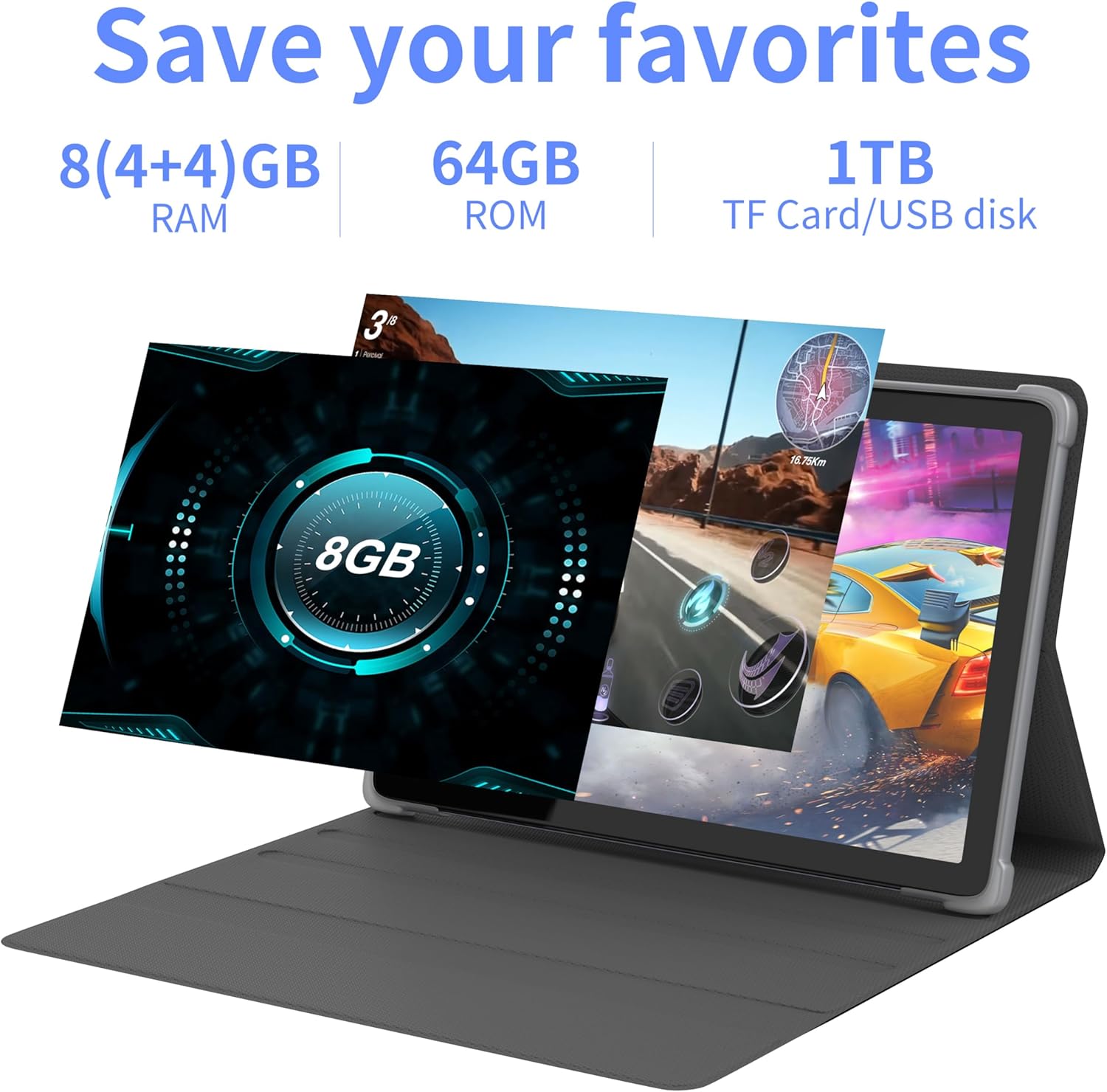
చిత్రం 4.2: ముగిసిందిview of the tablet's memory and storage capabilities, including RAM, ROM, and expansion options.
4.6. Split-Screen Function
Android 13 allows for split-screen multitasking. To activate, open an app, then swipe up from the bottom of the screen to view recent apps. Touch and hold the app icon at the top of the app's card, then select 'Split screen'. Choose a second app to use simultaneously.
5. డిస్ప్లే ఫీచర్లు
The tablet features a 10.1-inch IPS display with a resolution of 1280 x 800 pixels, providing clear visuals and wide viewing కోణాలు.

Image 5.1: The tablet's 10.1-inch HD IPS display, showcasing its resolution and wide-angle viewసామర్థ్యాలు.
5.1. Widevine L1 Support
The tablet supports Widevine L1, enabling high-definition streaming content from compatible services.
6. నిర్వహణ
6.1. పరికరాన్ని శుభ్రపరచడం
టాబ్లెట్ స్క్రీన్ మరియు బాడీని శుభ్రం చేయడానికి మృదువైన, మెత్తటి బట్టను ఉపయోగించండి. కఠినమైన రసాయనాలు లేదా రాపిడి పదార్థాలను ఉపయోగించకుండా ఉండండి.
6.2. సాఫ్ట్వేర్ నవీకరణలు
సరైన పనితీరు మరియు భద్రతను నిర్ధారించుకోవడానికి సిస్టమ్ నవీకరణలను క్రమం తప్పకుండా తనిఖీ చేసి, ఇన్స్టాల్ చేయండి. వెళ్ళండి సెట్టింగ్లు > వ్యవస్థ > సిస్టమ్ నవీకరణ.
6.3. నిల్వ ఆప్టిమైజేషన్
పనితీరును నిర్వహించడానికి, కాలానుగుణంగా అనవసరమైన వాటిని క్లియర్ చేయండి files and applications. Go to సెట్టింగ్లు > నిల్వ to manage your device's storage.
7. ట్రబుల్షూటింగ్
ఈ విభాగం మీరు ఎదుర్కొనే సాధారణ సమస్యలను పరిష్కరిస్తుంది.
| సమస్య | పరిష్కారం |
|---|---|
| టాబ్లెట్ పవర్ ఆన్ అవ్వదు. | Ensure the battery is charged. Connect the tablet to the charger for at least 30 minutes before attempting to power on again. |
| Tablet is unresponsive. | Use a thin pin or paperclip to press the Reset Button (refer to Device Layout section) to force a restart. |
| Wi-Fiకి కనెక్ట్ చేయడం సాధ్యపడదు. | Check if Wi-Fi is enabled in Settings. Ensure the Wi-Fi password is correct. Restart your router and the tablet. |
| నెమ్మదిగా పనితీరు. | ఉపయోగించని అప్లికేషన్లను మూసివేయండి. కాష్ మరియు తాత్కాలికంగా క్లియర్ చేయండి files. Consider performing a factory reset if the issue persists (backup data first). |
8. స్పెసిఫికేషన్లు
Detailed technical specifications for the Tibuta Android 13 Tablet (Model: 8GB+64GB).
| ఫీచర్ | వివరాలు |
|---|---|
| బ్రాండ్ | టిబుటా |
| మోడల్ సంఖ్య | 8GB+64GB |
| ఆపరేటింగ్ సిస్టమ్ | ఆండ్రాయిడ్ 13 |
| ప్రాసెసర్ | Octa-Core (Allwinner A523) |
| RAM | 8 GB (4GB + 4GB వర్చువల్) |
| అంతర్గత నిల్వ | 64 GB |
| విస్తరించదగిన నిల్వ | Up to 1TB (Micro SD card) |
| స్క్రీన్ పరిమాణం | 10.1 అంగుళాలు |
| స్క్రీన్ రిజల్యూషన్ | 1280 x 800 Pixels (IPS) |
| వెనుక కెమెరా | 8 ఎంపీ |
| ఫ్రంట్ కెమెరా | 5 ఎంపీ |
| బ్యాటరీ కెపాసిటీ | 7000 mAh లిథియం పాలిమర్ |
| సగటు బ్యాటరీ జీవితం | Up to 8 hours (usage dependent) |
| కనెక్టివిటీ | Wi-Fi 6 (802.11ac, b, g, n), Bluetooth 5.2 |
| కొలతలు | 24.8 x 16.7 x 1.2 సెం.మీ |
| బరువు | 539 గ్రా |
| రంగు | బూడిద రంగు |
| ప్రత్యేక లక్షణాలు | Widevine L1, GMS Certified |
9. మద్దతు
For technical assistance or if you encounter any issues with your Tibuta tablet, please contact our customer service team. Refer to your purchase documentation or the retailer's webనిర్దిష్ట సంప్రదింపు వివరాల కోసం సైట్.