
పరిచయం
Thank you for choosing the SURFOU Wireless Waterproof Outdoor Doorbell. This system is designed to provide a reliable and convenient way to be alerted when someone is at your door. With a powerful 300m range, 55 adjustable melodies, and 5 volume levels, it ensures you never miss a visitor. This manual will guide you through the installation, operation, and maintenance of your doorbell system.
ప్యాకేజీ విషయాలు
అన్ని భాగాలు ఉన్నాయని నిర్ధారించుకోవడానికి దయచేసి ప్యాకేజీని తనిఖీ చేయండి:
- 2 x ప్లగ్-ఇన్ రిసీవర్లు
- 1 x Battery-powered Transmitter
- 1 x 12V 23A Battery (for transmitter)
- 1 x స్క్రూడ్రైవర్
- 2 x Sets of Screws
- 2 x Double-sided Adhesive Tapes
- 1 x ఇన్స్ట్రక్షన్ మాన్యువల్
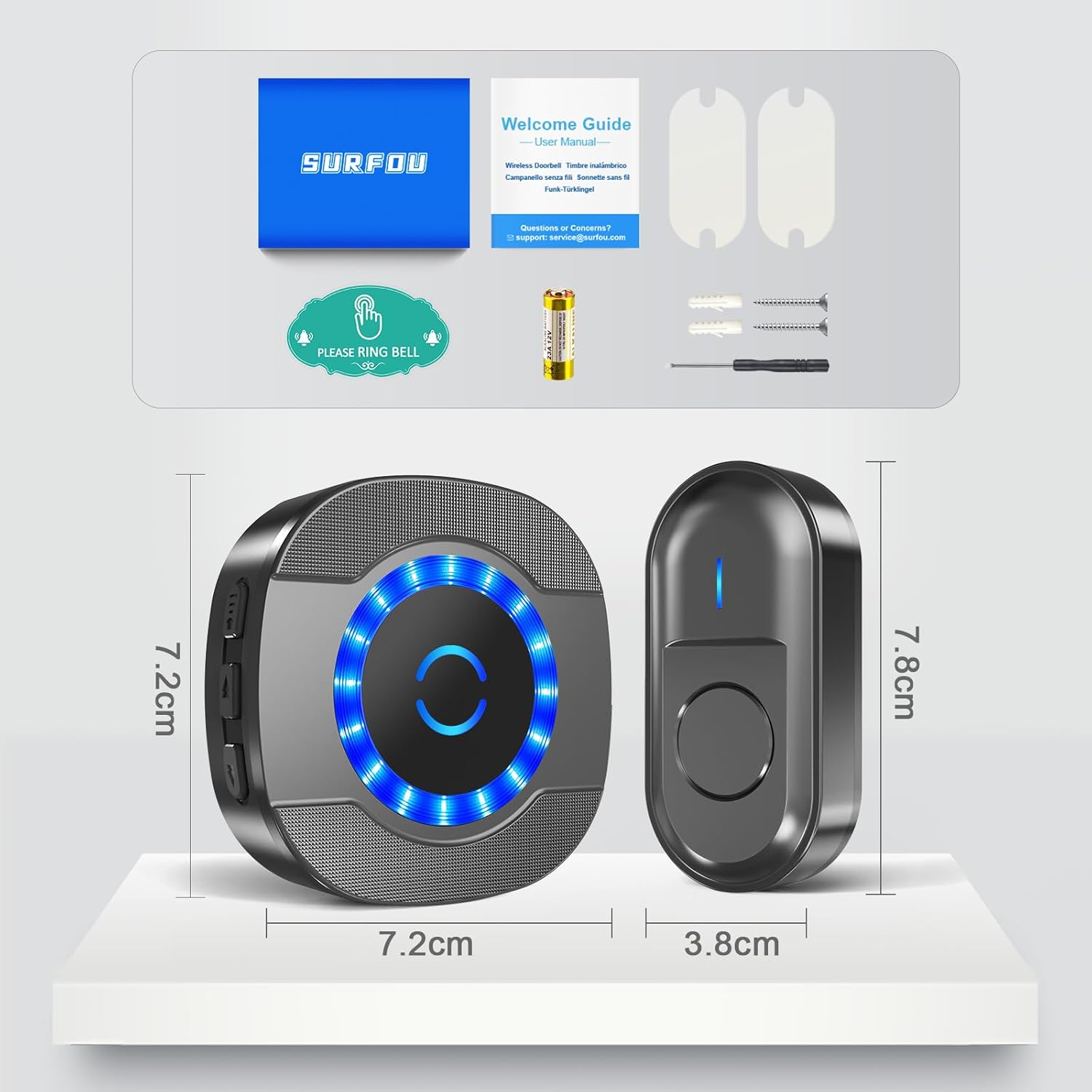
Figure 1: Package Contents and Product Dimensions
సెటప్ మరియు ఇన్స్టాలేషన్
Follow these steps to set up your SURFOU wireless doorbell system:
- Install Transmitter Battery: ట్రాన్స్మిటర్ను తెరవండి casing using the provided screwdriver and insert the 12V 23A battery, ensuring correct polarity. Close the casinగ్రా సురక్షితంగా.
- ట్రాన్స్మిటర్ను మౌంట్ చేయండి: Choose a suitable location for the outdoor transmitter, such as near your front door. You can mount it using either the provided double-sided adhesive tape for a quick setup or screws for a more permanent fixture. Ensure the location is within the 300m range of your receivers.
- ప్లగ్ ఇన్ రిసీవర్లు: Plug the receivers into standard electrical outlets in desired locations within your home. For optimal coverage, place them strategically, considering the 300m wireless range.
- జత చేయడం (అవసరమైతే): The units are usually pre-paired. If not, or if you wish to re-pair or add more transmitters/receivers, press and hold the volume button on the receiver for 5 seconds until it emits a 'ding' sound and the LED flashes. Then, press the transmitter button. The receiver will chime, indicating successful pairing.

Figure 2: Transmitter Installation Methods
Video 1: Unboxing, Pairing, and Testing the SURFOU Wireless Doorbell
ఆపరేటింగ్ సూచనలు
Your SURFOU doorbell offers customizable settings for your convenience:
- వాల్యూమ్ సర్దుబాటు: Press the volume button on the receiver to cycle through 5 volume levels, from 0 dB (silent) to 110 dB. This allows you to set the alert loudness according to your preference or hearing needs.
- Change Melodies: Press the melody selection button on the receiver to choose from 55 different chimes. Once you find a melody you like, it will be saved automatically thanks to the memory function.
- ఆపరేటింగ్ మోడ్లు: The receiver supports two modes: LED flash only, or LED flash combined with a chime. This is useful for silent alerts or for individuals with hearing impairments.
- మెమరీ ఫంక్షన్: Your last selected melody and volume level are automatically saved, even after a power outage, ensuring consistent operation.

Figure 3: Operating Modes and Controls

Figure 4: Silent Mode (0dB) for undisturbed environments
నిర్వహణ
To ensure the longevity and optimal performance of your doorbell system:
- బ్యాటరీ భర్తీ: The transmitter battery typically lasts 1 to 3 years. When the LED indicator on the transmitter no longer lights up or the range decreases significantly, it's time to replace the 12V 23A battery.
- శుభ్రపరచడం: Wipe the transmitter and receivers with a soft, dry cloth. Avoid using harsh chemicals or abrasive cleaners.
- వాతావరణ నిరోధకత: The outdoor transmitter is designed to be dustproof and waterproof (IP44 rated), withstanding temperatures from -30°C to 70°C. However, avoid submerging it in water or exposing it to extreme conditions unnecessarily.
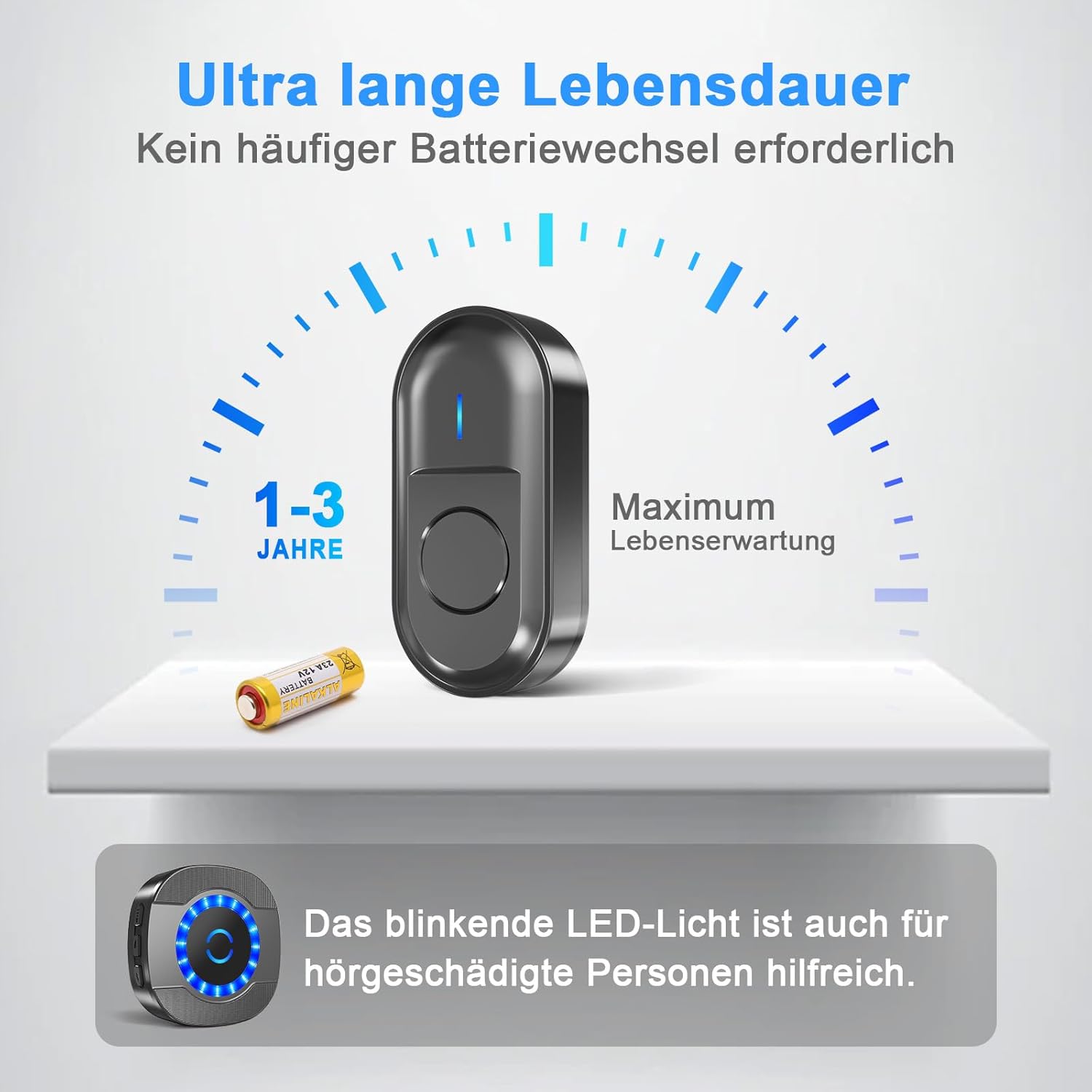
Figure 5: Transmitter Battery Life
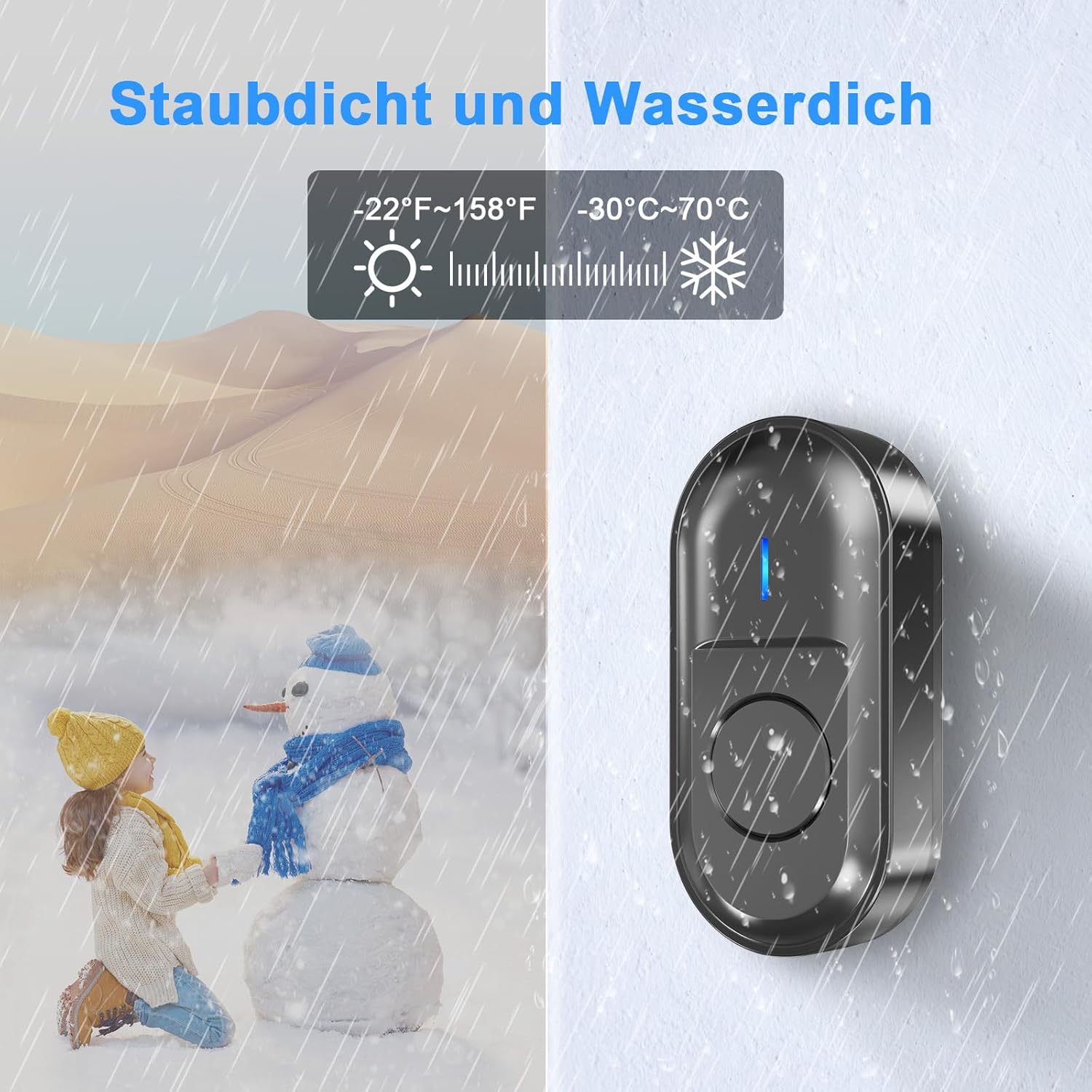
Figure 6: All-Weather Performance
ట్రబుల్షూటింగ్
If you encounter any issues with your doorbell, refer to the following common problems and solutions:
| సమస్య | సాధ్యమైన కారణం | పరిష్కారం |
|---|---|---|
| Doorbell does not ring | Low or dead transmitter battery; Receiver unplugged; Units out of range; Interference; Not paired. | Replace transmitter battery; Ensure receiver is plugged in and powered; Move receiver closer to transmitter; Avoid placing near large metal objects or other wireless devices; Re-pair the units. |
| చిన్న వైర్లెస్ పరిధి | Obstructions (thick walls, metal structures); Interference from other electronics; Low transmitter battery. | Relocate receiver or transmitter to minimize obstructions; Ensure transmitter battery is fresh; Avoid placing near microwaves, Wi-Fi routers, or large metal objects. |
| Receiver LED flashes but no sound | Volume set to 0 (silent mode); Speaker malfunction. | Increase the volume level on the receiver; If problem persists, contact customer support. |
| Accidental ringing | ఇతర వైర్లెస్ పరికరాల నుండి జోక్యం. | Re-pair the units to reset the wireless code; Relocate the doorbell system away from potential interference sources. |

Figure 7: Wireless Range Illustration
స్పెసిఫికేషన్లు
| ఫీచర్ | స్పెసిఫికేషన్ |
|---|---|
| తయారీదారు | సర్ఫౌ |
| మోడల్ సంఖ్య | N15 |
| ఉత్పత్తి కొలతలు | 7.2 x 7.2 x 6.4 cm (Receiver); 7.8 x 3.8 cm (Transmitter) |
| బరువు | 91 గ్రా |
| రంగు | నలుపు |
| మెటీరియల్ | నైలాన్ |
| శక్తి మూలం | AC/DC (Receiver); Battery (Transmitter) |
| ప్రత్యేక లక్షణాలు | Wireless, Waterproof (IP44), Dustproof, 55 Melodies, 5 Volume Levels, Memory Function |
| వైర్లెస్ రేంజ్ | Up to 300m (in open areas) |
| వాల్యూమ్ స్థాయిలు | 5 స్థాయిలు (0-110 dB) |
| ఆపరేటింగ్ ఉష్ణోగ్రత | -30°C నుండి 70°C |
| ట్రాన్స్మిటర్ బ్యాటరీ రకం | 12V 23A Alkaline |
వారంటీ మరియు మద్దతు
SURFOU is committed to providing high-quality products and excellent customer service. If you have any questions, concerns, or require assistance with your doorbell system, please do not hesitate to contact our customer support team.
- కస్టమర్ సేవ: Our dedicated customer service team is available 24/7 to assist you. Please refer to the contact information provided in your product packaging or on the SURFOU official webసైట్.
- వారంటీ: Information regarding the product warranty period and terms can be found in the included warranty card or by contacting customer support.