
1. పరిచయం
This manual provides essential information for setting up, operating, maintaining, and troubleshooting your Lenovo ThinkBook 16 Gen 7 laptop. Please read this guide thoroughly to ensure optimal performance and longevity of your device.
The Lenovo ThinkBook 16 Gen 7 is a powerful business laptop designed for professionals, students, and remote workers. It features an AMD Ryzen 7 7735HS processor, a 16-inch WUXGA IPS display, ample memory and storage, and runs on Windows 11 Pro.
2. సెటప్
2.1 అన్బాక్సింగ్ మరియు ప్రారంభ పవర్ ఆన్
Carefully remove your laptop and accessories from the packaging. Connect the power adapter to the laptop's USB-C port and then to a power outlet. Open the laptop lid to power it on. Follow the on-screen instructions for the initial Windows 11 Pro setup.
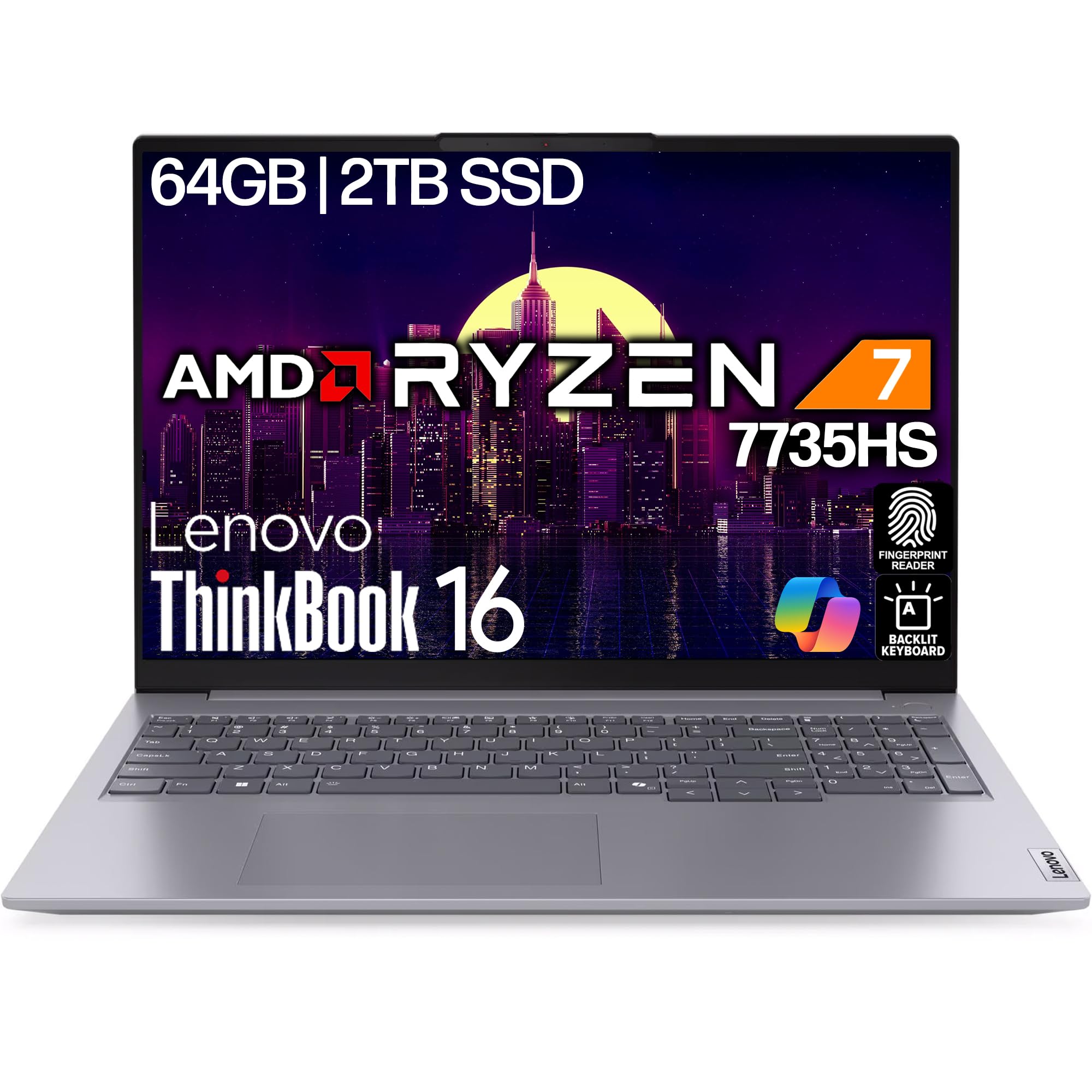
Figure 2.1: Lenovo ThinkBook 16 Gen 7 laptop, closed view.
2.2 కనెక్ట్ పెరిఫెరల్స్
Your ThinkBook 16 Gen 7 offers various ports for connecting external devices:
- USB-A 3.2 (5Gbps): మౌస్, కీబోర్డ్లు మరియు బాహ్య డ్రైవ్ల వంటి ప్రామాణిక USB పరికరాల కోసం.
- USB-C 3.2 (10Gbps): Supports Power Delivery 3.0 and DisplayPort 1.4 for charging and external displays.
- USB-4 Thunderbolt (40Gbps): High-speed connectivity for advanced peripherals, also supporting Power Delivery 3.0 and DisplayPort 1.4.
- HDMI2.1: Connect to external monitors or projectors for video output up to 4K/60Hz.
- RJ-45 ఈథర్నెట్: వైర్డు నెట్వర్క్ కనెక్షన్ల కోసం.
- 3.5mm ఆడియో జాక్: హెడ్ఫోన్లు లేదా బాహ్య స్పీకర్ల కోసం.
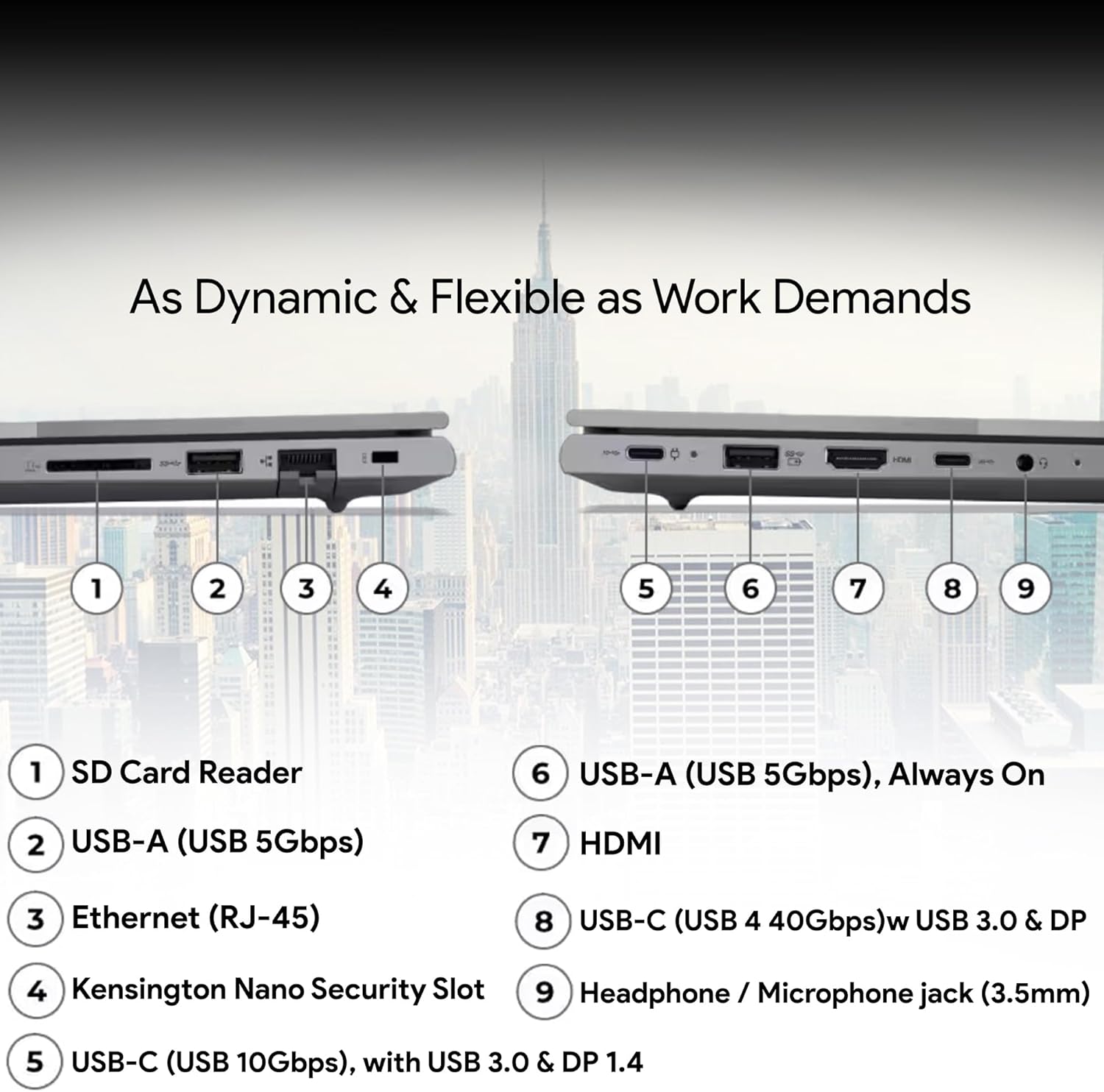
Figure 2.2: Port layout on the Lenovo ThinkBook 16 Gen 7.
3. మీ ల్యాప్టాప్ను ఆపరేట్ చేయడం
3.1 పవర్ ఆన్/ఆఫ్ మరియు స్లీప్ మోడ్
Press the power button, often integrated with the fingerprint reader, to turn on your laptop. To shut down, click the Start button, then Power > Shut down. For sleep mode, click Start > Power > Sleep, or simply close the lid.

Figure 3.1: Keyboard and fingerprint reader for secure login.
3.2 కీబోర్డ్ మరియు టచ్ప్యాడ్ని ఉపయోగించడం
The laptop features a spill-resistant, backlit keyboard for comfortable typing in various lighting conditions. The touchpad supports multi-touch gestures for navigation. Additionally, a TrackPoint is integrated into the keyboard for precise cursor control.
3.3 విండోస్ 11 ప్రో ఫీచర్లు
Your laptop comes pre-installed with Windows 11 Pro, offering enhanced security, productivity tools, and AI-infused computing capabilities. Explore features like Microsoft Copilot for intelligent assistance and advanced sharing options.

Figure 3.2: Windows 11 Pro operating system.
వీడియో 3.1: అధికారిక ఉత్పత్తి ముగిసిందిview of the Lenovo ThinkBook 16 Gen 7, highlighting AI-infused computing and improved keyboard features.
4. నిర్వహణ
4.1 మీ ల్యాప్టాప్ను శుభ్రపరచడం
స్క్రీన్ను క్లీన్ చేయడానికి, మెత్తని, మెత్తని బట్టను తేలికగా ఉపయోగించండి dampened with water or a screen cleaner. For the keyboard and chassis, use a soft, dry cloth. Avoid harsh chemicals or abrasive materials.
4.2 బ్యాటరీ సంరక్షణ
To maximize battery life, avoid extreme temperatures and fully discharging the battery frequently. For long-term storage, charge the battery to about 50% and store the laptop in a cool, dry place.
4.3 సాఫ్ట్వేర్ నవీకరణలు
లెనోవా అధికారిక మద్దతు నుండి విండోస్ నవీకరణలు మరియు డ్రైవర్ నవీకరణలను క్రమం తప్పకుండా తనిఖీ చేయండి మరియు ఇన్స్టాల్ చేయండి. webసరైన పనితీరు, భద్రత మరియు అనుకూలతను నిర్ధారించడానికి సైట్.
5. ట్రబుల్షూటింగ్
5.1 విద్యుత్ సమస్యలు
- ల్యాప్టాప్ ఆన్ అవ్వడం లేదు: పవర్ అడాప్టర్ సురక్షితంగా కనెక్ట్ చేయబడిందని మరియు అవుట్లెట్ పనిచేస్తుందని నిర్ధారించుకోండి. హార్డ్ రీసెట్ చేయడానికి పవర్ బటన్ను 10-15 సెకన్ల పాటు నొక్కి ఉంచడానికి ప్రయత్నించండి.
- బ్యాటరీ ఛార్జింగ్ కాదు: Verify the power adapter is correctly connected. Check for any damage to the cable or adapter.
5.2 ప్రదర్శన సమస్యలు
- తెరపై డిస్ప్లే లేదు: Connect an external monitor to check if the issue is with the laptop's internal display. Adjust brightness settings.
- మినుకుమినుకుమనే లేదా వక్రీకరించిన ప్రదర్శన: మీ గ్రాఫిక్స్ డ్రైవర్లను నవీకరించండి. బాహ్య మానిటర్ ఉపయోగిస్తుంటే, కేబుల్ కనెక్షన్ను తనిఖీ చేయండి.
5.3 కనెక్టివిటీ సమస్యలు
- Wi-Fi కనెక్ట్ కావడం లేదు: Wi-Fi ప్రారంభించబడిందని నిర్ధారించుకోండి. మీ రౌటర్ మరియు ల్యాప్టాప్ను పునఃప్రారంభించండి. Windowsలో నెట్వర్క్ సెట్టింగ్లను తనిఖీ చేయండి.
- బ్లూటూత్ పరికరం జత కావడం లేదు: Ensure Bluetooth is enabled on both devices. Make sure devices are in pairing mode and within range.
6. స్పెసిఫికేషన్లు
| ఫీచర్ | వివరాలు |
|---|---|
| బ్రాండ్ | Lenovo (Oemgenuine as seller) |
| మోడల్ పేరు | థింక్బుక్ 16 Gen 7 |
| ప్రాసెసర్ | AMD Ryzen 7 7735HS (8C/16T, 3.2 / 4.75GHz, 4MB L2 / 16MB L3 Cache) |
| RAM | 64GB DDR5 |
| నిల్వ | 2TB NVMe SSD |
| ప్రదర్శించు | 16" WUXGA (1920x1200) IPS, Anti-glare, 300 nits |
| గ్రాఫిక్స్ | AMD Radeon 680M Graphics Integrated |
| ఆపరేటింగ్ సిస్టమ్ | Windows 11 ప్రో |
| కనెక్టివిటీ | Wi-Fi 6E 802.11ax, Bluetooth 5.3, RJ-45 Ethernet |
| ఓడరేవులు | 2x USB-A 3.2, 1x USB-C 3.2 (PD 3.0, DP 1.4), 1x USB-4 Thunderbolt (PD 3.0, DP 1.4), HDMI 2.1, 3.5mm Audio Jack |
| కీబోర్డ్ | Backlit, Spill-resistant |
| భద్రత | ఫింగర్ ప్రింట్ రీడర్, Webగోప్యతా షట్టర్తో కెమెరా |
| బరువు | 3.75 LBS (సుమారు 1.7 కిలోలు) |
| బ్యాటరీ | Integrated 45 Wh |
7. వారంటీ మరియు మద్దతు
Your Lenovo ThinkBook 16 Gen 7 is backed by a 1 సంవత్సరాల లెనోవా వారంటీ మరియు ఎ 1-Year Oemgenuine Limited Warranty. For detailed terms and conditions, please refer to the warranty documentation included with your product or visit the official Lenovo and Oemgenuine support webసైట్లు.
For technical assistance, driver downloads, or service requests, please contact Lenovo Support or Oemgenuine Support. Keep your product's serial number (PF4VEA2C) and proof of purchase readily available when contacting support.