
పరిచయం
This manual provides essential information for the safe and effective use of your MECCANIXITY Crystal LED Display Base Stand Holder. Please read these instructions carefully before use and retain them for future reference.
ఉత్పత్తి ముగిసిందిview
The MECCANIXITY Crystal LED Display Base is designed to illuminate and enhance various display items such as crystal artwork, ornamental bowls, stones, and other crafts and collectibles. Constructed from artificial crystal, it features 7 vibrant LED colors and is conveniently powered via USB.

చిత్రం: ముందు భాగం view of the MECCANIXITY Crystal LED Display Base, showcasing its transparent artificial crystal construction.

చిత్రం: వైపు view of the display base, highlighting the USB power input port and the artificial crystal material.
సెటప్
- అన్ప్యాక్: Carefully remove the display base from its packaging.
- ప్లేస్మెంట్: Choose a stable, flat surface for the display base.
- పవర్ కనెక్ట్ చేయండి: Insert the USB power cable (not included) into the USB port on the display base. Connect the other end of the USB cable to a compatible USB power source (e.g., USB wall adapter, computer USB port, power bank).
- Position Item: Gently place your crystal artwork, ornamental bowl, or other desired display item onto the center of the display base.

Image: The display base shown in use, illuminating three crystal balls of varying sizes.
ఆపరేటింగ్ సూచనలు
The MECCANIXITY Crystal LED Display Base is designed for simple operation.
- పవర్ ఆన్/ఆఫ్: Once connected to a USB power source, the LED lights will automatically illuminate. To turn off the lights, disconnect the USB power cable.
- రంగు ప్రదర్శన: The base cycles through 7 different colors automatically, providing a dynamic and elegant display for your items. There is no manual control for color selection or mode change.

Image: A collage showing the MECCANIXITY Crystal LED Display Base illuminating in its 7 distinct colors.
నిర్వహణ
To ensure the longevity and appearance of your display base, follow these simple maintenance guidelines:
- శుభ్రపరచడం: Disconnect the power before cleaning. Wipe the artificial crystal surface with a soft, dry, or slightly damp cloth. Avoid abrasive cleaners or harsh chemicals, as these can scratch or damage the surface.
- నిల్వ: When not in use, store the display base in a cool, dry place away from direct sunlight and extreme temperatures.
- నిర్వహణ: Handle the base with care to prevent drops or impacts that could cause damage to the crystal or internal components.
ట్రబుల్షూటింగ్
If you encounter issues with your display base, please refer to the following common solutions:
- లైట్లు ఆన్ చేయడం లేదు:
- Ensure the USB cable is securely connected to both the display base and the power source.
- Verify that the USB power source is functional (e.g., try plugging in another device).
- వేరే USB కేబుల్ లేదా పవర్ అడాప్టర్ని ఉపయోగించి ప్రయత్నించండి.
- అడపాదడపా లైటింగ్:
- Check for loose connections at both ends of the USB cable.
- Ensure the power source provides stable power.
స్పెసిఫికేషన్లు
| బ్రాండ్ | MECCANIXITY |
| మోడల్ సంఖ్య | mea220704ee2280 |
| పార్ట్ నంబర్ | mea220704ee2280 |
| ASIN | B0C98B6C99 |
| మెటీరియల్ | Artificial Crystal |
| కొలతలు (L x W x H) | 70mm x 55mm x 30mm (2.75 inch x 2.16 inch x 1.18 inch) |
| శక్తి మూలం | USB ఛార్జ్ |
| లేత రంగులు | 7 colors (automatic cycling) |
| అసెంబ్లీ అవసరం | నం |
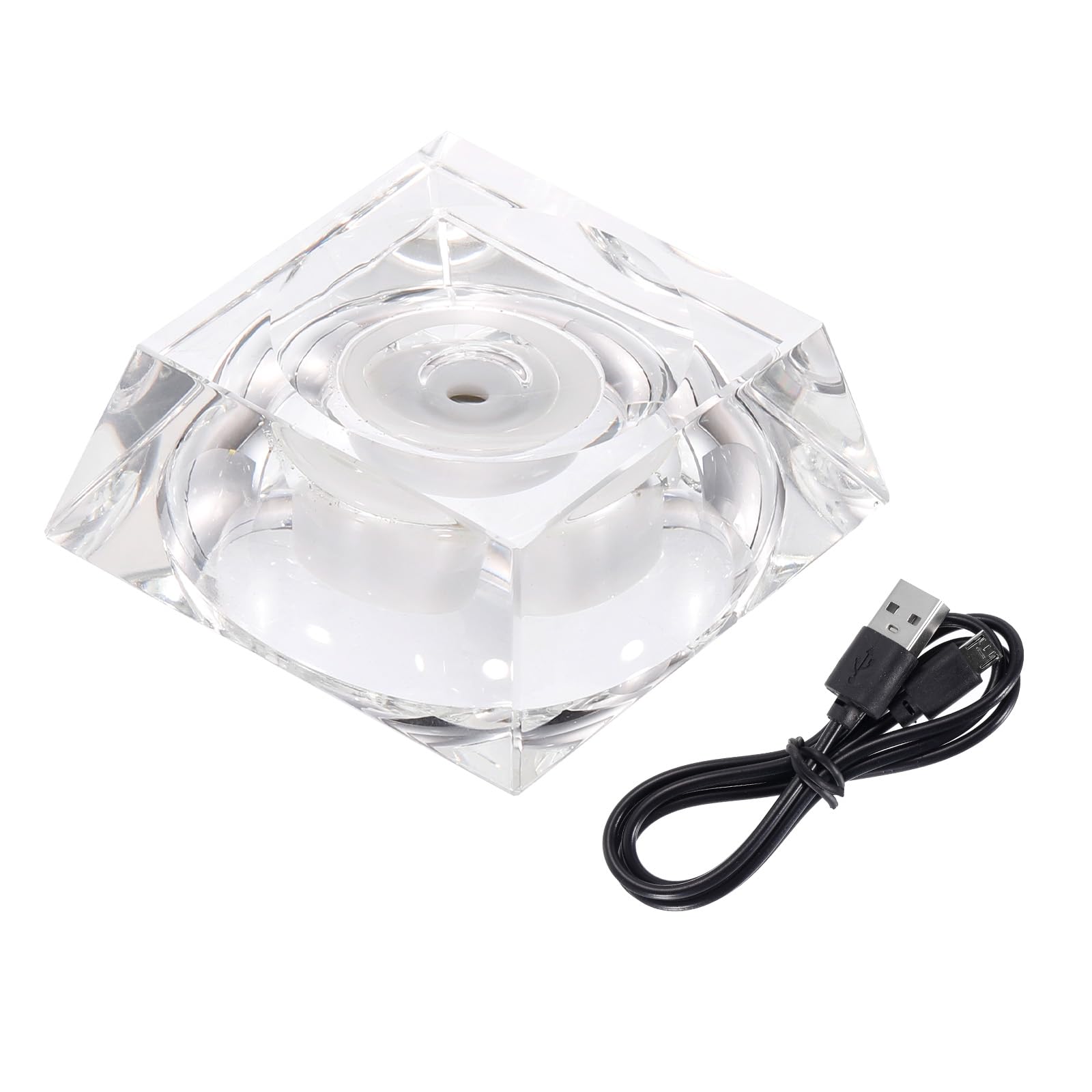
Image: Diagram illustrating the dimensions of the MECCANIXITY Crystal LED Display Base: 70mm length, 55mm width, and 30mm height.
వారంటీ మరియు మద్దతు
For any questions, technical support, or warranty inquiries regarding your MECCANIXITY product, please contact the manufacturer directly through their official channels. Please refer to your purchase documentation for specific warranty terms and contact information.