
1. పరిచయం
This manual provides detailed instructions for the installation, operation, and programming of the TAXNELE THC30A Digital Programmable Timer Switch. This device is designed for automatic control of various electrical appliances based on user-defined daily and weekly schedules.

Figure 1: TAXNELE THC30A Digital Programmable Timer Switch
2 కీ ఫీచర్లు
- 7-Day Digital Programmable Timer: Supports daily and weekly programs with a full time range from 1 minute to 168 hours.
- Multiple ON/OFF Settings: Up to 20 ON and 20 OFF settings for precise control.
- ఆటోమేటిక్ కంట్రోల్: Automatically switches power to connected devices according to programmed schedules.
- యూజర్ ఫ్రెండ్లీ ఇంటర్ఫేస్: Large LCD screen and clear buttons (D+, H+, M+) for easy operation.
- అధిక ఖచ్చితత్వం: Equipped with an industrial-grade chip for accurate timing.
- పవర్-ఆఫ్ మెమరీ: Built-in high-performance battery retains timing, display, and data for up to 3 years during power outages.
- అధిక భార సామర్థ్యం: Features a 30A relay for handling significant electrical loads.
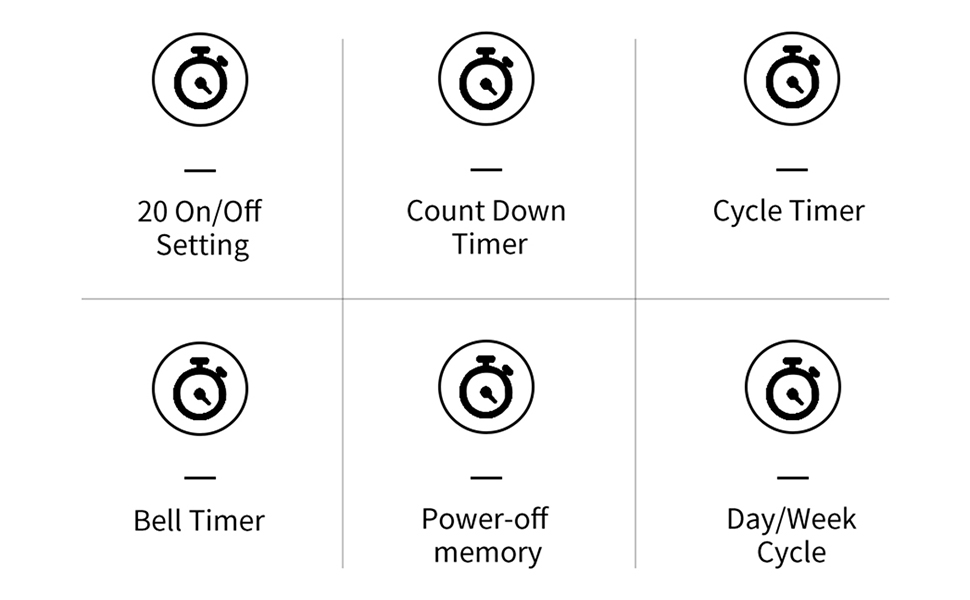
చిత్రం 2: పైగాview of THC30A Timer Switch Features
3. స్పెసిఫికేషన్లు
| మోడల్ | THC30A |
| వాల్యూమ్tage | 230VAC |
| లోడ్ కెపాసిటీ | 30A |
| సమయ పరిధి | 1 నిమిషం నుండి 168 గంటల వరకు |
| కార్యక్రమాలు | 20 ON/20 OFF settings |
| పవర్-ఆఫ్ మెమరీ | Yes, with built-in CR2032 battery (up to 3 years) |
| సంస్థాపన | 35mm DIN Rail Mounted |
| కొలతలు | సుమారు 87mm (H) x 36mm (W) x 65mm (D) |

Figure 3: THC30A Timer Switch Dimensions
4. సంస్థాపన
4.1 భద్రతా జాగ్రత్తలు
- Ensure power is disconnected before installation to prevent electric shock.
- Installation should be performed by a qualified electrician or knowledgeable individual.
- వాల్యూమ్ని ధృవీకరించండిtage and current ratings of your circuit match the timer's specifications.
4.2 మౌంటు
The THC30A timer switch is designed for 35mm DIN rail mounting. Securely attach the timer to the DIN rail in your electrical panel or enclosure.

Figure 4: THC30A Mounted on a DIN Rail
4.3 వైరింగ్ రేఖాచిత్రం
Connect the timer according to the wiring diagram below. Ensure correct polarity for input (IN) and output (OUT) terminals. The input terminals are typically labeled 'N' (Neutral) and 'L' (Live), and the output terminals are also 'N' and 'L' for connecting to the load.

Figure 5: Simplified Wiring Diagram for THC30A
Connect the incoming power supply to the 'IN' terminals (N and L). Connect the device to be controlled to the 'OUT' terminals (N and L).
5. ఆపరేటింగ్ సూచనలు
5.1 Initial Setup and Reset
Upon first use or after a prolonged power-off, the display may be blank. Press the రీసెట్ చేయండి button (often recessed, may require a pointed object) to initialize the timer. The LCD will display the current time (e.g., 0:00) and "AUTO".

Figure 6: Front Panel with Buttons and LCD Screen
- పని సూచిక: LED light indicating operation status.
- LCD స్క్రీన్: Displays time, day, and program status.
- టైమర్ బటన్: Used to enter programming mode.
- గడియార బటన్: Used to set current time and day.
- D+ Button: వారంలోని రోజును సర్దుబాటు చేస్తుంది.
- H+ Button: Adjusts the hour.
- M+ Button: Adjusts the minute.
- ON/AUTO/OFF Button (Manual): Cycles through ON, AUTO, and OFF modes.
- రీసెట్ బటన్: Clears all settings and resets the timer.
5.2 ప్రస్తుత సమయం మరియు రోజును సెట్ చేయడం
- నొక్కండి మరియు పట్టుకోండి గడియారం బటన్.
- పట్టుకొని ఉండగా గడియారం, నొక్కండి D+ to set the current day of the week (MON, TUE, WED, THU, FRI, SAT, SUN).
- పట్టుకొని ఉండగా గడియారం, నొక్కండి H+ ప్రస్తుత గంటను సెట్ చేయడానికి (0-23).
- పట్టుకొని ఉండగా గడియారం, నొక్కండి M+ ప్రస్తుత నిమిషం (0-59) సెట్ చేయడానికి.
- విడుదల చేయండి గడియారం button. The current time and day are now set.
5.3 Manual Override (ON/AUTO/OFF)
నొక్కండి మాన్యువల్ button (often labeled ON/AUTO/OFF) to cycle through the following modes:
- పై: The timer output is continuously ON, overriding all programmed schedules.
- ఆఫ్: The timer output is continuously OFF, overriding all programmed schedules.
- దానంతట అదే: The timer operates according to the programmed ON/OFF schedules. This is the standard operating mode for automatic control.
6. షెడ్యూల్లను ఆన్/ఆఫ్ చేయడం ప్రోగ్రామింగ్
The THC30A supports up to 20 ON and 20 OFF programs. Follow these steps to set your desired schedules:
- నొక్కండి టైమర్ button once. The display will show "1 ON" (or the next available program number).
- నొక్కండి D+ to select the day(s) for this "ON" program. You can choose individual days, weekdays, weekends, or all 7 days.
- నొక్కండి H+ to set the hour for the "ON" time.
- నొక్కండి M+ to set the minute for the "ON" time.
- నొక్కండి టైమర్ button again. The display will show "1 OFF".
- Repeat steps 2-4 to set the day(s), hour, and minute for the corresponding "OFF" time.
- నొక్కడం కొనసాగించండి టైమర్ button to cycle through "2 ON", "2 OFF", and so on, up to "20 ON" and "20 OFF". Repeat steps 2-6 for each program.
- కావలసిన అన్ని ప్రోగ్రామ్లను సెట్ చేసిన తర్వాత, గడియారం button to exit programming mode and return to the current time display. Ensure the timer is in ఆటో ప్రోగ్రామ్లను అమలు చేయడానికి మోడ్.
To clear a specific program, navigate to that program (e.g., "5 ON") and press the రీసెట్ చేయండి button. This will clear both the ON and OFF times for that program number.
7. నిర్వహణ
The THC30A timer switch requires minimal maintenance.
- శుభ్రపరచడం: మెత్తటి, పొడి గుడ్డతో బయటి భాగాన్ని తుడవండి. రాపిడి క్లీనర్లు లేదా ద్రావకాలను ఉపయోగించవద్దు.
- బ్యాటరీ: The internal CR2032 battery provides power-off memory. If the timer frequently loses settings during power outages, the battery may need replacement. This typically requires professional service.
- పర్యావరణం: Ensure the timer is installed in a dry, well-ventilated area, away from direct sunlight, extreme temperatures, and corrosive environments.

Figure 7: Power-Off Memory Function with Internal Battery
8. ట్రబుల్షూటింగ్
| సమస్య | సాధ్యమైన కారణం | పరిష్కారం |
|---|---|---|
| ప్రదర్శన ఖాళీగా ఉంది. | No power supply; Timer needs initialization. | విద్యుత్ కనెక్షన్లను తనిఖీ చేయండి. రీసెట్ చేయండి బటన్. |
| ప్రోగ్రామ్ చేయబడిన సమయాల్లో టైమర్ ఆన్/ఆఫ్ చేయదు. | Timer is not in AUTO mode; Incorrect program settings; Overlapping programs. | నొక్కండి మాన్యువల్ "AUTO" ప్రదర్శించబడే వరకు. తిరిగిview and correct program settings. Ensure ON/OFF times do not conflict. |
| పవర్ అవుట్ అయిన తర్వాత సెట్టింగ్లు పోతాయిtage. | అంతర్గత బ్యాటరీ తక్కువగా ఉంది లేదా అయిపోయింది. | The internal battery may need replacement. Contact customer support if this issue persists. |
| అవుట్పుట్ ఎల్లప్పుడూ ఆన్లో లేదా ఎల్లప్పుడూ ఆఫ్లో ఉంటుంది. | Timer is in manual ON or OFF mode. | నొక్కండి మాన్యువల్ "AUTO" ప్రదర్శించబడే వరకు. |
9. వారంటీ మరియు మద్దతు
This product comes with a standard manufacturer's warranty. For specific warranty details, please refer to the product packaging or contact your retailer. For technical support or inquiries, please reach out to TAXNELE customer service through your purchase platform or the official TAXNELE webసైట్.