
పరిచయం
This manual provides detailed instructions for the setup, operation, and maintenance of your Sandberg Mechanical Gamer Keyboard, model 640-31. Please read this manual thoroughly before using the product to ensure proper functionality and longevity.
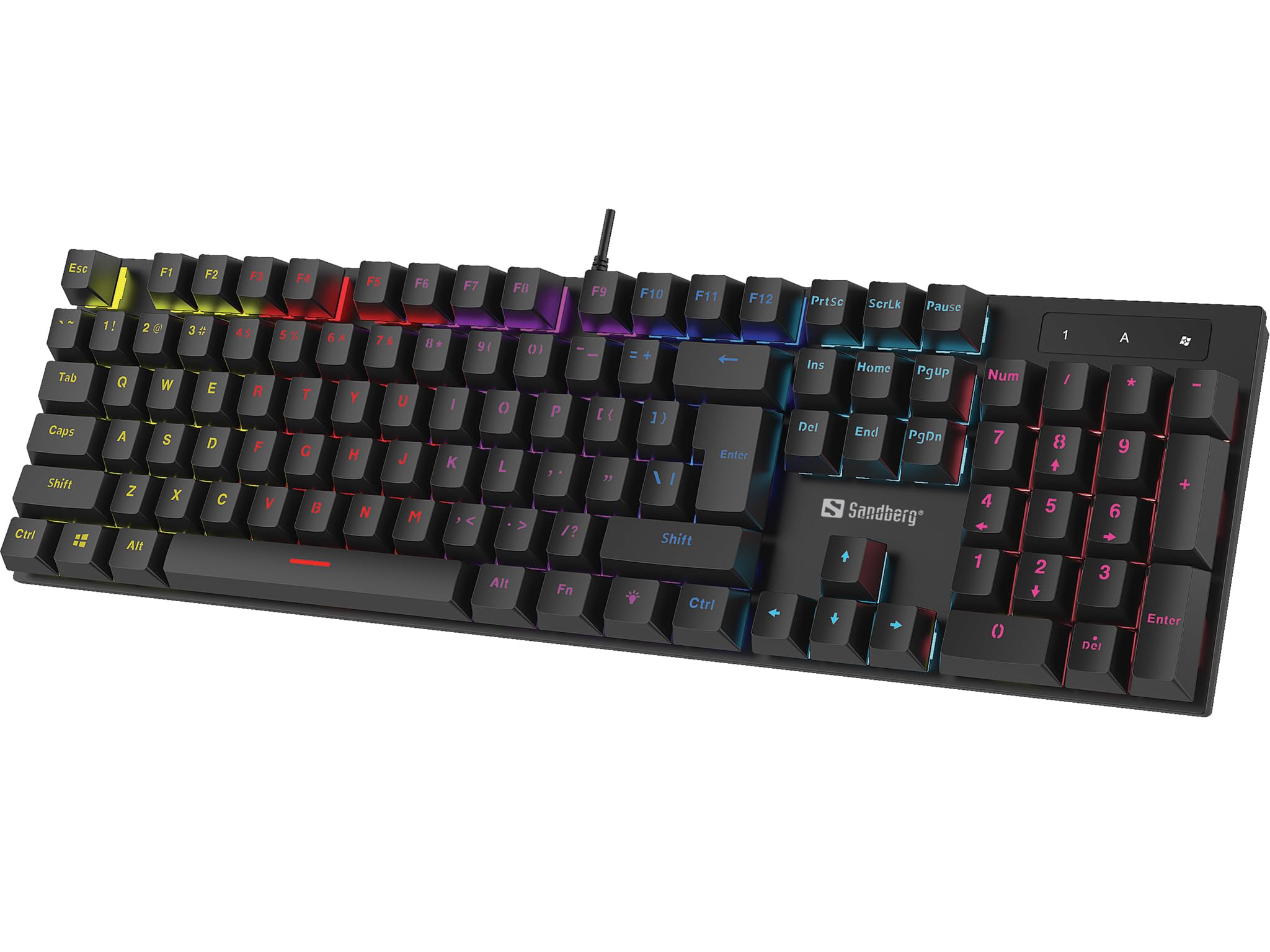
చిత్రం: The Sandberg Mechanical Gamer Keyboard 640-31, showcasing దాని పూర్తి లేఅవుట్ RGB బ్యాక్లైటింగ్తో ఉంటుంది.
ప్యాకేజీ విషయాలు
ప్యాకేజీలో అన్ని వస్తువులు ఉన్నాయని నిర్ధారించుకోండి:
- Sandberg Mechanical Gamer Keyboard 640-31 (German Layout)
- వినియోగదారు మాన్యువల్ (ఈ పత్రం)
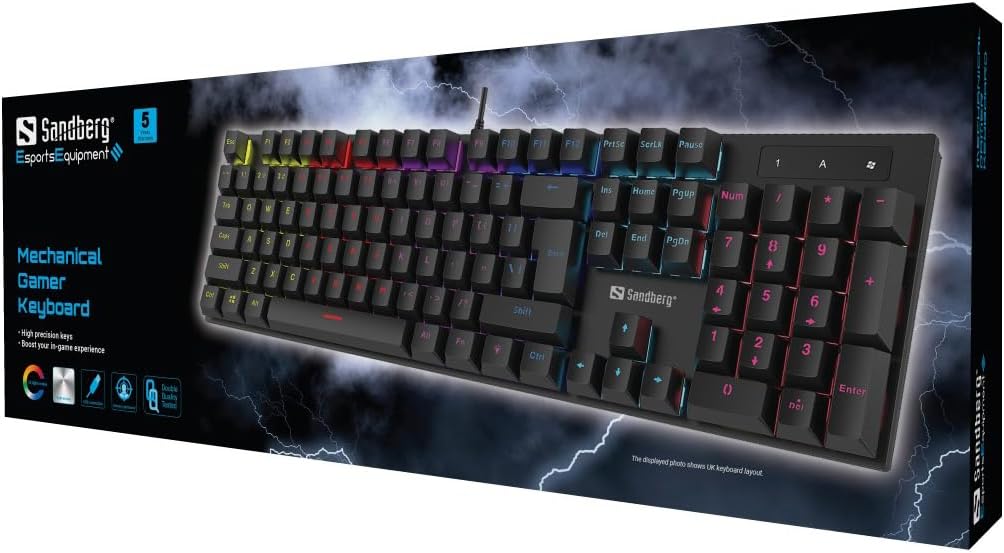
చిత్రం: The retail packaging for the Sandberg Mechanical Gamer Keyboard 640-31, displaying the keyboard and key features.
సెటప్
- అన్ప్యాకింగ్: కీబోర్డ్ను దాని ప్యాకేజింగ్ నుండి జాగ్రత్తగా తీసివేయండి.
- కనెక్షన్: Locate an available USB port on your computer. Insert the USB connector of the keyboard into the USB port.
- డ్రైవర్ ఇన్స్టాలేషన్: కీబోర్డ్ ప్లగ్-అండ్-ప్లే. మీ ఆపరేటింగ్ సిస్టమ్ అవసరమైన డ్రైవర్లను స్వయంచాలకంగా గుర్తించి ఇన్స్టాల్ చేస్తుంది. ప్రాథమిక కార్యాచరణ కోసం సాధారణంగా అదనపు సాఫ్ట్వేర్ ఇన్స్టాలేషన్ అవసరం లేదు.
- ప్రారంభ పరీక్ష: Open a text editor or any application where you can type to verify that all keys are functioning correctly.
ఆపరేటింగ్ సూచనలు
ప్రాథమిక కీబోర్డ్ విధులు
The Sandberg Mechanical Gamer Keyboard 640-31 features a standard German QWERTZ layout with a full numeric keypad. All standard alphanumeric keys, function keys (F1-F12), navigation keys, and the numeric keypad operate as expected.
Multimedia and Function Keys (Fn Combinations)
చాలా కీలు నొక్కడం ద్వారా యాక్సెస్ చేయగల ద్వితీయ విధులను కలిగి ఉంటాయి Fn key (located near the Alt key) simultaneously with the desired function key. Refer to the keycaps for specific icons indicating these functions.
- ఎఫ్ఎన్ + ఎఫ్1-ఎఫ్12: Typically control multimedia playback, volume, and other system functions.
- Fn + విండోస్ కీ: గేమింగ్ సమయంలో ప్రమాదవశాత్తు నొక్కకుండా నిరోధించడానికి విండోస్ కీని లాక్ చేస్తుంది/అన్లాక్ చేస్తుంది.
- Fn + బాణం కీలు: May control backlight brightness or animation speed.
- Fn + ఇన్స్/హోమ్/PgUp/డెల్/ఎండ్/PgDn: Often used for backlight mode selection or customization.
బ్యాక్లైట్ నియంత్రణ
The keyboard features customizable RGB backlighting. Specific key combinations are used to adjust lighting effects:
- ప్రకాశం సర్దుబాటు: ఉపయోగించండి Fn + పైకి బాణం ప్రకాశాన్ని పెంచడానికి మరియు Fn + డౌన్ బాణం ప్రకాశాన్ని తగ్గించడానికి.
- మోడ్ స్విచింగ్: నొక్కండి Fn + Ins, Fn + హోమ్, Fn + PgUp, Fn + డెల్, Fn + ముగింపు, లేదా Fn + PgDn to cycle through various lighting modes and effects.
- రంగు సర్దుబాటు: కొన్ని మోడ్లు వీటిని ఉపయోగించి రంగు మార్పులను అనుమతిస్తాయి Fn + ఎడమ బాణం or Fn + కుడి బాణం.
- వేగం సర్దుబాటు: For dynamic lighting modes, Fn + Minus (-) మరియు Fn + Plus (+) keys (on the main keyboard, not numpad) may adjust the effect speed.
నిర్వహణ
కీబోర్డ్ను శుభ్రపరచడం
- డిస్కనెక్ట్: శుభ్రం చేసే ముందు మీ కంప్యూటర్ నుండి కీబోర్డ్ను ఎల్లప్పుడూ డిస్కనెక్ట్ చేయండి.
- దుమ్ము తొలగింపు: కీక్యాప్ల మధ్య నుండి దుమ్ము మరియు చెత్తను తొలగించడానికి కంప్రెస్డ్ ఎయిర్ డబ్బాను ఉపయోగించండి.
- ఉపరితల శుభ్రపరచడం: కీక్యాప్లు మరియు కీబోర్డ్ ఉపరితలాన్ని మృదువైన, కొద్దిగా d ప్యాడ్తో తుడవండి.amp, మెత్తటి బట్ట. అధిక తేమను నివారించండి.
- కఠినమైన రసాయనాలను నివారించండి: Do not use strong cleaning agents, solvents, or abrasive materials, as these can damage the keyboard's finish or keycap legends.
నిల్వ
ఎక్కువసేపు ఉపయోగంలో లేనప్పుడు, కీబోర్డ్ను ప్రత్యక్ష సూర్యకాంతి మరియు తీవ్రమైన ఉష్ణోగ్రతలకు దూరంగా పొడి, చల్లని ప్రదేశంలో నిల్వ చేయండి.
ట్రబుల్షూటింగ్
| సమస్య | సాధ్యమైన కారణం | పరిష్కారం |
|---|---|---|
| కీబోర్డ్ ప్రతిస్పందించడం లేదు | USB కనెక్షన్ వదులుగా ఉంది, USB పోర్ట్ తప్పుగా ఉంది, డ్రైవర్ సమస్య. |
|
| నిర్దిష్ట కీలు పనిచేయడం లేదు | Debris under keycap, key switch malfunction. |
|
| Backlight not working or incorrect | Backlight settings, software conflict. |
|
| కీబోర్డ్ ఇన్పుట్ ఆలస్యం | System performance, USB port issues. |
|
స్పెసిఫికేషన్లు
- మోడల్: 640-31
- బ్రాండ్: Sandberg
- కీబోర్డ్ లేఅవుట్: జర్మన్ (DE)
- రకం: మెకానికల్ గేమర్ కీబోర్డ్
- బటన్ల సంఖ్య: 105
- కనెక్టివిటీ: USB
- ఉత్పత్తి కొలతలు: 2.34 x 6.22 x 2.6 అంగుళాలు
- వస్తువు బరువు: 6.8 ఔన్సులు
- చేర్చబడిన భాగాలు: Mechanical keyboard DE
వారంటీ మరియు మద్దతు
Sandberg products are designed for quality and come with a warranty. For specific warranty terms and conditions, please refer to the warranty information provided with your purchase or visit the official Sandberg webసైట్.
For technical support, troubleshooting assistance, or to inquire about replacement parts, please visit the official Sandberg support page or contact their customer service directly. You can find contact information on the Sandberg webసైట్: www.sandberg.it