
1. పరిచయం
This manual provides essential information for the safe and efficient use of your MI 18W Dual Port Charger and MI USB Type-C Cable. Please read this manual thoroughly before using the product and retain it for future reference.
2. ఉత్పత్తి ముగిసిందిview
2.1 MI 18W Dual Port Charger

Image: The MI 18W Dual Port Charger, a compact black charging adapter with two USB-A output ports.
The MI 18W Dual Port Charger is designed for fast and efficient charging of compatible devices. It features two USB ports, allowing you to charge two devices simultaneously. The charger is BIS certified and includes 380V surge protection for enhanced safety. It is compatible with Qualcomm Quick Charge 3.0 technology, delivering up to 18W of power.

చిత్రం: క్లోజప్ view of the MI 18W Dual Port Charger, highlighting its two USB-A output ports.
Its universal voltage support (100-240V) and compact design make it suitable for travel and various power outlets.
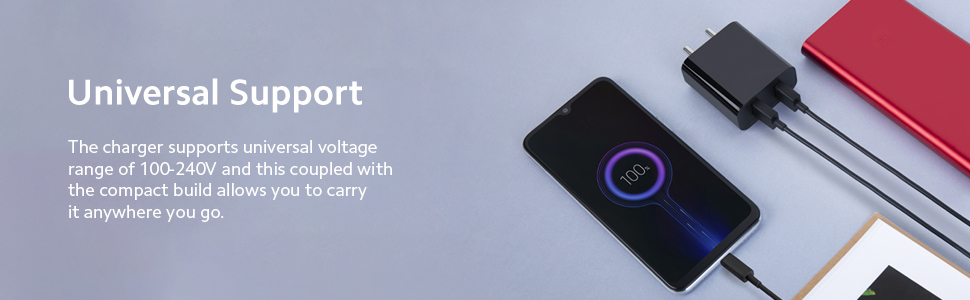
Image: The MI 18W Dual Port Charger plugged into a wall socket, with a USB cable connected to a smartphone displaying a charging icon.
2.2 MI USB Type-C Cable

Image: The MI USB Type-C Cable, showing both the USB-A and USB Type-C connectors.
The MI USB Type-C Cable is a 1-meter long, sturdy, and durable cable designed for both charging and data transfer. It supports up to 3A output for fast charging and data transfer speeds of up to 480 Mbps.

చిత్రం: క్లోజప్ view of the USB Type-C connector end of the cable, emphasizing its design.
3. సెటప్ సూచనలు
- ఉత్పత్తిని అన్ప్యాక్ చేయండి: Carefully remove the MI 18W Dual Port Charger and MI USB Type-C Cable from their packaging.
- నష్టం కోసం తనిఖీ చేయండి: Before use, visually inspect both the charger and the cable for any signs of physical damage. Do not use if damaged.
- ఛార్జర్ని కనెక్ట్ చేయండి: Plug the MI 18W Dual Port Charger into a standard wall power outlet (100-240V AC).
- కేబుల్ కనెక్ట్ చేయండి: Insert the USB-A end of the MI USB Type-C Cable into one of the USB ports on the charger.
- పరికరానికి కనెక్ట్ చేయండి: Insert the USB Type-C end of the cable into the charging port of your compatible device (e.g., smartphone, tablet).
4. ఆపరేటింగ్ సూచనలు
- ఛార్జింగ్ పరికరాలు: Once connected as per the setup instructions, your device should begin charging automatically. A charging indicator (usually on your device screen) will confirm this.
- ద్వంద్వ ఛార్జింగ్: You can charge two devices simultaneously by connecting a second USB cable (not included, unless specified) to the other USB port on the charger and then to your second device. The total output will be shared, up to 18W.
- డేటా బదిలీ: To transfer data, connect the MI USB Type-C Cable from your device to a computer's USB port. Ensure your device is set to data transfer mode if prompted.
- డిస్కనెక్ట్ చేస్తోంది: Always disconnect the cable from your device first, then from the charger, and finally unplug the charger from the wall outlet.
5. భద్రతా సమాచారం
- Do not expose the charger or cable to water, moisture, or extreme temperatures.
- ఉత్పత్తిని వదలడం లేదా బలమైన ప్రభావాలకు గురిచేయడం మానుకోండి.
- Do not attempt to disassemble, repair, or modify the product. This will void the warranty.
- పిల్లలకు దూరంగా ఉంచండి.
- Ensure the charger is plugged into a properly grounded and accessible power outlet.
- మెరుపులతో కూడిన గాలివానలు ఉన్నప్పుడు లేదా ఎక్కువసేపు ఉపయోగించనప్పుడు ఛార్జర్ను అన్ప్లగ్ చేయండి.
- The charger features 380V surge protection, but it is still advisable to use it in stable power environments.
6. నిర్వహణ
- శుభ్రపరచడం: ఛార్జర్ మరియు కేబుల్ శుభ్రం చేయడానికి మృదువైన, పొడి వస్త్రాన్ని ఉపయోగించండి. లిక్విడ్ క్లీనర్లు లేదా ఏరోసోల్లను ఉపయోగించవద్దు.
- నిల్వ: Store the product in a cool, dry place away from direct sunlight and corrosive materials.
- కేబుల్ కేర్: Avoid bending or twisting the cable excessively, especially near the connectors, to prevent internal damage.
7. ట్రబుల్షూటింగ్
- పరికరం ఛార్జ్ చేయడం లేదు:
- పని చేసే పవర్ అవుట్లెట్లో ఛార్జర్ సురక్షితంగా ప్లగ్ చేయబడిందని నిర్ధారించుకోండి.
- Verify the USB cable is firmly connected to both the charger and your device.
- వేరే పవర్ అవుట్లెట్ని ఉపయోగించి ప్రయత్నించండి.
- Test with a different compatible USB cable or device to isolate the issue.
- నెమ్మదిగా ఛార్జింగ్:
- Ensure your device supports fast charging and that the cable is capable of delivering the required current (up to 3A for the MI Type-C cable).
- If charging two devices simultaneously, the 18W output is shared, which may result in slower charging for each device.
- Close background applications on your device that consume significant power.
- Cable not transferring data:
- Ensure the cable is securely connected to both your device and the computer.
- Check your device settings to ensure it is in data transfer mode (e.g., MTP, File బదిలీ).
- మీ కంప్యూటర్లో వేరే USB పోర్ట్ని ప్రయత్నించండి.
8. స్పెసిఫికేషన్లు
| ఫీచర్ | స్పెసిఫికేషన్ |
|---|---|
| బ్రాండ్ | MI |
| మోడల్ | 18W Dual Port Charger & USB Type-C Cable |
| Charger Wattage | 18 వాట్స్ (గరిష్టంగా) |
| ఛార్జర్ పోర్టులు | డ్యూయల్ USB-A |
| ఛార్జర్ ఇన్పుట్ వాల్యూమ్tage | 100-240 వోల్ట్లు (AC) |
| Charger Special Features | Qualcomm QC 3.0 Compatible, 380V Surge Protection, BIS Certified |
| కేబుల్ రకం | USB Type-C to USB-A |
| కేబుల్ పొడవు | 1 మీటర్లు |
| Cable Max Current | 3 Amps |
| Cable Data Transfer Rate | 480 Mbps వరకు |
| అనుకూల పరికరాలు | Cellular Phones (e.g., Redmi models) |
| వినియోగ పర్యావరణం | ఇండోర్, అవుట్డోర్ |
| రంగు | నలుపు |
9. వారంటీ మరియు మద్దతు
The MI USB Type-C Cable comes with a 6 నెలల వారంటీ from the date of purchase. Please retain your proof of purchase for warranty claims. For support or warranty inquiries, please contact MI customer service through their official webసైట్ లేదా అధీకృత సేవా కేంద్రాలు.
The MI 18W Dual Port Charger's warranty information is typically provided with the product packaging. Please refer to the documentation included with your charger for specific warranty details.