
1. పరిచయం
The FOREO Bear 2 go is a compact, travel-friendly microcurrent facial toning device designed to smooth, firm, and lift the skin. This device utilizes advanced microcurrent technology and T-Sonic pulsations to target facial muscles, contributing to a more toned and contoured appearance.
It is clinically proven to improve lines and skin firmness within a week of consistent use. This manual provides essential information for the safe and effective operation, maintenance, and troubleshooting of your device.

Image: The FOREO Bear 2 go device, presented in its transparent retail packaging.
2. పెట్టెలో ఏముంది
Upon opening your FOREO Bear 2 go package, you should find the following items:
- FOREO Bear 2 go Device (Pistachio color)
- త్వరిత ప్రారంభ గైడ్
- సాధారణ మాన్యువల్
- USB ఛార్జింగ్ కేబుల్

Image: All components included in the FOREO Bear 2 go product box.
3. Setup and Unlocking Your Device
Before first use, you must download the FOREO For You mobile application to unlock and register your device. Follow these simple steps:
- మీ మొబైల్ ఫోన్లో FOREO For You యాప్ని డౌన్లోడ్ చేసుకోండి.
- మీ ఖాతాకు లాగిన్ చేయండి లేదా కొత్తదానికి సైన్ అప్ చేయండి.
- Add your device (locate the "Add device" option at the top of your screen within the app).
- Choose the correct device series.
- Press and hold the Power button on your device to connect it to the mobile app via Bluetooth.
- Fill in the required purchase information.
మీ పరికరం ఇప్పుడు ఉపయోగం కోసం సిద్ధంగా ఉంది.
For app download and support, visit: FOREO App మరియు FOREO Support.

Image: Detailed steps for initial device setup and unlocking via the mobile application.
4. ఆపరేటింగ్ సూచనలు
The FOREO Bear 2 go utilizes microcurrent technology and T-Sonic pulsations to provide a facial toning experience. For optimal results, always use the device with a conductive serum.
కీలక సాంకేతికతలు:
- Advanced Microcurrent: Designed to strengthen and tighten facial muscles.
- Lifting Microcurrent: Aims to lift facial muscles for a more contoured appearance.
- టి-సోనిక్ మసాజ్: Helps to smooth the appearance of fine lines and wrinkles.

Image: Visual representation of the three core technologies integrated into the device.
వినియోగ దశలు:
- శుభ్రపరచండి: Ensure your face and neck are clean and dry.
- సీరం అప్లై చేయండి: Apply a thin layer of a conductive serum (e.g., FOREO Supercharged Serum 2.0 or a similar water-based conductive gel) to the areas you intend to treat. This is crucial for the microcurrent to work effectively and comfortably.
- పరికరాన్ని సక్రియం చేయండి: Turn on your FOREO Bear 2 go device.
- చికిత్స: Gently glide the device across your skin in upward and outward motions, following the contours of your face and neck. Refer to the FOREO For You app for guided routines and specific treatment areas.
- వ్యవధి: Follow the recommended treatment duration as guided by the app, typically a few minutes per session.
- ఉపయోగం తర్వాత: Turn off the device and clean it.

Image: A user demonstrating the application of the FOREO Bear 2 go device on the face.
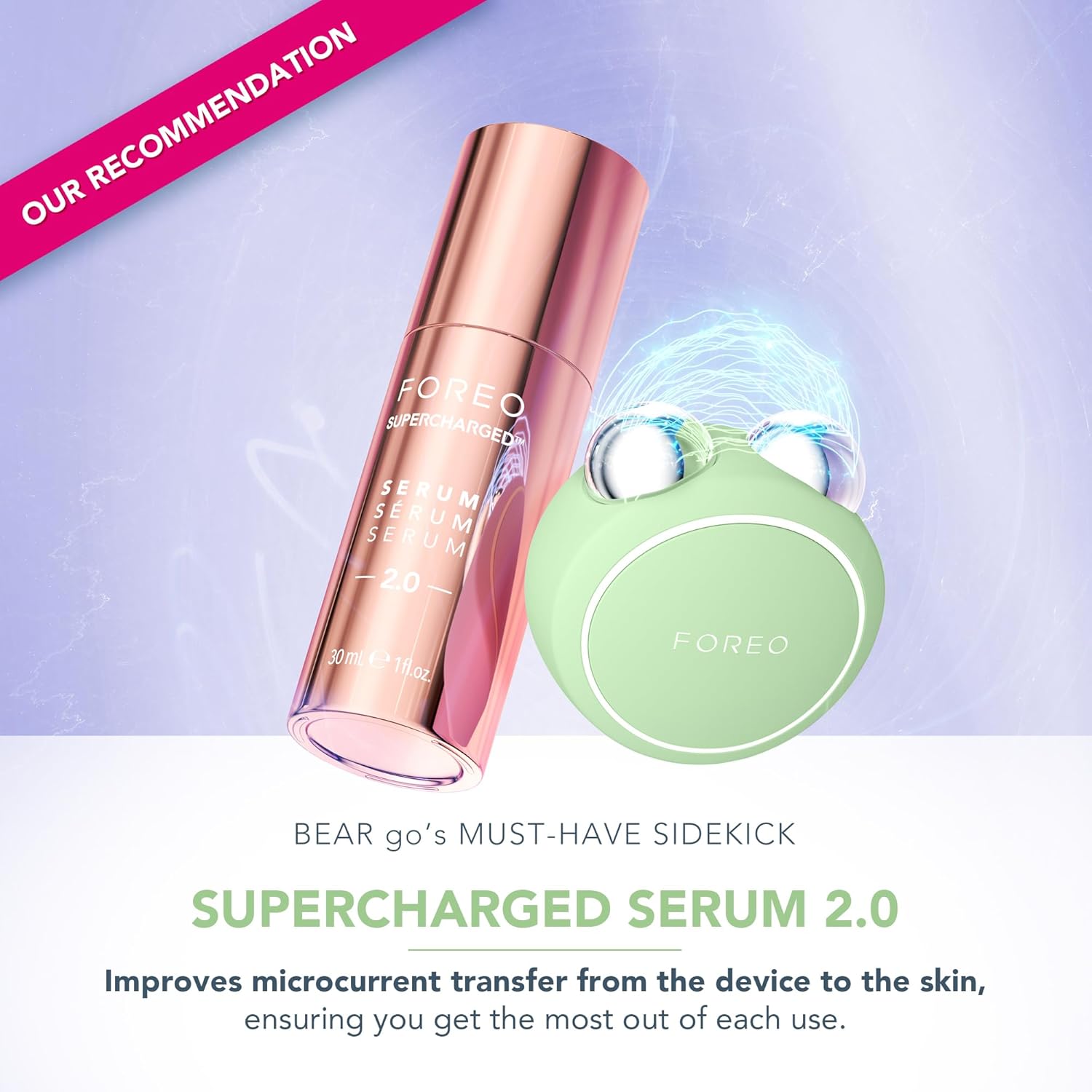
Image: The FOREO Bear 2 go device paired with the recommended Supercharged Serum 2.0 for optimal conductivity.

Image: Visual comparison of facial appearance before and after using the device, highlighting improvements in contour and reduction of puffiness.
5. నిర్వహణ
Proper maintenance ensures the longevity and hygiene of your FOREO Bear 2 go device.
- శుభ్రపరచడం: After each use, gently wipe the device, especially the microcurrent spheres, with a damp cloth and a mild, non-abrasive cleanser.
- ఎండబెట్టడం: Pat dry with a soft, lint-free cloth.
- నిల్వ: పరికరాన్ని ప్రత్యక్ష సూర్యకాంతి మరియు తీవ్రమైన ఉష్ణోగ్రతలు లేకుండా శుభ్రమైన, పొడి ప్రదేశంలో నిల్వ చేయండి.
- కఠినమైన రసాయనాలను నివారించండి: Do not use alcohol, petrol, or acetone-based cleaning products, as these may damage the silicone material.
6. ట్రబుల్షూటింగ్
If you experience issues with your FOREO Bear 2 go, refer to the following troubleshooting steps:
Device Not Activating (No response when pressing the center button):
- బ్యాటరీ ఖాళీ: The battery may be depleted. Recharge the device using the provided USB charging cable for up to 2 hours until fully charged. Then, attempt to restart the device by holding down the power button.
- పరికరం పనిచేయకపోవడం: If the device cannot be switched off and/or interface buttons do not respond, the microprocessor might be temporarily malfunctioning. Press and hold the power button to restart the device.
Device Not Syncing to FOREO App:
- బ్లూటూత్: Ensure your device is fully charged and that Bluetooth is enabled on your mobile phone.
- తిరిగి కనెక్ట్ చేయండి: Switch your phone's Bluetooth off and then on again to attempt reconnection.
- యాప్ని పునఃప్రారంభించండి: Close the FOREO app completely and then reopen it to restart the connection process.
- యాప్ను తిరిగి ఇన్స్టాల్ చేయండి: Delete and reinstall the application. This can resolve issues if the app is outdated or corrupted.
- ఫోన్ను పునఃప్రారంభించండి: After deleting and reinstalling the application, restart your mobile phone.
- కాష్ క్లియర్ చేయండి: మీ ఫోన్ కుక్కీలు మరియు కాష్ మెమరీని తొలగించండి.
- సాఫ్ట్వేర్ అప్డేట్: మీ మొబైల్ ఆపరేటింగ్ సిస్టమ్ తాజా వెర్షన్కి అప్డేట్ చేయబడిందని నిర్ధారించుకోండి.
7. స్పెసిఫికేషన్లు
| బ్రాండ్ | ముందుగా |
| మోడల్ పేరు | BEAR 2 గో |
| అంశం మోడల్ సంఖ్య | F1849 |
| రంగు | పిస్తాపప్పు |
| మెటీరియల్ | ప్లాస్టిక్ |
| ఉత్పత్తి కొలతలు | 1.46 x 3.78 x 3.43 అంగుళాలు |
| వస్తువు బరువు | 2.12 ఔన్సులు (0.06 కిలోగ్రాములు) |
| బ్యాటరీలు | 1 AA బ్యాటరీ అవసరం (చేర్చబడింది) |
| తయారీదారు | ముందుగా |
8. వారంటీ మరియు మద్దతు
For detailed warranty information, product registration, and further support, please refer to the General Manual included in your package or visit the official FOREO support webసైట్.
అధికారిక మద్దతు Webసైట్: www.foreo.com/support
భద్రతా సమాచారం: No specific warnings are required for this product beyond general electronic device safety. Always follow the instructions provided in this manual and the FOREO For You app.