
1. పరిచయం
This manual provides detailed instructions for the operation and maintenance of your VBESTLIFE 8GB USB Stick MP3 Player. Please read this manual thoroughly before using the device to ensure proper function and longevity. Keep this manual for future reference.
2. ఉత్పత్తి ముగిసిందిview
The VBESTLIFE 8GB USB Stick MP3 Player is a compact and portable device designed for high-fidelity lossless music playback. It features 8GB of internal storage, expandable up to 64GB with a memory card, and a built-in rechargeable battery for extended listening.
ముఖ్య లక్షణాలు:
- 8GB ఇంటర్నల్ మెమరీ: Stores approximately 1500 songs.
- విస్తరించదగిన నిల్వ: Supports memory cards up to 64GB.
- లాస్లెస్ సౌండ్ క్వాలిటీ: Equipped with a polymer speaker diaphragm for clear and stable audio.
- బహుళ ప్లేబ్యాక్ మోడ్లు: Includes single song play, random play, loop play, continuous play, and folder play.
- కాంపాక్ట్ మరియు పోర్టబుల్: Functions as a USB flash drive for easy data transfer and charging.
- సుదీర్ఘ బ్యాటరీ జీవితం: Integrated 180mAh lithium battery with support for various charging methods.
Device Layout and Controls:
Familiarize yourself with the buttons and ports on your MP3 player.

చిత్రం: వివరంగా view of the MP3 player's controls. This image highlights the 'ON/OFF' switch, 'Memory card insert' slot, 'Volume plus' button (long press for random play mode), 'Previous song' button (long press for fast rewind), 'Play or pause' button (long press to switch folder), 'Volume down' button (long press to switch single song loop mode), and 'Next song' button (long press for fast forward).

చిత్రం: The pink VBESTLIFE MP3 player with its protective cap removed, revealing the USB connector. Also shown are the included wired headphones and a white lanyard with a pink attachment, demonstrating the complete package contents.
3. సెటప్
3.1 పరికరాన్ని ఛార్జ్ చేస్తోంది
Before first use, fully charge the MP3 player. Connect the device directly to a USB port on your computer or a compatible USB wall adapter. The charging indicator (if present) will typically show charging status and turn off or change color when fully charged.
3.2 సంగీతాన్ని బదిలీ చేయడం Files
- Ensure the MP3 player is charged.
- Remove the protective cap to expose the USB connector.
- Plug the MP3 player directly into an available USB port on your computer. The device will be recognized as a removable disk (similar to a USB flash drive).
- Open the device folder on your computer.
- Drag and drop your desired music files (MP3, WMA, WAV, etc.) into the device's storage. You can create folders to organize your music.
- ఒకసారి files are transferred, safely eject the device from your computer before unplugging.

చిత్రం: A black VBESTLIFE MP3 player connected to a portable power bank, illustrating one method of charging the device.
3.3 మెమరీ కార్డ్ను చొప్పించడం (ఐచ్ఛికం)
To expand storage, insert a microSD card (up to 64GB) into the designated memory card slot on the side of the player. Ensure the card is inserted correctly until it clicks into place.
3.4 హెడ్ఫోన్లను కనెక్ట్ చేస్తోంది
Plug your 3.5mm headphones into the headphone jack located on the device. The device supports standard wired headphones.
4. ఆపరేటింగ్ సూచనలు
4.1 పవర్ ఆన్/ఆఫ్
- పవర్ ఆన్ చేయడానికి: Slide the 'ON/OFF' switch to the 'ON' position.
- పవర్ ఆఫ్ చేయడానికి: Slide the 'ON/OFF' switch to the 'OFF' position.
4.2 ప్రాథమిక ప్లేబ్యాక్
- ప్లే/పాజ్: Press the central 'Play/Pause' button to start or pause playback.
- తదుపరి పాట: Press the 'Next song' button (usually marked with '>>|' or similar). Long press to fast forward.
- మునుపటి పాట: Press the 'Previous song' button (usually marked with '|<<' or similar). Long press to fast rewind.
- ధ్వని పెంచు: '+' బటన్ నొక్కండి.
- వాల్యూమ్ డౌన్: '-' బటన్ నొక్కండి.
4.3 ప్లేబ్యాక్ మోడ్లు
The player supports various playback modes to customize your listening experience.
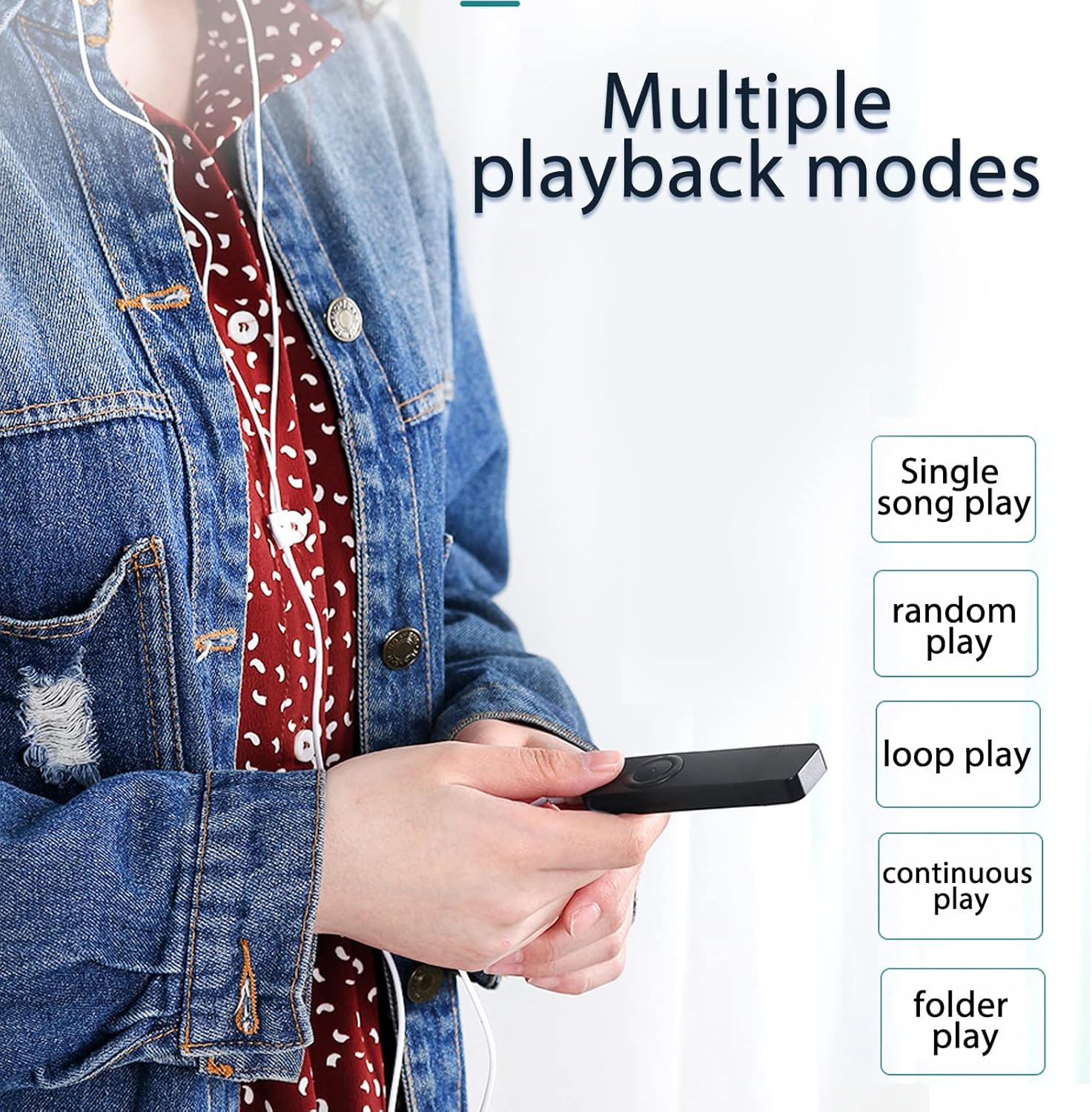
చిత్రం: A user holding the MP3 player, demonstrating the availability of multiple playback modes. The image lists options such as single song play, random play, loop play, continuous play, and folder play.
- Single Song Play: Plays the current song and stops. To activate, long press the 'Volume down' button until the mode changes.
- రాండమ్ ప్లే: Plays songs in a shuffled order. To activate, long press the 'Volume plus' button until the mode changes.
- Loop Play: Repeats the current song or playlist.
- నిరంతర ఆట: Plays all songs in sequence.
- Folder Play: Plays all songs within the current folder. To switch folders, long press the 'Play/Pause' button.
5. నిర్వహణ
- శుభ్రపరచడం: పరికరాన్ని శుభ్రం చేయడానికి మృదువైన, పొడి వస్త్రాన్ని ఉపయోగించండి. ద్రవ క్లీనర్లు లేదా ద్రావకాలను ఉపయోగించడం మానుకోండి.
- నిల్వ: Store the MP3 player in a cool, dry place away from direct sunlight and extreme temperatures.
- బ్యాటరీ సంరక్షణ: బ్యాటరీ జీవితకాలాన్ని పొడిగించడానికి, బ్యాటరీని తరచుగా పూర్తిగా డిశ్చార్జ్ చేయకుండా ఉండండి. ఎక్కువసేపు ఉపయోగంలో లేనప్పటికీ, పరికరాన్ని క్రమం తప్పకుండా ఛార్జ్ చేయండి.
- నీటి నిరోధకత: ఈ పరికరం నీటి నిరోధకం కాదు. నీటికి లేదా అధిక తేమకు గురికాకుండా ఉండండి.
6. ట్రబుల్షూటింగ్
- పరికరం ఆన్ చేయడం లేదు:
Ensure the battery is charged. Connect the player to a USB power source for at least 30 minutes. Check the 'ON/OFF' switch is in the 'ON' position. - శబ్దం లేదు:
Check if headphones are properly connected. Ensure the volume is not set to minimum or muted. Test with different headphones if possible. - బదిలీ చేయలేరు files:
Ensure the device is properly connected to the computer's USB port. Try a different USB port. Ensure the device is recognized by the computer. Check if the device's storage is full. - పరికరం స్తంభించిపోతుంది లేదా స్పందించడం మానేస్తుంది:
Slide the 'ON/OFF' switch to 'OFF' and then back to 'ON' to restart the device. - మెమరీ కార్డ్ కనుగొనబడలేదు:
Ensure the memory card is inserted correctly. Try reinserting the card. Test with a different compatible memory card.
7. స్పెసిఫికేషన్లు
| ఫీచర్ | స్పెసిఫికేషన్ |
|---|---|
| బ్రాండ్ | VBESTLIFE |
| మోడల్ సంఖ్య | VBESTLIFEvxph7kncfz-12 |
| అంతర్గత మెమరీ | 8 GB |
| విస్తరించదగిన మెమరీ | Up to 64 GB (MicroSD card) |
| బ్యాటరీ | 180 mAh లిథియం బ్యాటరీ |
| ఆడియో ఫార్మాట్లు | MP3, WMA, WAV (Lossless) |
| కనెక్టివిటీ | USB 2.0, 3.5mm Headphone Jack |
| మూలం దేశం | చైనా |
8. వారంటీ మరియు మద్దతు
8.1 వారంటీ సమాచారం
This VBESTLIFE MP3 Player comes with a తయారీదారు లోపాలపై 1 సంవత్సరం వారంటీ కొనుగోలు చేసిన తేదీ నుండి. ఈ వారంటీ సాధారణ ఉపయోగంలో మెటీరియల్స్ మరియు పనితనంలో లోపాలను కవర్ చేస్తుంది. దుర్వినియోగం, ప్రమాదాలు, అనధికార మార్పులు లేదా సాధారణ అరిగిపోవడం వల్ల కలిగే నష్టాన్ని ఇది కవర్ చేయదు.
8.2 కస్టమర్ మద్దతు
If you encounter any issues not covered in the troubleshooting section or require further assistance, please contact your retailer or the VBESTLIFE customer support channel where you purchased the product. Please have your model number (VBESTLIFEvxph7kncfz-12) and proof of purchase ready.