
1. పరిచయం
ధన్యవాదాలు, ధన్యవాదాలు.asing the Herneum 0202B-BK1 Bluetooth CD Player Boombox. This device offers versatile audio playback options including CD, Bluetooth, FM radio, USB, and Aux-in. It features a built-in rechargeable battery for portability and comes with a remote control for convenient operation. Please read this manual carefully before using the product to ensure proper operation and to maximize its lifespan.
2. భద్రతా సమాచారం
- యూనిట్ను వర్షం, తేమ లేదా ప్రత్యక్ష సూర్యకాంతికి గురిచేయవద్దు.
- రేడియేటర్లు, హీట్ రిజిస్టర్లు, స్టవ్లు లేదా ఇతర ఉపకరణాలు (సహా) వంటి ఉష్ణ వనరుల దగ్గర యూనిట్ను ఉంచకుండా ఉండండి. ampలిఫైయర్లు) వేడిని ఉత్పత్తి చేస్తాయి.
- తయారీదారు పేర్కొన్న జోడింపులు/యాక్సెసరీలను మాత్రమే ఉపయోగించండి.
- మెరుపు తుఫానుల సమయంలో లేదా ఎక్కువ కాలం ఉపయోగించనప్పుడు ఈ ఉపకరణాన్ని అన్ప్లగ్ చేయండి.
- వెంటిలేషన్ ఓపెనింగ్లను బ్లాక్ చేయవద్దు. తయారీదారు సూచనలకు అనుగుణంగా ఇన్స్టాల్ చేయండి.
- ప్రత్యేకించి ప్లగ్లు, కన్వీనియన్స్ రెసెప్టాకిల్స్ మరియు అవి ఉపకరణం నుండి నిష్క్రమించే ప్రదేశంలో నడవడం లేదా పించ్ చేయడం నుండి పవర్ కార్డ్ను రక్షించండి.
- అన్ని సేవలను అర్హత కలిగిన సేవా సిబ్బందికి సూచించండి. విద్యుత్ సరఫరా త్రాడు లేదా ప్లగ్ పాడైపోయినప్పుడు, ద్రవం చిందినప్పుడు లేదా ఉపకరణంలో వస్తువులు పడిపోయినప్పుడు, ఉపకరణం వర్షం లేదా తేమకు గురైనప్పుడు, సాధారణంగా పని చేయనప్పుడు, ఉపకరణం ఏదైనా విధంగా దెబ్బతిన్నప్పుడు సర్వీసింగ్ అవసరం. , లేదా తొలగించబడింది.
- ముఖ్యమైన: Before playing a CD, ensure you remove any protective cardboard or film covering the CD reader laser lens. Failure to do so may prevent the CD player from functioning correctly.
3. ప్యాకేజీ విషయాలు
దయచేసి ఈ క్రింది అంశాల కోసం ప్యాకేజీని తనిఖీ చేయండి:
- Herneum CD Player Boombox
- రిమోట్ కంట్రోల్
- పవర్ అడాప్టర్
- 3.5mm ఆడియో కేబుల్
- సూచనల మాన్యువల్ (ఈ పత్రం)

Image: Herneum Boombox and its accessories, including the remote, power adapter, and cables.
4. ఉత్పత్తి ముగిసిందిview (నియంత్రణలు మరియు పోర్టులు)
Familiarize yourself with the various controls and connection ports on your boombox.

చిత్రం: పైన view of the boombox, highlighting the CD lid and main control buttons.
ముందు/పై ప్యానెల్ నియంత్రణలు:
- పవర్ బటన్: యూనిట్ని ఆన్ లేదా ఆఫ్ చేస్తుంది.
- మోడ్ బటన్: CD, బ్లూటూత్, FM, USB మరియు AUX మోడ్ల మధ్య మారుతుంది.
- PLAY/PAUSE Button (►/❚❚): ప్లేబ్యాక్ను ప్రారంభిస్తుంది లేదా పాజ్ చేస్తుంది.
- STOP Button (■): ప్లేబ్యాక్ను ఆపివేస్తుంది.
- PREVIOUS/REWIND Button (◀◀): Skips to the previous track or rewinds during playback.
- NEXT/FAST FORWARD Button (►►): Skips to the next track or fast forwards during playback.
- ఓపెన్/క్లోజ్ బటన్: Opens the CD compartment lid.
- డిస్ప్లే స్క్రీన్: ప్రస్తుత మోడ్, ట్రాక్ నంబర్, FM ఫ్రీక్వెన్సీ మొదలైనవాటిని చూపుతుంది.
Side/Rear Panel Ports:
- ఆక్స్ ఇన్ జాక్: Connects external audio devices using a 3.5mm audio cable.
- USB పోర్ట్: Connects USB flash drives for MP3 playback.
- హెడ్ఫోన్స్ జాక్ (3.5mm): Connects headphones for private listening.
- పోర్ట్ లో DC: Connects the power adapter for charging and AC power.
- FM యాంటెన్నా: FM రేడియో రిసెప్షన్ కోసం విస్తరించదగిన యాంటెన్నా.
చిత్రం: వైపు view of the boombox, detailing the Aux-in, USB-in, and headphones jack.
5. సెటప్ మరియు ఛార్జింగ్
ప్రారంభ ఛార్జింగ్:
The boombox features a built-in 2000mAh rechargeable battery. Before first use, it is recommended to fully charge the device.
- Connect the provided power adapter to the DC IN port on the boombox.
- పవర్ అడాప్టర్ను ప్రామాణిక AC పవర్ అవుట్లెట్లోకి ప్లగ్ చేయండి.
- The charging indicator light (if available) will illuminate. The unit is fully charged when the indicator changes color or turns off (refer to specific product behavior).
- పూర్తిగా ఛార్జ్ చేస్తే దాదాపు 5 గంటల ప్లేబ్యాక్ సమయం లభిస్తుంది.
Image: Illustration showing the internal rechargeable battery of the boombox.
పవర్ ఆన్/ఆఫ్:
- నొక్కండి శక్తి button on the unit to turn it on.
- నొక్కండి శక్తి దాన్ని ఆఫ్ చేయడానికి మళ్లీ బటన్ చేయండి.
6. ఆపరేటింగ్ సూచనలు
మోడ్ ఎంపిక:
నొక్కండి మోడ్ button repeatedly to cycle through the available modes: CD, Bluetooth, FM, USB, and AUX.
CD ప్లేబ్యాక్:
- నొక్కండి తెరవండి/మూసివేయండి button to open the CD compartment lid.
- ముఖ్యమైన: Ensure any protective cardboard or film covering the CD laser lens is removed before inserting a CD.
- Place a CD (standard CD, CD-R/RW, MP3 CD, or audiobook CD) onto the spindle with the label side facing up.
- Gently close the CD compartment lid.
- నొక్కండి మోడ్ button to select CD mode. The display will show "CD" and begin reading the disc.
- ప్లేబ్యాక్ స్వయంచాలకంగా ప్రారంభమవుతుంది. ఉపయోగించండి ప్లే/పాజ్ చేయండి, ఆపు, మునుపటి/తిరిగి తిప్పు, మరియు తదుపరి/ఫాస్ట్ ఫార్వర్డ్ ప్లేబ్యాక్ని నియంత్రించడానికి బటన్లు.
- The boombox supports random play, repeat play (single track/all tracks), and resume play functions. Refer to the remote control section for specific button functions.
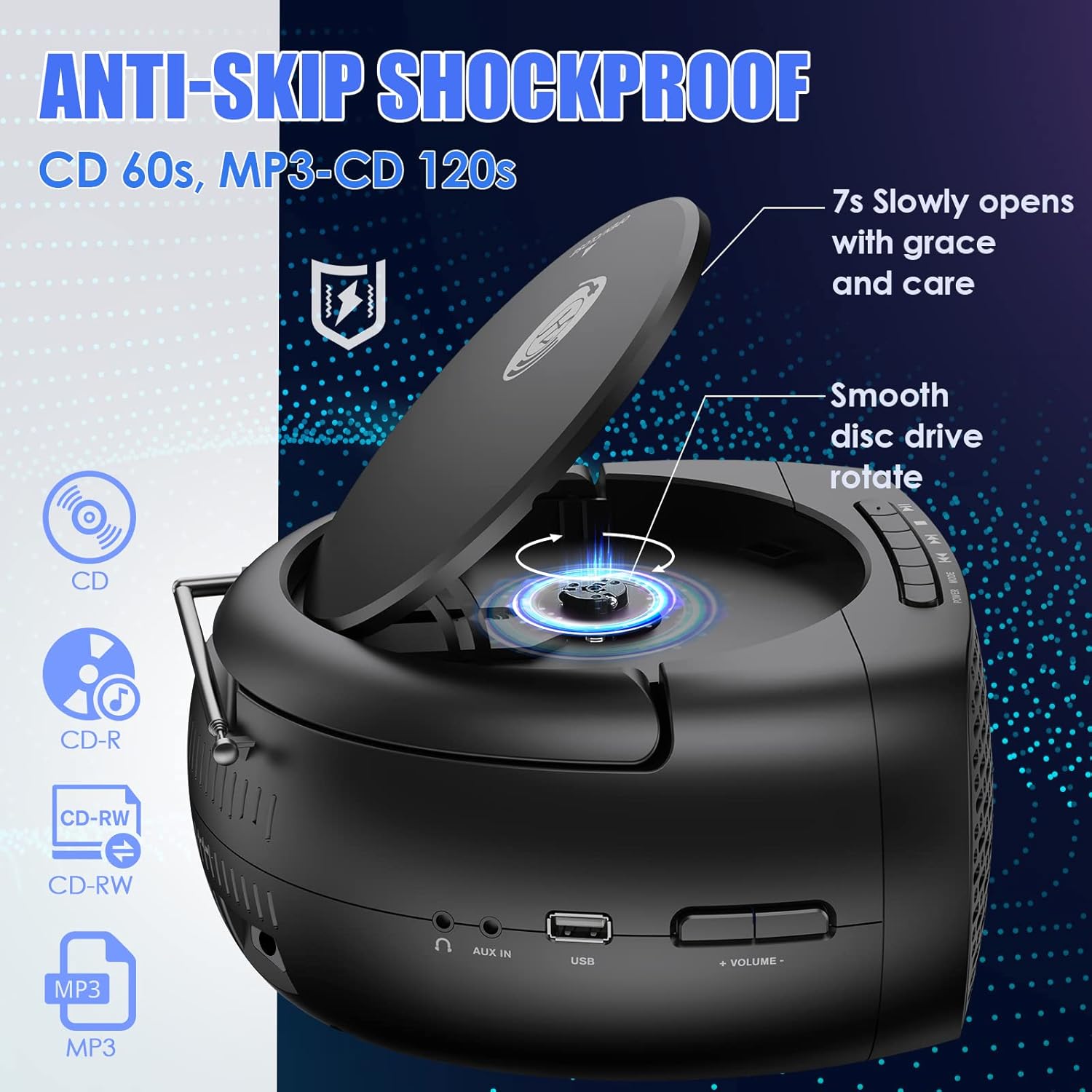
Image: The boombox with its CD lid open, illustrating the smooth disc rotation and compatibility with various CD formats.
బ్లూటూత్ మోడ్:
- నొక్కండి మోడ్ button to select Bluetooth mode. The display will show "BT" or a Bluetooth icon, and the unit will enter pairing mode.
- మీ బ్లూటూత్-ప్రారంభించబడిన పరికరంలో (స్మార్ట్ఫోన్, టాబ్లెట్, మొదలైనవి), బ్లూటూత్ను ప్రారంభించి, అందుబాటులో ఉన్న పరికరాల కోసం శోధించండి.
- Select "Herneum Boombox" (or similar name) from the list of devices.
- Once paired, the boombox will emit a confirmation sound, and the display will indicate a successful connection.
- You can now stream audio from your device to the boombox. Use your device or the boombox controls for playback.

Image: The boombox connected via Bluetooth 5.1 to a smartphone, illustrating wireless audio streaming.
FM రేడియో మోడ్:
- సరైన రిసెప్షన్ కోసం FM యాంటెన్నాను పూర్తిగా విస్తరించండి.
- నొక్కండి మోడ్ button to select FM radio mode. The display will show the FM frequency.
- స్టేషన్లను ఆటో-స్కాన్ చేసి సేవ్ చేయడానికి: నొక్కి పట్టుకోండి ప్లే/పాజ్ చేయండి button. The unit will scan for available stations and save them automatically.
- మాన్యువల్గా ట్యూన్ చేయడానికి: ఉపయోగించండి మునుపటి/తిరిగి తిప్పు మరియు తదుపరి/ఫాస్ట్ ఫార్వర్డ్ ఫ్రీక్వెన్సీని చక్కగా ట్యూన్ చేయడానికి బటన్లు.
- To navigate saved stations: Briefly press the మునుపటి/తిరిగి తిప్పు or తదుపరి/ఫాస్ట్ ఫార్వర్డ్ బటన్లు.
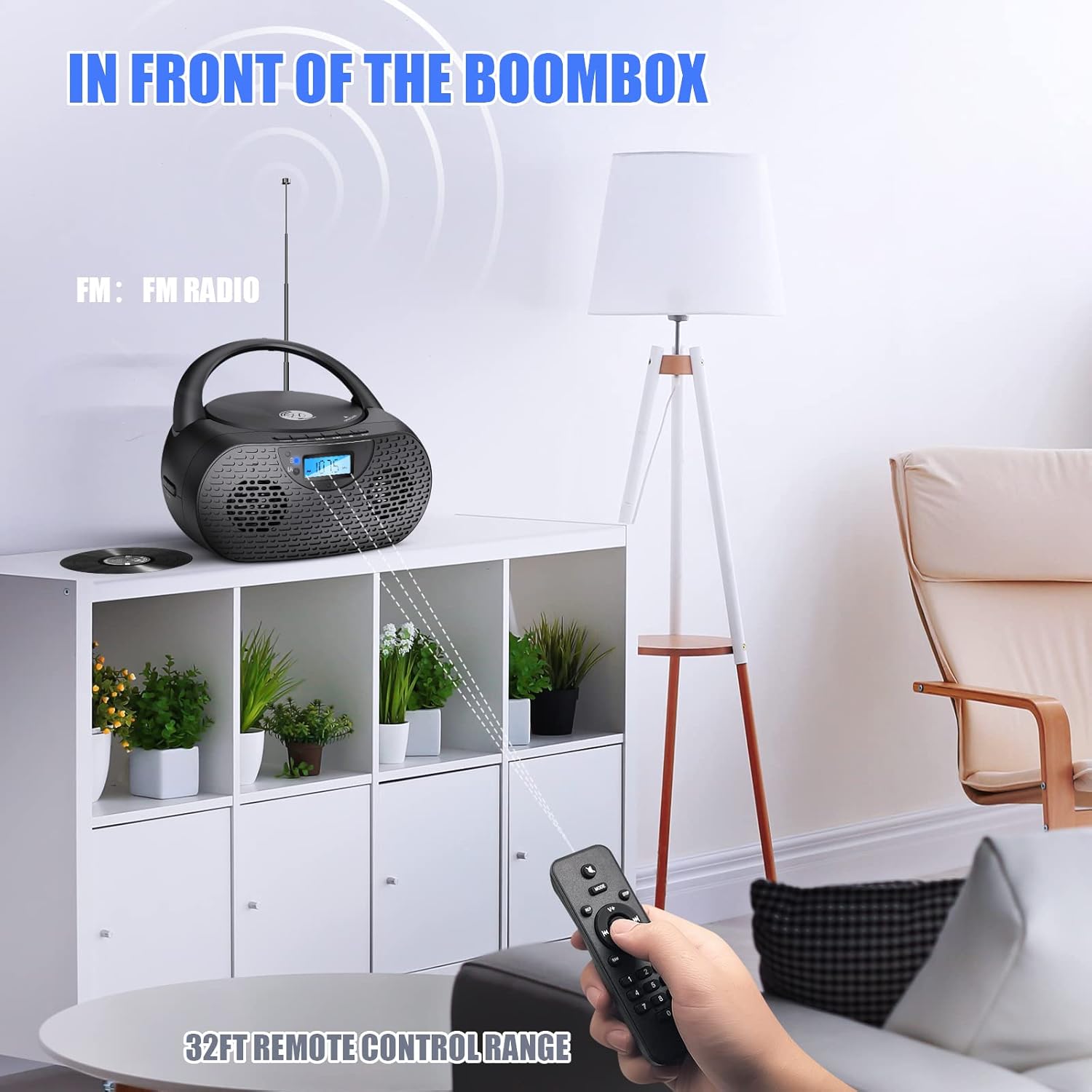
Image: The boombox receiving FM radio signals, with the remote control being used.
USB ప్లేబ్యాక్ మోడ్:
- MP3 ఆడియో ఉన్న USB ఫ్లాష్ డ్రైవ్ను చొప్పించండి fileUSB పోర్ట్లోకి s.
- నొక్కండి మోడ్ button to select USB mode. The unit will automatically detect and begin playing MP3 fileUSB డ్రైవ్ నుండి.
- Use the playback control buttons (PLAY/PAUSE, NEXT, PREVIOUS) to manage your music.
AUX ఇన్పుట్ మోడ్:
- Connect one end of the 3.5mm audio cable to the AUX IN jack on the boombox.
- Connect the other end of the 3.5mm audio cable to the headphone jack or audio output of your external audio device (e.g., MP3 player, smartphone).
- నొక్కండి మోడ్ AUX మోడ్ని ఎంచుకోవడానికి బటన్.
- Start playback on your external device. Audio will be routed through the boombox speakers.
- Volume can be controlled via the boombox or your external device.
హెడ్ఫోన్ వాడకం:
- Plug your 3.5mm headphones into the Headphones Jack on the boombox.
- Audio will automatically switch from the speakers to the headphones.
- సౌకర్యవంతమైన శ్రవణ స్థాయికి వాల్యూమ్ను సర్దుబాటు చేయండి.
రిమోట్ కంట్రోల్ ఆపరేషన్:
The included remote control allows for convenient operation from a distance. Ensure the remote has working AAA batteries (included) and is pointed towards the front of the boombox.
- శక్తి: Turns the unit on/off (Note: Some units may require manual power on/off from the device itself).
- మోడ్: ఇన్పుట్ మూలాల మధ్య మారుతుంది.
- వాల్యూమ్ +/-: వాల్యూమ్ స్థాయిని సర్దుబాటు చేస్తుంది.
- Play/Pause, Stop, Next, Previous: మీడియా ప్లేబ్యాక్ను నియంత్రిస్తుంది.
- పునరావృతం/యాదృచ్ఛికం: Cycles through repeat modes (repeat one, repeat all) or enables random playback for CDs/USB.
- సంఖ్య బటన్లు: For direct track selection on CD/USB or direct station input on FM (if supported).
7. నిర్వహణ
- శుభ్రపరచడం: Use a soft, dry cloth to clean the exterior of the boombox. Do not use abrasive cleaners or solvents.
- CD లెన్స్ కేర్: If CD playback issues occur, use a specialized CD lens cleaner disc to clean the laser lens. Do not touch the lens directly.
- నిల్వ: When not in use for extended periods, store the boombox in a cool, dry place. Remove batteries from the remote control if storing for a long time.
- బ్యాటరీ సంరక్షణ: బ్యాటరీ జీవితకాలాన్ని పొడిగించడానికి, బ్యాటరీని తరచుగా పూర్తిగా డిశ్చార్జ్ చేయకుండా ఉండండి. ఉపయోగంలో లేనప్పటికీ, యూనిట్ను క్రమం తప్పకుండా ఛార్జ్ చేయండి.
8. ట్రబుల్షూటింగ్
| సమస్య | సాధ్యమైన కారణం | పరిష్కారం |
|---|---|---|
| యూనిట్ పవర్ ఆన్ చేయదు. | బ్యాటరీ ఖాళీ అయింది; పవర్ అడాప్టర్ కనెక్ట్ కాలేదు లేదా తప్పుగా ఉంది. | Charge the battery; Ensure power adapter is securely connected and working. |
| CD ప్లే అవ్వదు లేదా దాటవేయదు. | CD is dirty, scratched, or inserted incorrectly; Protective cardboard not removed; CD lens is dirty. | Clean or replace CD; Insert CD correctly; Remove protective cardboard; Use a CD lens cleaner. |
| బ్లూటూత్ కనెక్ట్ కావడం లేదు. | Boombox not in Bluetooth mode; Device too far; Device already connected to another unit. | Switch to Bluetooth mode; Move device closer; Disconnect from other devices and try again. |
| FM రేడియో స్పందన సరిగా లేదు. | యాంటెన్నా విస్తరించబడలేదు; బలహీనమైన సిగ్నల్ ప్రాంతం. | Fully extend and adjust the FM antenna; Try moving the unit to a different location. |
| స్పీకర్ల నుండి శబ్దం లేదు. | వాల్యూమ్ చాలా తక్కువగా ఉంది; హెడ్ఫోన్లు కనెక్ట్ చేయబడ్డాయి; తప్పు మోడ్ ఎంచుకోబడింది. | Increase volume; Disconnect headphones; Ensure correct mode is selected. |
| రిమోట్ కంట్రోల్ పనిచేయడం లేదు. | Batteries depleted or inserted incorrectly; Obstruction between remote and unit. | Replace batteries; Ensure correct polarity; Remove obstructions; Point remote directly at the unit. |
9. స్పెసిఫికేషన్లు
| ఫీచర్ | వివరాలు |
|---|---|
| మోడల్ సంఖ్య | 0202B-BK1 |
| ఉత్పత్తి కొలతలు (L x W x H) | 10 x 9 x 5.1 అంగుళాలు |
| వస్తువు బరువు | 2.79 పౌండ్లు |
| కనెక్టివిటీ టెక్నాలజీ | Bluetooth 5.1, Auxiliary, USB |
| స్పీకర్ రకం | Stereo (5W output) |
| CD అనుకూలత | CD, CD-R/RW, MP3 CD, Audiobook CD |
| బ్యాటరీ | 1 లిథియం అయాన్ బ్యాటరీ (2000mAh, చేర్చబడింది) |
| Play Time (on battery) | సుమారు 5 గంటలు |
| FM రేడియో | Yes, with extendable antenna |
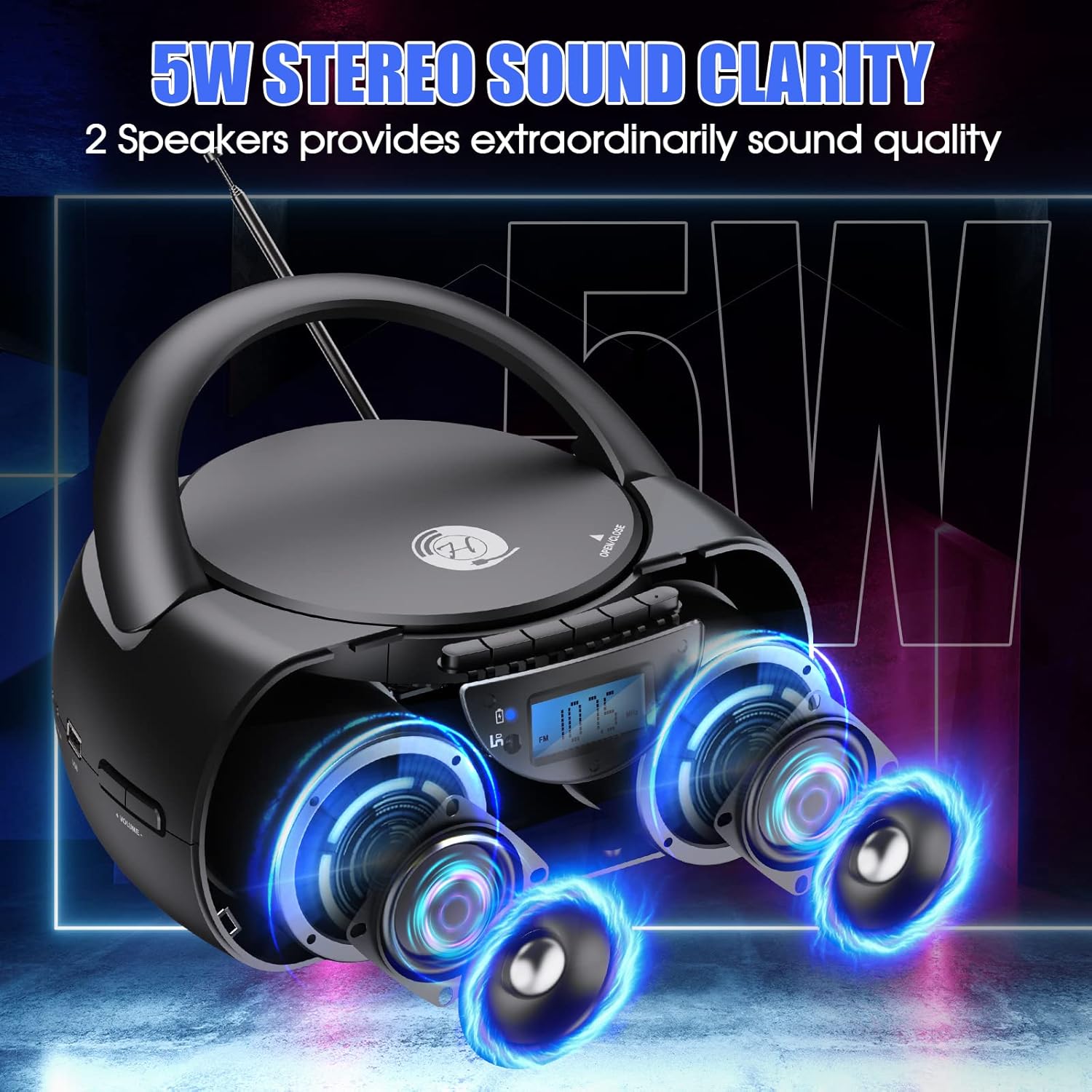
Image: The boombox showcasing its 5W stereo sound system.
10. ఉత్పత్తి వీడియో ముగిసిందిview
వీడియో: జనరల్ ఓవర్view of the Herneum Bluetooth CD Player Boombox, demonstrating its features and design.
11. వారంటీ మరియు మద్దతు
Herneum products are designed for reliability and performance. For warranty information, technical support, or any questions regarding your Herneum 0202B-BK1 Bluetooth CD Player Boombox, please refer to the contact information provided with your purchase documentation or visit the official Herneum webసైట్.
వారంటీ క్లెయిమ్ల కోసం దయచేసి మీ కొనుగోలు రుజువును ఉంచుకోండి.