
1. పరిచయం
Welcome to the user manual for your new Lovskoo 1080P 44MP Pink Digital Camera. This manual provides essential information on setting up, operating, and maintaining your camera to ensure optimal performance and longevity. Please read through these instructions carefully before using your device.
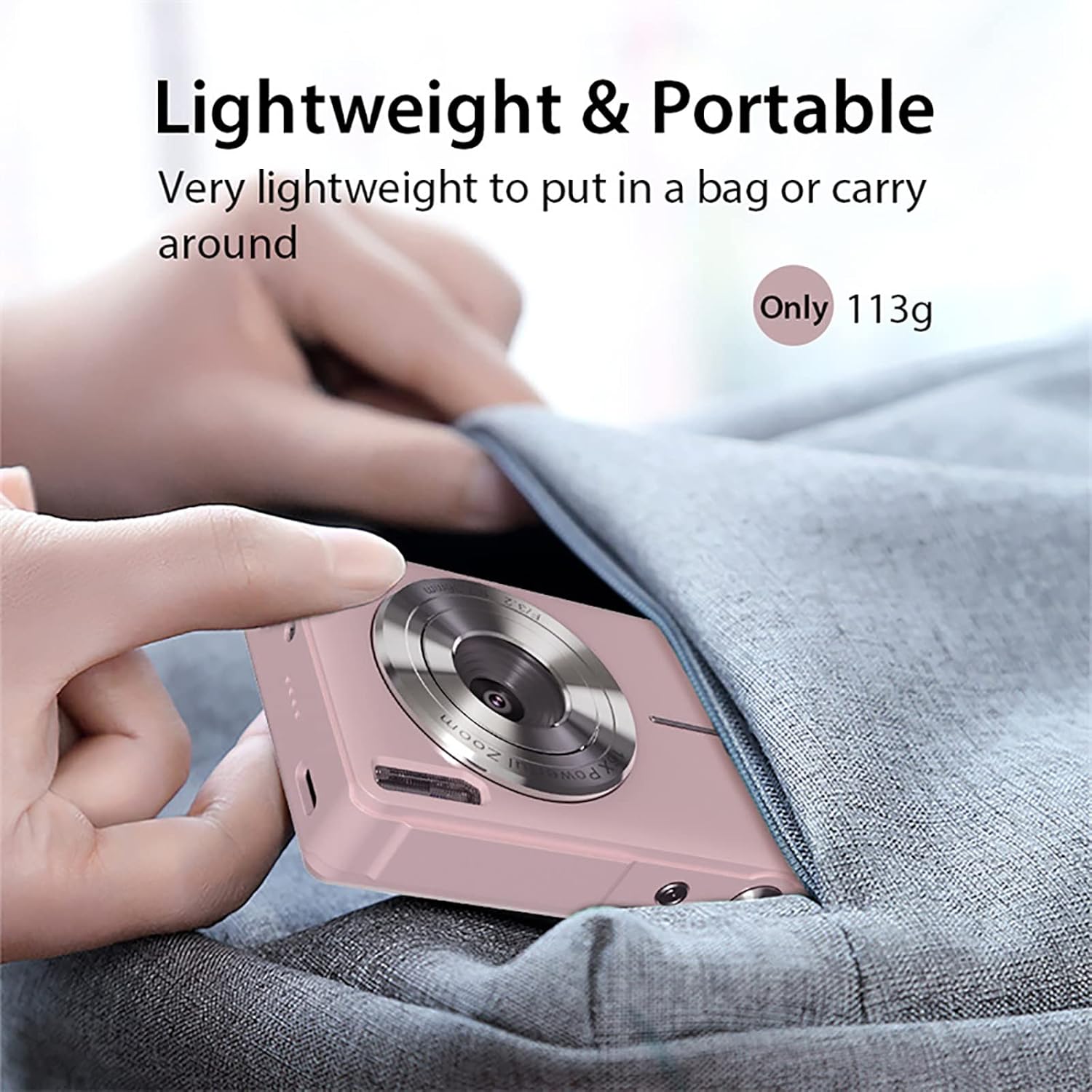
This compact digital camera is designed for ease of use, featuring a 44-megapixel sensor for high-resolution photos, 1080P video recording, 16x digital zoom, and anti-shake technology to capture clear memories. Its lightweight and portable design makes it ideal for everyday photography and vlogging.
2. ప్యాకేజీ విషయాలు
క్రింద జాబితా చేయబడిన అన్ని వస్తువులు మీ ప్యాకేజీలో చేర్చబడ్డాయని దయచేసి ధృవీకరించండి:
- 1x Lovskoo 1080P 44MP Pink Digital Camera (with built-in battery)
- 1x USB-C ఛార్జింగ్ కేబుల్
- 1x లాన్యార్డ్
- 1x క్లాత్ బ్యాగ్
- 1x క్లీనింగ్ క్లాత్
- 1x వినియోగదారు మాన్యువల్

3. కెమెరా ఓవర్view
3.1 భౌతిక లక్షణాలు
కెమెరా యొక్క భౌతిక భాగాలతో మిమ్మల్ని మీరు పరిచయం చేసుకోండి:


3.2 Unboxing and Initial Setup Overview
Watch this video for a quick guide on unboxing your camera and performing the initial setup steps, including battery and memory card insertion.
4. సెటప్
4.1 బ్యాటరీని చొప్పించడం
- కెమెరా దిగువన బ్యాటరీ కంపార్ట్మెంట్ కవర్ను గుర్తించండి.
- కంపార్ట్మెంట్ తెరవడానికి కవర్ లాచ్ను స్లైడ్ చేయండి.
- Insert the rechargeable Li-Battery, ensuring the correct orientation as indicated inside the compartment.
- బ్యాటరీ కంపార్ట్మెంట్ కవర్ సురక్షితంగా స్థానంలో క్లిక్ అయ్యే వరకు దాన్ని మూసివేయండి.
4.2 మెమరీ కార్డ్ చొప్పించడం
The camera supports Micro SD cards up to 32GB (not included). A memory card is required to save photos and videos.
- With the battery compartment open, locate the Micro SD card slot.
- Insert the Micro SD card into the slot with the metal contacts facing down, pushing gently until it clicks into place.
- తీసివేయడానికి, కార్డు బయటకు వచ్చే వరకు సున్నితంగా లోపలికి నెట్టండి.

4.3 బ్యాటరీని ఛార్జ్ చేయడం
Connect the camera to a power source using the provided USB-C cable. The charging indicator light will illuminate during charging and turn off when fully charged.
5. ఆపరేటింగ్ సూచనలు
5.1 పవర్ చేయడం ఆన్/ఆఫ్
Press and hold the Power button (usually located on the top of the camera) for a few seconds to turn the camera on or off.
5.2 ఫోటోలు తీయడం
- Ensure the camera is in Photo Mode (indicated by an icon on the screen).
- 2.5-అంగుళాల LCD స్క్రీన్ ఉపయోగించి మీ షాట్ను ఫ్రేమ్ చేయండి.
- Press the Shutter button (usually a larger button on top) halfway down to focus, then press fully to capture the image.
5.3 వీడియోలను రికార్డ్ చేయడం
- Switch to Video Mode (usually via a dedicated button or menu option).
- Press the Shutter button to start recording. A red 'REC' indicator will appear on the screen.
- రికార్డింగ్ ఆపడానికి షట్టర్ బటన్ను మళ్లీ నొక్కండి.
5.4 Digital Zoom (16x)
Use the 'W' (Wide) and 'T' (Telephoto) buttons, typically located near the shutter, to adjust the 16x digital zoom. 'T' zooms in, and 'W' zooms out.

5.5 యాంటీ-షేక్ ఫంక్షన్
The camera features an electronic anti-shake function to help reduce blur caused by camera movement, resulting in clearer images and videos. This feature is typically enabled by default or can be toggled in the settings menu.
5.6 Face Detection and Smile Capture
The camera can detect faces and automatically optimize focus and exposure. Some models also include a smile capture feature, which can automatically take a photo when a smile is detected.
5.7 Using Filters and Effects
Explore various built-in filters and effects to enhance your photos. These options are usually accessible through the 'Menu' button and navigating to the 'Effect' or 'Filter' settings.
5.8 ప్లేబ్యాక్ మోడ్
కు view your captured photos and videos, press the Playback button (often indicated by a triangle icon). Use the directional buttons to navigate through your media.
6. కంప్యూటర్కు కనెక్ట్ చేస్తోంది
6.1 బదిలీ Files
- Connect the camera to your computer using the provided USB-C cable.
- Turn on the camera. It should appear as a removable disk drive on your computer.
- Open the camera's folder to access and transfer your photos and videos.
6.2 Webకామ్ కార్యాచరణ
Your camera can also function as a PC camera (webcam) for video calls or live streaming:
- Connect the camera to your computer via USB-C.
- ప్రాంప్ట్ చేయబడినప్పుడు కెమెరా స్క్రీన్పై 'PC కెమెరా' మోడ్ను ఎంచుకోండి.
- మీ కంప్యూటర్ కెమెరాను గుర్తించాలి a webcam, which can then be selected in your video conferencing or streaming software.
7. నిర్వహణ
- శుభ్రపరచడం: Use the provided cleaning cloth to gently wipe the lens and screen. For stubborn smudges, use a lens cleaning solution designed for optical surfaces. Avoid harsh chemicals.
- నిల్వ: Store the camera in a cool, dry place away from direct sunlight and extreme temperatures. When not in use for extended periods, remove the battery.
- బ్యాటరీ సంరక్షణ: Fully charge the battery before first use. Avoid completely draining the battery regularly to prolong its lifespan.
8. ట్రబుల్షూటింగ్
- కెమెరా ఆన్ చేయడం లేదు: Ensure the battery is correctly inserted and fully charged. Try charging the camera for at least 30 minutes.
- అస్పష్టమైన చిత్రాలు: Check that the lens is clean. Ensure the anti-shake function is enabled in the settings. Hold the camera steady when taking photos.
- మెమరీ కార్డ్ లోపం: Ensure the memory card is correctly inserted and not full. Try formatting the card (this will erase all data, so back up first). The camera supports Micro SD cards up to 32GB.
- కంప్యూటర్కు కనెక్ట్ చేయడం సాధ్యం కాలేదు: Ensure the USB-C cable is securely connected to both the camera and the computer. Try a different USB port or cable. Select 'USB Mode' or 'PC Camera' on the camera when prompted.
9. సాంకేతిక లక్షణాలు
| ఫీచర్ | స్పెసిఫికేషన్ |
|---|---|
| సెన్సార్ రకం | CMOS |
| ఫోటో రిజల్యూషన్ | 44 మెగాపిక్సెల్ల వరకు |
| వీడియో రిజల్యూషన్ | 1080P/720P/480P (AVI format) |
| డిజిటల్ జూమ్ | 16x |
| డిస్ప్లే స్క్రీన్ | 2.5 inch LCD (4:3 aspect ratio) |
| లెన్స్ | F/3.2 f=7.36mm |
| చిత్రం స్థిరీకరణ | డిజిటల్ యాంటీ షేక్ |
| మెమరీ కార్డ్ మద్దతు | మైక్రో SD, గరిష్టంగా 32GB |
| USB పోర్ట్ | టైప్-సి |
| విద్యుత్ సరఫరా | Rechargeable Li-Battery |
| కొలతలు | 9.5 x 6.0 x 2.0 సెం.మీ (3.7 x 2.3 x 0.93 in) |
| బరువు | 113గ్రా (0.25 పౌండ్లు) |
| ప్రత్యేక లక్షణాలు | Face Detection, Smile Detection, Continuous Shooting, Self-Timer, Webకామ్ ఫంక్షన్ |
10. వారంటీ మరియు మద్దతు
For warranty information or technical support, please refer to the contact details provided with your purchase or visit the official Lovskoo webసైట్. ఏవైనా వారంటీ క్లెయిమ్ల కోసం మీ కొనుగోలు రుజువును ఉంచుకోండి.