
పరిచయం
This manual provides comprehensive instructions for the installation, operation, maintenance, and troubleshooting of your Yeelight YLKG07YL Smart Dimmer. Please read this manual thoroughly before use to ensure proper functionality and safety.
ఉత్పత్తి ముగిసిందిview
The Yeelight YLKG07YL is a mountable smart dimmer designed to control compatible lighting fixtures. It features Wi-Fi connectivity and touch/push-button control for convenient operation.
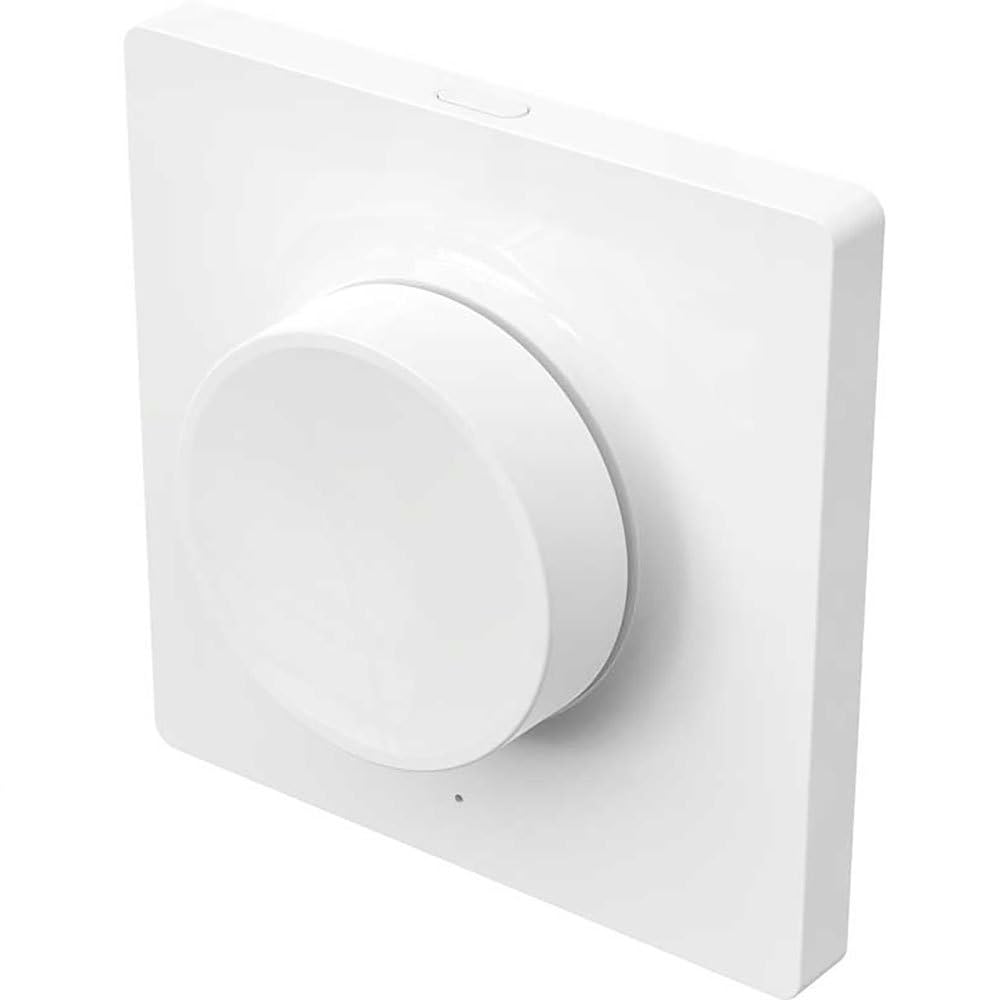
Figure 1: Yeelight YLKG07YL Smart Dimmer. This image displays the front of the dimmer, highlighting its sleek design and touch-sensitive control area.
భద్రతా సమాచారం
- ఇన్స్టాలేషన్ లేదా నిర్వహణకు ముందు సర్క్యూట్ బ్రేకర్ వద్ద ఎల్లప్పుడూ పవర్ను డిస్కనెక్ట్ చేయండి.
- మీకు ఖచ్చితంగా తెలియకపోతే, అర్హత కలిగిన ఎలక్ట్రీషియన్ ద్వారా ఇన్స్టాలేషన్ నిర్వహించాలి.
- పరికరాన్ని అధిక తేమ లేదా తీవ్రమైన ఉష్ణోగ్రతలకు బహిర్గతం చేయవద్దు.
- Ensure the dimmer is compatible with your lighting fixtures before installation.
సెటప్ మరియు ఇన్స్టాలేషన్
- పవర్ డిస్కనెక్ట్: Turn off the main power supply to the circuit at the circuit breaker. Verify power is off using a voltagఇ టెస్టర్.
- పాత స్విచ్ తొలగించండి: Carefully remove the existing wall switch from its electrical box. Disconnect the wires, noting their connections.
- Wire the Dimmer: Connect the wires from the electrical box to the Yeelight YLKG07YL dimmer according to the wiring diagram (refer to product packaging for specific diagrams). Ensure secure connections.
- డిమ్మర్ను అమర్చండి: Gently push the wired dimmer into the electrical box. Secure it with screws. Attach the faceplate.
- శక్తిని పునరుద్ధరించండి: సర్క్యూట్ బ్రేకర్ వద్ద ప్రధాన విద్యుత్ సరఫరాను తిరిగి ఆన్ చేయండి.
- Pairing (Wi-Fi): Follow the instructions in the Yeelight app to pair the dimmer with your Wi-Fi network and smart home system.
ఆపరేటింగ్ సూచనలు
The Yeelight YLKG07YL Smart Dimmer offers both physical and smart control options.
Physical Control:
- ఆన్/ఆఫ్: Press the main button to toggle the connected lights on or off.
- అస్పష్టత: Touch and hold the designated dimming area (if applicable, or use up/down buttons) to adjust brightness.
Smart Control (via Yeelight App):
- Open the Yeelight application on your smartphone or tablet.
- Select the YLKG07YL dimmer from your device list.
- Use the in-app controls to turn lights on/off, adjust brightness, set schedules, or integrate with other smart home devices.
నిర్వహణ
- శుభ్రపరచడం: Wipe the dimmer's surface with a soft, dry cloth. Do not use abrasive cleaners or solvents.
- ఫర్మ్వేర్ నవీకరణలు: Regularly check the Yeelight app for available firmware updates to ensure optimal performance and security.
- పర్యావరణ పరిస్థితులు: నష్టాన్ని నివారించడానికి ఆపరేటింగ్ వాతావరణం పేర్కొన్న ఉష్ణోగ్రత మరియు తేమ పరిధిలో ఉండేలా చూసుకోండి.
ట్రబుల్షూటింగ్
| సమస్య | సాధ్యమైన కారణం | పరిష్కారం |
|---|---|---|
| డిమ్మర్ స్పందించడం లేదు | No power, incorrect wiring, device malfunction. | Check circuit breaker. Verify wiring connections. Contact support if issue persists. |
| Lights flicker or do not dim properly | Incompatible bulb type, overloaded circuit, faulty wiring. | Ensure bulbs are dimmable and compatible. Check total wattage. Re-check wiring. |
| Wi-Fiకి కనెక్ట్ చేయడం సాధ్యపడదు | Incorrect Wi-Fi password, router too far, network issues. | Verify Wi-Fi password. Move router closer or use a Wi-Fi extender. Restart router. |
స్పెసిఫికేషన్లు
- మోడల్: YLKG07YL
- కొలతలు: 10 x 5 x 1.3 సెం.మీ (L x W x H)
- బరువు: 1 కిలోగ్రాము
- మెటీరియల్: Plastic (body), Aluminium (contact)
- కనెక్టివిటీ: Wi-Fi
- నియంత్రణ పద్ధతి: Touch, Push-button
- మౌంటు రకం: వాల్ మౌంట్
- ప్రస్తుత రేటింగ్: 1 ఎ
- IP రేటింగ్: IP65 (International Protection Marking)
వారంటీ సమాచారం
This Yeelight YLKG07YL Smart Dimmer comes with a 2-సంవత్సరం తయారీదారు వారంటీ from the date of purchase. This warranty covers defects in materials and workmanship under normal use. It does not cover damage caused by misuse, accidents, unauthorized modifications, or improper installation. Please retain your proof of purchase for warranty claims.
మద్దతు
For technical assistance, troubleshooting, or warranty inquiries, please visit the official Yeelight website or contact their customer support. You can often find FAQs and additional resources online.
అధికారిక Webసైట్: www.yeelight.com