
1. పరిచయం
Thank you for choosing the Commax CMV-70S 7-inch LED Intercom System. This manual provides essential information for the safe and efficient installation, operation, and maintenance of your new intercom system. Please read this manual thoroughly before use and keep it for future reference.
2. భద్రతా సమాచారం
- Ensure all electrical connections are made by a qualified professional to prevent electric shock or fire.
- యూనిట్ను నీరు, తేమ లేదా తీవ్రమైన ఉష్ణోగ్రతలకు గురిచేయవద్దు.
- Do not attempt to open or repair the unit yourself. Refer all servicing to authorized personnel.
- Use only the specified power supply (AC 100V - 240V).
- ప్రత్యక్ష సూర్యకాంతి మరియు వేడి మూలాల నుండి యూనిట్ను దూరంగా ఉంచండి.
3. ప్యాకేజీ విషయాలు
క్రింద జాబితా చేయబడిన అన్ని వస్తువులు మీ ప్యాకేజీలో చేర్చబడ్డాయని నిర్ధారించుకోండి. ఏవైనా వస్తువులు తప్పిపోయినా లేదా దెబ్బతిన్నా, దయచేసి మీ రిటైలర్ను సంప్రదించండి.
- Commax CMV-70S Monitor Unit
- మౌంటు బ్రాకెట్
- వినియోగదారు మాన్యువల్
- Screws (T)4 x 18mm (4 pcs)
- Screw (M)3 x 6mm (1 pc)
- Connection Cables (2P(1EA), 4P(3EA))
- Door Camera (if included in your specific kit)

మూర్తి 3.1: ప్యాకేజీ కంటెంట్లు
4. ఉత్పత్తి ముగిసిందిview
The Commax CMV-70S features a 7-inch LED screen and intuitive touch controls for visitor communication and door access. Familiarize yourself with the components of the monitor unit:
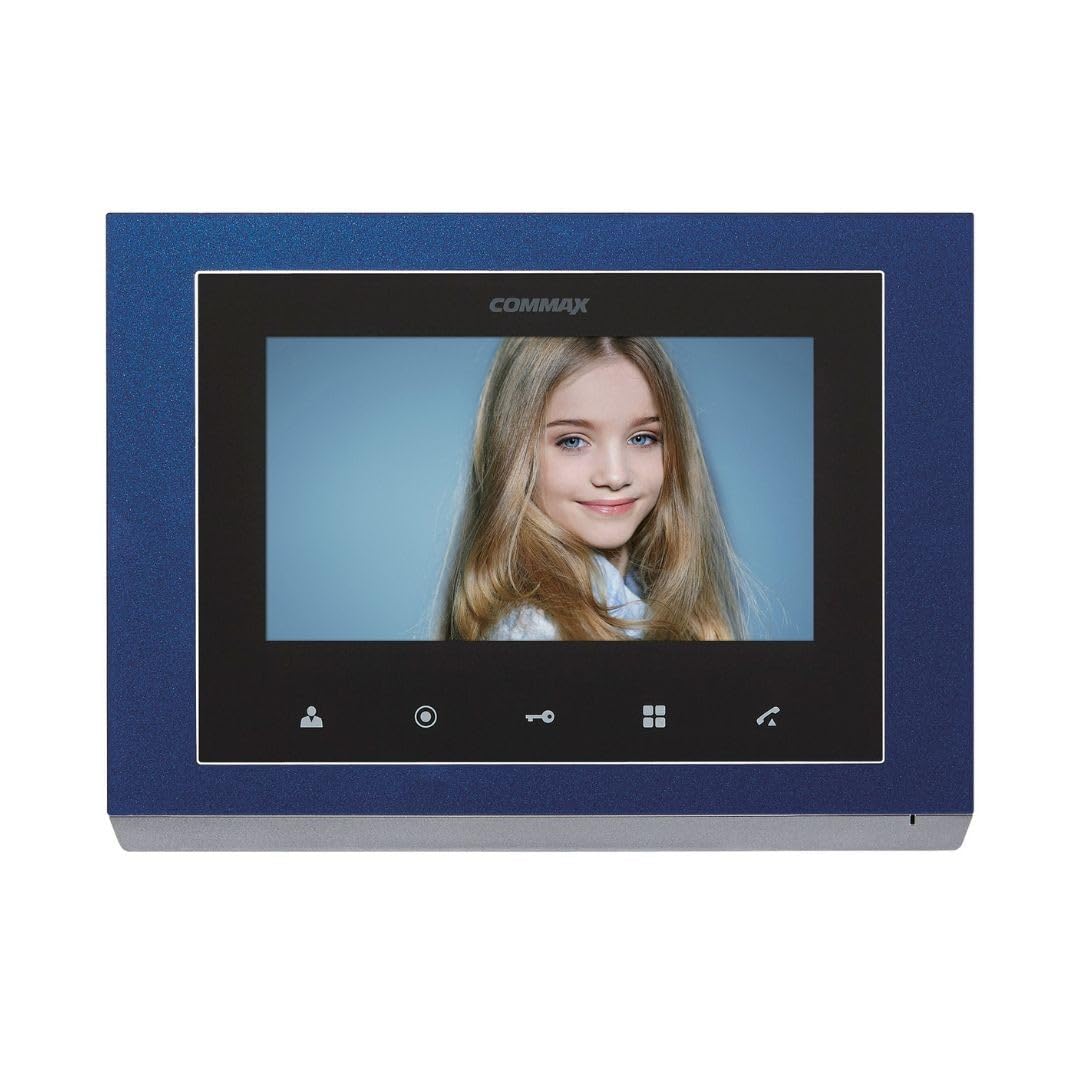
చిత్రం 4.1: ముందు ప్యానెల్ భాగాలు
ముందు ప్యానెల్ భాగాలు
| నం. | భాగం పేరు | నం. | భాగం పేరు | నం. | భాగం పేరు |
|---|---|---|---|---|---|
| 1 | 7" TFTLCD | 2 | స్పీకర్ | 3 | మానిటరింగ్ బటన్ |
| 4 | Guard and interphone button | 5 | తలుపు విడుదల బటన్ | 6 | Menu button (touch) |
| 7 | మాట్లాడు బటన్ | 8 | C-MIC | 9 | Menu button (side) |
| 10 | ఎంటర్ బటన్ | 11 | △ బటన్ | 12 | ▽ button |
| 13 | పవర్ ఆన్/ఆఫ్ | 14 | టెర్మినల్స్ కనెక్ట్ చేస్తోంది |
5. సెటప్
5.1 మానిటర్ను మౌంట్ చేయడం
- Choose a suitable location for the monitor, typically near the main entrance or a central area.
- అందించిన స్క్రూలను ఉపయోగించి మౌంటు బ్రాకెట్ను గోడకు బిగించండి. అది సమతలంగా మరియు గట్టిగా జతచేయబడిందని నిర్ధారించుకోండి.
- Connect all necessary wiring to the monitor's connecting terminals (refer to Section 5.2).
- Carefully attach the monitor unit to the mounting bracket.
5.2 వైరింగ్ కనెక్షన్లు
The CMV-70S system requires professional hardwire installation. Refer to the diagram below for terminal connections. Ensure power is disconnected before making any wiring connections.

Figure 5.1: Connecting Terminals (Rear View)
- పవర్ కనెక్షన్: Connect the AC 100V - 240V power supply to the designated power terminals.
- Door Camera Connection: Connect the door camera to the 'CAM' terminals. The system supports up to two door cameras.
- Intercom Connection: For multi-unit setups or additional indoor phones, connect them to the 'INTER' terminals.
- డోర్ లాక్ విడుదల: Connect the electronic door lock to the appropriate terminals for remote release functionality.
This system is expandable up to two screens, two door cameras, and two indoor phones, especially when utilizing Fine View technology for single-house applications.
6. ఆపరేటింగ్ సూచనలు
The Commax CMV-70S is designed for ease of use with its touch-sensitive buttons.
6.1 ప్రాథమిక విధులు
- కాల్కు సమాధానం ఇవ్వడం: When a visitor presses the call button on the door camera, the monitor will ring and display the visitor's image. Press the Talk button (7) to communicate.
- పర్యవేక్షణ: నొక్కండి Monitoring button (3) కు view the outside area through the door camera at any time.
- డోర్ రిలీజ్: కాల్ సమయంలో లేదా పర్యవేక్షణలో ఉన్నప్పుడు, నొక్కండి Door release button (5) తలుపును అన్లాక్ చేయడానికి.
- Intercom/Guard Call: నొక్కండి Guard and interphone button (4) to initiate a call to another indoor unit or the guard station (if configured).
6.2 మెనూ నావిగేషన్
The CMV-70S features both touch and side menu buttons for system settings.
- నొక్కండి Menu button (touch) (6) or Menu button (side) (9) సిస్టమ్ సెట్టింగ్లను యాక్సెస్ చేయడానికి.
- ఉపయోగించండి △ button (11) మరియు ▽ button (12) to navigate through menu options.
- నొక్కండి Enter button (10) ఒక ఎంపికను ఎంచుకోవడానికి లేదా సెట్టింగ్ను నిర్ధారించడానికి.
- ది Power ON/OFF button (13) controls the unit's power.
7. నిర్వహణ
- శుభ్రపరచడం: Wipe the monitor screen and body with a soft, dry cloth. Do not use abrasive cleaners or solvents.
- పవర్ సైకిల్: If the unit is unresponsive, try turning it off using the Power ON/OFF button (13), waiting a few seconds, and then turning it back on.
- సాధారణ తనిఖీలు: అన్ని వైరింగ్ కనెక్షన్లు సురక్షితంగా ఉన్నాయని నిర్ధారించుకోవడానికి కాలానుగుణంగా వాటిని తనిఖీ చేయండి.
8. ట్రబుల్షూటింగ్
If you encounter issues with your Commax CMV-70S, refer to the following common problems and solutions:
| సమస్య | సాధ్యమైన కారణం | పరిష్కారం |
|---|---|---|
| తెరపై చిత్రం లేదు | Power off; Loose connection; Faulty camera | Check power (13); Verify wiring (14); Test camera connection. |
| కాల్ సమయంలో శబ్దం లేదు | Volume too low; Faulty speaker/microphone; Loose connection | Adjust volume in menu; Check wiring; Contact support. |
| డోర్ లాక్ అందుబాటులో లేదుasing | Incorrect wiring; Faulty lock; Insufficient power | Verify lock wiring; Test lock independently; Ensure adequate power supply. |
| Monitor unresponsive | Software glitch; Power issue | Perform a power cycle (13); Check power connection. |
If the problem persists after trying these solutions, please contact Commax customer support or a qualified technician.
9. స్పెసిఫికేషన్లు
| ఫీచర్ | స్పెసిఫికేషన్ |
|---|---|
| తయారీదారు | కామాక్స్ |
| మోడల్ సంఖ్య | CMV-70S |
| స్క్రీన్ పరిమాణం | 7-అంగుళాల LED |
| శక్తి మూలం | Corded Electric (AC 100V - 240V) |
| విద్యుత్ వినియోగం | 6 వాట్స్ |
| కనెక్టివిటీ టెక్నాలజీ | వైర్డు |
| సంస్థాపన విధానం | Professional Hardwire |
| అనుకూల పరికరాలు | Apartment complex, single house |
| విస్తరణ | Up to 2 screens, 2 door cameras, 2 indoor phones (Fine View technology for single house) |
| చేర్చబడిన భాగాలు | Security screen, door camera |
| వస్తువు బరువు | 1.2 కిలోలు |
| ప్యాకేజీ కొలతలు | 30.4 x 24.8 x 6.9 సెం.మీ |
| మెటీరియల్ | ప్లాస్టిక్ |
| రంగు | నీలం |
| హెచ్చరిక రకం | Motion only |
| బ్యాటరీలు అవసరం | నం |
10. వారంటీ మరియు మద్దతు
Commax products are designed for reliability and performance. For warranty information, technical support, or service inquiries, please refer to the warranty card included with your product or visit the official Commax webవారంటీ క్లెయిమ్ల కోసం కొనుగోలు రుజువుగా మీ కొనుగోలు రసీదును ఉంచండి.