
1. పరిచయం
This manual provides detailed instructions for the Fitonme 4G Kids Smartwatch. Please read this guide thoroughly before using the device to ensure proper operation and to maximize its features. This smartwatch is designed to offer communication, safety, and entertainment features for children, while providing peace of mind for parents through its tracking and emergency functions.
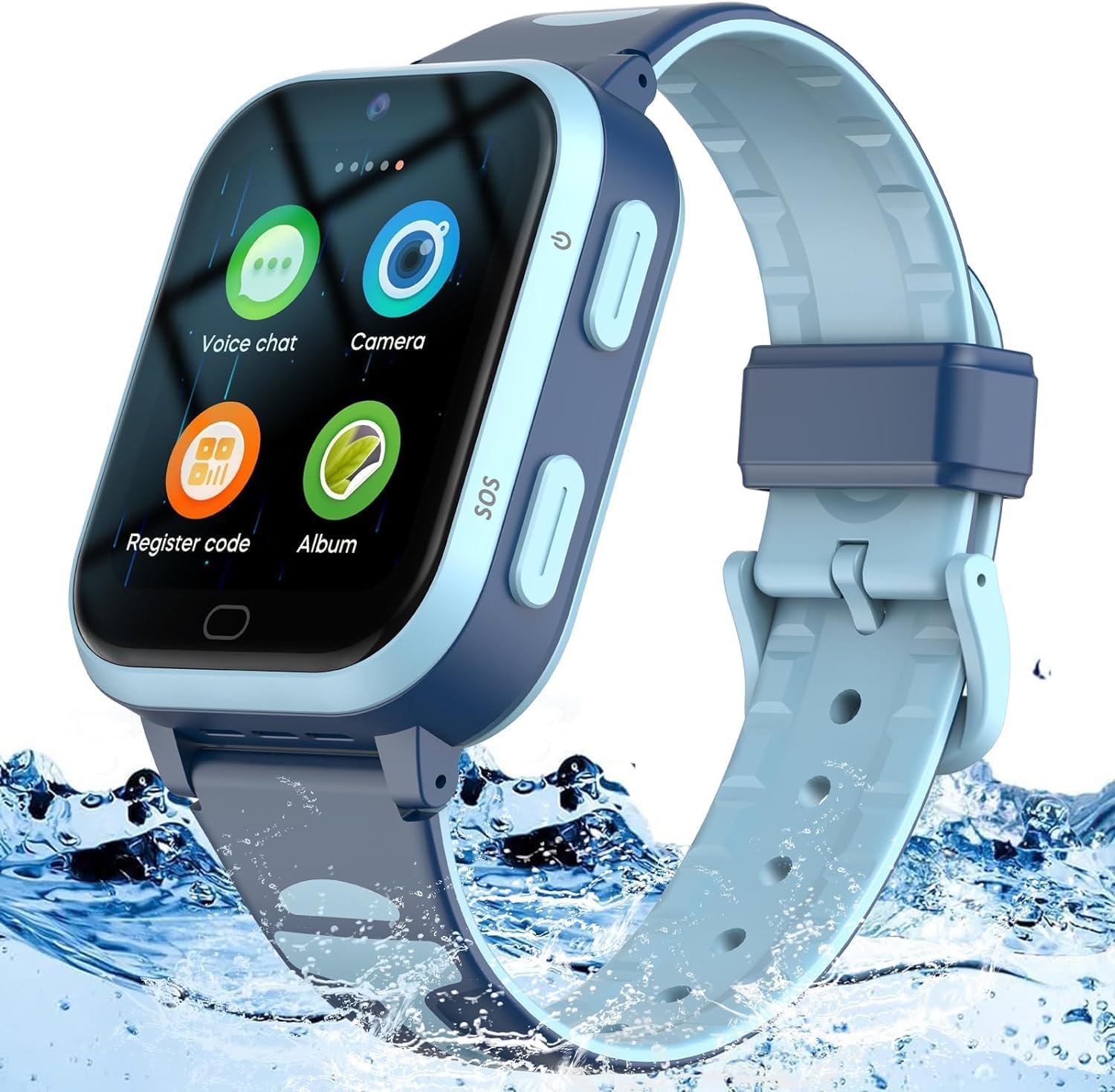
Image 1.1: The Fitonme 4G Kids Smartwatch, featuring a blue strap and a clear display, designed for durability and water resistance.
2. ప్యాకేజీ విషయాలు
అన్బాక్సింగ్ తర్వాత ప్యాకేజీ కంటెంట్లను తనిఖీ చేయండి. ఏవైనా వస్తువులు తప్పిపోయినా లేదా దెబ్బతిన్నా, కస్టమర్ సపోర్ట్ను సంప్రదించండి.
- Fitonme 4G Kids Smartwatch
- USB Charging Cable (Magnetic)
- వినియోగదారు మాన్యువల్
- SIM Card Ejector Tool (if applicable)
3. సెటప్
3.1 SIM కార్డ్ ఇన్స్టాలేషన్
- Ensure the smartwatch is powered off.
- వాచ్ వైపున SIM కార్డ్ స్లాట్ను గుర్తించండి.
- SIM ట్రేని తెరవడానికి అందించిన SIM ఎజెక్టర్ సాధనాన్ని ఉపయోగించండి.
- Insert a Nano-SIM card (4G compatible) into the tray with the gold contacts facing up, ensuring it is correctly oriented.
- SIM ట్రే సరైన స్థానంలోకి వచ్చే వరకు దాన్ని తిరిగి స్లాట్లోకి సున్నితంగా నెట్టండి.
3.2 యాప్ ఇన్స్టాలేషన్ మరియు జత చేయడం
The Fitonme 4G Kids Smartwatch requires the Setracker2 application for full functionality and parental control.
- డౌన్లోడ్ చేయండి సెట్రాకర్2 మీ స్మార్ట్ఫోన్ యాప్ స్టోర్ నుండి యాప్ (Android కోసం Google Play Store లేదా iOS కోసం Apple App Store).
- Register a new account in the app using your email address and a secure password.
- On the smartwatch, navigate to the 'Register Code' or 'Device Info' section to find the unique registration code (QR code or numerical ID).
- In the Setracker2 app, select 'Add Device' and scan the QR code or manually enter the registration ID.
- Provide the required information, such as your child's name and your relationship to them.
- Once paired, you can configure settings, contacts, and tracking features from the app.

Image 3.1: The Setracker2 application interface on a smartphone, displaying location tracking and various settings for the smartwatch.
4. ఆపరేటింగ్ సూచనలు
4.1 ప్రాథమిక విధులు
- పవర్ ఆన్/ఆఫ్: Press and hold the power button (usually on the side) for a few seconds to turn the watch on or off.
- టచ్స్క్రీన్ నావిగేషన్: Swipe left/right to browse applications, tap to select, and swipe down from the top for quick settings.
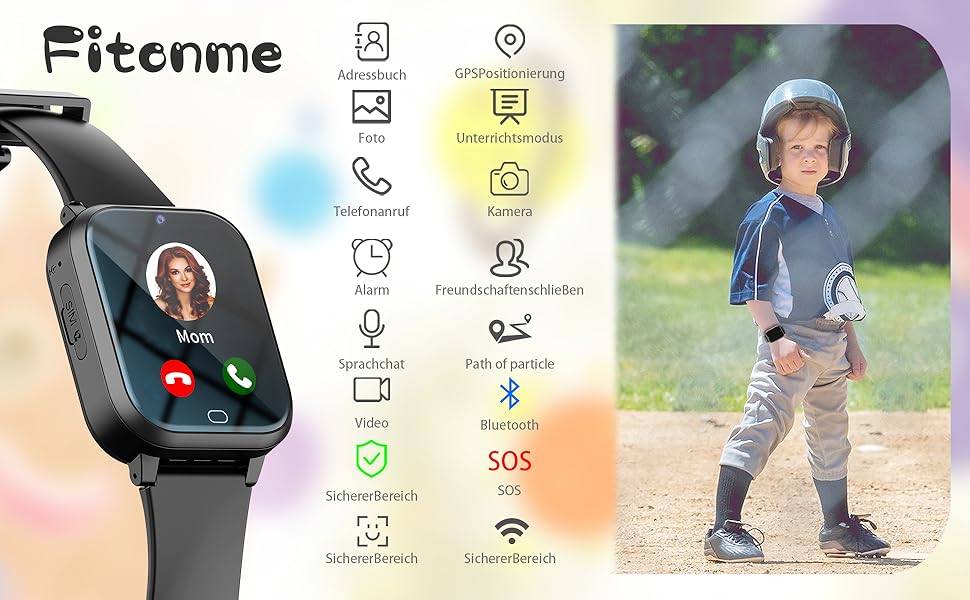
చిత్రం 4.1: ముగిసిందిview of the smartwatch interface, highlighting icons for key functions such as calling, GPS, camera, and SOS.
4.2 Calling (Two-way & Video)
The smartwatch supports two-way voice calls and video calls with pre-approved contacts.
- వాయిస్ కాల్: From the main screen, tap the 'Call' icon or 'Address Book' to select a contact. Tap the contact's name to initiate a voice call.
- వీడియో కాల్: Select the 'Video Call' icon from the app menu. Choose a contact to start a video call. Both parties must have a stable internet connection.

Image 4.2: A child using a smartphone, demonstrating the communication capabilities that can be linked with the smartwatch.
4.3 Messaging (Voice Chat)
Children can send and receive voice messages with approved contacts.
- Tap the 'Voice Chat' icon.
- Press and hold the microphone icon to record a message. Release to send.
- Incoming voice messages will be indicated by a notification. Tap to listen.
4.4 GPS Tracking & Geofence
The smartwatch uses 4G, GPS, Wi-Fi, and LBS for precise location tracking, viewable via the Setracker2 app.
- రియల్ టైమ్ ట్రాకింగ్: Open the Setracker2 app on your smartphone to view the current location of the smartwatch on a map.
- స్థాన చరిత్ర: The app allows you to review the watch's movement history.
- Geofence (Electronic Fence): In the Setracker2 app, you can set up safe zones. If the smartwatch enters or exits these predefined areas, you will receive an alert on your smartphone. Up to 3 electronic fences can be configured.

Image 4.3: Illustration of the Geofence feature, showing how parents receive notifications when the smartwatch enters or leaves designated safe areas.
4.5 SOS ఫంక్షన్
In an emergency, the child can activate the SOS function.
- SOS బటన్: Press and hold the dedicated SOS button on the side of the watch for three seconds.
- The watch will automatically dial up to three pre-set emergency contacts in a loop until one answers.
- An SOS alert notification will also be sent to the parent's app.
4.6 Class Mode (Teaching Time)
Parents can set specific times during which certain watch functions are disabled to minimize distractions during school hours.
- Configure 'Class Mode' schedules through the Setracker2 app.
- During these times, only the time display and SOS function will be active on the watch.

Image 4.4: A child wearing the smartwatch in a classroom, illustrating the use of the device in an educational environment.
4.7 ఇతర లక్షణాలు
- నడకదూరాన్ని కొలిచే పరికరము: Tracks steps taken throughout the day.
- కెమెరా: Allows the child to take photos.
- అలారం: రిమైండర్లు లేదా మేల్కొలుపు కాల్ల కోసం అలారాలను సెట్ చేయండి.
- క్యాలిక్యులేటర్: ప్రాథమిక అంకగణిత విధులు.
- డయలర్: Allows dialing numbers not in the address book (can be restricted by parents).
5. నిర్వహణ
5.1 ఛార్జింగ్
Use the provided magnetic USB charging cable. Connect the magnetic end to the charging points on the back of the watch and the USB end to a compatible power adapter (not included) or computer USB port.
5.2 నీటి నిరోధకత
The Fitonme 4G Kids Smartwatch is designed to be waterproof. However, it is recommended to avoid prolonged submersion in water or exposure to hot water/steam to maintain its integrity.
5.3 శుభ్రపరచడం
మెత్తటి, పొడి గుడ్డతో గడియారాన్ని క్రమం తప్పకుండా తుడవండి. మొండి ధూళి కోసం, కొద్దిగా డి.amp వస్త్రాన్ని ఉపయోగించవచ్చు. కఠినమైన రసాయనాలు లేదా రాపిడి పదార్థాలను నివారించండి.
6. ట్రబుల్షూటింగ్
- గడియారం ఆన్ కావడం లేదు: Ensure the watch is fully charged. If it still doesn't turn on, try a different charging cable or power source.
- నెట్వర్క్ సిగ్నల్ లేదు: Check if the SIM card is correctly inserted and activated. Ensure the area has 4G network coverage.
- సరికాని GPS స్థానం: GPS accuracy can be affected by environmental factors (e.g., indoors, dense buildings). Ensure the watch has a clear view of the sky for optimal GPS performance. Wi-Fi and LBS provide supplementary positioning.
- కాల్స్ చేయలేరు/స్వీకరించలేరు: Verify that the SIM card has an active plan with call services. Check if the contact numbers are correctly saved in the app and synced to the watch. Ensure the watch is not in 'Class Mode'.
- App not connecting to watch: Ensure the watch is powered on and has network connectivity. Re-check the binding process in the Setracker2 app.
- బ్యాటరీ త్వరగా ఖాళీ అవుతుంది: High usage of features like video calls, GPS tracking, and games can consume battery faster. Adjust tracking frequency in the app to conserve battery.
7. స్పెసిఫికేషన్లు
| మోడల్ పేరు | Fitonme 4G Kids Smartwatch |
| బ్రాండ్ | ఫిటన్మే |
| స్క్రీన్ పరిమాణం | 1.4 అంగుళాలు |
| కనెక్టివిటీ | 4G సెల్యులార్, వై-ఫై, బ్లూటూత్ |
| పొజిషనింగ్ | Integrated GPS, LBS, Wi-Fi |
| ప్రత్యేక లక్షణాలు | Time Display, Video Call, GPS, Step Tracking, SOS, Geofence, Voice Chat, Camera, Alarm, Calculator |
| అనుకూల పరికరాలు | Smartphone (via Setracker2 app) |
| బ్యాటరీ రకం | Lithium-polymer (Rechargeable) |
| మెమరీ నిల్వ | 128 MB |
| ఆకారం | చతురస్రం |
8. వారంటీ మరియు మద్దతు
Fitonme is committed to providing reliable products and customer service.
- జీవితకాల మద్దతు: We offer lifetime support to ensure your satisfaction with our products.
- 24-Hour Email Service: For quick assistance, contact our customer support via email.
- 2-సంవత్సరం ఉచిత భర్తీ: Your Fitonme 4G Kids Smartwatch is covered by a 2-year free replacement warranty for manufacturing defects.
- 30-రోజుల రిటర్న్ పాలసీ: You may return the product within 30 days of purchase without reason.
For any inquiries or support, please refer to the contact information provided with your purchase or visit the official Fitonme webసైట్.