
1. పరిచయం
This manual provides detailed instructions for the setup, operation, and maintenance of your ENUOSUMA S05 Fitness Tracker Watch. Please read this manual thoroughly before using the device to ensure proper function and to maximize your user experience.
2. భద్రతా సమాచారం
- Consult your doctor before starting any new exercise program or if you have pre-existing health conditions.
- This device is not a medical device and is not intended for use in the diagnosis, treatment, or prevention of any disease. All health data is for reference only.
- పరికరాన్ని తీవ్రమైన ఉష్ణోగ్రతలు, ప్రత్యక్ష సూర్యకాంతి మరియు క్షయకారక ద్రవాల నుండి దూరంగా ఉంచండి.
- పరికరాన్ని మీరే విడదీయడానికి లేదా మరమ్మతు చేయడానికి ప్రయత్నించవద్దు. ఇది వారంటీని రద్దు చేస్తుంది.
- Ensure the charging contacts are clean and dry before charging to prevent corrosion or damage.
3. ప్యాకేజీ విషయాలు
దయచేసి ఈ క్రింది అంశాల కోసం ప్యాకేజీని తనిఖీ చేయండి:
- ENUOSUMA S05 Fitness Tracker Watch (1 unit)
- ఛార్జింగ్ కేబుల్ (1 యూనిట్)
- వినియోగదారు మాన్యువల్ (1 యూనిట్)
4. సెటప్
4.1 పరికరాన్ని ఛార్జ్ చేస్తోంది
Before first use, fully charge your ENUOSUMA S05 Fitness Tracker Watch. Connect the charging cable to the charging contacts on the back of the watch and plug the USB end into a standard USB power adapter (5V/1A recommended) or a computer USB port. A full charge typically takes approximately 2.5 hours.
4.2 యాప్ ఇన్స్టాలేషన్ మరియు జత చేయడం
- Download the DaFit App: Scan the QR code in the manual (if provided) or search for 'DaFit' in the Apple App Store (for iOS) or Google Play Store (for Android).
- ఇన్స్టాల్ చేసి తెరవండి: Install the app on your smartphone and open it.
- బ్లూటూత్ని ప్రారంభించండి: మీ స్మార్ట్ఫోన్లో బ్లూటూత్ ప్రారంభించబడిందని నిర్ధారించుకోండి.
- పరికరాన్ని జత చేయండి: In the DaFit app, navigate to the 'Device' section and tap 'Add Device'. Select 'S05' from the list of available devices. Follow the on-screen prompts to complete the pairing process.
- అనుమతులు మంజూరు చేయండి: Allow the app necessary permissions (e.g., notifications, location) for full functionality.
4.3 ప్రారంభ సెట్టింగ్లు
After successful pairing, set up your personal profile within the DaFit app, including gender, age, height, and weight. This information helps improve the accuracy of activity and health data.
5. పరికరాన్ని ఆపరేట్ చేయడం
5.1 ప్రాథమిక నావిగేషన్
- టచ్స్క్రీన్: Swipe left/right to navigate between main functions. Swipe up/down to view నోటిఫికేషన్లు లేదా త్వరిత సెట్టింగ్లు.
- సైడ్ బటన్: Press to wake the screen, return to the main watch face, or long-press to power on/off.
5.2 ఆరోగ్య పర్యవేక్షణ
The ENUOSUMA S05 provides comprehensive health monitoring features. Ensure the watch is worn snugly on your wrist for accurate readings.

Image: Advanced Health Monitoring features on the ENUOSUMA S05 Fitness Tracker Watch, displaying charts for Heart Rate, Blood Pressure, Blood Oxygen, and Sleep Tracking.
- హృదయ స్పందన పర్యవేక్షణ: The watch continuously monitors your heart rate 24/7. View real-time data on the watch or detailed trends in the DaFit app.
- రక్త ఆక్సిజన్ (SpO2) పర్యవేక్షణ: Measure your blood oxygen saturation levels. Access this function from the watch menu.
- బ్లడ్ ప్రెజర్ మానిటరింగ్: Monitor your blood pressure. This feature is for reference and not for medical diagnosis.
- నిద్ర ట్రాకింగ్: The watch automatically tracks your sleep patterns, including deep sleep, light sleep, and awake times. Review your sleep quality analysis in the DaFit app.

Image: The ENUOSUMA S05 Fitness Tracker Watch displaying scientific sleep analysis, showing durations for deep sleep and light sleep.
5.3 కార్యాచరణ ట్రాకింగ్
Track your daily activities and workouts with the ENUOSUMA S05.

Image: A man running outdoors, illustrating the all-day activity tracking capabilities of the ENUOSUMA S05 Fitness Tracker Watch, with data for step count, distance, calories, and heart rate.
- రోజువారీ కార్యాచరణ: The watch records steps, distance, and calories burned throughout the day.
- స్పోర్ట్ మోడ్లు: Choose from 8 built-in sport modes to track specific activities. These modes provide real-time data relevant to your chosen exercise.
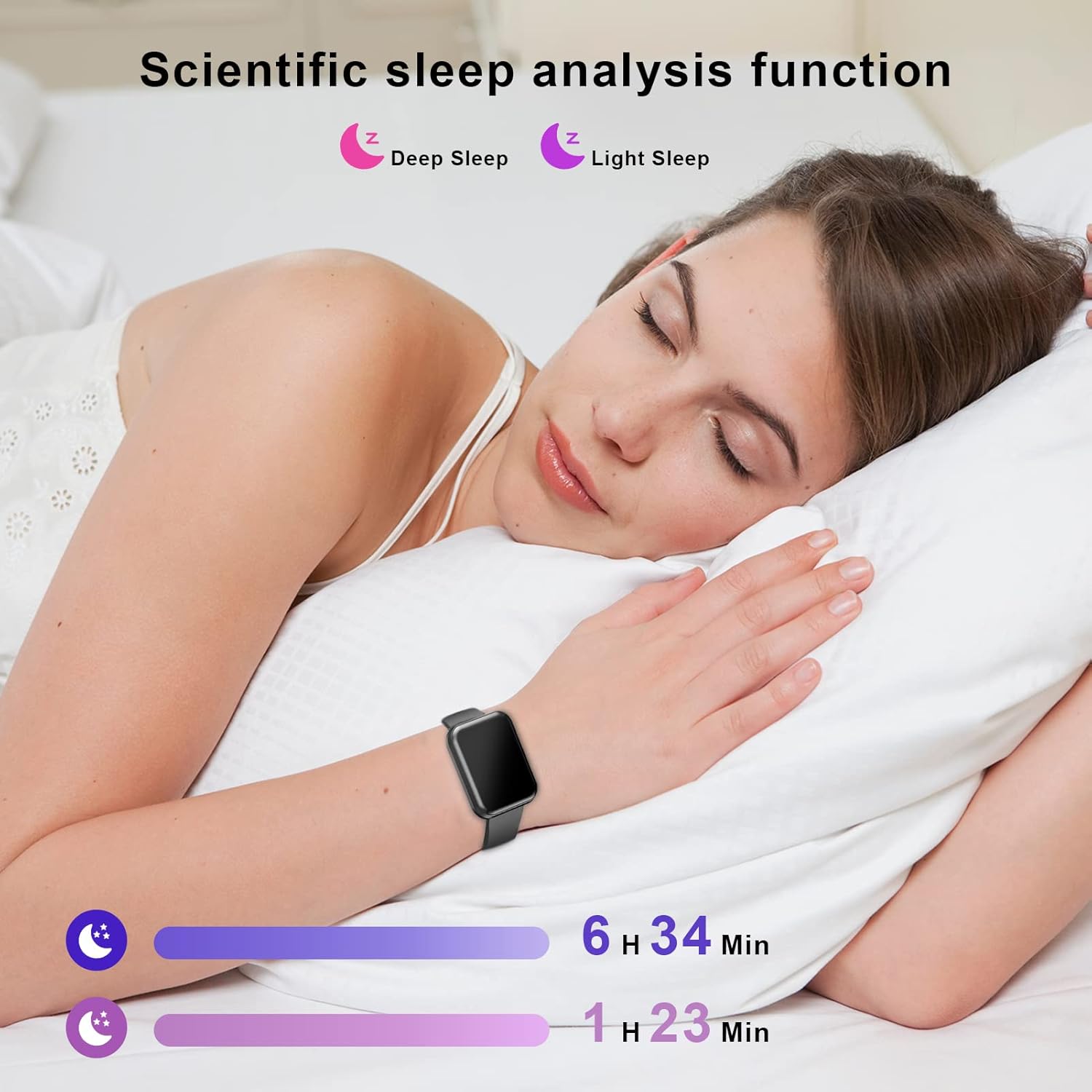
Image: A collage depicting various sports activities such as running, cycling, and racket sports, illustrating the 8 sport modes offered by the ENUOSUMA S05 Fitness Tracker Watch.
5.4 స్మార్ట్ ఫంక్షన్లు
Connect your ENUOSUMA S05 to your smartphone for enhanced smart features.

Image: A woman working on a laptop, with social media application icons displayed, symbolizing the smart notification capabilities of the ENUOSUMA S05 Fitness Tracker Watch.
- నోటిఫికేషన్లు: Receive call, SMS, and app notifications (WhatsApp, Facebook, Messenger, Instagram, etc.) directly on your watch.
- సంగీత నియంత్రణ: మీ వాచ్ నుండి మీ స్మార్ట్ఫోన్లో మ్యూజిక్ ప్లేబ్యాక్ను నియంత్రించండి (ప్లే చేయండి, పాజ్ చేయండి, ట్రాక్లను దాటవేయండి).
- కెమెరా నియంత్రణ: మీ స్మార్ట్ఫోన్ కెమెరాకు మీ గడియారాన్ని రిమోట్ షట్టర్గా ఉపయోగించండి.
- వాతావరణ ప్రదర్శన: View ప్రస్తుత వాతావరణ పరిస్థితులు మరియు భవిష్య సూచనలు.
- అలారం గడియారం: వాచ్లో లేదా యాప్ ద్వారా నేరుగా అలారాలను సెట్ చేయండి.
- స్టాప్వాచ్: Utilize the built-in stopwatch function for timing activities.
- సెడెంటరీ రిమైండర్: Receive alerts to remind you to move after periods of inactivity.
- ప్రకాశం సర్దుబాటు: Adjust the screen brightness for optimal visibility.

చిత్రం: ఒక కోల్లెజ్ షోasing various practical functions of the ENUOSUMA S05 Fitness Tracker Watch, such as Stopwatch, Sedentary Reminder, Weather, Camera Control, Music Control, and Brightness Adjustment.
6. నిర్వహణ
6.1 శుభ్రపరచడం
మీ వాచ్ మరియు స్ట్రాప్ను మృదువైన, డి-క్లాత్తో క్రమం తప్పకుండా శుభ్రం చేయండి.amp cloth. Avoid using harsh chemicals or abrasive materials. Ensure the watch is dry before charging.
6.2 నీటి నిరోధకత (IPX68)
The ENUOSUMA S05 is IPX68 waterproof, meaning it is resistant to dust and can withstand immersion in water up to 1.5 meters for up to 30 minutes. It is suitable for daily use, hand washing, and light rain. However, it is not recommended for hot showers, saunas, or diving, as steam and high water pressure can damage the device.
6.3 బ్యాటరీ సంరక్షణ
- బ్యాటరీ జీవితకాలాన్ని పొడిగించడానికి, బ్యాటరీని తరచుగా పూర్తిగా డిశ్చార్జ్ చేయకుండా ఉండండి.
- Store the device in a cool, dry place if not used for extended periods.
- అందించిన ఛార్జింగ్ కేబుల్ను మాత్రమే ఉపయోగించండి.
7. ట్రబుల్షూటింగ్
- గడియారం ఆన్ కావడం లేదు: వాచ్ పూర్తిగా ఛార్జ్ అయ్యిందని నిర్ధారించుకోండి. కనీసం 10 నిమిషాలు దానిని ఛార్జర్కి కనెక్ట్ చేయండి.
- ఫోన్తో జత చేయడం సాధ్యం కాలేదు:
- మీ ఫోన్లో బ్లూటూత్ ప్రారంభించబడిందని నిర్ధారించుకోండి.
- వాచ్ బ్లూటూత్ పరిధిలో (సాధారణంగా 10 మీటర్లు) ఉందని నిర్ధారించుకోండి.
- మీ ఫోన్ మరియు వాచ్ రెండింటినీ రీస్టార్ట్ చేయండి.
- Try unpairing and re-pairing the device through the DaFit app.
- సరికాని ఆరోగ్య డేటా: మీ మణికట్టు మీద వాచ్ గట్టిగా ధరించేలా చూసుకోండి, మరీ బిగుతుగా లేదా మరీ వదులుగా ఉండకూడదు. వాచ్ వెనుక ఉన్న సెన్సార్ను శుభ్రం చేయండి.
- నోటిఫికేషన్లు అందలేదు:
- Check if notifications are enabled in the DaFit app for specific applications.
- Ensure your phone's notification settings allow the DaFit app to send alerts.
- Keep the DaFit app running in the background.
8. స్పెసిఫికేషన్లు
| బ్రాండ్ | ENUOSUMA |
| మోడల్ | S05 |
| ప్రదర్శన పరిమాణం | 1.39 అంగుళాలు |
| ఆపరేటింగ్ సిస్టమ్ | Android Wear (Compatible with Android 5.0+ and iOS 9.0+) |
| కనెక్టివిటీ టెక్నాలజీ | బ్లూటూత్ 4.0, Wi-Fi |
| బ్యాటరీ కెపాసిటీ | 179.99 Amp గంటలు (లిథియం పాలిమర్) |
| బ్యాటరీ లైఫ్ | Up to 7 days (regular use), 35 days (standby) |
| ఛార్జింగ్ సమయం | సుమారు 2.5 గంటలు |
| నీటి నిరోధకత | IPX68 |
| ప్రత్యేక లక్షణాలు | Heart Rate Monitor, Blood Pressure Monitor, Blood Oxygen Monitor, Sleep Monitor, Activity Tracker, Sedentary Reminder, Notifications, Music Control, Camera Control, Weather, Alarm, Stopwatch, Brightness Adjustment |
9. వారంటీ మరియు మద్దతు
For warranty information and customer support, please refer to the documentation included with your purchase or contact the retailer. Keep your proof of purchase for any warranty claims.