
1. పరిచయం
ధన్యవాదాలు, ధన్యవాదాలు.asing the Blaupunkt Rock & Roll PS150 Wireless Bluetooth Outdoor Party Speaker. This manual provides essential information for the safe and efficient operation of your device. Please read it thoroughly before use and retain it for future reference.
2. భద్రతా సమాచారం
- స్పీకర్ను తీవ్రమైన ఉష్ణోగ్రతలు, ప్రత్యక్ష సూర్యకాంతి లేదా అధిక తేమకు గురిచేయవద్దు.
- స్పీకర్ను వదలివేయడం లేదా బలమైన ప్రభావాలకు గురిచేయడం మానుకోండి.
- Do not attempt to disassemble or modify the speaker. Repairs should only be performed by qualified service personnel.
- Keep the speaker away from water and other liquids to prevent electric shock or damage.
- స్పీకర్ను ఆపరేట్ చేసేటప్పుడు సరైన వెంటిలేషన్ ఉండేలా చూసుకోండి.
3. పెట్టెలో ఏముంది
- Blaupunkt Rock & Roll PS150 Party Speaker
- కరోకే మైక్రోఫోన్
- ఛార్జింగ్ కేబుల్
- వినియోగదారు మాన్యువల్
4. ఉత్పత్తి ముగిసిందిview
The Blaupunkt Rock & Roll PS150 is a portable outdoor party speaker designed for robust audio performance and ease of transport. It features a powerful 100W output, X-Bass enhancement, and multiple connectivity options.

మూర్తి 1: ముందు view of the Blaupunkt Rock & Roll PS150 Party Speaker.
5. నియంత్రణలు మరియు కనెక్షన్లు
The control panel on top of the speaker provides access to all functions.

మూర్తి 2: వివరంగా view స్పీకర్ కంట్రోల్ ప్యానెల్ యొక్క.
- పవర్ బటన్: Press to turn the speaker ON/OFF.
- మూల బటన్: Select input source (Bluetooth, AUX, USB).
- X-Bass Button: Activate or deactivate the X-Bass sound enhancement.
- మెనూ బటన్: Access various settings.
- Track Select Buttons (< / >): Navigate between tracks.
- TWS బటన్: ట్రూ వైర్లెస్ స్టీరియో జత చేయడాన్ని ప్రారంభించండి.
- వాల్యూమ్ డయల్: మాస్టర్ వాల్యూమ్ను సర్దుబాటు చేయండి.
- Numbered Buttons (1-6): For direct track selection or preset functions.
- AUX IN పోర్ట్: 3.5mm ఆడియో కేబుల్ ద్వారా బాహ్య ఆడియో పరికరాలను కనెక్ట్ చేయండి.
- USB పోర్ట్: For USB playback and charging (5V, 2000mAh).
6. సెటప్ మరియు ఛార్జింగ్
6.1 ప్రారంభ ఛార్జింగ్
Before first use, fully charge the speaker. Connect the charging cable to the speaker's charging port and a suitable power adapter. The charging indicator will illuminate. A full charge ensures optimal battery life for the 4500mAh battery.
6.2 పవర్ చేయడం ఆన్/ఆఫ్
Press and hold the Power button on the control panel to turn the speaker ON or OFF.
7. ఆపరేషన్
7.1 బ్లూటూత్ జత చేయడం
- Turn on the speaker. The Bluetooth indicator will flash, indicating it's in pairing mode.
- మీ స్మార్ట్ఫోన్ లేదా టాబ్లెట్లో బ్లూటూత్ను ప్రారంభించి, అందుబాటులో ఉన్న పరికరాల కోసం శోధించండి.
- Select "Blaupunkt PS150" from the list.
- Once paired, the Bluetooth indicator will stop flashing and remain solid.
7.2 AUX-ఇన్ మోడ్
Connect an external audio device (e.g., MP3 player) to the AUX IN port using a 3.5mm audio cable. Press the Source button to select AUX mode.
7.3 USB ప్లేబ్యాక్
ఆడియోతో USB డ్రైవ్ను చొప్పించండి files into the USB port. The speaker will automatically switch to USB mode and begin playback. Use the track select buttons to navigate.
7.4 కరోకే ఫంక్షన్
Connect the provided karaoke microphone to the designated microphone input. Adjust the microphone volume as needed. The speaker is ready for karaoke performances.

Figure 3: Using the karaoke function with the PS150 speaker.
7.5 X-Bass Feature
Press the X-Bass button to enhance the bass output for a deeper, more impactful sound experience.

Figure 4: Visual representation of the X-Bass feature.
8. Portability and Design
The PS150 is designed for portability with integrated wheels and a retractable handle, making it easy to transport to any location.
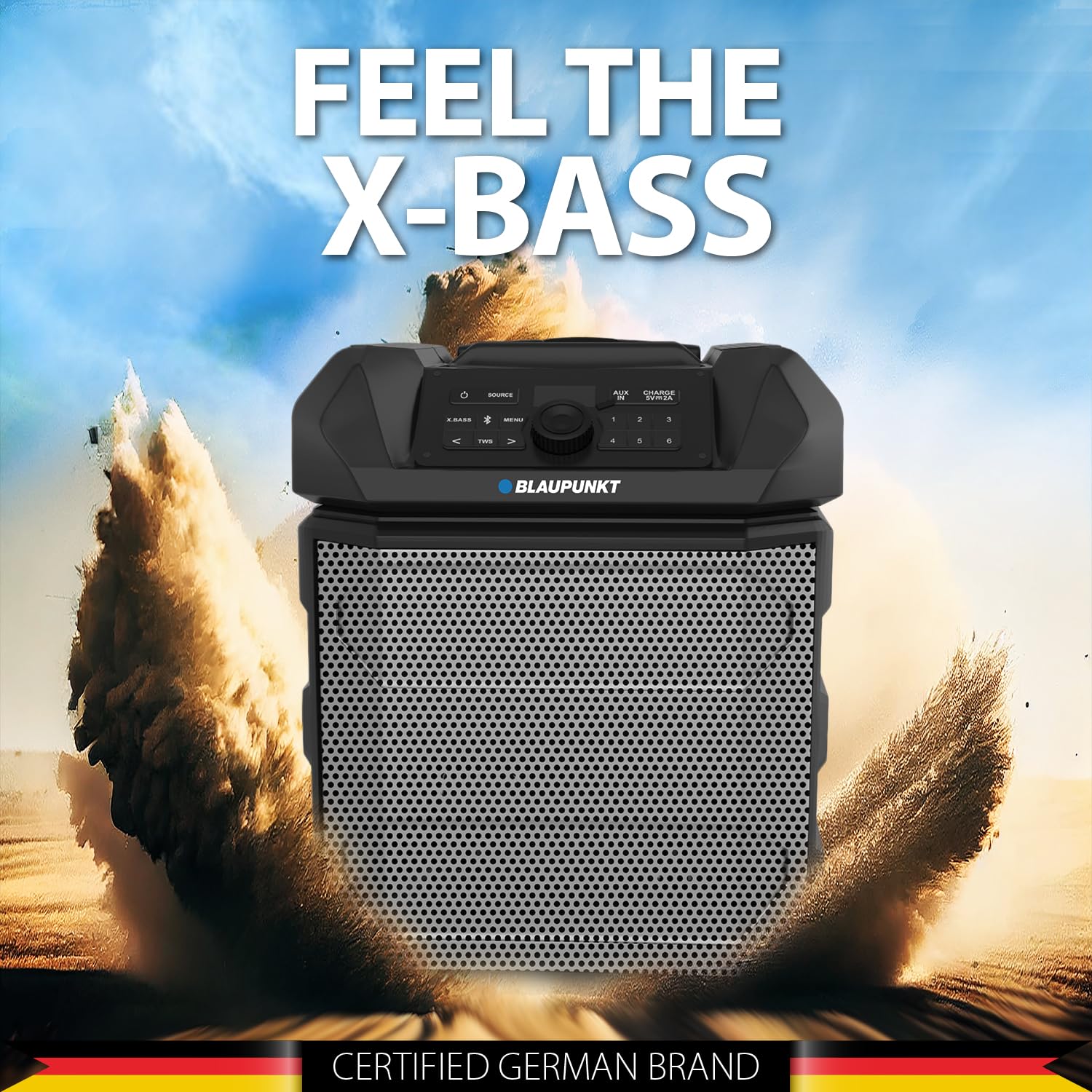
Figure 5: The PS150 speaker being transported with its wheels and handle.
9. స్పెసిఫికేషన్లు
| ఫీచర్ | స్పెసిఫికేషన్ |
|---|---|
| బ్రాండ్ | BLAUPUNKT |
| మోడల్ సంఖ్య | PS150 BK |
| అవుట్పుట్ వాట్tage | 100 వాట్స్ |
| కనెక్టివిటీ టెక్నాలజీ | బ్లూటూత్ |
| అనుకూల పరికరాలు | స్మార్ట్ఫోన్, టాబ్లెట్ |
| శక్తి మూలం | బ్యాటరీ ఆధారితమైనది |
| బ్యాటరీ కెపాసిటీ | 4500mAh |
| ఆడియో ఇన్పుట్ | సహాయక |
| USB అవుట్పుట్ | 5V, 2000mAh |
| అంశం కొలతలు (L x W x H) | 43 x 31.5 x 52.5 సెంటీమీటర్లు |
| వస్తువు బరువు | 7500 గ్రాములు |
| ఎన్క్లోజర్ మెటీరియల్ | యాక్రిలోనిట్రైల్ బుటాడిన్ స్టైరీన్ (ABS) |
10. నిర్వహణ
- స్పీకర్ను మృదువైన, పొడి గుడ్డతో శుభ్రం చేయండి. రాపిడి క్లీనర్లను లేదా ద్రావకాలను ఉపయోగించవద్దు.
- ఉపయోగంలో లేనప్పుడు స్పీకర్ను చల్లని, పొడి ప్రదేశంలో నిల్వ చేయండి.
- ప్రత్యక్ష సూర్యకాంతికి లేదా తీవ్రమైన ఉష్ణోగ్రతలకు ఎక్కువసేపు గురికాకుండా ఉండండి.
11. ట్రబుల్షూటింగ్
11.1 శక్తి లేదు
- స్పీకర్ పూర్తిగా ఛార్జ్ చేయబడిందని నిర్ధారించుకోండి.
- పవర్ కేబుల్ సురక్షితంగా కనెక్ట్ చేయబడిందో లేదో తనిఖీ చేయండి.
- ఇది కేవలం ఒక చిన్న ప్రెస్ కాదని నిర్ధారించుకోవడానికి పవర్ బటన్ను కొన్ని సెకన్ల పాటు నొక్కి పట్టుకోండి.
11.2 ధ్వని లేదు
- స్పీకర్ మరియు కనెక్ట్ చేయబడిన పరికరం రెండింటిలోనూ వాల్యూమ్ను పెంచండి.
- Ensure the correct input source (Bluetooth, AUX, USB) is selected.
- If using Bluetooth, ensure the device is properly paired.
- AUX ఉపయోగిస్తుంటే, కేబుల్ కనెక్షన్ను తనిఖీ చేయండి.
11.3 Bluetooth Disconnection
- Ensure the connected device is within the Bluetooth range (typically 10 meters).
- Avoid obstacles between the speaker and the device that may interfere with the signal.
- పరికరాన్ని అన్పెయిర్ చేసి, తిరిగి పెయిర్ చేయడానికి ప్రయత్నించండి.
12. వారంటీ మరియు మద్దతు
The Blaupunkt Rock & Roll PS150 comes with a 1-year warranty from the date of purchase. For warranty claims, technical support, or any other inquiries, please contact:
- తయారీదారు: Envent Worldwide Pvt Ltd
- Customer Care WhatsApp Support: 8860022600
- ఇమెయిల్ ID: wecare@blaupunktaudio.in