
1. పరిచయం
The Fitonme Smartwatch S51 is a versatile wearable device designed for women, combining elegant aesthetics with advanced smart features. It features a 1.39-inch TFT color display with a high resolution of 360x360 pixels, an ultra-thin 10mm body, and comes with two interchangeable straps: a silver steel band and a comfortable white silicone band. This smartwatch supports Bluetooth calling, smart notifications, comprehensive health monitoring, and a wide range of sports modes, making it an ideal companion for daily life and fitness activities.
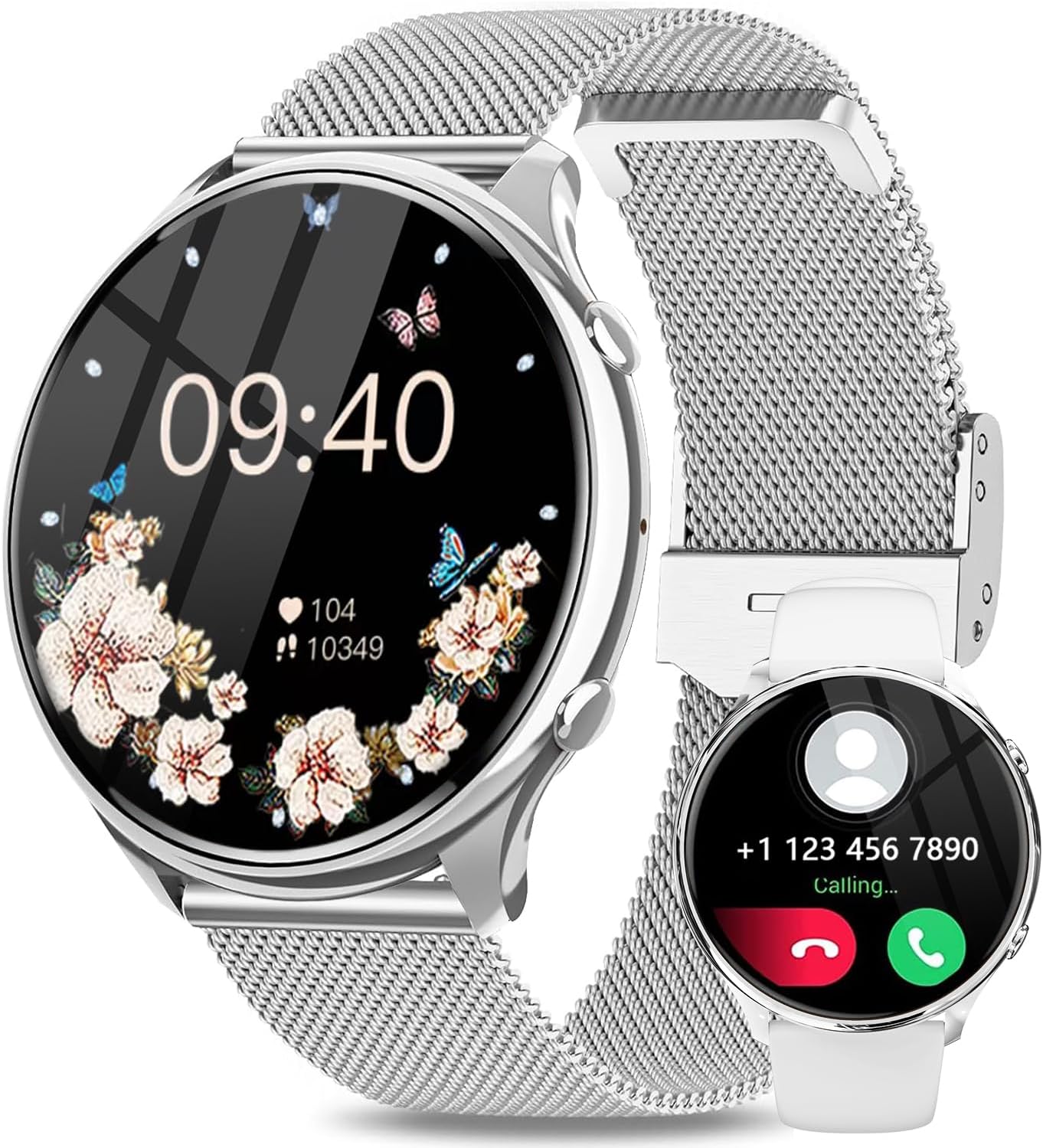
Figure 1.1: Fitonme Smartwatch S51, showcasing its elegant design and dual strap options.
2. సెటప్
2.1 అన్బాక్సింగ్ మరియు ప్రారంభ ఛార్జ్
Upon unboxing your Fitonme Smartwatch S51, it is recommended to fully charge the device before its first use. Connect the magnetic charging cable to the charging points on the back of the watch and plug the USB end into a compatible power adapter (not included) or a computer USB port. A full charge typically takes approximately 2 to 2.5 hours.

Figure 2.1: The smartwatch connected to its magnetic charger, indicating charging status.
2.2 యాప్ ఇన్స్టాలేషన్ మరియు పరికర జత చేయడం
మీ స్మార్ట్ వాచ్ యొక్క పూర్తి కార్యాచరణను అన్లాక్ చేయడానికి, డౌన్లోడ్ చేసి, ఇన్స్టాల్ చేయండి FitCloudPro application on your smartphone. The app is compatible with iOS 9.0 and above, and Android 4.4 and above.
- అనువర్తనాన్ని డౌన్లోడ్ చేయండి: కోసం వెతకండి "FitCloudPro" in your smartphone's app store (App Store for iOS, Google Play Store for Android) and install it.
- బ్లూటూత్ని ప్రారంభించండి: మీ స్మార్ట్ఫోన్లో బ్లూటూత్ ప్రారంభించబడిందని నిర్ధారించుకోండి.
- యాప్ని తెరవండి: FitCloudPro యాప్ను ప్రారంభించి, ఖాతాను సృష్టించడానికి లేదా లాగిన్ అవ్వడానికి స్క్రీన్పై ఉన్న సూచనలను అనుసరించండి.
- పరికరాన్ని జోడించండి: In the app, navigate to the "Device" or "My Device" section and select "Add Device" or "Bind Device". The app will search for nearby smartwatches.
- మీ వాచ్ను ఎంచుకోండి: From the list of found devices, select "S51" or the device name corresponding to your Fitonme Smartwatch. Confirm the pairing request on both your phone and the watch if prompted.
- సమకాలీకరణ డేటా: Once paired, the watch will synchronize data with the app, and you can begin customizing settings and tracking your activities.
3. ఆపరేటింగ్ సూచనలు
3.1 ప్రాథమిక నావిగేషన్
- టచ్ స్క్రీన్: Swipe left/right to navigate through main functions, swipe up/down for quick settings or notifications.
- సైడ్ బటన్: Press to wake the screen, return to the home screen, or access the app list.
- ఎల్లప్పుడూ ఆన్ డిస్ప్లే: The watch supports an Always-On Display feature, allowing the time to be visible at all times with minimal power consumption. This can be configured in the watch settings or via the FitCloudPro app.
3.2 బ్లూటూత్ కాలింగ్ మరియు స్మార్ట్ నోటిఫికేషన్లు
Once paired with your smartphone, the Fitonme Smartwatch S51 allows you to make and receive calls directly from your wrist. You will also receive real-time notifications for SMS, social media apps (Facebook, WhatsApp, Instagram, etc.), and other alerts.
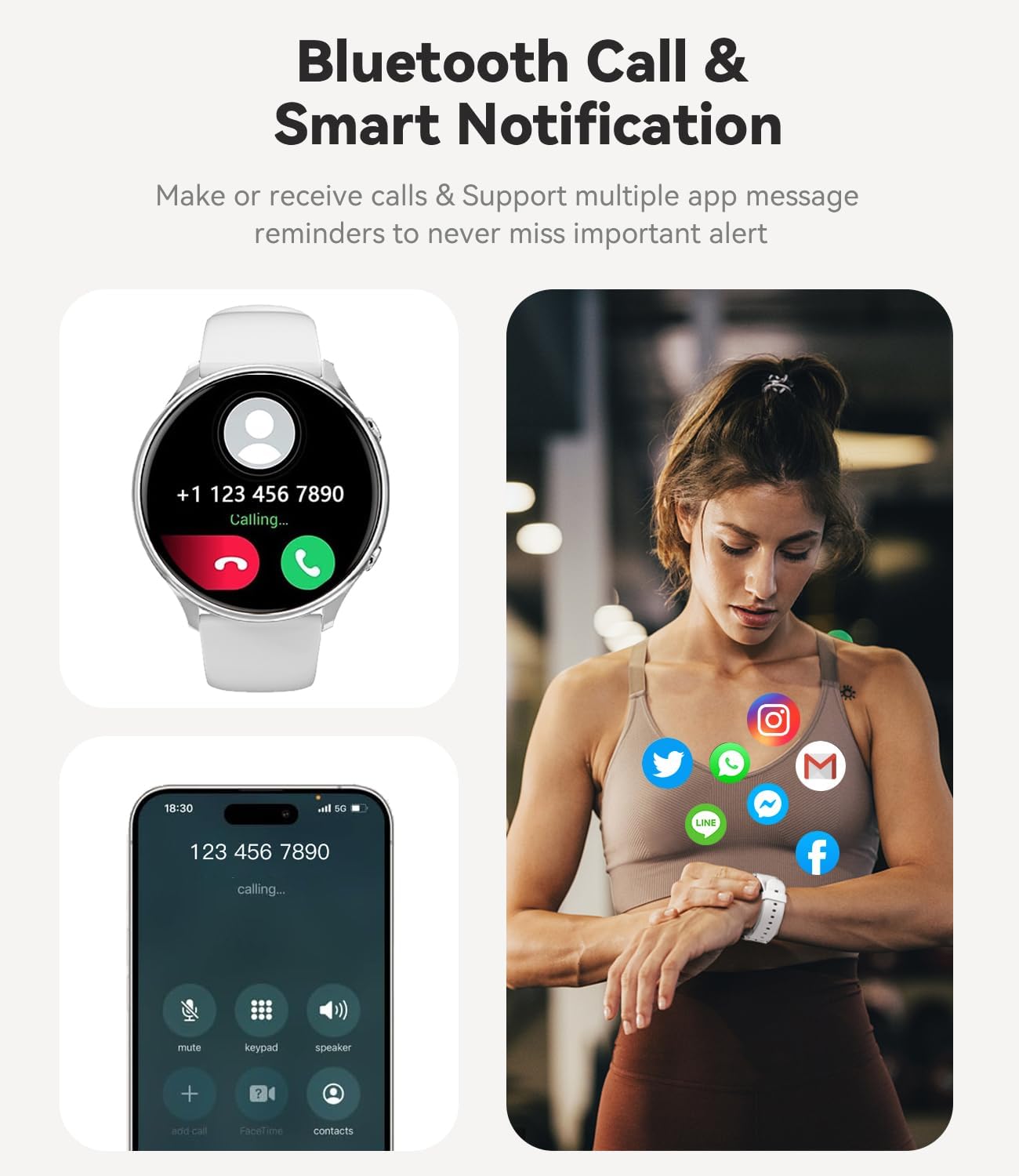
Figure 3.1: Smartwatch showing an incoming call, enabling hands-free communication.
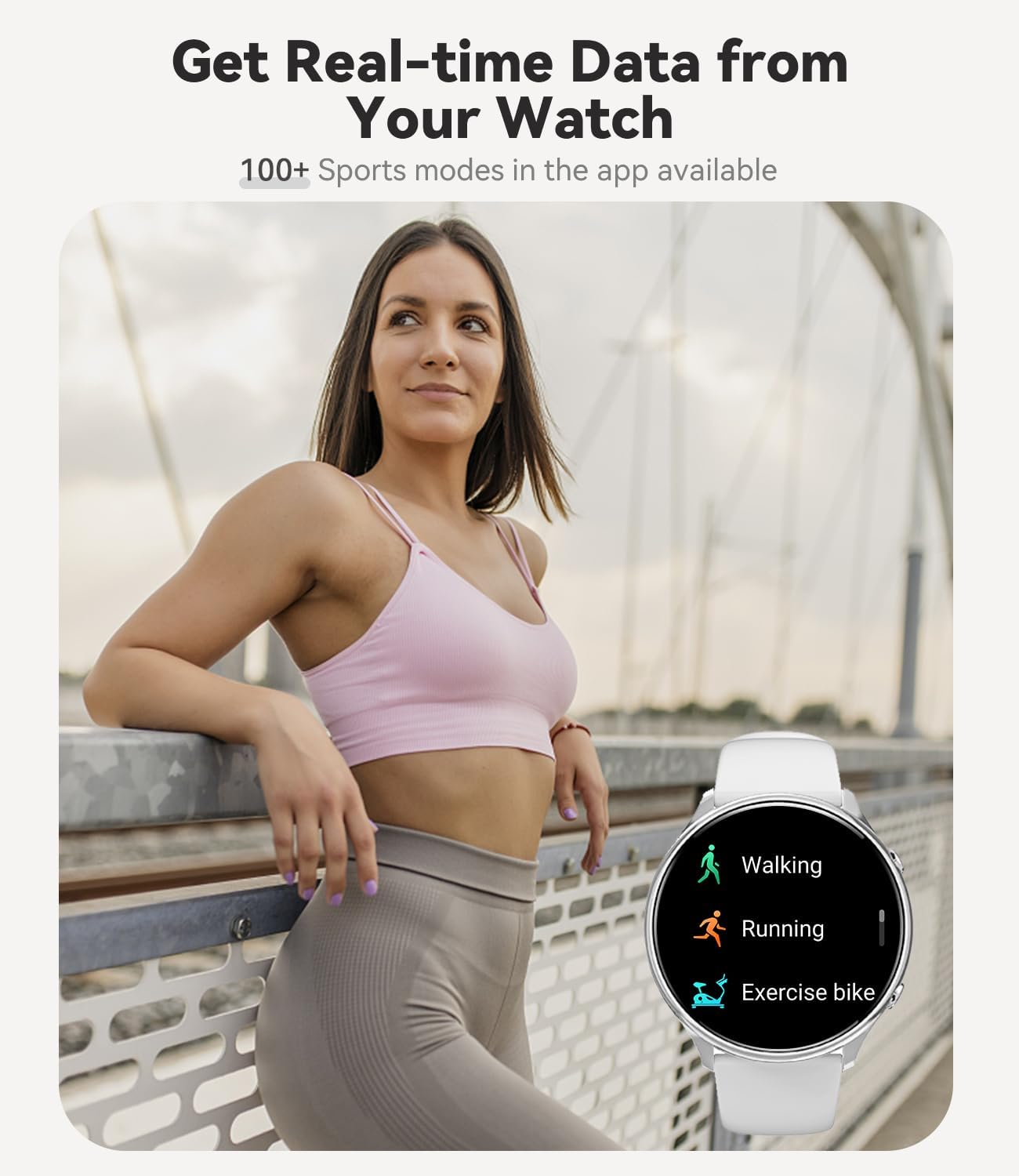
Figure 3.2: The smartwatch receiving notifications from various applications.
3.3 ఆరోగ్య పర్యవేక్షణ
The smartwatch is equipped with advanced sensors to monitor various health metrics:
- హృదయ స్పందన పర్యవేక్షణ: రోజంతా మీ హృదయ స్పందన రేటును నిరంతరం ట్రాక్ చేస్తుంది.
- రక్త ఆక్సిజన్ (SpO2) కొలత: మీ రక్త ఆక్సిజన్ సంతృప్త స్థాయిలను కొలుస్తుంది.
- నిద్ర ట్రాకింగ్: Monitors your sleep patterns, including deep sleep, light sleep, and awake times, to help you understand and improve your sleep quality.
- మహిళల ఆరోగ్య ట్రాకింగ్: Provides features for tracking menstrual cycles and predicting ovulation periods.
- నడకదూరాన్ని కొలిచే పరికరము: మీ రోజువారీ అడుగులు, దూరం మరియు ఖర్చైన కేలరీలను లెక్కిస్తుంది.

Figure 3.3: Health monitoring features including heart rate tracking during exercise and sleep analysis.
3.4 స్పోర్ట్స్ మోడ్లు
The Fitonme Smartwatch S51 offers over 120 sports modes accessible through the FitCloudPro app. It tracks real-time data for your workouts, helping you achieve your fitness goals.
- అంతర్నిర్మిత మోడ్లు: Includes common activities like walking, running, and exercise biking.
- App-based Modes: Access a wider variety of sports modes via the FitCloudPro app to track specific activities.

Figure 3.4: The smartwatch displaying various sports tracking modes.
3.5 అదనపు ఫీచర్లు
- సంగీత నియంత్రణ: వాచ్ నుండి నేరుగా మీ స్మార్ట్ఫోన్లో మ్యూజిక్ ప్లేబ్యాక్ను నియంత్రించండి.
- కెమెరా రిమోట్ కంట్రోల్: మీ ఫోన్ కెమెరాకు వాచ్ని రిమోట్ షట్టర్గా ఉపయోగించండి.
- వాతావరణ సూచన: నిజ-సమయ వాతావరణ నవీకరణలను పొందండి.
- అలారం గడియారం & టైమర్: అలారాలను సెట్ చేయండి మరియు టైమర్ ఫంక్షన్ను ఉపయోగించండి.
- సెడెంటరీ రిమైండర్: నిష్క్రియాత్మక కాలాల తర్వాత కదలమని మీకు గుర్తు చేస్తుంది.
- నీటి రిమైండర్: క్రమం తప్పకుండా నీరు త్రాగమని మిమ్మల్ని ప్రేరేపిస్తుంది.
- అనుకూలీకరించదగిన వాచ్ ముఖాలు: Choose from over 200 watch faces or use your own photos.

Figure 3.5: Music player controls accessible from the smartwatch.
4. నిర్వహణ
4.1 మీ స్మార్ట్వాచ్ను శుభ్రపరచడం
Regular cleaning helps maintain the appearance and functionality of your smartwatch. Use a soft, lint-free cloth to wipe the screen and body. For stubborn smudges, slightly dampen గుడ్డను నీటితో తడిపివేయండి. కఠినమైన రసాయనాలు లేదా రాపిడి పదార్థాలను ఉపయోగించకుండా ఉండండి.
4.2 నీటి నిరోధకత (IP67)
The Fitonme Smartwatch S51 is rated IP67 waterproof, meaning it is resistant to dust and can withstand immersion in water up to 1 meter for 30 minutes. This makes it suitable for daily activities like hand washing or light rain.
ముఖ్యమైన గమనిక: While IP67 rated, the watch is కాదు suitable for swimming, showering with hot water, or sauna use. Exposure to steam, hot water, or prolonged immersion can damage the device and void the warranty. Always dry the watch thoroughly after it gets wet.
4.3 బ్యాటరీ సంరక్షణ
To prolong battery life, avoid extreme temperatures. Charge the watch using the provided magnetic charger. If the watch will not be used for an extended period, charge it to about 50% before storing it.
5. ట్రబుల్షూటింగ్
| సమస్య | సాధ్యమైన పరిష్కారం |
|---|---|
| గడియారం ఆన్ కావడం లేదా ఛార్జ్ కావడం లేదు. | Ensure the charging cable is securely connected to both the watch and the power source. Try a different USB port or power adapter. Clean the charging contacts on the watch and cable. Allow the watch to charge for at least 10-15 minutes before attempting to turn it on. |
| స్మార్ట్ఫోన్తో జత చేయడం సాధ్యం కాదు. | Make sure Bluetooth is enabled on your phone and the watch is within range. Restart both your phone and the watch. Forget the device in your phone's Bluetooth settings and try pairing again through the FitCloudPro app. Ensure the FitCloudPro app has necessary permissions (location, Bluetooth). |
| నోటిఫికేషన్లు అందలేదు. | Check if the watch is properly connected to the app. Ensure notification permissions are enabled for the FitCloudPro app in your phone's settings. Verify that app notifications are enabled within the FitCloudPro app itself. Disable any power-saving modes on your phone that might restrict background app activity. |
| Inaccurate health data (HR, SpO2, Sleep). | Ensure the watch is worn snugly on your wrist, not too loose or too tight. Clean the sensor on the back of the watch. Avoid excessive movement during measurements. For sleep tracking, ensure you wear the watch throughout the night. |
| తక్కువ బ్యాటరీ జీవితం. | Reduce screen brightness. Turn off Always-On Display if not needed. Limit continuous heart rate monitoring or set it to a longer interval. Close unnecessary background apps on the watch (if applicable). Frequent calls or heavy notification usage can drain the battery faster. |
If you encounter issues not listed here, please refer to the FitCloudPro app's help section or contact Fitonme customer support.
6. స్పెసిఫికేషన్లు
| ఫీచర్ | వివరాలు |
|---|---|
| బ్రాండ్ | ఫిటన్మే |
| మోడల్ సంఖ్య | S51 |
| రంగు | వెండి/తెలుపు |
| స్క్రీన్ పరిమాణం | 1.39 అంగుళాలు |
| డిస్ప్లే రిజల్యూషన్ | 360 x 360 పిక్సెల్లు |
| ఆపరేటింగ్ సిస్టమ్ అనుకూలత | iOS 9.0+, Android 4.4+ |
| కనెక్టివిటీ | బ్లూటూత్ |
| ప్రత్యేక లక్షణాలు | Always-on display, 120+ sports modes, period tracking, heart rate monitor, SpO2 monitor, sleep monitor, pedometer, custom dial, Bluetooth calling, notifications, music control, camera remote, weather, alarm, timer, sedentary reminder, water reminder. |
| బ్యాటరీ కూర్పు | లిథియం-పాలిమర్ |
| ఛార్జింగ్ సమయం | దాదాపు 2 - 2.5 గంటలు |
| వినియోగ సమయం | 5-7 రోజులు (సాధారణ వినియోగం) |
| స్టాండ్బై సమయం | 30 రోజుల వరకు |
| నీటి నిరోధకత | IP67 (Dust and water resistant up to 1 meter for 30 minutes. Not for swimming, hot showers, or saunas.) |
| మెమరీ స్టోరేజ్ కెపాసిటీ | 128 MB |
| ఆకారం | గుండ్రంగా |
| శైలి | ఆధునిక |
7. వారంటీ మరియు మద్దతు
For warranty information and customer support, please refer to the documentation included with your product or visit the official Fitonme website. You can also contact the seller directly through the platform where you purchased the product for assistance with returns or technical issues.
రిటర్న్ పాలసీ: The product has a 30-day return/replacement policy from the date of purchase.
8. ఉత్పత్తి వీడియోలు
అందించిన డేటాలో ఈ వస్తువు కోసం విక్రేత నుండి అధికారిక ఉత్పత్తి వీడియోలు ఏవీ కనుగొనబడలేదు.