
1. పరిచయం
This manual provides comprehensive instructions for the installation, operation, and maintenance of your EZVIZ CS-HB8/SP 2K+ 4MP PT Battery-Powered Wi-Fi Camera with Solar Panel. Please read this manual carefully before using the product to ensure proper functionality and safety. Keep this manual for future reference.
The EZVIZ HB8 is a battery-powered security camera designed for outdoor use, offering 360-degree pan and tilt capabilities with 2K+ resolution. It features an ultra-long battery life and can be optionally powered by a solar panel for continuous operation. The camera includes on-device storage for recording activity and advanced detection features.
2. ప్యాకేజీ విషయాలు
Verify that all components are present and in good condition upon opening the package. If any items are missing or damaged, contact your retailer.
- EZVIZ CS-HB8/SP 2K+ 4MP PT Camera
- సోలార్ ప్యానెల్
- మౌంటు మూస
- స్క్రూ కిట్
- Power Adapter (for initial charging)
- USB కేబుల్
- త్వరిత ప్రారంభ గైడ్
- రెగ్యులేటరీ సమాచారం
3. ఉత్పత్తి ముగిసిందిview
Familiarize yourself with the camera's components before installation.
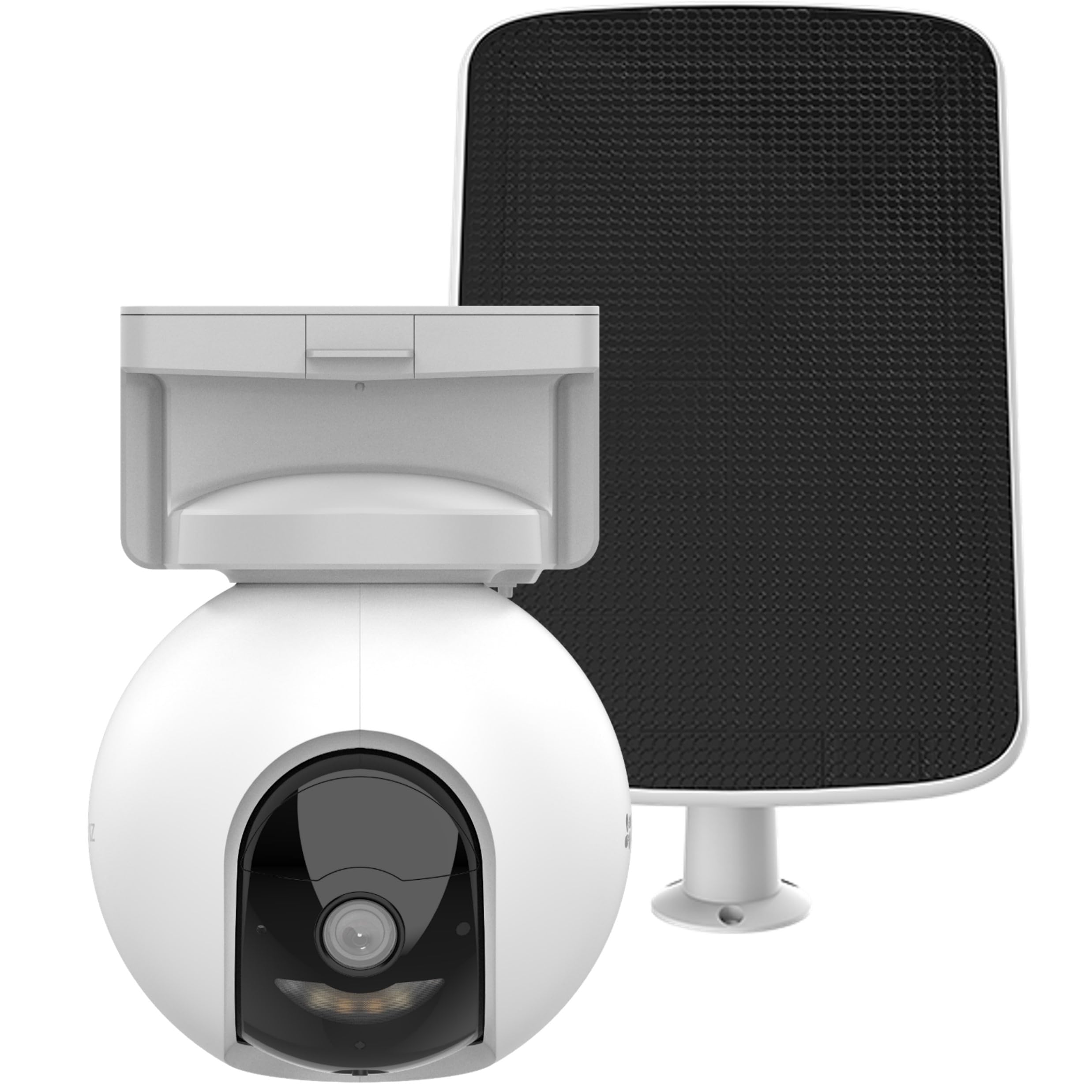
Image 1: EZVIZ CS-HB8/SP Camera and Solar Panel. This image displays the main camera unit with its pan-tilt base and the accompanying solar panel, highlighting their design and connection points.
కెమెరా భాగాలు:
- లెన్స్: వీడియో fooని సంగ్రహిస్తుందిtage.
- ఇన్ఫ్రారెడ్ LED లు: రాత్రి దృష్టి సామర్థ్యాలను అందిస్తాయి.
- మైక్రోఫోన్: ఆడియో ఇన్పుట్ మరియు టూ-వే టాక్ కోసం.
- స్పీకర్: ఆడియో అవుట్పుట్ మరియు టూ-వే టాక్ కోసం.
- పిఐఆర్ సెన్సార్: Detects passive infrared motion.
- స్థితి సూచిక: Displays camera status (e.g., charging, connected).
- రీసెట్ బటన్: కెమెరాను ఫ్యాక్టరీ సెట్టింగ్లకు రీసెట్ చేయడానికి ఉపయోగించబడుతుంది.
- మైక్రో SD కార్డ్ స్లాట్: స్థానిక వీడియో నిల్వ కోసం.
- USB-C పోర్ట్: For charging and connecting the solar panel.
Solar Panel Components:
- సౌర ఘటాలు: సూర్యరశ్మిని విద్యుత్ శక్తిగా మార్చండి.
- మౌంటు బ్రాకెట్: For securing the solar panel.
- USB-C కేబుల్: సౌర ఫలకాన్ని కెమెరాకు అనుసంధానిస్తుంది.
4. సెటప్
4.1 ప్రారంభ ఛార్జింగ్
Before first use, fully charge the camera battery using the provided power adapter and USB cable. The status indicator will show a solid red light during charging and turn off when fully charged. This process may take several hours.
4.2 EZVIZ App Installation
- Download the EZVIZ app from the App Store (iOS) or Google Play Store (Android).
- Register for an EZVIZ account or log in if you already have one.
4.3 కెమెరా జత చేయడం
- Power on the camera by pressing and holding the power button (if applicable, or it powers on automatically after charging).
- Open the EZVIZ app, tap the "+" icon on the home screen to add a device.
- కెమెరా లేదా దాని ప్యాకేజింగ్పై ఉన్న QR కోడ్ను స్కాన్ చేయండి.
- Follow the on-screen instructions in the app to connect the camera to your Wi-Fi network. Ensure your Wi-Fi network is 2.4 GHz.
4.4 కెమెరా మరియు సోలార్ ప్యానెల్ను అమర్చడం
స్పష్టమైన మౌంటు స్థానాన్ని ఎంచుకోండి view and good Wi-Fi signal strength. For the solar panel, select a spot that receives direct sunlight for most of the day.
- Use the mounting template to mark screw holes on the desired surface.
- Drill pilot holes and insert wall anchors if mounting on masonry or stucco.
- Secure the camera mounting base and solar panel bracket using the provided screws.
- Attach the camera to its base and adjust the angle as needed.
- Connect the solar panel's USB-C cable to the camera's USB-C port. Ensure the connection is secure and weatherproof.
గమనిక: Ensure the solar panel is positioned to maximize sun exposure for optimal charging performance.
5. ఆపరేటింగ్ సూచనలు
5.1 ప్రత్యక్ష ప్రసారం View మరియు ప్లేబ్యాక్
- Open the EZVIZ app and select your camera from the device list.
- Tap on the live view to see real-time footage.
- Use the pan and tilt controls within the app to adjust the camera's viewing కోణం.
- Access the playback feature to review recorded events stored on the MicroSD card.
5.2 మోషన్ డిటెక్షన్ మరియు హెచ్చరికలు
The camera features intelligent motion detection with auto-tracking.
- In the EZVIZ app, navigate to camera settings.
- Enable motion detection and customize sensitivity levels.
- Set up alert notifications to receive instant alerts on your mobile device when motion is detected.
- Configure auto-tracking to allow the camera to follow detected subjects.
5.3 రెండు-మార్గాల చర్చ
Use the two-way talk feature to communicate with visitors or deter intruders.
- లైవ్లో ఉండగా view, tap the microphone icon in the EZVIZ app to speak.
- Release the icon to listen.
౪.౧.౧౦ నైట్ విజన్
The camera automatically switches to night vision mode in low-light conditions, providing clear footage even in darkness. It supports vivid color night vision.
6. నిర్వహణ
6.1 శుభ్రపరచడం
- కెమెరా లెన్స్ మరియు సోలార్ ప్యానెల్ ఉపరితలాన్ని మృదువైన, d తో క్రమం తప్పకుండా శుభ్రం చేయండి.amp దుమ్ము మరియు చెత్తను తొలగించడానికి వస్త్రం.
- కఠినమైన రసాయనాలు లేదా రాపిడి క్లీనర్లను ఉపయోగించవద్దు.
6.2 బ్యాటరీ నిర్వహణ
- Monitor the battery level through the EZVIZ app.
- Ensure the solar panel receives adequate sunlight to maintain battery charge.
- If the camera is not receiving enough sunlight, occasional manual charging with the power adapter may be necessary.
6.3 ఫర్మ్వేర్ నవీకరణలు
Keep your camera's firmware updated to ensure optimal performance and access to new features. Firmware updates can be initiated through the EZVIZ app.
7. ట్రబుల్షూటింగ్
| సమస్య | సాధ్యమైన కారణం | పరిష్కారం |
|---|---|---|
| కెమెరా Wi-Fiకి కనెక్ట్ చేయడం లేదు | Incorrect Wi-Fi password; Camera too far from router; 5GHz Wi-Fi network. | Verify password; Move camera closer to router; Ensure 2.4GHz Wi-Fi is used. |
| సోలార్ ప్యానెల్ ద్వారా బ్యాటరీ ఛార్జ్ కావడం లేదు | Insufficient sunlight; Dirty solar panel; Loose connection. | Relocate panel to direct sunlight; Clean panel surface; Check USB-C connection. |
| చలన గుర్తింపు హెచ్చరికలు లేవు | Detection disabled; Sensitivity too low; App notifications off. | Enable detection in app; Increase sensitivity; Check app notification settings. |
| పేలవమైన వీడియో నాణ్యత | Dirty lens; Weak Wi-Fi signal; Low light conditions. | Clean lens; Improve Wi-Fi signal; Ensure adequate lighting or rely on night vision. |
If you encounter issues not listed here, please refer to the EZVIZ app's help section or contact customer support.
8. స్పెసిఫికేషన్లు
| ఫీచర్ | వివరాలు |
|---|---|
| మోడల్ సంఖ్య | CS-HB8/SP (OB03698) |
| రిజల్యూషన్ | 2K+ (4MP) |
| పాన్/టిల్ట్ | 360-డిగ్రీ కవరేజ్ |
| శక్తి మూలం | Battery-powered with optional Solar Panel |
| బ్యాటరీ లైఫ్ | Up to 210 days (without solar panel) |
| నిల్వ | On-device storage (MicroSD card slot) |
| నైట్ విజన్ | కలర్ నైట్ విజన్ |
| కనెక్టివిటీ | Wi-Fi (2.4GHz) |
| వస్తువు బరువు | 1.74 కిలోలు |
| ఉత్పత్తి కొలతలు | 10 x 5 x 1.27 సెం.మీ |
| వాట్tage | 10 Watts (Solar Panel) |
| మౌంటు రకం | Ceiling mount base |
| చేర్చబడిన భాగాలు | సోలార్ ప్యానెల్తో కూడిన కెమెరా |
| మూలం దేశం | చైనా |
9. వారంటీ మరియు మద్దతు
EZVIZ products come with a limited warranty. For detailed warranty information, please refer to the warranty card included in your package or visit the official EZVIZ webసైట్.
For technical support, troubleshooting assistance, or to report issues, please contact EZVIZ customer service through the EZVIZ app or their official webసైట్. మద్దతును సంప్రదించేటప్పుడు మీ ఉత్పత్తి మోడల్ నంబర్ మరియు కొనుగోలు వివరాలు సిద్ధంగా ఉన్నాయని నిర్ధారించుకోండి.
EZVIZ Official Webసైట్: www.ezviz.com