
1. పరిచయం
Thank you for choosing the EBTOOLS Mini Camera. This compact and versatile device is designed for discreet video recording with high-definition clarity. Featuring a 120-degree wide-angle lens, automatic night vision, and PIR (Passive Infrared) motion detection, it offers reliable surveillance capabilities. This manual provides detailed instructions for setup, operation, and maintenance to ensure optimal performance.

మూర్తి 1.1: The EBTOOLS Mini Camera, showcasing its compact design and the back clip attachment for discreet placement on clothing.
2. ఉత్పత్తి ముగిసిందిview
2.1 ముఖ్య లక్షణాలు
- 1080P HD వీడియో రికార్డింగ్: Captures clear video at 1920x1080 resolution and 30 frames per second.
- 120-డిగ్రీల వైడ్ యాంగిల్ లెన్స్: విస్తృత క్షేత్రాన్ని అందిస్తుంది view సమగ్ర కవరేజ్ కోసం.
- ఆటోమేటిక్ నైట్ విజన్: Equipped with 10 infrared lamps for clear recording in low-light conditions, automatically activating when needed.
- PIR Video Recording: Passive Infrared sensor detects motion, initiating recording to conserve battery and storage.
- అధిక సామర్థ్యం గల లిథియం బ్యాటరీ: Built-in 1200mAh battery offers approximately 8-10 hours of continuous recording.
- Back Clip Design: Allows for easy and secure attachment to clothing or backpacks.
- మైక్రో SD కార్డ్ మద్దతు: Supports up to 128GB Micro Memory Card storage (not included).

మూర్తి 2.1: Visual representation of the camera's main features, including PIR motion detection, wide-angle lens, HD resolution, night vision, memory card support, battery capacity, video playback, and loop recording.
2.2 ప్యాకేజీ విషయాలు
మీ ప్యాకేజీలో అన్ని అంశాలు ఉన్నాయని ధృవీకరించండి:
- 1 x EBTOOLS Mini Camera Host
- 1 x Back Clamp
- 1 x Support Rack
- 1 x ఛార్జింగ్ కేబుల్ (USB)
- 1 x వినియోగదారు మాన్యువల్
3. సెటప్
3.1 బ్యాటరీని ఛార్జ్ చేయడం
- Connect the provided USB charging cable to the camera's USB port.
- Plug the other end of the USB cable into a DC 5V 1A or DC 5V 2A power adapter (not included) or a computer's USB port.
- The charging indicator light will illuminate. Charging typically takes about 3-5 hours for a full charge.
- Once fully charged, the indicator light may change color or turn off, depending on the camera's design.
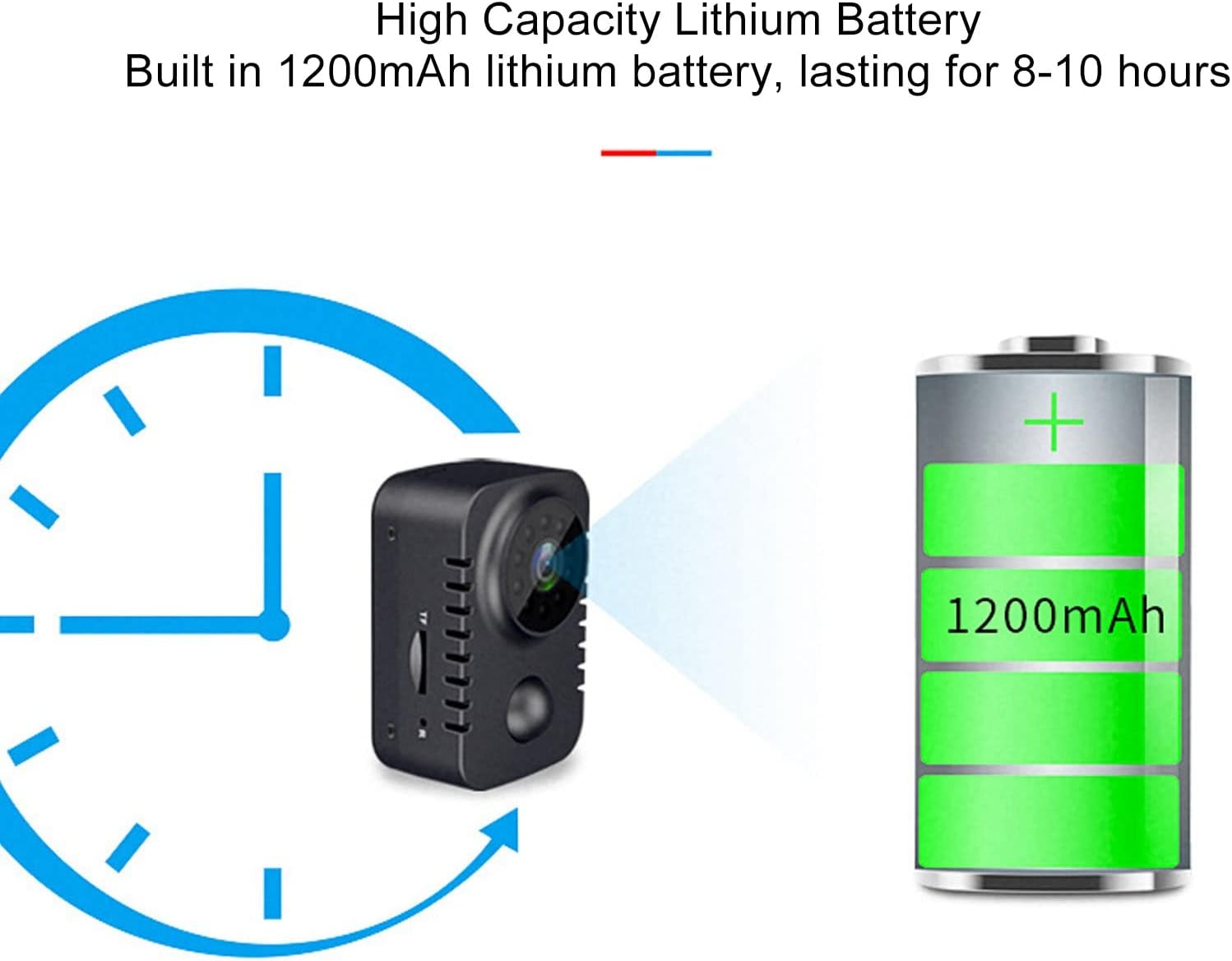
మూర్తి 3.1: Illustration of the camera's high-capacity 1200mAh lithium battery, providing 8-10 hours of operation on a full charge.
3.2 మైక్రో SD కార్డ్ని చొప్పించడం
The camera requires a Micro SD card (up to 128GB, not included) for storing recordings.
- కెమెరా వైపు మైక్రో SD కార్డ్ స్లాట్ను గుర్తించండి.
- Gently insert the Micro SD card into the slot with the gold contacts facing down until it clicks into place.
- తీసివేయడానికి, కార్డు బయటకు వచ్చే వరకు సున్నితంగా లోపలికి నెట్టండి.
4. ఆపరేటింగ్ సూచనలు
4.1 పవర్ ఆన్/ఆఫ్
- పవర్ ఆన్: సూచిక లైట్ వెలిగే వరకు పవర్ బటన్ను కొన్ని సెకన్ల పాటు నొక్కి పట్టుకోండి.
- పవర్ ఆఫ్: Press and hold the Power button for a few seconds until the indicator light turns off.

మూర్తి 4.1: వివరంగా view of the camera's controls, including the USB port and switches for power (shutdown), video recording, and PIR (human body induction) functions.
4.2 Video Recording Modes
The camera supports continuous video recording and PIR motion-activated recording.
- నిరంతర రికార్డింగ్: After powering on, switch the "Videotape" toggle to the ON position. The camera will begin recording continuously.
- PIR Motion-Activated Recording: After powering on, switch the "Human body induction" toggle to the ON position. The camera will enter standby mode and only record when motion is detected by the PIR sensor. This mode helps conserve battery and storage space.

మూర్తి 4.2: Example of PIR video recording, showing how the camera detects and records when motion is present in its field of view.
4.3 Automatic Night Vision
The camera is equipped with automatic night vision. In low-light environments, the camera will automatically switch to night mode, utilizing its infrared lamps to capture clear video.

మూర్తి 4.3: Demonstration of the automatic night vision feature, illustrating the camera's ability to capture images in both day and low-light conditions.
4.4 Viewరికార్డింగ్లు
కు view recorded videos, remove the Micro SD card from the camera and insert it into a computer's card reader. The video files (AVI format) can then be played using standard media player software.
4.5 Using the Back Clip and Support Rack
The included back clip allows for versatile placement. Attach the clip to the camera and then secure it to clothing, a backpack, or other suitable surfaces. The support rack provides additional mounting options and angle adjustment.

మూర్తి 4.4: Illustration of the back clip design, demonstrating how it attaches to the camera and can be used for discreet placement on clothing.

మూర్తి 4.5: The universal bracket, detailing its 4mm screw head and adjustable angles for flexible camera positioning.
5. నిర్వహణ
- శుభ్రపరచడం: కెమెరా బాడీని శుభ్రం చేయడానికి మృదువైన, పొడి వస్త్రాన్ని ఉపయోగించండి. లెన్స్ కోసం, ప్రత్యేకమైన లెన్స్ శుభ్రపరిచే వస్త్రం మరియు ద్రావణాన్ని ఉపయోగించండి. రాపిడి పదార్థాలు లేదా కఠినమైన రసాయనాలను నివారించండి.
- నిల్వ: కెమెరాను ప్రత్యక్ష సూర్యకాంతి మరియు తీవ్రమైన ఉష్ణోగ్రతలకు దూరంగా చల్లని, పొడి ప్రదేశంలో నిల్వ చేయండి.
- బ్యాటరీ సంరక్షణ: బ్యాటరీ జీవితకాలాన్ని పొడిగించడానికి, బ్యాటరీని తరచుగా పూర్తిగా డిశ్చార్జ్ చేయడాన్ని నివారించండి. ఎక్కువసేపు ఉపయోగంలో లేనప్పటికీ, కెమెరాను క్రమం తప్పకుండా ఛార్జ్ చేయండి.
- ఫర్మ్వేర్ నవీకరణలు: తయారీదారుని తనిఖీ చేయండి webసరైన పనితీరు మరియు కొత్త ఫీచర్లను నిర్ధారించడానికి అందుబాటులో ఉన్న ఏవైనా ఫర్మ్వేర్ అప్డేట్ల కోసం సైట్ను కాలానుగుణంగా తనిఖీ చేయండి.
6. ట్రబుల్షూటింగ్
| సమస్య | సాధ్యమైన కారణం | పరిష్కారం |
|---|---|---|
| కెమెరా పవర్ ఆన్ అవ్వదు. | బ్యాటరీ తక్కువగా ఉంది; ఛార్జింగ్ కేబుల్/అడాప్టర్ తప్పుగా ఉంది. | Charge the camera fully. Try a different charging cable or adapter. |
| వీడియో రికార్డ్ చేయడం సాధ్యం కాదు. | No Micro SD card; Micro SD card full or corrupted; incorrect recording mode. | Insert a Micro SD card. Format or replace the Micro SD card. Ensure the correct recording toggle is selected. |
| పేలవమైన వీడియో నాణ్యత. | లెన్స్ మురికిగా ఉండటం; తగినంత లైటింగ్ లేకపోవడం; కెమెరా కదలిక. | Clean the lens. Ensure adequate lighting or use night vision. Stabilize the camera during recording. |
| PIR motion detection not working. | PIR mode not activated; sensor obstructed. | Ensure "Human body induction" toggle is ON. Clear any obstructions from the PIR sensor. |
7. స్పెసిఫికేషన్లు
| ఫీచర్ | వివరాలు |
|---|---|
| ఉత్పత్తి పదార్థం | ABS (యాక్రిలోనిట్రైల్ బుటాడిన్ స్టైరిన్) |
| విజువల్ యాంగిల్ | 120 డిగ్రీ |
| వీడియో రిజల్యూషన్ | 1920x1080 (1080p HD) |
| వీడియో File ఫార్మాట్ | AVI |
| వీడియో ఫ్రేమ్లు | 30fps |
| Recording Time (Battery) | సుమారు 8-10 గంటలు |
| Night Vision Infrared Lamps | 10 ముక్కలు |
| ఛార్జింగ్ సమాచారం | DC 5V 1A, DC 5V 2A |
| మెమరీ కార్డ్ మద్దతు | Up to 128GB Micro Memory Card (Not Included) |
| బ్యాటరీ ఛార్జింగ్ సమయం | Approx. 3-5 Hours (with DC 5V 1A) |
| బ్యాటరీ రకం | Lithium Ion Battery 1200mAh (Built-in) |
| వస్తువు బరువు | సుమారు 149g / 5.3oz |
| మోడల్ సంఖ్య | EBTOOLSzreu941vs8 |
8. వారంటీ మరియు మద్దతు
For warranty information and customer support, please refer to the documentation included with your purchase or visit the official EBTOOLS webసైట్. ఏవైనా వారంటీ క్లెయిమ్లకు కొనుగోలు రుజువుగా మీ కొనుగోలు రసీదును ఉంచండి.
తయారీదారు: EBTOOLS
మొదటి తేదీ అందుబాటులో ఉంది: సెప్టెంబర్ 22, 2023
For further assistance, you may contact EBTOOLS customer service through their official channels.