
1. ఉత్పత్తి ముగిసిందిview
The DAYBETTER Smart WiFi LED Strip Lights (Model DC50722020W-WAUS0) provide versatile and customizable lighting for indoor spaces. These 100ft LED strips offer 16 million colors, multiple scene modes, and can be controlled via a dedicated smartphone app, voice commands through Alexa or Google Assistant, or an included remote control. Designed for easy installation, they enhance the ambiance of bedrooms, kitchens, stairs, dining rooms, ceilings, and large party areas.
ముఖ్య లక్షణాలు:
- స్మార్ట్ APP నియంత్రణ: Control via WiFi and Bluetooth with the Daybetter APP, offering 16 million colors and various scene modes.
- వాయిస్ నియంత్రణ: Compatible with Alexa Echo and Google Assistant for hands-free operation.
- సంగీతం సమకాలీకరణ: Activate music mode to synchronize light changes with audio.
- టైమర్ & షెడ్యూల్: Program automatic on/off times and countdown timers.
- సులభమైన సంస్థాపన: Self-adhesive backing allows for simple mounting on clean, dry surfaces. Cuttable design for custom lengths.
2. సెటప్ మరియు ఇన్స్టాలేషన్
Follow these steps for proper installation of your DAYBETTER Smart WiFi LED Strip Lights:
- భాగాలను అన్ప్యాక్ చేయండి: Carefully remove all items from the packaging. Ensure you have the LED strip lights, power adapter, and remote control.
- ఉపరితలాన్ని సిద్ధం చేయండి: Choose a clean, dry, and smooth surface for installation. Wipe down the area to remove any dust or debris.
- కొలత మరియు కట్ (ఐచ్ఛికం): If a shorter length is desired, cut the LED strip along the designated cut marks (usually indicated by a copper line or scissor icon). Do not cut elsewhere, as this may damage the strip.
- పవర్ అడాప్టర్ను కనెక్ట్ చేయండి: Connect the LED strip to the power adapter. Ensure the connection is secure.
- LED స్ట్రిప్ను వర్తింపజేయండి: Peel off the adhesive backing from the LED strip. Carefully press the strip onto the prepared surface, ensuring firm contact along its entire length. For corners, gently bend the strip or use corner connectors (if included and desired for a cleaner look).
- ప్లగ్ ఇన్: పవర్ అడాప్టర్ను ప్రామాణిక ఎలక్ట్రికల్ అవుట్లెట్లోకి ప్లగ్ చేయండి.
- ప్రారంభ పరీక్ష: Use the remote control or the Daybetter app to turn on the lights and test various colors and modes.
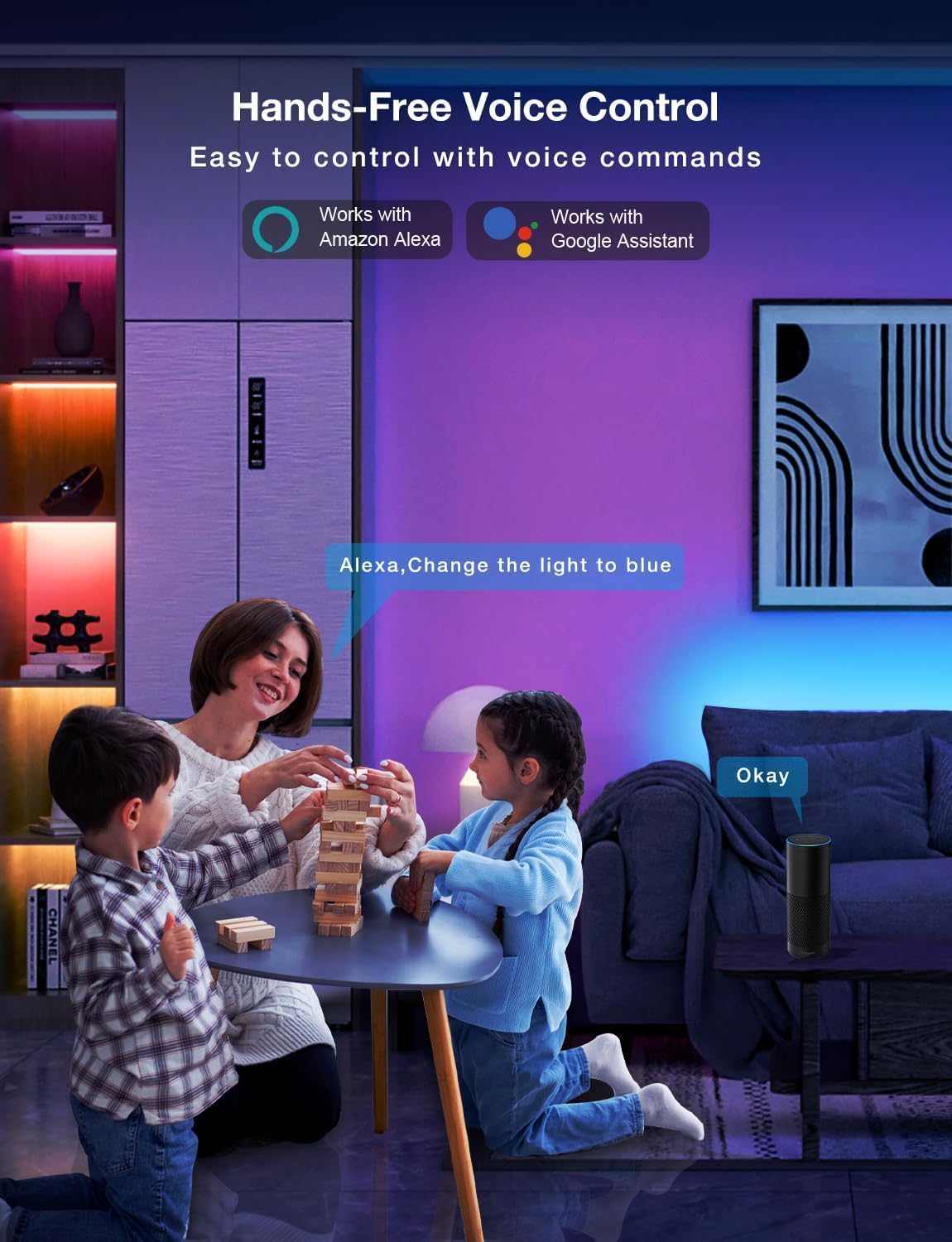
Image: Demonstrating the flexible LED strip and its adhesive backing for easy installation.

చిత్రం: పైగాview of the three easy setup methods: Voice Control, Daybetter App Control, and IR Remote Control.
Video: A user demonstrating the installation process and various color changes of the LED strip lights in a home setting.
3. ఆపరేటింగ్ సూచనలు
Your DAYBETTER LED Strip Lights offer multiple control options:
3.1. Daybetter App Control (WiFi & Bluetooth)
- అనువర్తనాన్ని డౌన్లోడ్ చేయండి: కోసం వెతకండి "Daybetter" in your smartphone's app store (iOS or Android) and install the application.
- నమోదు/లాగిన్: ఖాతాను సృష్టించండి లేదా మీకు ఇప్పటికే ఒకటి ఉంటే లాగిన్ చేయండి.
- పరికరాన్ని జోడించండి: Follow the in-app instructions to add your LED strip lights. This typically involves ensuring the lights are powered on and your phone's Bluetooth is enabled for initial pairing.
- నియంత్రణ లక్షణాలు:
- రంగు ఎంపిక: కలర్ వీల్ ఉపయోగించి 16 మిలియన్ రంగుల నుండి ఎంచుకోండి.
- ప్రకాశం సర్దుబాటు: Adjust the light intensity from 0-100%.
- దృశ్య రీతులు: Select from pre-set dynamic lighting effects (e.g., Party, Valentine Day, Halloween, Christmas).
- సంగీతం సమకాలీకరణ: Activate music mode to synchronize light changes with audio.
- టైమర్ & షెడ్యూల్: Set specific times for lights to turn on/off or create countdown timers.

Image: The Daybetter app interface showing color selection and brightness control.
3.2. వాయిస్ కంట్రోల్ (అలెక్సా & గూగుల్ అసిస్టెంట్)
- Connect to Smart Assistant: Ensure your Daybetter app is linked to your Amazon Alexa or Google Assistant account. Follow the instructions provided by your smart assistant app to enable the Daybetter skill/service.
- వాయిస్ ఆదేశాలు: వంటి ఆదేశాలను ఉపయోగించండి:
- "Alexa/Hey Google, turn on [Light Name]."
- "Alexa/Hey Google, turn off [Light Name]."
- "Alexa/Hey Google, set [Light Name] to blue."
- "Alexa/Hey Google, dim [Light Name] to 50%."

Image: Voice control in action, showing a user interacting with a smart assistant to control the LED lights.
3.3. రిమోట్ కంట్రోల్
చేర్చబడిన IR రిమోట్ కంట్రోల్ ప్రాథమిక విధులను అనుమతిస్తుంది:
- పవర్ ఆన్/ఆఫ్: Dedicated buttons for turning the lights on and off.
- రంగు ఎంపిక: Buttons for common colors (Red, Green, Blue, White, etc.).
- ప్రకాశం సర్దుబాటు: ప్రకాశాన్ని పెంచండి లేదా తగ్గించండి.
- డైనమిక్ మోడ్లు: Select from various pre-programmed modes like Jump, Fade, etc.
- సంగీత రీతులు: Activate music-reactive modes.

Image: The included IR remote control for direct light adjustments.
4. నిర్వహణ
To ensure the longevity and optimal performance of your LED strip lights:
- శుభ్రపరచడం: Gently wipe the LED strips with a soft, dry cloth to remove dust. Avoid using harsh chemicals or abrasive cleaners.
- అంటుకునే సంరక్షణ: If the adhesive begins to lose its stickiness, ensure the surface is clean and dry. For re-application, consider using additional adhesive clips or double-sided tape designed for light strips.
- విద్యుత్ సరఫరా: Ensure the power adapter is not covered or placed in an area with poor ventilation to prevent overheating.
- నీటి నిరోధకత: These lights are rated IP20 and are జలనిరోధిత కాదు. Avoid exposure to water or high humidity environments.
5. ట్రబుల్షూటింగ్
If you encounter issues with your LED strip lights, refer to the following common solutions:
| సమస్య | సాధ్యమైన కారణం | పరిష్కారం |
|---|---|---|
| లైట్లు వెలగవు. | కనెక్షన్ కోల్పోయింది, విద్యుత్ సరఫరా లేదుtage, faulty adapter. | Check all connections (strip to adapter, adapter to outlet). Ensure the power outlet is functional. Try a different outlet. |
| రిమోట్ కంట్రోల్ పనిచేయడం లేదు. | Battery depleted, remote not pointed at receiver, obstruction. | Replace remote battery. Ensure direct line of sight to the IR receiver on the controller. Remove any obstructions. |
| యాప్ నియంత్రణ పనిచేయడం లేదు. | WiFi/Bluetooth issue, incorrect pairing, app glitch. | Ensure your phone's WiFi/Bluetooth is on and connected. Restart the app. Re-pair the device in the Daybetter app. Check your home WiFi network. |
| లైట్లు మసకగా లేదా మినుకుమినుకుమంటున్నాయి. | Insufficient power, damaged strip, incorrect brightness setting. | Check power connections. Adjust brightness via app or remote. If only a section is affected, that section may be damaged. |
| జిగురు అంటుకోవడం లేదు. | Surface not clean/dry, surface texture, old adhesive. | Clean and dry the surface thoroughly. For textured surfaces, use mounting clips or stronger double-sided tape. |
6. ఉత్పత్తి లక్షణాలు
| ఫీచర్ | వివరాలు |
|---|---|
| బ్రాండ్ | డేబెటర్ |
| మోడల్ సంఖ్య | DC50722020W-WAUS0 |
| అంశం పొడవు | 100 Feet (2 Rolls of 50ft) |
| లేత రంగు | బహుళ వర్ణ (RGB) |
| కాంతి మూలం రకం | LED |
| ఇండోర్/అవుట్డోర్ వినియోగం | ఇండోర్ మాత్రమే |
| నీటి నిరోధక స్థాయి | నీటి నిరోధకత లేదు (IP20) |
| శక్తి మూలం | కార్డెడ్ ఎలక్ట్రిక్ |
| వాల్యూమ్tage | 12 వోల్ట్లు |
| వాట్tage | 4.5 వాట్స్ |
| నియంత్రణ పద్ధతి | App, Voice, Remote |
| కనెక్టివిటీ టెక్నాలజీ | బ్లూటూత్, వై-ఫై |
| స్మార్ట్ హోమ్ అనుకూలత | అలెక్సా, గూగుల్ అసిస్టెంట్ |
| మెటీరియల్ రకం | ప్లాస్టిక్ |
| చేర్చబడిన భాగాలు | LED Lights, Power Adapter, Remote Control |
7. వారంటీ & సపోర్ట్
తయారీదారు వారంటీ: ఈ ఉత్పత్తి 2 సంవత్సరం తయారీదారు వారంటీతో వస్తుంది.
రిటర్న్ పాలసీ: Eligible for refund/replacement within 30 days of purchase.
For further assistance or technical support, please refer to the contact information provided in your product packaging or visit the official DAYBETTER webసైట్.