
1. పరిచయం
This manual provides detailed instructions for the setup, operation, and maintenance of your Rettru HD1080P Wireless WiFi IP Camera. Please read this manual thoroughly before using the device to ensure proper functionality and safety.
The Rettru camera is a compact, wireless surveillance device designed for various monitoring needs, including pet monitoring, baby monitoring, and general security. It features HD1080P video recording, night vision, motion detection, and cloud storage capabilities.
2. ప్యాకేజీ విషయాలు
క్రింద జాబితా చేయబడిన అన్ని అంశాలు మీ ప్యాకేజీలో ఉన్నాయని నిర్ధారించుకోండి:
- Rettru HD1080P Wireless WiFi IP Camera
- USB పవర్ కేబుల్
- రొటేటింగ్ బ్రాకెట్
- 32GB Security Memory Card (pre-installed or included separately)
- వినియోగదారు మాన్యువల్

Image: Diagram showing the camera, USB power cable, rotating bracket, 32GB memory card, and user manual included in the package.
3. ఉత్పత్తి ముగిసిందిview
The Rettru camera is designed for discreet and versatile surveillance. Its compact size allows for placement in various environments.
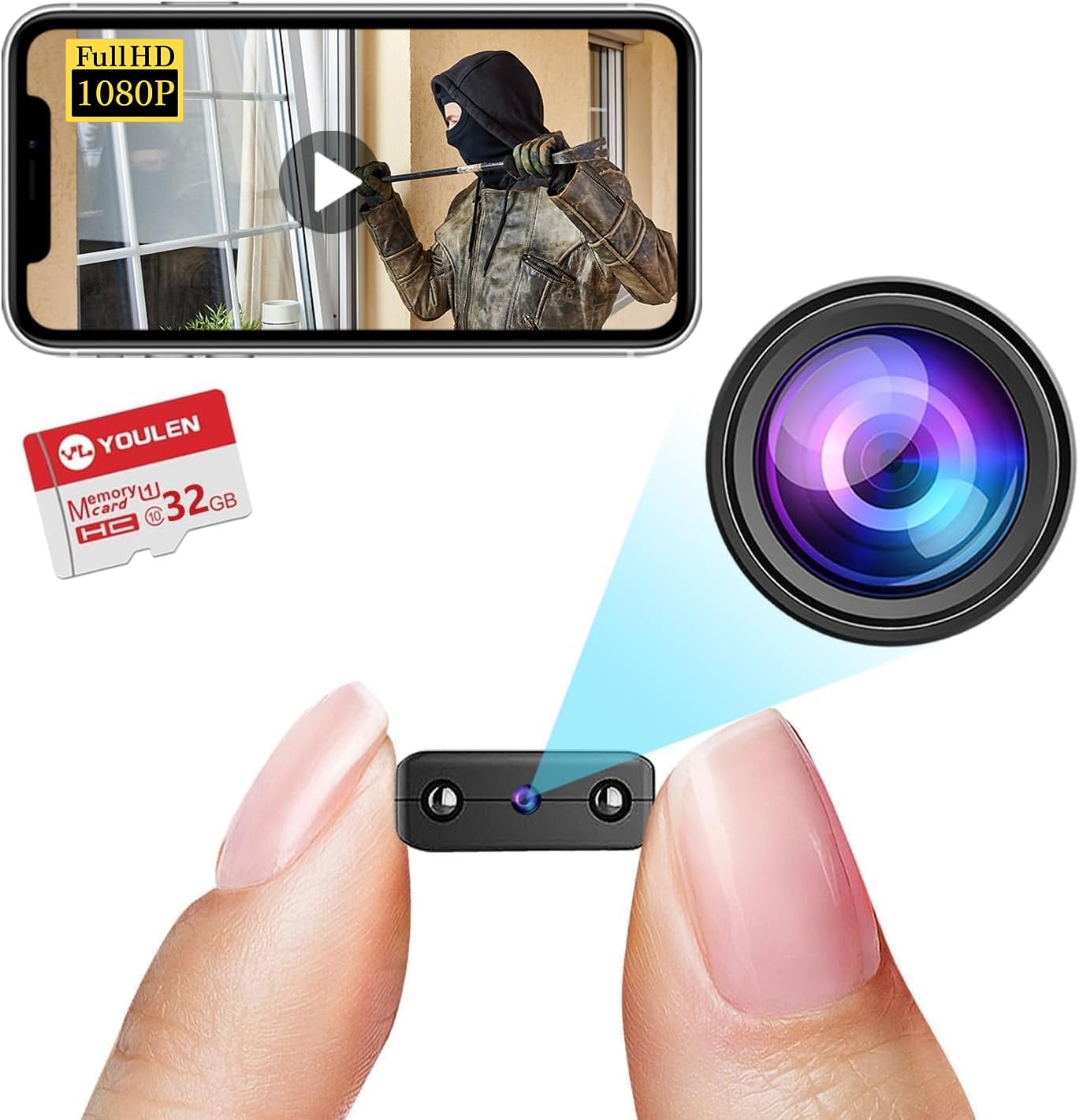
Image: The Rettru camera's compact design, highlighting its small form factor and included 32GB memory card.
ముఖ్య లక్షణాలు:
- HD1080P Video: Records high-definition video for clear monitoring.
- వైర్లెస్ కనెక్టివిటీ: Connects via WiFi for remote access.
- రాత్రి దృష్టి: Equipped with IR-CUT for clear video in low-light conditions, up to 26 feet.
- చలన గుర్తింపు: Automatically detects movement and sends alerts.
- Cloud Storage & Local Storage: Supports both cloud storage and local storage via Micro SD card (up to 128GB).
- పోర్టబుల్ డిజైన్: Small and lightweight for easy placement.
4. సెటప్ సూచనలు
4.1 కెమెరాను ఛార్జ్ చేయడం
Before initial use, fully charge the camera. Connect the provided USB cable to the camera's charging port and to a USB power source (e.g., wall charger, power bank, computer USB port). The charging indicator light will illuminate during charging and turn off when fully charged.

చిత్రం: ఉదాamples of compatible power sources for charging the camera.
4.2 మైక్రో SD కార్డ్ని చొప్పించడం
If you plan to use local storage, insert the Micro SD card (32GB card included) into the designated slot on the camera. Ensure the camera is powered off before inserting or removing the card. The camera supports Micro SD cards up to 128GB.

Image: Illustration of inserting a Micro SD card into the camera and various storage durations based on card size.
4.3 యాప్ ఇన్స్టాలేషన్ మరియు వైఫై కనెక్షన్
- అనువర్తనాన్ని డౌన్లోడ్ చేయండి: కోసం వెతకండి the recommended surveillance app (refer to the user manual included in the package for the specific app name) on your iOS or Android device's app store.
- ఖాతాను సృష్టించండి: కొత్త యూజర్ ఖాతాను సృష్టించడానికి యాప్ను తెరిచి, స్క్రీన్పై ఉన్న సూచనలను అనుసరించండి.
- పరికరాన్ని జోడించండి: Power on the camera. In the app, select "Add Device" or a similar option.
- WiFiకి కనెక్ట్ చేయండి: Follow the app's instructions to connect the camera to your home or office WiFi network. This typically involves scanning a QR code generated by the app or connecting to the camera's temporary WiFi hotspot.
- ప్లేస్మెంట్: Use the rotating bracket to position the camera in your desired monitoring area. The camera's small size allows for discreet placement on desks, bookshelves, or walls.


Image: Visual representation of the camera's small size, battery power, and Micro SD card support.
5. ఆపరేటింగ్ సూచనలు
5.1 ప్రత్యక్ష ప్రసారం View
Once connected, open the app and select your camera from the device list to view the live feed. You can monitor your space in real-time from anywhere with an internet connection.

చిత్రం: ఉదాample of live monitoring via a smartphone, showing the camera's use for pet or home surveillance.
5.2 రికార్డింగ్ మరియు ప్లేబ్యాక్
- మాన్యువల్ రికార్డింగ్: Tap the record button in the app to start or stop manual video recording.
- షెడ్యూల్డ్ రికార్డింగ్: Configure recording schedules through the app settings.
- ఈవెంట్ రికార్డింగ్: Recordings triggered by motion detection are automatically saved.
- ప్లేబ్యాక్: రికార్డ్ చేసిన fooని యాక్సెస్ చేయండిtage from the app's "Playback" or "History" section. You can filter by date and event type.
౪.౧.౧౦ నైట్ విజన్
The camera automatically switches to night vision mode in low-light conditions. This feature provides clear black and white video up to 26 feet.

Image: Comparison of day and night vision, demonstrating the camera's IR-CUT capability for clear night monitoring.
5.4 మోషన్ డిటెక్షన్ మరియు హెచ్చరికలు
Enable motion detection in the app settings. When motion is detected, the camera will record an event and send a notification to your connected device.

Image: Illustration of AI human detection, showing an alert on a smartphone when motion is detected.
6. నిర్వహణ
- శుభ్రపరచడం: కెమెరా లెన్స్ మరియు బాడీని శుభ్రం చేయడానికి మృదువైన, పొడి వస్త్రాన్ని ఉపయోగించండి. ద్రవ క్లీనర్లు లేదా రాపిడి పదార్థాలను ఉపయోగించడం మానుకోండి.
- ఫర్మ్వేర్ నవీకరణలు: Periodically check the app for available firmware updates to ensure optimal performance and security.
- బ్యాటరీ సంరక్షణ: బ్యాటరీ జీవితకాలాన్ని పొడిగించడానికి, తీవ్రమైన ఉష్ణోగ్రతలను నివారించండి మరియు ఎక్కువసేపు నిష్క్రియంగా ఉండే ముందు కెమెరాను పూర్తిగా ఛార్జ్ చేయండి.
- నిల్వ నిర్వహణ: క్రమం తప్పకుండా రీview and delete old footage from your Micro SD card or cloud storage to free up space.
7. ట్రబుల్షూటింగ్
| సమస్య | సాధ్యమైన పరిష్కారం |
|---|---|
| కెమెరా WiFi కి కనెక్ట్ కావడం లేదు |
|
| యాప్లో వీడియో ఫీడ్ లేదు. |
|
| మోషన్ డిటెక్షన్ పని చేయడం లేదు |
|
| రాత్రి దృష్టి నాణ్యత సరిగా లేదు |
|
8. స్పెసిఫికేషన్లు
| ఫీచర్ | వివరాలు |
|---|---|
| మోడల్ సంఖ్య | USA-Heima-Free32GPRO New-JIAN-00015 |
| వీడియో రిజల్యూషన్ | HD1080P |
| కనెక్టివిటీ | వైర్లెస్ (వైఫై) |
| నైట్ విజన్ రేంజ్ | 26 అడుగుల వరకు |
| మోషన్ డిటెక్షన్ | మద్దతు ఇచ్చారు |
| నిల్వ ఎంపికలు | మైక్రో SD కార్డ్ (128GB వరకు), క్లౌడ్ స్టోరేజ్ |
| బ్యాటరీ | 1 లిథియం అయాన్ బ్యాటరీ (చేర్చబడింది) |
| ఉత్పత్తి కొలతలు | 1.6 x 1.2 x 0.5 అంగుళాలు |
| వస్తువు బరువు | 3.13 ఔన్సులు |
| ఇండోర్/అవుట్డోర్ వినియోగం | ఇండోర్, అవుట్డోర్ |
| అంతర్జాతీయ రక్షణ రేటింగ్ | IP65 |
9. వారంటీ సమాచారం
Rettru products are covered by a limited warranty against defects in materials and workmanship. Please refer to the warranty card included in your package or contact customer support for specific warranty terms and conditions. Keep your purchase receipt as proof of purchase.
10. కస్టమర్ మద్దతు
If you encounter any issues or have questions regarding your Rettru HD1080P Wireless WiFi IP Camera, please contact our customer support team. Contact information can typically be found on the product packaging, the included user manual, or the official Rettru webసైట్.
అత్యంత తాజా మద్దతు వనరుల కోసం, సందర్శించండి Rettru brand page on Amazon.