
1. పరిచయం
Thank you for choosing the SMOOL Vanity with Lighted Mirror. This makeup vanity desk is designed to enhance your daily beauty routine with its integrated lighting, ample storage, and convenient power features. This manual provides essential information for assembly, operation, maintenance, and troubleshooting to ensure you get the most out of your new vanity.

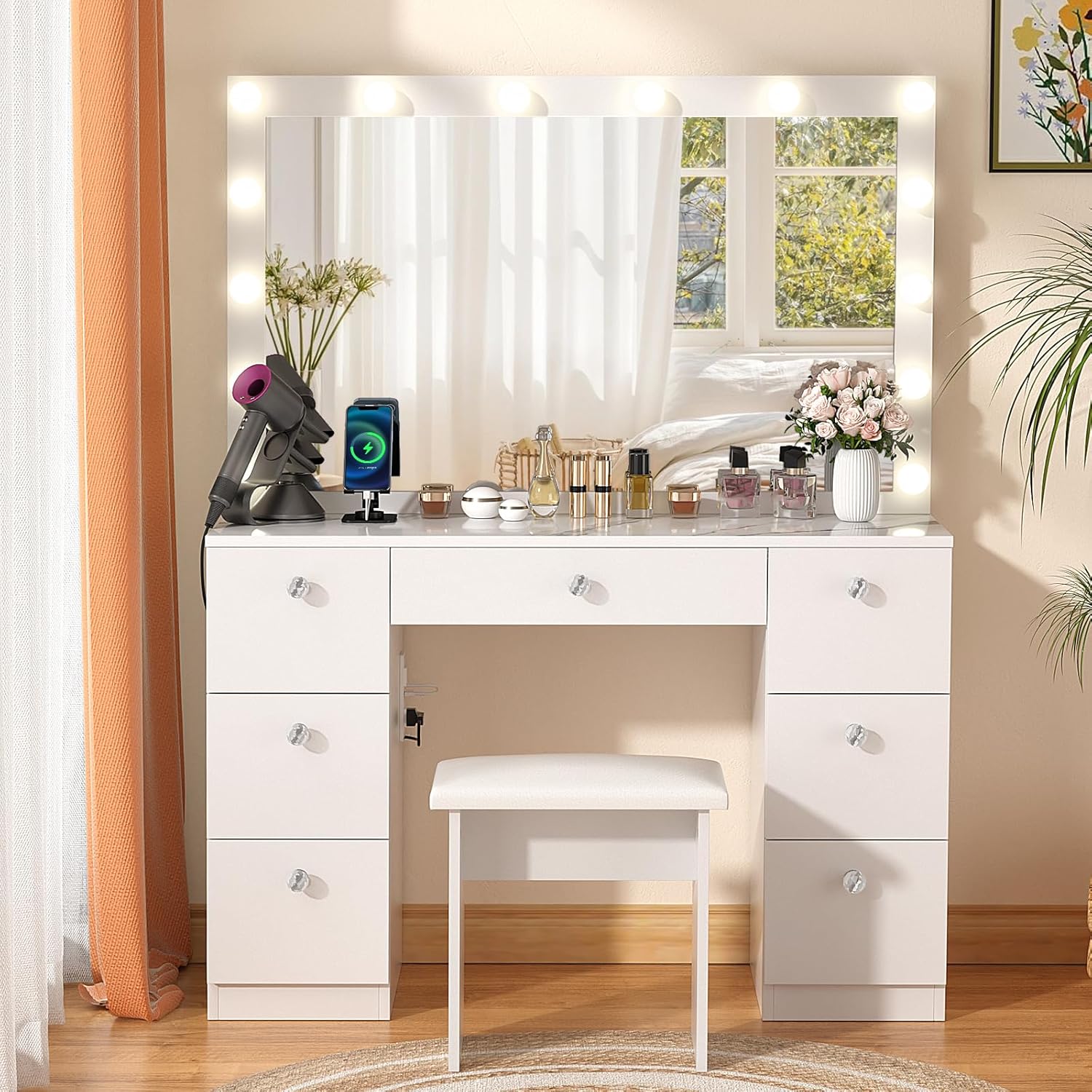
Image: The SMOOL Vanity Desk, featuring a large lighted mirror, multiple drawers, and a cushioned stool, positioned in a bright bedroom.
2. భద్రతా సమాచారం
అసెంబ్లీ మరియు ఉపయోగం ముందు దయచేసి అన్ని భద్రతా హెచ్చరికలను చదివి అర్థం చేసుకోండి. ఈ సూచనలను పాటించడంలో విఫలమైతే ఉత్పత్తికి గాయం లేదా నష్టం జరగవచ్చు.
- విద్యుత్ భద్రత: Be cautious while handling electrical components. Ensure they are not left unattended or within reach of children and pets. Always unplug the vanity from the power outlet before cleaning or performing any maintenance.
- స్థిరత్వం: The vanity is designed to withstand normal use without collapsing or causing injury due to instability. For added safety, especially in households with children or pets, consider securing the vanity to the wall using anti-tip hardware (not included, but recommended).
- బరువు సామర్థ్యం: Do not overload drawers or the desktop. Distribute weight evenly.
- ప్లేస్మెంట్: Place the vanity on a flat, stable surface. Avoid placing it in areas with high humidity or direct sunlight, which can damage the material.
- శుభ్రపరచడం: Use a dry cloth for cleaning. Avoid harsh chemicals or abrasive cleaners.
3. ప్యాకేజీ విషయాలు
అసెంబ్లీని ప్రారంభించే ముందు, క్రింద జాబితా చేయబడిన అన్ని భాగాలు ఉన్నాయని మరియు పాడైపోలేదని ధృవీకరించండి. ఏవైనా భాగాలు తప్పిపోయినా లేదా దెబ్బతిన్నా, దయచేసి కస్టమర్ సపోర్ట్ను సంప్రదించండి.
- Vanity Desk Components (various panels and hardware)
- Lighted Mirror with LED Bulbs
- కుషన్డ్ స్టూల్
- Power Outlet and USB Port Unit
- అసెంబ్లీ హార్డ్వేర్ (స్క్రూలు, డోవెల్లు, కామ్ లాక్లు మొదలైనవి)
- సూచనల మాన్యువల్ (ఈ పత్రం)

Image: A diagram illustrating the overall dimensions of the vanity desk and stool, along with representations of the two shipping boxes (A and B) and detailed views of the two drawer sizes.
4. సెటప్ మరియు అసెంబ్లీ
Assembly of the SMOOL Vanity Desk requires patience and attention to detail. It is recommended to have at least two people for assembly. Please follow the included step-by-step assembly guide carefully. A power drill with screwdriver bits can significantly reduce assembly time.
- కార్యస్థలాన్ని సిద్ధం చేయండి: Clear a spacious area for assembly. Lay out all components and hardware, organizing them by type or step as indicated in the separate assembly guide.
- బేస్ యూనిట్లను సమీకరించండి: Begin by assembling the two side drawer units and the central desk section according to the detailed diagrams.
- డ్రాయర్లను ఇన్స్టాల్ చేయండి: Once the main frame is complete, install the drawer slides and assemble the seven drawers. Ensure smooth operation.
- అద్దం అటాచ్ చేయండి: Securely attach the lighted mirror to the top of the vanity desk. Follow instructions for proper alignment and stability.
- విద్యుత్ భాగాలను కనెక్ట్ చేయండి: Plug in the LED mirror lights and the integrated power strip. Ensure all connections are secure and routed safely.
- స్టూల్ను సమీకరించండి: మెత్తని స్టూల్ను అమర్చండి.
- తుది తనిఖీ: Verify all screws are tightened and the vanity is stable before use.
Note: The assembly process can be time-consuming due to the number of parts. Refer to the separate detailed assembly instructions provided in your package for specific diagrams and hardware identification.
5. ఆపరేటింగ్ సూచనలు
5.1 Lighted Mirror Operation
The vanity mirror features 14 premium built-in LED bulbs with adjustable lighting modes and brightness levels.
- పవర్ ఆన్/ఆఫ్: Locate the control switch on the power cord. Press the power button to turn the lights on or off.
- లైటింగ్ మోడ్లను మార్చండి: The mirror offers 3 color lighting modes: Warm Yellow, Warm White (Natural White), and Cold White. Press the mode button (often indicated by 'M' or a lightbulb icon) to cycle through these options.
- ప్రకాశాన్ని సర్దుబాటు చేయండి: Use the '+' and '-' buttons on the control switch to increase or decrease the brightness of the lights to your desired level.
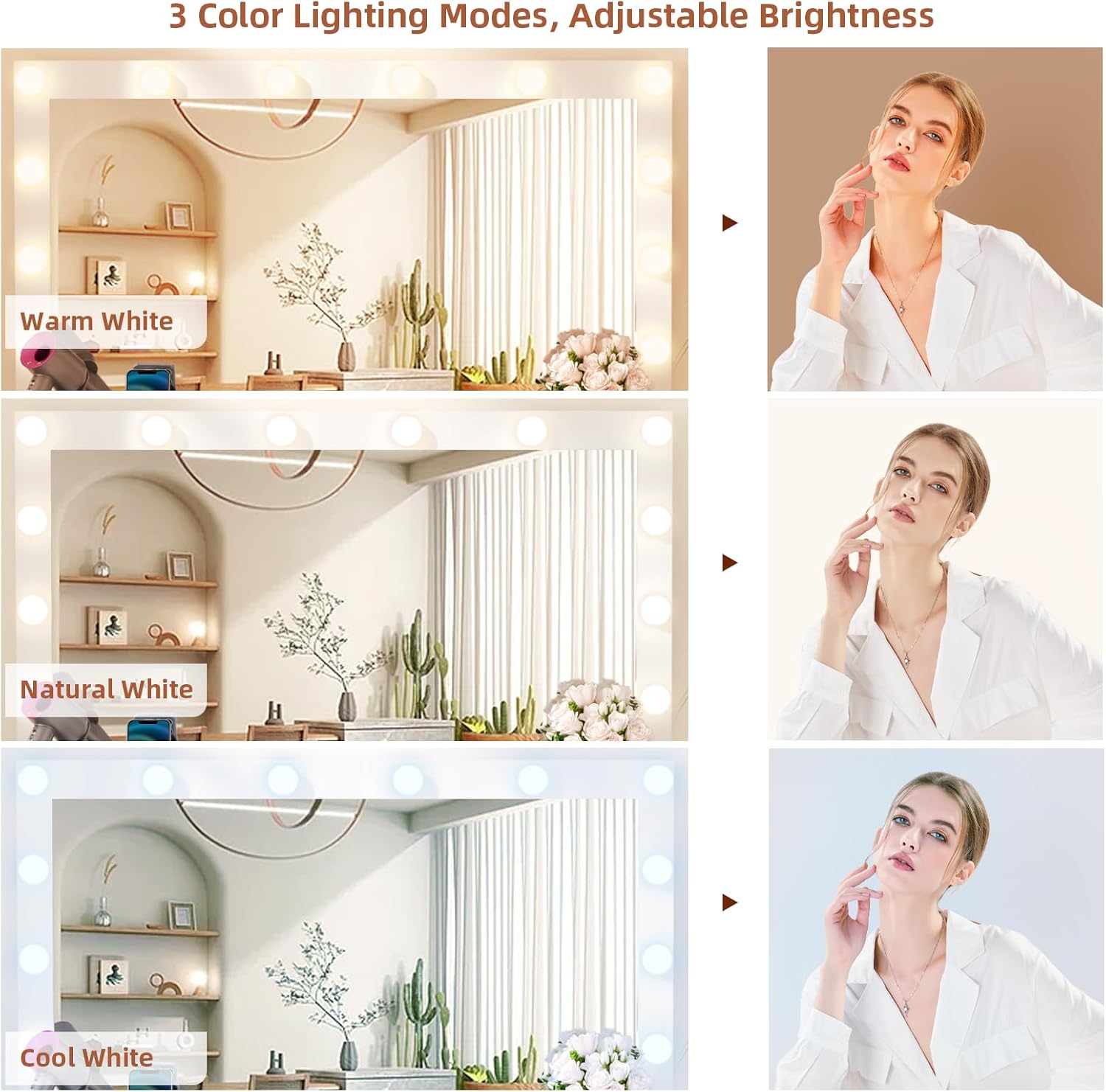
Image: Visual representation of the three distinct lighting modes available on the vanity mirror: Warm White, Natural White, and Cool White, demonstrating their effect on complexion.
5.2 పవర్ అవుట్లెట్ మరియు USB పోర్ట్లు
The vanity includes a convenient charging station with 2 standard plug sockets and 2 USB ports.
- వాడుక: మీ హెయిర్ డ్రైయర్ను ప్లగ్ ఇన్ చేయండి, సిurling iron, beauty devices, or charge your phone directly from the vanity.
- భద్రత: Ensure devices are compatible with the power output. Do not overload the outlets.
చిత్రం: వివరణాత్మక view of the integrated power strip on the side of the vanity, showing two electrical outlets and two USB charging ports.
5.3 నిల్వ డ్రాయర్లు
The vanity features 7 spacious drawers for organized storage of cosmetics, jewelry, and other items.
- Drawer Sizes: One large middle drawer (21.5” W x 4.7” H) and six deep side drawers (10.6” W x 9” H).
- సంస్థ: Utilize the partitioned storage design to keep your beauty essentials neat and easily accessible.

Image: An aerial perspective of the vanity desk with all seven drawers pulled open, showcasing the large desktop area and the crystal ball knobs on the drawers, filled with various beauty products.
6. నిర్వహణ
Proper care will extend the life and appearance of your SMOOL Vanity Desk.
- శుభ్రపరిచే ఉపరితలాలు: Wipe all surfaces with a soft, dry cloth. For stubborn marks, a slightly damp cloth can be used, followed immediately by a dry cloth. Avoid using abrasive cleaners, harsh chemicals, or polishes that may damage the finish.
- అద్దాల సంరక్షణ: Clean the mirror with a glass cleaner and a lint-free cloth. Spray cleaner onto the cloth, not directly onto the mirror, to prevent liquid from seeping into the edges.
- డ్రాయర్ నిర్వహణ: డ్రాయర్ స్లయిడ్లు సజావుగా పనిచేయడానికి క్రమానుగతంగా తనిఖీ చేయండి. డ్రాయర్లు గట్టిగా మారితే, స్లయిడ్లకు కొద్ది మొత్తంలో సిలికాన్ లూబ్రికెంట్ను పూయవచ్చు.
- విద్యుత్ భాగాలు: Keep the power outlet and USB ports clean and free of dust. Do not attempt to repair or modify electrical components yourself.
- బల్బ్ భర్తీ: If an LED bulb needs replacement, contact customer support for compatible replacement bulbs. Do not use non-specified bulbs.
7. ట్రబుల్షూటింగ్
ఈ విభాగం మీ వానిటీ డెస్క్తో మీరు ఎదుర్కొనే సాధారణ సమస్యలను పరిష్కరిస్తుంది.
| సమస్య | సాధ్యమైన కారణం | పరిష్కారం |
|---|---|---|
| లైట్లు వెలగడం లేదు. | పవర్ కార్డ్ ప్లగ్ చేయబడలేదు; కనెక్షన్ కోల్పోయింది; బల్బ్ పాడైంది. | Ensure power cord is securely plugged into a working outlet. Check all connections. If a bulb is out, contact customer support for replacement. |
| Lights are too dim or too bright. | ప్రకాశం సెట్టింగ్ తప్పు. | Use the '+' and '-' buttons on the control switch to adjust brightness. |
| డ్రాయర్లు అతుక్కుపోతున్నాయి లేదా తెరవడం/మూయడం కష్టంగా ఉంది. | Drawer slides are misaligned or need lubrication; drawer is overloaded. | Check alignment of drawer slides and re-adjust if necessary. Apply silicone lubricant to slides. Reduce contents of the drawer. |
| పవర్ అవుట్లెట్లు/USB పోర్ట్లు పనిచేయడం లేదు. | Vanity not plugged in; circuit breaker tripped; faulty unit. | Ensure the vanity's main power cord is plugged in. Check your home's circuit breaker. If issue persists, contact customer support. |
8. స్పెసిఫికేషన్లు
- బ్రాండ్: SMOOL
- మోడల్ సంఖ్య: SMOOL-223
- రంగు: Marble (as per current product variant)
- ఫ్రేమ్ మెటీరియల్: ఇంజినీర్డ్ వుడ్
- ఉత్పత్తి కొలతలు: 44" W x 16" D x 58" H (16 x 44 x 58 inches)
- వస్తువు బరువు: సుమారు 122.4 పౌండ్లు
- డ్రాయర్ల సంఖ్య: 7 (1 large middle, 6 deep side)
- లైటింగ్: 14 LED Bulbs, 3 Color Lighting Modes (Warm Yellow, Warm White, Cold White), Adjustable Brightness
- శక్తి లక్షణాలు: 2 స్టాండర్డ్ ప్లగ్ సాకెట్లు, 2 USB పోర్ట్లు
- అసెంబ్లీ అవసరం: అవును
- ఉత్పత్తి సంరక్షణ: డ్రై క్లాత్తో తుడవండి
9. వారంటీ మరియు మద్దతు
SMOOL is committed to providing high-quality products. For any questions regarding your vanity desk, including assembly assistance, missing parts, or operational issues, please contact our customer support team.
Please refer to your purchase documentation for specific warranty details and contact information. Keep your proof of purchase for warranty claims.
కస్టమర్ మద్దతు:
- Webసైట్: Visit the SMOOL Store on Amazon
- ఇమెయిల్: Refer to your product packaging or purchase receipt.
- ఫోన్: Refer to your product packaging or purchase receipt.