
1. పరిచయం
ధన్యవాదాలు, ధన్యవాదాలు.asing the WiMiUS K9 Projector. This manual provides essential information for setting up, operating, and maintaining your projector. Please read it thoroughly before use to ensure proper functionality and to maximize your viewing అనుభవం.
The WiMiUS K9 is a high-performance projector featuring native Full HD 1080P resolution with 4K support, AI auto-focus and keystone correction, WiFi 6, Bluetooth 5.2, and integrated Netflix certification with Dolby Audio support.
2. భద్రతా సమాచారం
- l ఉన్నప్పుడు ప్రొజెక్టర్ లెన్స్లోకి నేరుగా చూడకండిamp ఆన్లో ఉంది.
- వేడెక్కకుండా నిరోధించడానికి ప్రొజెక్టర్ చుట్టూ సరైన వెంటిలేషన్ ఉండేలా చూసుకోండి.
- Avoid placing the projector in dusty, humid, or extremely hot/cold environments.
- ప్రొజెక్టర్తో సరఫరా చేయబడిన పవర్ అడాప్టర్ను మాత్రమే ఉపయోగించండి.
- ప్రొజెక్టర్ను నీరు లేదా ఇతర ద్రవాలకు దూరంగా ఉంచండి.
- ప్రొజెక్టర్ను మీరే విడదీయడానికి లేదా రిపేర్ చేయడానికి ప్రయత్నించవద్దు. సహాయం కోసం కస్టమర్ సపోర్ట్ను సంప్రదించండి.
3. ప్యాకేజీ విషయాలు
ప్యాకేజీలో అన్ని అంశాలు ఉన్నాయని నిర్ధారించుకోండి:
- WiMiUS K9 Projector
- HDMI కేబుల్
- రిమోట్ కంట్రోల్
- పవర్ కేబుల్
- క్లీనింగ్ క్లాత్
- లెన్స్ క్యాప్
- వినియోగదారు మాన్యువల్ (ఈ పత్రం)
4. ఉత్పత్తి ముగిసిందిview
Familiarize yourself with the projector's components and connection ports.
చిత్రం: ముందు మరియు పక్క view of the WiMiUS K9 Projector, showing the lens and ventilation.
4.1. పోర్ట్లు మరియు కనెక్షన్లు
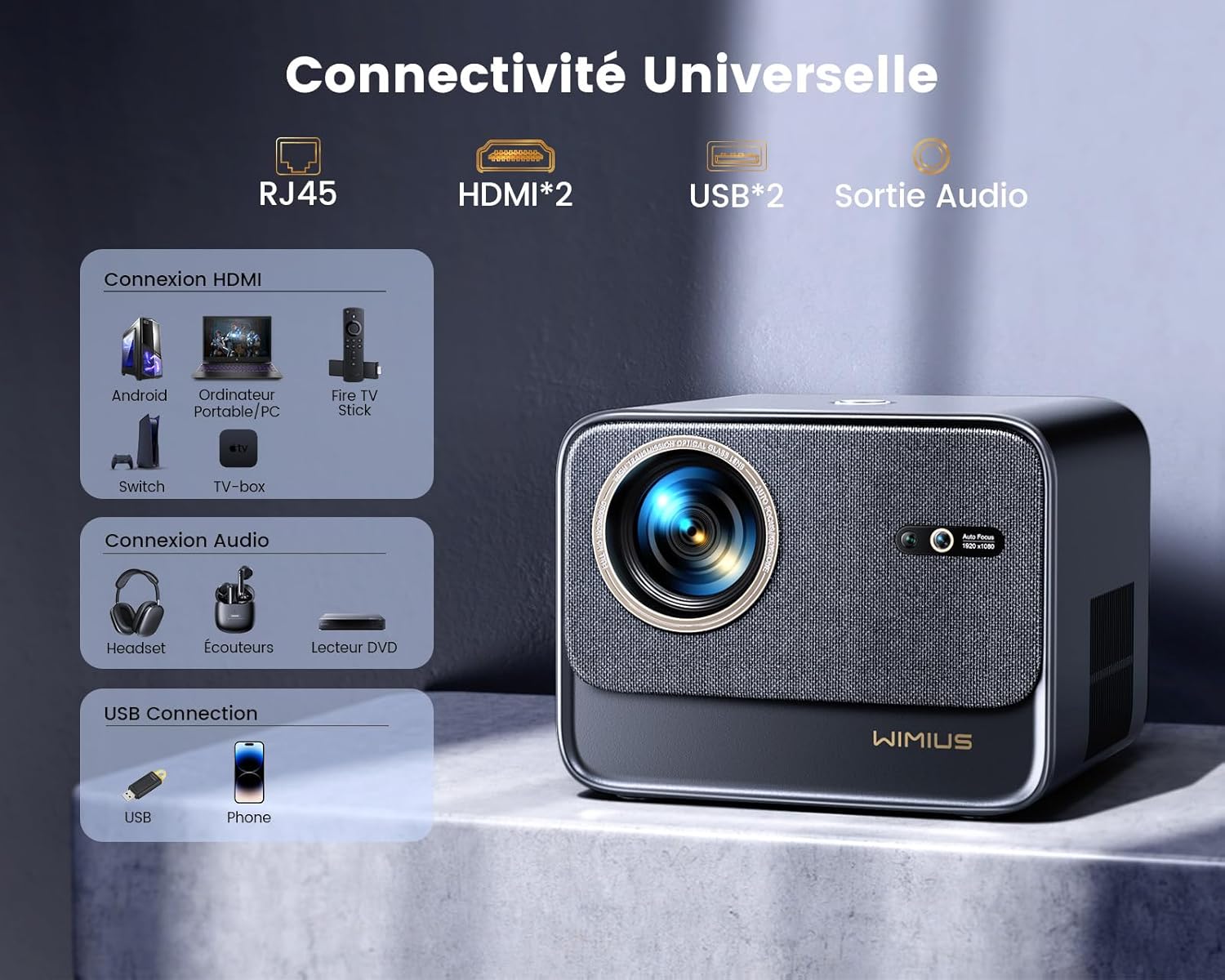
చిత్రం: వెనుక view of the WiMiUS K9 Projector, highlighting the Ethernet (RJ45), HDMI (x2), USB (x2), and Audio Out ports.
- RJ45 (ఈథర్నెట్): వైర్డు ఇంటర్నెట్ కనెక్షన్ కోసం.
- HDMI (x2): Connect to devices like TV sticks, game consoles (PS5), laptops, or TV boxes. Supports HDMI ARC.
- USB (x2): Connect USB drives for media playback or charge compatible devices.
- ఆడియో అవుట్పుట్ (3.5mm జాక్): బాహ్య స్పీకర్లు లేదా హెడ్ఫోన్లను కనెక్ట్ చేయండి.
5. సెటప్
5.1. ప్లేస్మెంట్
Place the projector on a stable, flat surface or mount it according to your preference. Ensure the lens is unobstructed. The projector supports a screen size of 50-300 inches with a projection ratio of 1.33:1.
5.2. పవర్ కనెక్షన్
- ప్రొజెక్టర్ యొక్క పవర్ ఇన్పుట్కు పవర్ కేబుల్ను కనెక్ట్ చేయండి.
- పవర్ కేబుల్ యొక్క మరొక చివరను పవర్ అవుట్లెట్లోకి ప్లగ్ చేయండి.
- ప్రొజెక్టర్ లేదా రిమోట్ కంట్రోల్ ఆన్ చేయడానికి దానిలోని పవర్ బటన్ను నొక్కండి.
5.3. Auto Focus and Keystone Correction
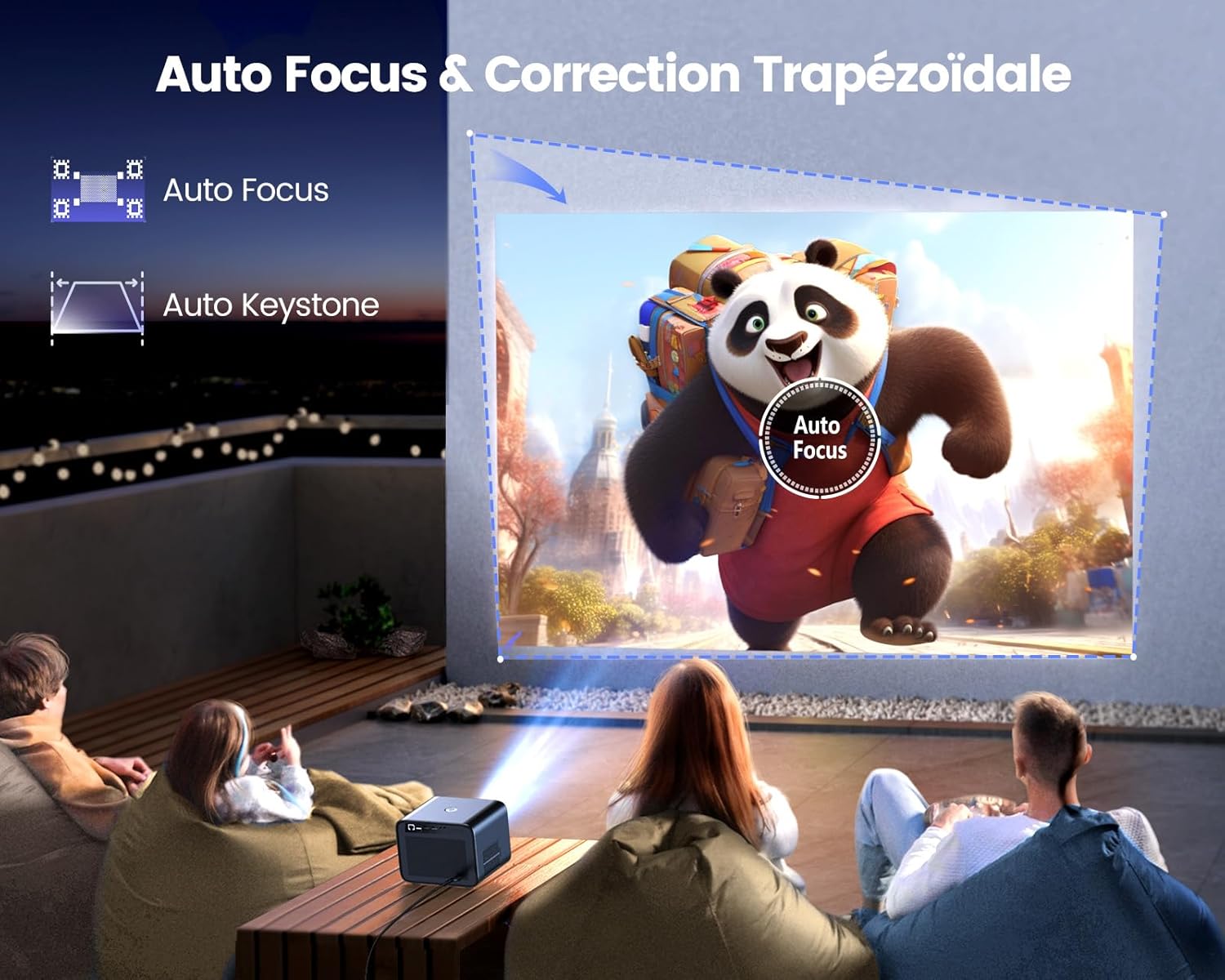
Image: Illustration of the projector automatically adjusting focus and keystone to achieve a rectangular image.
The WiMiUS K9 features AI-powered auto-focus and auto-keystone correction. Upon startup or movement, the projector will automatically adjust the image to be clear and rectangular within approximately 3 seconds. If manual adjustment is needed, use the remote control to fine-tune focus or keystone settings.
5.4. జూమ్ ఫంక్షన్
The projector includes a 50%-100% zoom function, allowing you to adjust the image size without physically moving the projector. Access this feature through the projector's menu or dedicated remote control buttons.
6. ఆపరేటింగ్ సూచనలు
6.1. నావిగేషన్ మరియు యూజర్ ఇంటర్ఫేస్

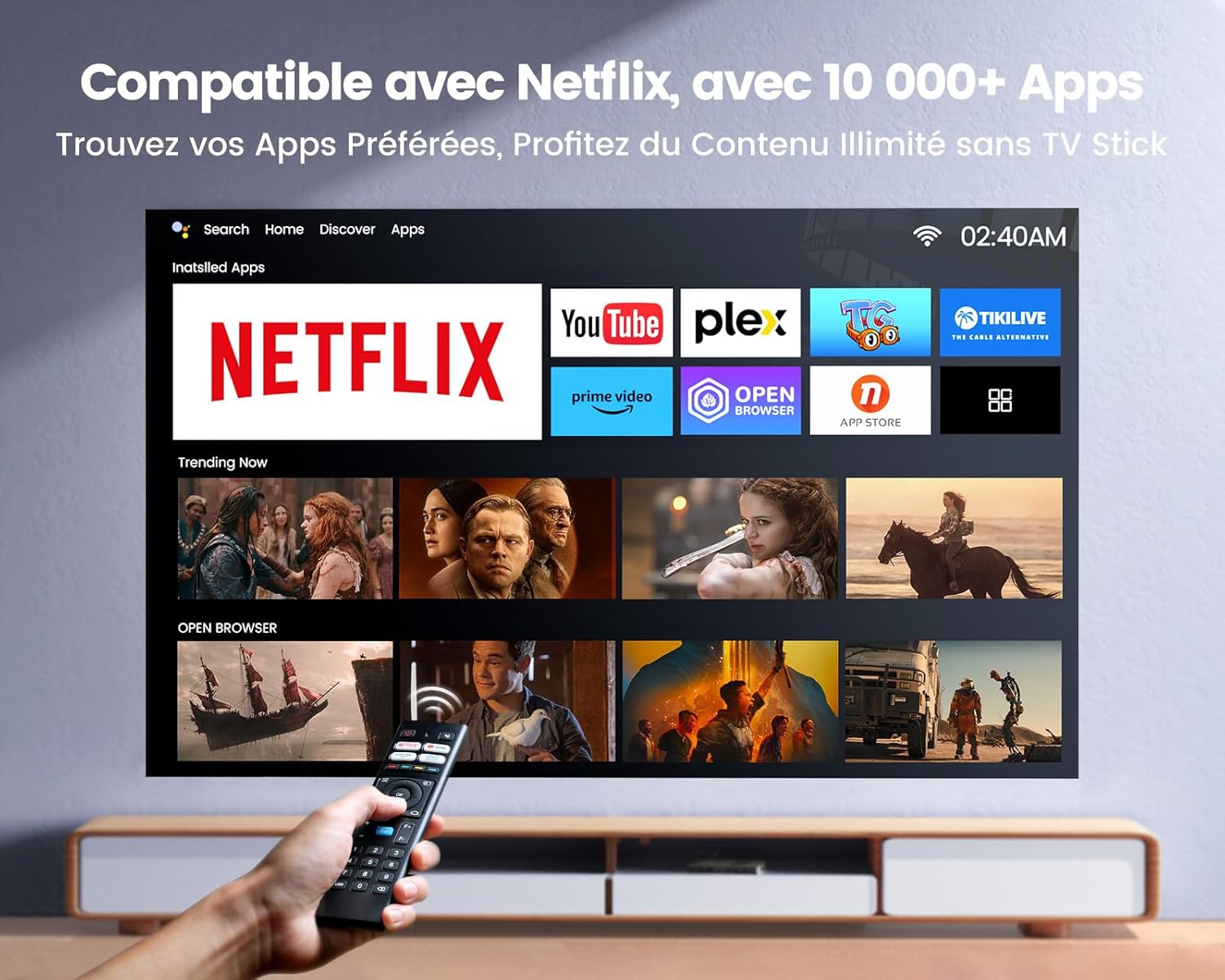
Image: The projector's home screen displaying various streaming applications like Netflix, YouTube, and Prime Video, controlled by a remote.
Use the provided remote control to navigate the projector's Linux-based operating system. The interface provides access to certified applications such as Netflix, Amazon Prime Video, and YouTube, along with other streaming services.
6.2. బాహ్య పరికరాలను కనెక్ట్ చేస్తోంది
The K9 projector offers multiple connectivity options:
- HDMI: Connect your TV stick, game console (e.g., PS5), laptop, or TV box using an HDMI cable. Select the corresponding HDMI input from the projector's source menu.
- USB: Insert a USB flash drive into a USB port to play media fileనేరుగా లు.
- ఈథర్నెట్ (RJ45): For a stable wired internet connection, plug an Ethernet cable into the RJ45 port.
6.3. Wireless Connectivity (WiFi 6 & Bluetooth 5.2)

Image: A person enjoying a video game projected by the WiMiUS K9, illustrating the fast WiFi 6 connection.
- WiFi 6: Connect to your wireless network for internet access and streaming. Navigate to the network settings in the projector's menu to connect to a WiFi 6 network. This enables seamless streaming and screen mirroring from iOS/Android phones and tablets.
- బ్లూటూత్ 5.2: Pair with Bluetooth headphones, speakers, or soundbars for enhanced audio. Go to Bluetooth settings in the menu, enable Bluetooth, and select your device to pair. The projector supports Dolby Audio output to connected Bluetooth devices.
6.4. Audio Settings (Dolby Audio)
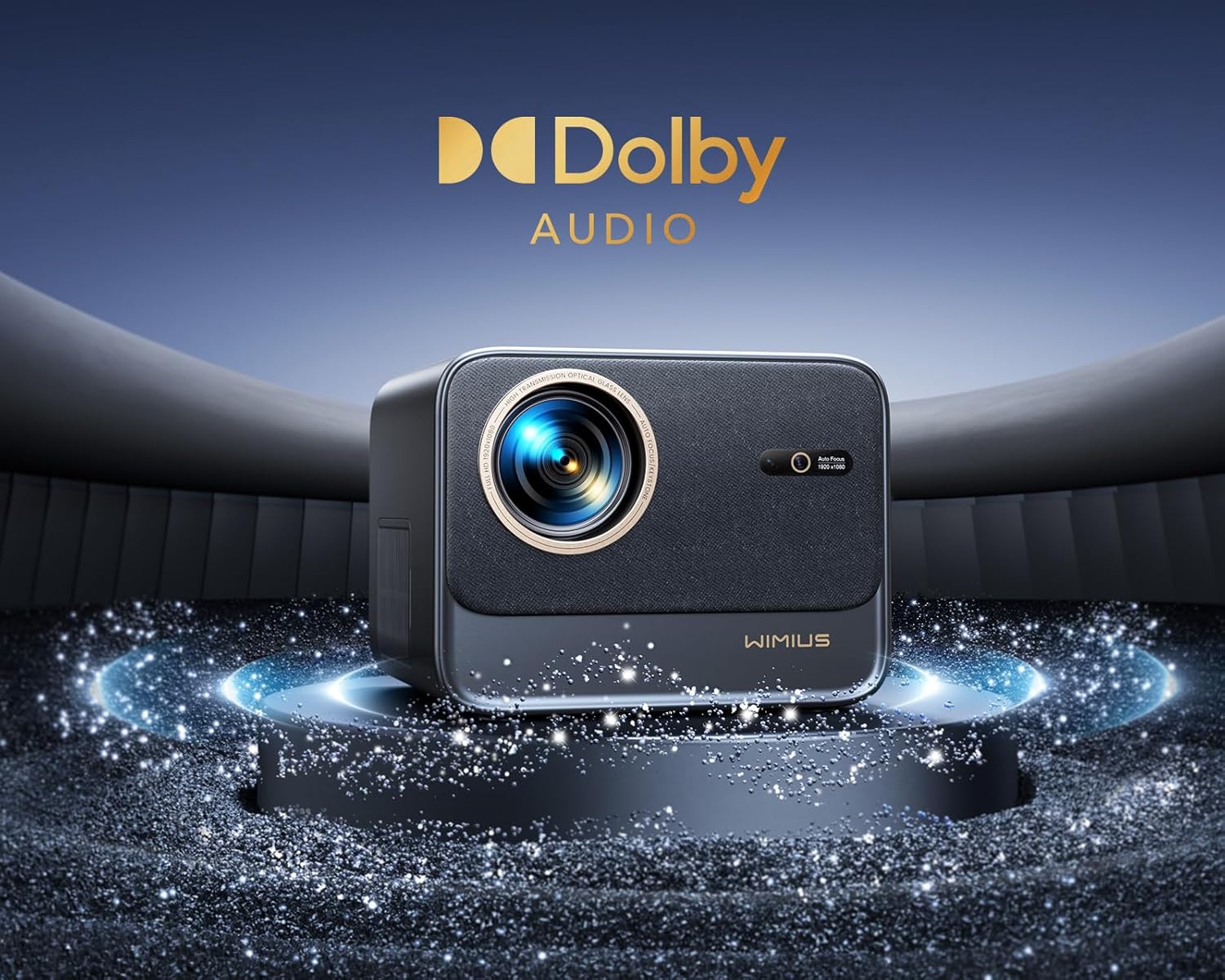
Image: The WiMiUS K9 Projector prominently displaying the Dolby Audio logo, indicating its audio capabilities.
The K9 projector supports Dolby Audio, providing a cinematic sound experience. You can output audio through the built-in speakers, the 3.5mm audio jack, or wirelessly via Bluetooth 5.2 to compatible audio devices.
7. నిర్వహణ
7.1. లెన్స్ శుభ్రపరచడం
Gently wipe the projector lens with the provided cleaning cloth or a soft, lint-free cloth. Avoid using abrasive cleaners or excessive pressure, which can damage the lens coating.
7.2. Dust Prevention
The WiMiUS K9 features a fully sealed optical machine design to effectively block dust and reduce black spots on the projection. Periodically clean the projector's exterior with a soft cloth. Ensure ventilation openings are clear of obstructions.
7.3. నిల్వ
When not in use for extended periods, store the projector in a cool, dry place, protected from dust and extreme temperatures. Use the lens cap to protect the lens.
8. ట్రబుల్షూటింగ్
If you encounter issues with your WiMiUS K9 Projector, refer to the following common problems and solutions:
- చిత్రం లేదు:
- పవర్ కేబుల్ సురక్షితంగా కనెక్ట్ చేయబడిందని మరియు ప్రొజెక్టర్ ఆన్ చేయబడిందని నిర్ధారించుకోండి.
- Check the input source selection (HDMI 1, HDMI 2, etc.) matches your connected device.
- Verify the connected device (laptop, TV stick) is powered on and outputting a signal.
- అస్పష్టమైన చిత్రం:
- Allow the auto-focus function to complete its adjustment.
- If needed, manually adjust the focus using the remote control.
- Ensure the projection surface is flat and the projector lens is clean.
- Distorted Image (not rectangular):
- Allow the auto-keystone correction to complete.
- If necessary, manually adjust keystone correction via the projector's menu.
- ధ్వని లేదు:
- ప్రొజెక్టర్ మరియు కనెక్ట్ చేయబడిన సోర్స్ పరికరం రెండింటిలోనూ వాల్యూమ్ స్థాయిని తనిఖీ చేయండి.
- Ensure external speakers or headphones are correctly connected and powered on if used.
- Verify Bluetooth audio is correctly paired and selected as the output.
- WiFi/Bluetooth Connection Issues:
- Ensure the WiFi network is active and within range. Re-enter the password if necessary.
- For Bluetooth, ensure the device is in pairing mode and within range.
- Restart the projector and the device you are trying to connect.
For further assistance, please refer to the contact information in the Warranty and Support section.
9. స్పెసిఫికేషన్లు
| బ్రాండ్ | WiMiUS |
| మోడల్ | K9 |
| స్థానిక రిజల్యూషన్ | 1920 x 1080P (పూర్తి HD) |
| మద్దతు ఉన్న రిజల్యూషన్ | Up to 4K Ultra HD (60Hz) |
| ప్రకాశం | 32000 ల్యూమెన్స్ (1100 ANSI ల్యూమెన్స్) |
| కాంట్రాస్ట్ రేషియో | 40000:1 |
| ఆపరేటింగ్ సిస్టమ్ | Linux (Netflix Certified) |
| కనెక్టివిటీ | WiFi 6, Bluetooth 5.2, 2x HDMI (ARC), 2x USB, Ethernet (RJ45), 3.5mm Audio Out |
| ప్రత్యేక లక్షణాలు | AI Auto Focus, AI Auto Keystone Correction, Dolby Audio Support, Fully Sealed Optical Machine, 50-100% Zoom |
| సిఫార్సు ఉపయోగం | Home Cinema, Gaming Console |
| చేర్చబడిన భాగాలు | Projector, HDMI Cable, Remote Control, Power Cable, Cleaning Cloth, Lens Cap, User Manual |
10. వారంటీ మరియు మద్దతు
The WiMiUS K9 Projector comes with a 3 సంవత్సరాల వారంటీ కొనుగోలు చేసిన తేదీ నుండి.
For technical support, warranty claims, or any questions regarding your projector, please contact WiMiUS customer service. Refer to the contact information provided in the physical user manual included with your product or visit the official WiMiUS webమద్దతు వివరాల కోసం సైట్.
When contacting support, please have your product model (K9) and purchase details ready.