
1. పరిచయం
Thank you for choosing the EMANER Smart Security Light Motion Sensor. This device combines advanced motion detection with smart control features, offering adjustable brightness, color temperature, and seamless integration with smart home systems like Alexa and Google Home. This manual provides detailed instructions for safe installation, configuration, and operation of your new security light.

Image 1.1: EMANER Smart Security Lights with smart home integration.
2. భద్రతా సమాచారం
WARNING: Risk of electric shock. Installation should be performed by a qualified electrician or a person with electrical knowledge. Disconnect power at the fuse box or circuit breaker before installation or servicing.
- సంస్థాపనకు ముందు విద్యుత్ సరఫరా నిలిపివేయబడిందని నిర్ధారించుకోండి.
- అన్ని స్థానిక విద్యుత్ సంకేతాలు మరియు శాసనాలను అనుసరించండి.
- ఉత్పత్తిని సవరించడానికి ప్రయత్నించవద్దు.
- ఉత్పత్తిని మండే పదార్థాల నుండి దూరంగా ఉంచండి.
- This product is designed for outdoor use and is water-resistant. However, do not submerge it in water.
3. ప్యాకేజీ విషయాలు
ఇన్స్టాలేషన్ ప్రారంభించే ముందు అన్ని భాగాలు ఉన్నాయని నిర్ధారించుకోండి:
- EMANER Smart Security Light (2 units for 2-Pack)
- మౌంటింగ్ హార్డ్వేర్ (స్క్రూలు, వైర్ నట్స్, మౌంటింగ్ ప్లేట్)
- సూచనల మాన్యువల్ (ఈ పత్రం)
4. స్పెసిఫికేషన్లు
| ఫీచర్ | వివరాలు |
|---|---|
| బ్రాండ్ | EMANER |
| మోడల్ పేరు | EMR-8030 |
| లైట్ అవుట్పుట్ | 2800 ల్యూమెన్స్ (గరిష్టంగా) |
| రంగు ఉష్ణోగ్రత | 2700K-6500K (Tunable) |
| మసకబారిన | 1% to 100% via App |
| శక్తి మూలం | కార్డెడ్ ఎలక్ట్రిక్ (120 వోల్ట్లు) |
| కనెక్టివిటీ | 2.4GHz Wi-Fi |
| నియంత్రణ పద్ధతులు | App (Smart Life/Tuya Smart), Voice (Alexa, Google Assistant) |
| మోషన్ సెన్సార్ రేంజ్ | 26 అడుగుల వరకు (సర్దుబాటు చేసుకోవచ్చు) |
| తేలికపాటి వ్యవధి | 5 సెకన్ల నుండి 60 నిమిషాలు (సర్దుబాటు) |
| మెటీరియల్ | ప్లాస్టిక్ |
| కొలతలు | 12"లీ x 6.7"వా x 6"హ |
| నీటి నిరోధకత | Water Resistant (Weatherproof) |

Image 4.1: Product dimensions and adjustable light heads.
5. సెటప్
5.1. సంస్థాపన
- పవర్ ఆఫ్ చేయండి: Before starting, ensure the power to the junction box is turned off at the circuit breaker.
- మౌంటును సిద్ధం చేయండి: Attach the mounting plate to your outdoor junction box using the provided screws.
- వైర్ కనెక్షన్లు: Connect the light's wires to your household wiring:
- Black wire (Live) to Black wire (Live)
- White wire (Neutral) to White wire (Neutral)
- Green/Bare Copper wire (Ground) to Green/Bare Copper wire (Ground)
- మౌంట్ ఫిక్చర్: Carefully tuck the wires into the junction box and secure the light fixture to the mounting plate.
- లైట్ హెడ్లను సర్దుబాటు చేయండి: The three light heads and the motion sensor are rotatable. Adjust them to cover your desired area.
- శక్తిని పునరుద్ధరించండి: సర్క్యూట్ బ్రేకర్ వద్ద పవర్ను తిరిగి ఆన్ చేయండి.
5.2. App Connection (Smart Life / Tuya Smart)
The EMANER Smart Security Light connects via 2.4GHz Wi-Fi to the Smart Life or Tuya Smart app.
- అనువర్తనాన్ని డౌన్లోడ్ చేయండి: మీ స్మార్ట్ఫోన్ యాప్ స్టోర్ (iOS లేదా Android) నుండి "స్మార్ట్ లైఫ్" లేదా "తుయా స్మార్ట్" యాప్ను డౌన్లోడ్ చేసుకోండి.
- నమోదు/లాగిన్: యాప్ని తెరిచి కొత్త ఖాతా కోసం నమోదు చేసుకోండి లేదా మీకు ఇప్పటికే ఖాతా ఉంటే లాగిన్ అవ్వండి.
- పరికరాన్ని జోడించండి:
- మీ ఫోన్ 2.4GHz Wi-Fi నెట్వర్క్కి కనెక్ట్ చేయబడిందని నిర్ధారించుకోండి.
- యాప్లో, పరికరాన్ని జోడించడానికి ఎగువ కుడి మూలలో ఉన్న "+" చిహ్నాన్ని నొక్కండి.
- Select "Lighting" or "Security & Sensor" and then "Light Source (Wi-Fi)" or "Floodlight (Wi-Fi)".
- Follow the in-app instructions to put the light into pairing mode. This usually involves turning the light off and on a few times until it blinks rapidly.
- ప్రాంప్ట్ చేయబడినప్పుడు మీ Wi-Fi నెట్వర్క్ పాస్వర్డ్ను నమోదు చేయండి.
- Wait for the app to discover and connect to the device. Once connected, you can rename the light.
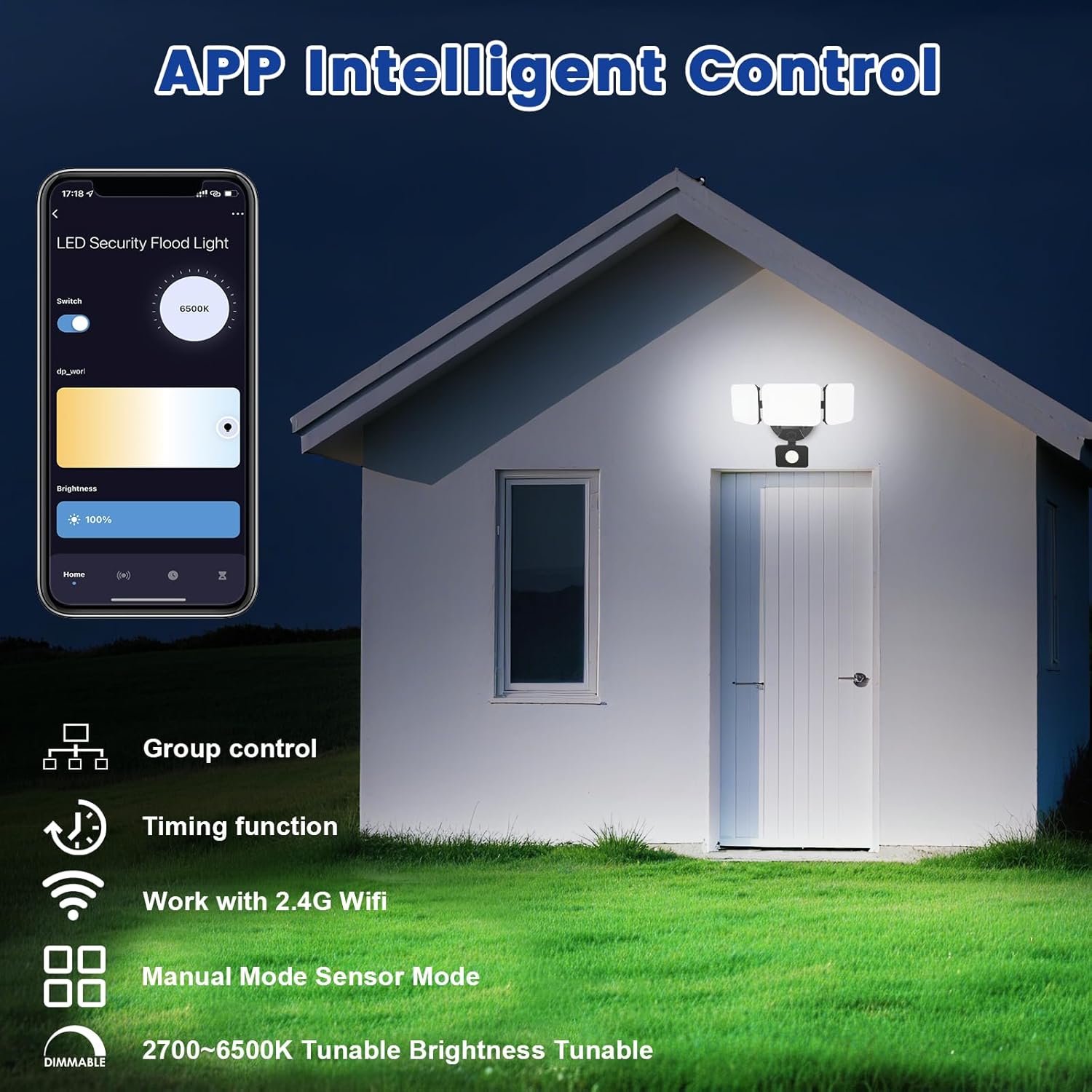
Image 5.1: App interface for intelligent control.
6. ఆపరేటింగ్ సూచనలు
6.1. యాప్ నియంత్రణ
Once connected, use the Smart Life/Tuya Smart app to control your security light:
- ప్రకాశం సర్దుబాటు: కాంతి తీవ్రతను 1% నుండి 100% వరకు సర్దుబాటు చేయండి.
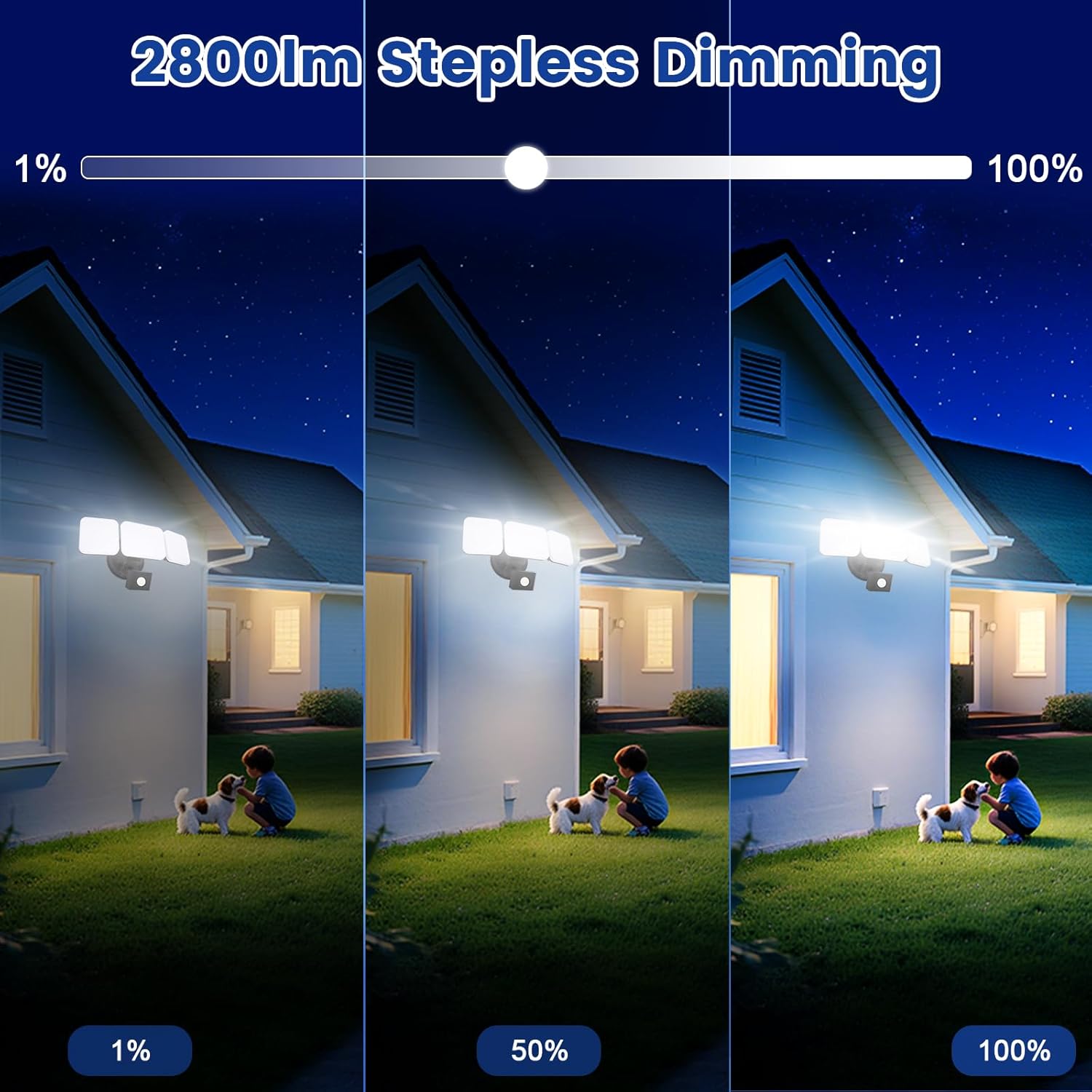
Image 6.1: Stepless dimming from 1% to 100% brightness.
- రంగు ఉష్ణోగ్రత సర్దుబాటు: Change the light color from warm white (2700K) to daylight white (6500K).
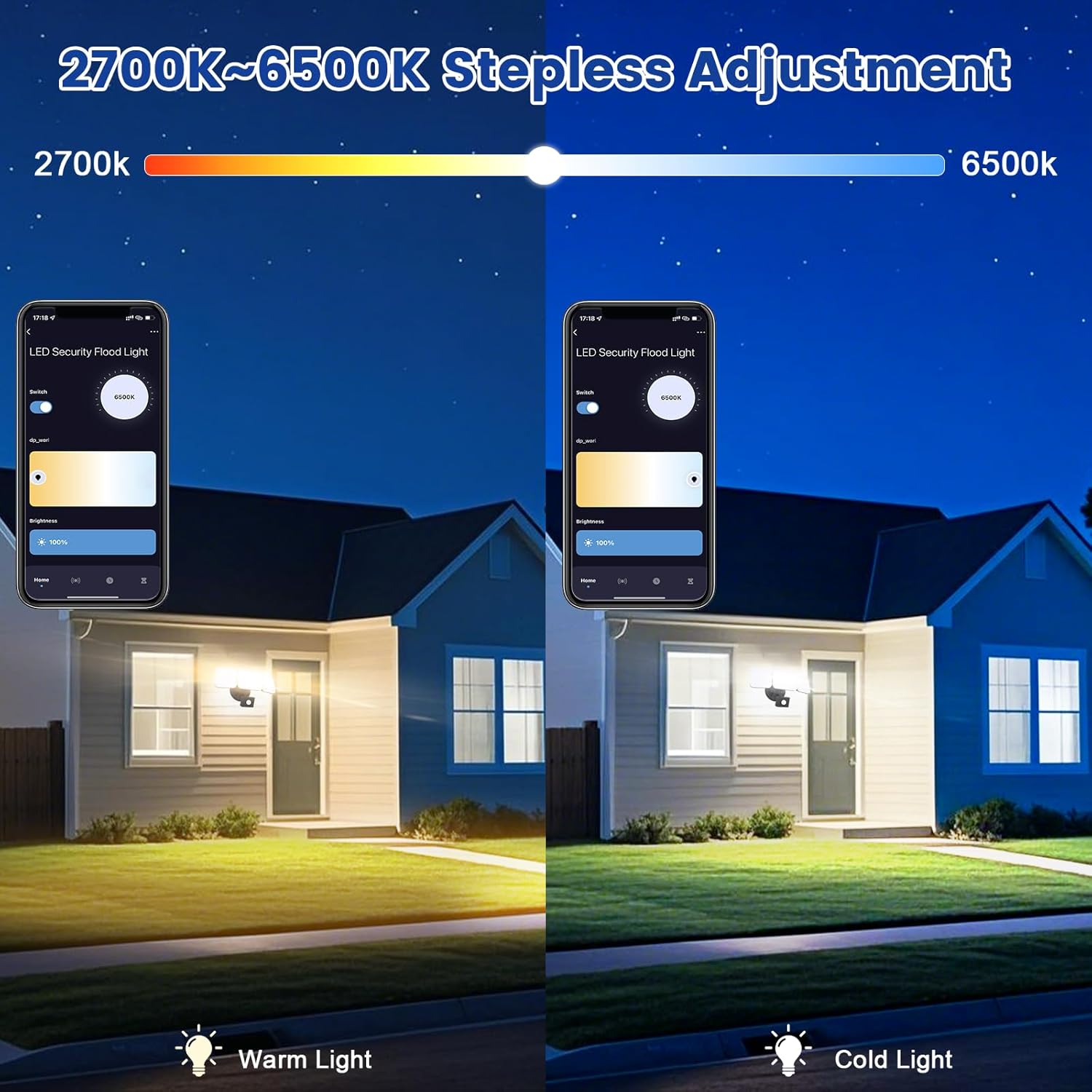
Image 6.2: Tunable white from 2700K (Warm) to 6500K (Daylight).
- ఆపరేటింగ్ మోడ్లు:
- మాన్యువల్ మోడ్: Functions as a regular light. You can set it to turn on/off at specific times and adjust brightness/color temperature.
- సెన్సార్ మోడ్: Activates the motion sensor. Customize sensor settings like sensitivity and light duration.
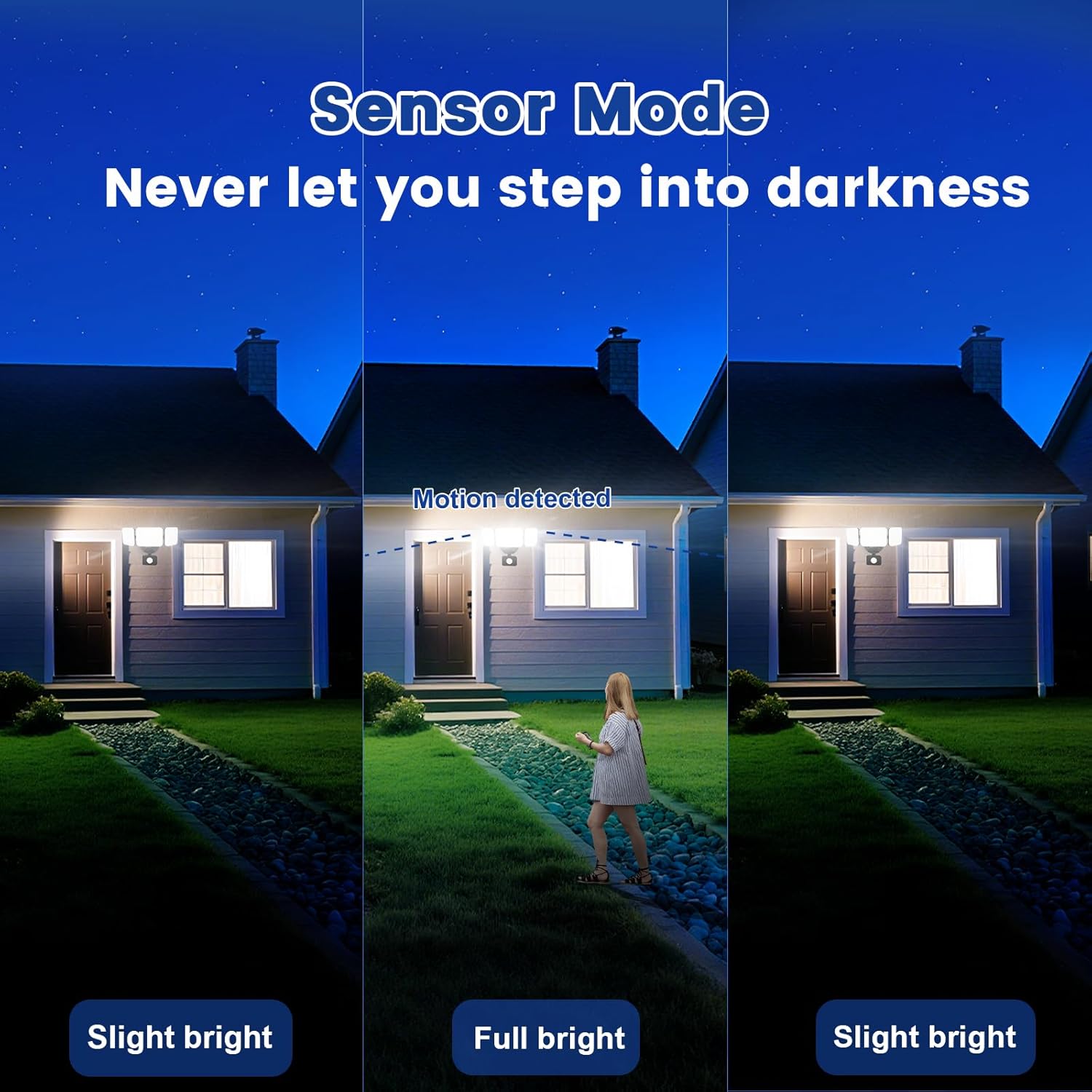
Image 6.3: Sensor Mode operation, detecting motion and adjusting brightness.
- మోషన్ సెన్సార్ సెట్టింగ్లు: Adjust the detection range (up to 26ft) and the duration the light stays on after motion is detected (5 seconds to 60 minutes).

Image 6.4: Adjustable full light duration time.
- షెడ్యూల్ చేయడం: Set schedules for the light to turn on or off at specific times.

Image 6.5: Time scheduling and delay settings.
- సమూహ నియంత్రణ: Group multiple EMANER smart lights together for simultaneous control.
6.2. Voice Control (Alexa / Google Assistant)
Integrate your EMANER Smart Security Light with Amazon Alexa or Google Assistant for convenient voice commands.
- లింక్ ఖాతా: Alexa లేదా Google Home యాప్లో, "Smart Life" లేదా "Tuya Smart" నైపుణ్యం/సేవను ప్రారంభించి, మీ ఖాతాను లింక్ చేయండి.
- పరికరాలను కనుగొనండి: Ask Alexa or Google Assistant to "Discover devices."
- వాయిస్ ఆదేశాలు: వంటి ఆదేశాలను ఉపయోగించండి:
- "Alexa, turn on the security light."
- "Hey Google, set the security light to 50% brightness."
- "Alexa, change the security light to warm white."
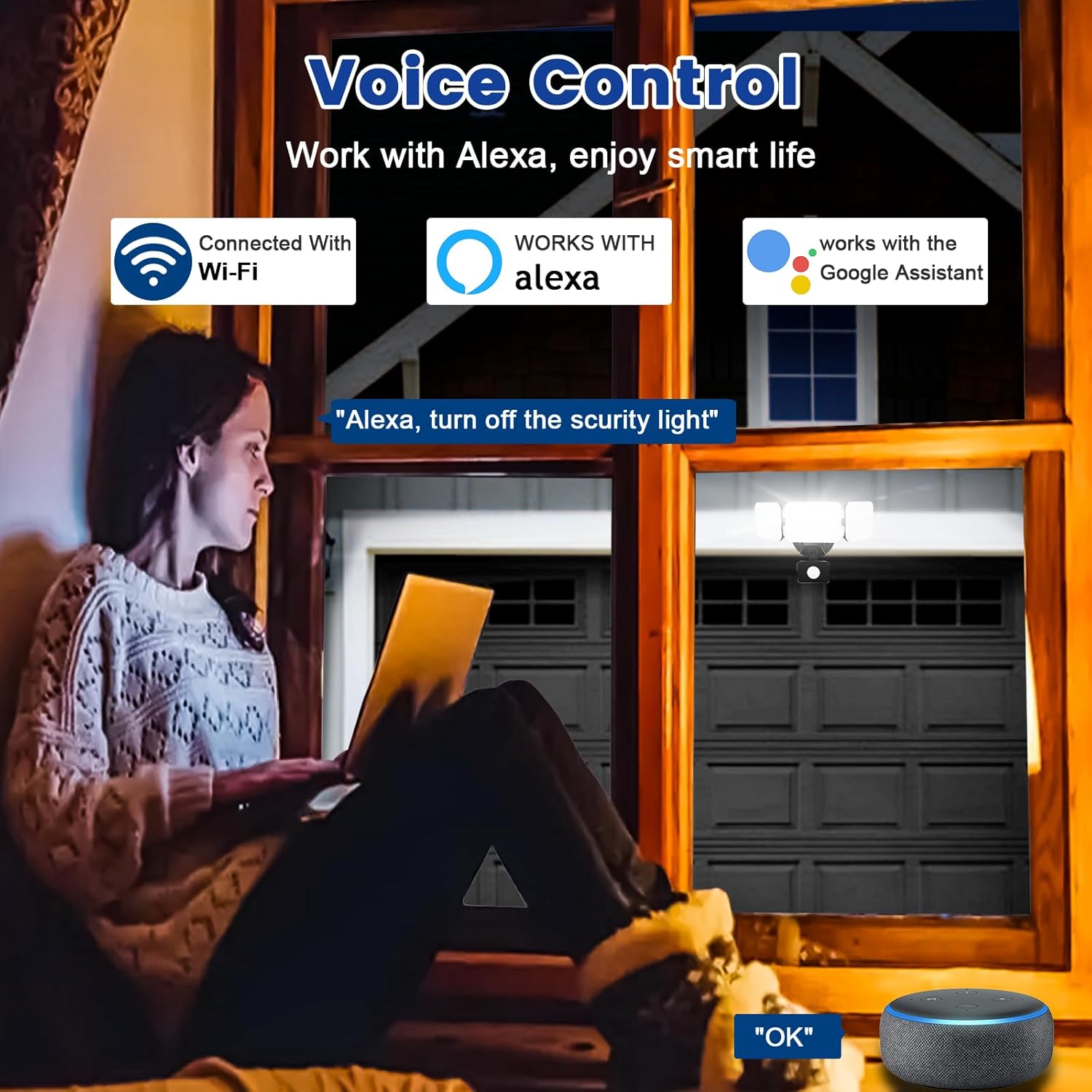
Image 6.6: Voice control integration with Alexa and Google Assistant.
7. నిర్వహణ
- శుభ్రపరచడం: కాలానుగుణంగా లైట్ ఫిక్చర్ను మృదువైన, డి-క్లాసర్తో శుభ్రం చేయండి.amp గుడ్డ. రాపిడి క్లీనర్లు లేదా ద్రావకాలు ఉపయోగించవద్దు.
- తనిఖీ: Regularly check for any loose wiring or damage to the fixture.
- ఫర్మ్వేర్ నవీకరణలు: Keep the Smart Life/Tuya Smart app updated to ensure your device receives the latest firmware for optimal performance and security.
8. ట్రబుల్షూటింగ్
| సమస్య | సాధ్యమైన కారణం | పరిష్కారం |
|---|---|---|
| లైట్ ఆన్ చేయదు. | No power, loose wiring, faulty fixture. | Check circuit breaker. Ensure all wiring connections are secure. Contact support if issue persists. |
| Wi-Fiకి కనెక్ట్ చేయడం సాధ్యపడదు. | Incorrect Wi-Fi band (not 2.4GHz), wrong password, light not in pairing mode, weak signal. | Ensure your router is broadcasting 2.4GHz Wi-Fi. Verify password. Put light into pairing mode (turn off/on several times). Move router closer or use a Wi-Fi extender. |
| Motion sensor not working or too sensitive. | Incorrect settings in app, obstruction, environmental factors. | Adjust sensitivity and detection range in the Smart Life/Tuya Smart app. Ensure sensor is not obstructed. Avoid aiming at heat sources or reflective surfaces. |
| వాయిస్ కంట్రోల్ స్పందించడం లేదు. | App account not linked, device not discovered, incorrect commands. | Ensure Smart Life/Tuya Smart skill is enabled and linked in Alexa/Google Home app. Ask to "Discover devices." Use correct voice commands. |
9. వారంటీ మరియు మద్దతు
EMANER provides a Lifetime Warranty for this product, ensuring quality and customer satisfaction. For technical support, warranty claims, or any questions regarding your EMANER Smart Security Light, please contact EMANER customer service through the retailer's platform or visit the official EMANER webసంప్రదింపు సమాచారం కోసం సైట్.
ఆన్లైన్ వనరులు:
- For app-related issues, refer to the help section within the Smart Life or Tuya Smart application.
- సందర్శించండి EMANER Store on Amazon ఉత్పత్తి సమాచారం మరియు మద్దతు కోసం.